

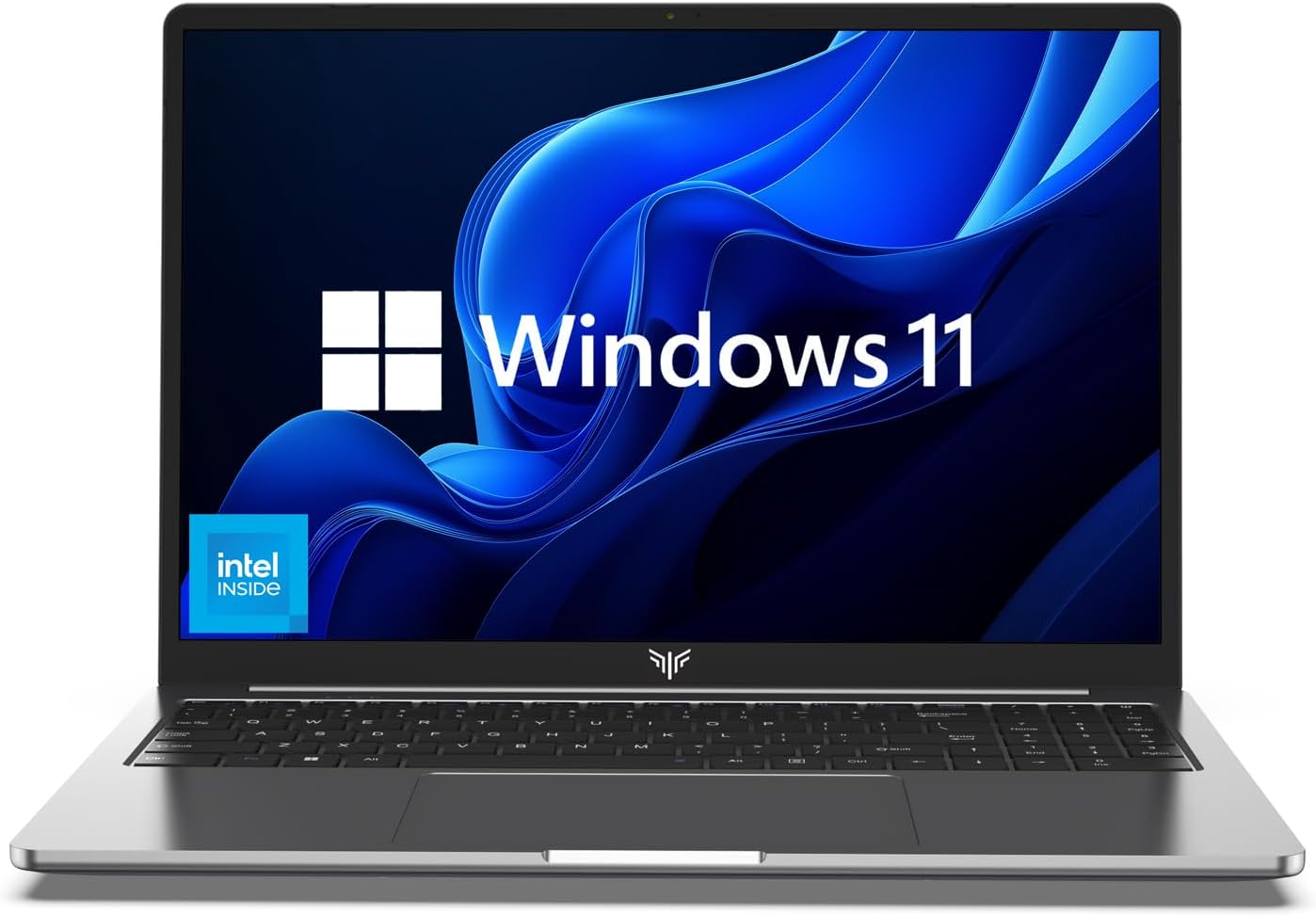
acer Nitro V 15 Gaming Laptop, Intel 13 Gen Core i9-13900H, GeForce RTX 4060, 15.6″ 144 Hz IPS Display, 32 GB DDR5, 2 TB SSD, Wi-Fi 6, Backlit Keyboard, Windows 11 Pro, Gaming Mouse, 256GB UFD
$1,659.99


Price: $1,659.99
(as of Jan 17, 2025 07:43:39 UTC – Details)
GENERAL INFORMATION
Brand: acer
Form Factor: Gaming Laptop 4060
Series: acer Nitro V 15 Gaming Laptop 4060
Color: Obsidian Black
Operating System: Windows 11 Pro
PROCESSOR
Brand: Intel
Model: Intel i9-13900H
Number of Cores: 14
Number of Threads: 20
Turbo Frequency: 5.4 GHz
GRAPHICS
Graphics Type: Dedicated
Model: NVIDIA Geforce RTX 4060
Graphics RAM: 8 GB GDDR6
DISPLAY
Display Size: 15.6 inch
Resolution: 1920×1080 FHD
Refresh Rate: 144 Hz / 3ms
Display Type: LED supports NVIDIA G-SYNC
Display Screen Type: Anti-Glare
MEMORY
Capacity: Up to 64 GB
Type: DDR5
STORAGE
Storage: Up to 4 TB
PORTS
3 x USB 3.2 Type-A
1 x USB 3.2 Type-C (Thunderbolt 4)
1 x HDMI 2.1
1 x Audio Combo Jack
1 x LAN RJ-45 Jack
1 x Kingston Lock
WIRELESS
Wi-Fi: Wi-Fi 6E
Bluetooth: True
FEATURES
Keyboard: RGB Backlit
Webcam: 720p HD Webcam
Speaker Type: DTS X:Ultra Audio
PHYSICAL SPECIFICATIONS
Length: 9.44 inches
Width: 14.26 inches
Height: 0.93 inches
Weight: 4.66 lbs
What’s in the Box
acer Nitro V 15 Gaming Laptop 4060
Gaming Mouse
256 GB USB Flash Drive
Windows 11 Pro
Beyond Performance: Empower your gaming and creativity with the Nitro V 15 combining a Intel 13th Gen Core i9-13900H processor with the NVIDIA GeForce RTX 4060 Laptop GPU Immerse yourself in high-speed performance while streaming and gaming relishing reliable functionality intelligent battery management and groundbreaking technologies that bring the AI experience closer to you
AI-Driven Graphics: Experience lifelike visuals and unparalleled performance with the cutting-edge NVIDIA GeForce RTX 4060 laptop graphics The integration of DLSS technology elevates your gaming to new heights enhancing realism and immersion This innovative AI-powered technique improves the quality of ray tracing providing an even more captivating gaming experience
Picture-Perfect: Step into a new era of visual dominance Witness your digital conquests come alive in vibrant Full HD on a 15.6 inch screen with a lightning-fast 144Hz refresh rate and a wide 16:9 aspect ratio offering an 82.64 percent screen-to-body ratio Enjoy reflexive shots with pinpoint accuracy and minimal ghosting as if you have a portal to the gaming universe right on your lap
Upgraded RAM & Storage: Equipped with 32 GB of high-bandwidth DDR5 RAM the laptop runs your applications smoothly supporting multiple programs and files simultaneously The 2 TB storage capacity provides ample space for all your files and ensures there’s enough room to save more data
Windows 11 Pro & Gaming Mouse & 256 GB UFD: Experience enhanced productivity and security features with Windows 11 Pro, complemented by a gaming mouse for precise control and convenience. There’s a 256 GB USB Flash Drive for your files
Customers say
Customers find the laptop offers good value for money, with a great price to performance ratio. They appreciate its quality, functionality, and speed. The display is satisfactory for gaming, and the WiFi setup is easy and flawless. Many customers find it runs smoothly at 60fps at 1080p with Ultra settings. The build quality is solid and feels premium.
AI-generated from the text of customer reviews
7 reviews for acer Nitro V 15 Gaming Laptop, Intel 13 Gen Core i9-13900H, GeForce RTX 4060, 15.6″ 144 Hz IPS Display, 32 GB DDR5, 2 TB SSD, Wi-Fi 6, Backlit Keyboard, Windows 11 Pro, Gaming Mouse, 256GB UFD
Add a review
Related Products



$1,659.99
Nate –
The best gaming laptop at this price point.
This is the best gaming Laptop I have owned. I’m in IT so I also use my system on our domain. The machine is a beauty with the black and red accents. Feels premium. They keyboard is fine but it is weird how they placed the up arrow. I made a few adjustments as in I put 32GB of ram on board. No its not overboard because I use a lot of programs as well as virtual machines. I always install my own OS and I installed Windows 10 Pro. I also installed a 1TB WD Blue drive in place of the 256 drive and I added a 1TB SSD drive for data. All of my applications and virtual machines run at server speeds. I play Call Of Duty Ghost, Emergency 2017, Battle Field 3, 4, Fall out and many more on the ultra settings and it just looks beautiful and plays flawless. I’m also running music production software as in Sonar, Presonus Studio One, and FL Studio. The Nvidia card make those application better because they use a lot of animation. You just go into the Nvidia control panel and select the programs you want to run off the Intel or NV. Do install the predator sense because you can adjust the fan speeds as well as see the CPU and GPU temps. I use cooling pads at home and work. Not that I need them but they sure look pretty with all these colors. This thing is super fast. Now to the negatives. It is not big brick but it does have a little weight but when you see whats under the hood its understandable. The screen is a victim of getting the price to where it is. Many complain about its not bright enough but I have no issues with it in my bright office. The viewing angles are spot on and I have no issue with the color reproduction. Maybe videophobes have issues but power users and gamer’s will not. The battery is what it is and do not expect much time playing games. Also when you unplug the power source you lose quite a bit of frame rates anyway. Im always plugged in so its no problem. JFYI. Tips. Run all your updates before you start installing programs and games. Update the bios first then grab Geforce Experience from Nvidia’s website so you can get the updated Geforce drivers as well as game optimizations. Never rely on any laptop manufacturer website for anything other than bios. Very pleased
D. Hofford –
Best gaming laptop in the $1000 price range
I had been looking around for a while at many different gaming laptops, planning to get one for sure, but was really on the fence about which one to get. I looked at all of the MSi, Asus, Acer, Dell, HP, Lenovo, Sabre, etc. and to be honest, all these companies had great gaming laptops to offer for around the $1000 price point I was looking for. And I would hope that anyone looking for a gaming laptop in this price range would understand that companies are going to make compromises to reach that price range. All of the gaming laptops from all of these companies are great for this price range, and they all make their compromises in different areas of their laptops to reach that point. Ultimately though, most all of the other ones I looked at for this price were making their compromise in the the form of the GPU, stepping them down to the GTX 1050ti instead of the 1060 to try and cut costs. This was the only one that I found that still included the GTX 1060, and a 6gb one at that! No, it doesn’t have the Aeroblade fans like some of the more expensive Predator line, and doesn’t have a Thunderbolt port, but it does still have a USB-C 3.1, and the dual fans that it does have are still very good. I’ll try to spare the more specific details on the specs on the laptop, as you can simply read those yourself on the main page here for the Helios 300, so I will move on to the concerns I had and what I think of the laptop so far now that I’ve had it for a few weeks and had plenty of time to run it through the mill.There was another reviewer on here that had purchased the Helios 300 as well, and in his review stated that once he got it, Acer did not have the current driver software update on their site for the GPU, so his GTX 1060 in it was useless at that time. He updated his review a few weeks later stating that Acer did finally update their driver software support to the most current version, but I was still concerned about this at the time of my purchase. Needless to say, my concerns about this were immediately alleviated once I got the laptop, as I opened the GeForce Experience program the laptop comes installed with and was easily able to update the driver software within the first 10 minutes of turning it on. Now to my second concern I had, which was heat and coolingI do plan to use this laptop for gaming, and although I don’t plan on doing extremely heavy gaming on it, as I have a PS4, Xbox 360, 2 ps vitas, and a Nintendo Switch, all with plenty of games on them to which are my primary gaming platforms, there are just some games you cannot get on consoles, especially indie games that are offered on Steam, and this is my main use for this laptop, but I did want to see what this thing is capable of, so I purchased The Witcher 3 and Far Cry 4 to really test what it can do. I’ll say, between those two games, and above all my other indie games and older, easier to run games that aren’t near as taxing on the hardware, The Witcher 3 is the ultimate test to see what a system can do, as it runs it HARD, pushing the CPU and GPU to their limits as is, but it does run the game EXTREMELY well, keep in mind you HAVE to be plugged in to the power supply for these particular heavy running games to perform adequately, as if you try and unplug and run them solely on the battery power, both Witcher 3 and Far Cry 4 will instantly cut down to 9fps and are completely unplayable in that manner, and this is NOT something that can be changed, it is just the way the BIOS is set up. Trust me, I tried messing with all of the regular settings to which none of them changed this at all, the only way I found that you could possibly get those type of games to run at full 60+fps on the battery alone would be to go into the BIOS and turn up the voltage, but I DO NOT recommend even trying that, as it is just not worth potentially melting your computer just to do this, so settle on knowing you will need to be plugged in when playing PS4-era games. All of my other games, however that are xbox 360-era games, such as dark souls and payday 2, and ALL of my indie games, run a smooth 30-60+ fps in battery only mode. So, back to the heating and cooling, even though it doesn’t have the Aeroblade 3D fans, the dual fans it does have work very well and are much quieter than I expected them to be, only really being noticeably audible when turned up to max speed. The rest of the time, they are barely a whisper. I want to note, that I HIGHLY recommend always running the PredatorSense application that comes built in to the laptop, as it is very simple and works great, giving you a very nice window that gives you a live feed of your individual CPU and GPU fan speeds, as well as current temperature/loading monitoring for both the CPU and GPU as well, and records all of that data on a second-by-second basis from the time you open the app to current. It also has very easy settings to use, have Auto, Max, and Custom fan speed controls, as well as having something called CoolBoost which I will get into in a moment.So, while running either The Witcher 3 or Far Cry 4, I noticed that after extended periods of play (1+ hours), on the auto setting and with CoolBoost off, CPU temp was staying around 90 Celsius, and 80 Celsius for the GPU, and there were short spikes that would last a few seconds at a time where the CPU would actually jump up to 97 Celsius, which was enough to concern me, so I tried messing with the settings more, and concluded that if you are going to play any heavy games that tax the hardware this much, I HIGHLY recommend that you turn CoolBoost ON, as once this was on, on the Auto fan setting, playing The Witcher 3 or Far Cry 4 for extended periods, it considerably helped to cut down these max temperatures, where now the CPU max was at 87 Celsius, and the GPU at 78 Celsius max. Much better. Now, as for all of my indie games and Xbox 360 era games, this ran considerably cooler, with Dark Souls pushing the CPU to 72 Celsius max, and GPU 61 Celsius max. So, in conclusion, cooling is definitely more than adequate for light to medium gaming, but to remain adequate cooling on heavy games, I recommend you always turn on CoolBoost first, but once you’ve done so, it is adequate.In conclusion, I am extremely happy with the performance of this laptop! It hits all of the right marks for someone like me who does do medium and some occasionally heavy gaming on it. As far as all other uses, for web browsing, video streaming and similar tasks, it is more than enough to easily perform well, with web browsing specifically being very fast. It may even be enough to say it is overpowered for such tasks, which is fine by me. The ISP screen is beautiful to say the least, with very good viewing angles, having a VERY slight loss in brightness at about 50+ degrees onward, but it is so slight it is still viewable. The keyboard is very solid, and the keys have good travel and resistance, not too much, not too little. The only qualm I might have regarding the keyboard is the fact that you only get one color on the back lighting for it, red, as I understand that may bother some people, but again for the price point, some compromises are to be expected, and the red backlighting really does not bother me, and actually has really good lighting, not being too overpowering but giving you enough light to be able to easily see all keys well. The touchpad is very good, having smart gesture capability, and the left and right clicking work well on it, as well as tapping the touchpad to click. Battery life overall is actually much better than I anticipated for all the hardware it has, being able to get upwards of 8 hours with light to medium use for surfing the web and doing other things, with gaming obviously draining it much quicker, but I’ve been able to get up to 2 hours on some games on just the battery alone without even trying to turn any of the settings down and actually having the screen brightness all the way up. The 256gb ssd that it comes with is blazing fast and I absolutely love it, but I do recommend you consider getting an additional hard drive for it as I did, as it does come with an extra 2.5″ slot on the bottom to put an additional drive in it, which I ended up throwing my old 500gb PS4 hard drive in, which was an extremely easy thing to do since they made a simple door on the back that comes off after just removing one screw and is super easy to do yourself, just don’t forget to make sure the hard drive you put in it is already formatted or empty, as I forgot to erase all my old PS4 data off the one I put in it, and ended up having to go into the Disk Management settings and delete all the partitions (save files essentially) one at a time before the computer would even recognize the hard drive, but once I deleted all of the partitions, it easily recognized it.In summary, I would definitely recommend this laptop for anyone that is looking for something similar to what I was looking for that wants to get the absolute most performance they can for a price point of $1099 and that isn’t concerned too much about being bothered by having a laptop that looks like a gaming laptop.
Bilal Saed –
اÙÙابتÙب ÙÙÙس ٠را Ø£ÙØµØ ÙÙÙ
Zabdiel V –
Me compre esta laptop para la universidad y para gaming y no he tenido problemas, aunque cabe resaltar que se sobrecalienta demasiado con juegos pesados como GTA V o Star wars battlefront 2 por lo que yo recomendarÃa no jugar más de dos horas, puedes modificar la velocidad de los ventiladores (RPM) a gusto para reducir el sobrecalentamiento pero no es suficiente. La recomiendo por ser una buena laptop calidad/precio, además de que puedes extenderle la ram y almacenamiento.
FOREST David –
Je recommande l’Acer Predator Helios 300 Gaming Ordinateur Portable, Intel Core i7, GeForce GTX 1060, 15.6 FULL HD, 16 Go DDR4, 256 GB SSD. Les jeux du moment tournent avec une fluidité déconcertante. Une très bonne machine pour ceux qui souhaitent jouer (ou autre) dans des bonnes conditions sans se ruiner.PS: les 256go du SSD seront justes à moyen terme mais des solutions existent pour quelques ⬠(ou $) de plus.
Paloma Picasso –
Esta maquina es excelente pero primero quiero recalcar el envio, tambien excelente por parte de amazon. 2 dias desde EEUU wow, mucho antes de la fecha prevista.Por este precio ahora mismo no hay nada comparable, puedes jugar a PUBG a 60 estable alto Рultra, fortnite ni te plantees que vaya a bajar de 60 en todo ultra, mas o menos lo compararia a mi torre que trae una 970 pero quizas bajada algo de frecuencia. Este rendimiento encaja perfectamente a la pantalla que trae ya que vas a poder jugar a titulos en ultra por mucho tiempo sin ver tu rendimiento reducido. Si trajese un monitor 120hz no le sacarias el partido en los titulos mas exigentes, aunque vendria bien en esports.El teclado es excelente, la pantalla mucha gente se queja, pero investigando encontra un perfil de calibrado de color y mejora increiblemente. Realmente la gente que se queja ni edita en PS ni hace trabajos artisticos ya que se ve increible y lo unico de lo que te podrias quejar es de la infidelidad que pueda producir en tus trabajos, pero vamos es eye candy.Respecto a la temperatura el hecho de tener la salida hacia la parte opuesta al usuario es perfecto, mas modelos deberian de incluirlo.Es verdad que se puede notar algo caliente la parte superior del teclado, pero esto en ningun momento me ha molestado y en invierno puede venir muy bien para enfriar las manos.En espa̱a este modelo viene con menos prestaciones y un precio superior por lo que recomiendo encarecidamente comprarlo exportado, aunque te venga con teclado US te acostumbras rapido y si eres programador te daras cuenta de que tu vida habria sido mas facil con este layout.Por decir algo negativo es que subir algo la frecuencia del monitor es complicado o imposible ya que trae Nvidia Optimus, pero vamos es algo que poca gente se plantea. Generalmente Optimus trae mas ventajas que inconvenientes. Tambien hay que decir que las huellas se quedan con facilidad debido al material empleado, que le da un aspecto bastante premium. Los peque̱os detalles como los bordes de aluminio realmente me agradan.Conclusion: Debido a que las graficas de la siguiente gama para laptop saldran a finales de a̱o este ordenador sigue valiendo la pena comprarlo incluso cuando salgan debido a su precio, calidad de construccion y rendimiento. Si te ves indeciso porque es exportado, la empresa de envio se nota que es muy profesional y si politica es muy buena respecto a devoluciones y reparaciones. La pantalla es imprecisa para profesionales, pero no tiene nada que ver con lo agradable que es de ver, como lo que les pasa a las amoled.
Samoi! –
I’ve had the machine a little over 2 weeks now and although this isn’t a considerable length of time I’ve experienced no issues and I am extremely happy with the product and it’s performance. The laptop came promptly, 2 days early in fact and was very well packaged. The build quality is good and the machine is aesthetically pleasing. Keyboard is good quality (US) and the touch pad is acceptable. It runs silently for basic operations and isn’t any louder than what can generally be expected from any gaming machine. Under a considerable load the CPU/GPU can run upto around 65/70c which is perfectly normal for gaming laptops but I would recommend investing in a cooling pad, you can pick half decent ones up for as little £15/20. The screen display is where this machine cuts costs compared to its competition but all things considered its acceptable quality. It comes with a primary SSD but you will need to buy a secondary HDD/SSD separately. Installing the drive is very simple and should take no more than 10 mins. The laptop came with the caddy and the cable was pre installed. This laptop will run pretty much anything you throw at it within reason. Keep an appropriate cleaning agent and cloth handy though because this thing does love fingerprints. Overall, this is a great laptop with impressive specs for the money. I’d thouroughly recommend.