

MAONO USB Audio Interface for PC: Interface with XLR Input 24-bit/192kHz Routing Software LOOPBACK ASIO Driver for Recording Music, Home-Studio, Guitar, Podcast, Streaming, DAW(PS22 Lite Black)
$69.99



Price: $69.99
(as of Jan 15, 2025 04:43:02 UTC – Details)
Product Description


1 High sampling rate
2 XLR Pro-Preamp
3 Perfect for guitar
4 Dual Independent codecs


1 Loopback
2 Routing Software
3 Low Latency


1 Visual indicator light
2 Direct monitor
3 Wide compatible
4 Portable


1 Guitar
2 Podcast Recording
3 Music Production
4 Singing
5 Content Creation

Capture every detail of your sound: Imagine the perfect take, every note and beat, captured as if by magic. That’s the MAONO PS22 Lite audio interface—designed for the recording enthusiast and streamer in you. With high-resolution recording at 24-bit/192kHz and a dynamic range of 106dB, this USB audio interface for PC and Mac ensures your sound is as clear and realistic as the original performance
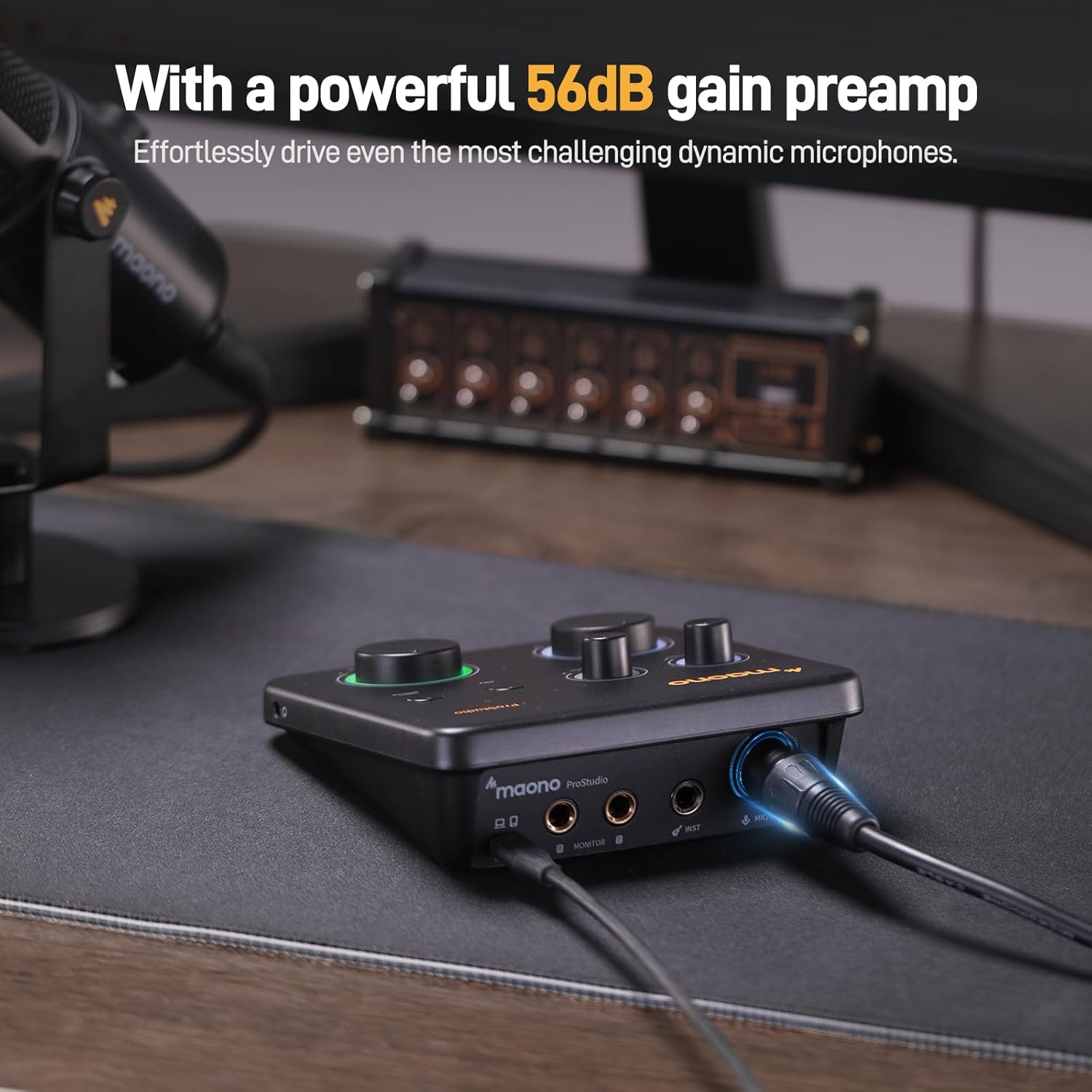
For Microphone Lovers: Podcasters and Voice Actors, the PS22 Lite XLR audio interface is perfect. It can handle condenser and dynamic microphones with up to 56 dB of preamp and 48V phantom power. Enjoy a warm and clear sound for your podcasts or voice-over work
Create Your Music with Guitar: Whether you are a musician or a guitar enthusiast, an interface for recording music gives you rich, realistic sound. Plug into the audio interface’s dedicated instrument input, adjust the impedance, and get guitar and vocal effects quickly. Stand out from the crowd with our recording music audio interface, and make sure every note you play is memorable
Powerful ProStudio Routing Software: Live-Streamers or Social Media Influencers, take control of your live streams with the PS22 Lite. The ProStudio Routing Software included with this computer recording audio interface opens up a world of possibilities with additional virtual channels and loopbacks, and it’s compatible with ASIO drivers for low-latency output, providing the flexibility needed for your broadcast
For Beginners: Content Creators just starting in recording, The USB audio interface for pc is designed with intuitive modes for recording, live broadcast, and instruments, making it easy to switch between setups. Its plug-and-play capability and direct monitoring switch save time and streamline your creative process
User-friendly and Easy to use: Hold a device that fits in the palm of your hand but packs a sound punch. The PS22 LITE interface is designed to be small, light, and compact. The dynamic light ring indicates sound input status, the ergonomic and comfortable feel, and the side headphone monitoring interface reduces cable clutter, enhances audio experience, is not just easy to use but also enhances your audio experience, letting your creativity flow
Compatibility and Package List: Dream of a setup that’s as versatile as your talent. The MAONO PS22 Lite USB audio interface plays well with Mac, Windows, and even iPads, with a plug-and-play function that makes connecting a breeze. Compatibility with popular DAW recording software like Avid Pro Tools, Ableton Live, and Steinberg Cubase.Your package includes the audio interface, a USB-A/USB-C to USB-C cable, and a user manual—everything you need to start making music today
Customers say
Customers find the audio MIDI interface easy to use and figure out with an intuitive layout. They appreciate the clear controls with labeled knobs for gain, volume, and other essential functions. The audio quality is excellent on both the output and input, capturing both voice and system audio without hassle. It offers good value for money, with great quality at an affordable price. Customers find it works well for electric guitar and microphone recording, and they like the latency.
AI-generated from the text of customer reviews
13 reviews for MAONO USB Audio Interface for PC: Interface with XLR Input 24-bit/192kHz Routing Software LOOPBACK ASIO Driver for Recording Music, Home-Studio, Guitar, Podcast, Streaming, DAW(PS22 Lite Black)
Add a review
Related Products


$69.99
The Truth –
The Truth
One of the standout features of the MAONO USB Audio Interface is its user-friendly design. The setup process is remarkably straightforward. Upon unboxing, I found that connecting the interface to my PC was as simple as plugging in the USB cable. It is truly a plug-and-play device; my computer recognized it immediately without the need for any complicated drivers or extensive configuration.The interface features an XLR input, which is essential for connecting professional-grade microphones like the PS22 Lite. This allows users to easily switch between different microphones or instruments, providing versatility for various recording situations. The controls are intuitively laid out, with clearly labeled knobs for gain, volume, and other essential functions. This design ensures that even those new to audio recording can navigate the interface with confidence.The routing software included with the MAONO interface adds another layer of convenience. The LOOPBACK feature is particularly beneficial for streamers and podcasters, as it allows for easy mixing of audio from multiple sources. This feature can be set up quickly, enabling users to capture both their voice and system audio without hassle. The ASIO driver support further enhances the user experience by minimizing latency, which is crucial for real-time monitoring during recordings.In terms of construction, the MAONO USB Audio Interface is built to last. The body of the device is made from durable materials that feel solid and reliable. It has a compact design that takes up minimal desk space. The robust build quality is evident in the weight and feel of the interface, which instills confidence that it can withstand regular use without issue.The interface features high-quality components, including a well-designed preamp that enhances the sound quality of connected microphones. This attention to detail in construction ensures that users receive clean, professional-grade audio in their recordings. Additionally, the knobs and buttons are responsive and provide a satisfying tactile feedback, making adjustments easy and precise.The Audio Interface excels in both ease of use and construction quality. Itâs designed with the user in mind, allowing for quick setup and seamless operation, while its sturdy build ensures longevity. This combination makes it an ideal choice for anyone looking to elevate their audio recording experience, whether for music production, podcasting, or streaming.
Lester Family –
A great audio interface for the price.
I got this set up relatively easily. You have to download the drivers/software to get it working but that is easy enough. After playing with some of the settings within their application and getting things set up the way you like them you never really need to open it again. The audio quality from my Fifine K688 sounds amazing through this interface and it’s perfect for anyone looking to use it for streaming, casual gaming, or anyone looking for a simple but efficient audio interface.
Michael David Bowley –
A great product.
As with all the other podcast equipment l have purchased here on Amazon, the standards were high to praise.
Jim Evans –
Good but limited
I use this for a podcast studio. It is fine for my usage, but it lacks in metering sound. I make up for this on my software program.
Esteban –
Great little device!
This interface is just what I needed, it is simple and very easy to use. I can connect it to my iPad and laptop with no issues and there is no latency which was an issue with other devices. Their customer support team is amazing, they were quick to respond and are very polite.Highly Recommended!
Ken –
Works well for electric guitar and microphone
Works great both as an interface for an electric guitar and a Logitech Ember microphone. No idea if others are any better for a hobbyist – and I suspect if you have no idea either this one is probably fine.
Amazon Customer –
Works great for the price
At the time of writing this, I believe this is the only non Amazon Vine review. The device could be a little more plug and play, without installing the Maono application the selectable resolutions for the mic were limited. After installing it, the full resolution was made available. I don’t like that an email address is required to download the application.But that is kind of the end of the complaints, for the most part it is plug-n-play even if the full feature set is available without the app.The audio quality is excellent on both the output and the and input. It does what they claimed, so that is the reason behind the 5 star review.Not really a fault, but the ability to mute the inputs without turning the gain all the way down would be great, and the ability to adjust the live monitoring level on the headphone output.
Lucy J Davis –
sent back
don’t have any idea if it works because the mic doesn’t work
FrostedReviews –
TLDR: This is a great audio mixer for the price. It does its main job well, i.e. interface your audio inputs and giving you an output. Audio quality is great and has an ASIO driver that works.My experience with the Maono audio interface so far is mixed with amazement, relieve and points for future additions. My review is from a gaming view 1st, voice chat 2nd and low cost 3rd.I have not used an hardware audio interface before and already had a FDUCE SL40 Dynamic USB/XLR mic that I originally got as a budget friendly XLR mic to help me when I was ready to move from USB to XLR (this was not the reason for getting the audio mixer as the USB worked really well).The main reason for getting the audio mixer was because I bought a budget friendly Linsoul KZ ZS10 PRO 2 IEM set and the audio cable was short and didn’t reach from where my pc was located. This planted the seed to look into audio mixer vs getting an extension cable. Since I wanted to get one eventually I started researching but always had this question how will it work in game, will I hear the footsteps with spatial location awareness i.e. from where are the footsteps or shots coming. This info seemed to be very difficult to find as no one would comment or mention the surround sound passing through to the headset but now I can help someone out. The surround sound and quality of the audio passes along great, you can hear where the plane or car is coming from, where someone is running or walking and trying to sneak up on you. The headset output has its own volume control which again I find amazing as you can adjust the audio very easily when you are in a loud battle or up it when you are in a very quite place.The mic was detected effortlessly after ensuring the Windows settings were defaulted to the new audio interface. There is an individual control for the mic gain (with clipping) which I find really amazing as you don’t need to open any software to adjust especially in a game. The mic audio sound and feels more crisp and is most probably due to being amplified on the device as opposed to software gain. It has 48V phantom power than I don’t need so did not test or use it. One big disadvantage on the mic part is no Mute button on the device. I would hope they add this as I find it very odd that you have gain control on a mic but no way to mute it except turning down the gain but then you loose your current gain setting.The device is a 2x input and you can have an instrument also connected which I did not or can’t test. It also has an individual gain control and acts the same as as the mic.There is a monitor feature with a push button to activate or deactivate together with a dedicated volume control. I did not use or test this function as I use voicemeeter for channel management and monitor but again great for not having to open software to use it.The audio mixer is very lightweight and a decent size. Knobs and buttons feels like good quality and included USB cable it good length.It comes with its own software that also installs the ASIO driver and does virtual channel management. It works well as basic channel management but I have the need to split my audio channels i.e. I use separate mic, windows, game, music and voice chat channels that I need individual volume control on and the included software only gives me ability to do 3. I am also using the ASIO driver in voicemeeter and confirm that works well and it shows active in the Maono software. 3 channels will be more than enough for most use cases. The UI of the app is easy to navigate and setup. A con for me is no additions (that I could find) where you can manipulate the audio such as compressors, noise, eq, etc. even basic ones like voicemeeter has. Adding in the ability to use third party plugins would have made this software amazing but with most things you can get around it with other software. I am currently trying out voicemeeters filters but generally you can use something like APO to add the filters on the mic before it gets used by the Maono Pro Studio software.One last item, I had some audio artifacts that sounded like a soft helicopter in my headsets. Eventually I figured out when I held it the sound went away so I moved it to the other side of the desk away from the WiFi router and a light source and this removed that sound so it seems the lightweight design or something else makes it susceptible to interference. Either try to shield it or move it around to see if it helps remove the artifacts if you are experiencing it.
Mark Philbin –
Good value for the money.
Manymen –
Great for instruments and microphones easy to use affordable, app could be improved
Client d’Amazon –
I had to reinstall Discord fully to get the MAONO properly recognized.If you have traditional wired powered external speakers, get a RCA Y to mini-jack 3.5mm, and then you can use headphones and with MONITOR the external speakers at the same time.The base has an input 3.5mm jack for wired headphones, you hear your voice from the microphone.Very professional look & feel, I recommend.
Maxime Olivier –
I work alot with musical instruments and I have experience regarding audio interface when it comes to recording and mixing. I have tested the audio interface features and here is my review.Included in the box is the audio interface itself and a USB C to A cable. On the interface, there is a a XLR/TRS combo input with a 48v phantom power switch (mostly uses for condenser microphone), a TS input for instrument, 2 level knobs for input volume on each channel, a direct monitor switch to hear yourself back without any latency, a 1/8 headphone output with a knob for the volume, 1 USB C output and 2 TRS outputs with a volume knob (left and right channel). One thing that is really nice about the product is that there are indicator lights showing the working status. For example, the headphone light ring will be green when a data connection is made, blue when there is power without data and purple when there is data and the device is also in stream mode. Also, depending on what is connected in the inputs, it will light up the corresponding channel level knob.One thing to note is that to have complete control over the audio interface, you must download the ProStudio Routing Software. It will include the necessary driver and software to control the inputs and output routing, virtual channels and loopbacks for streaming purposes. You will need to use your own recording software (DAW) to record and mix your tracks.One thing that is great about this product is that you can record at a resolution up to 24bit and 192kHz. 192kHz is a pretty rare and high rate for an audio interface, even more at this price point. The audio quality is great for a home studio. Some good use cases for this interface would be solo podcast recording, beat making, tracking guitars, use of virtual amp or virtual instruments and streaming..All in all, this audio interface is pretty great for the price. The only comparable brand you could get a comparable audio interface for this price would be from Behringer, which wouldnât be as good. I highly recommend this product