

Nelko Label Maker Machine with Tape, PM220 Bluethooth Label Printer, 2 Inch Portable Thermal Printer for Small Business, Address, Logo, Clothing, Sticker Printer for Phones & PC, White
Original price was: $52.99.$29.99Current price is: $29.99.




Price: $52.99 - $29.99
(as of Jan 08, 2025 16:44:16 UTC – Details)
Product Description


The video showcases the product in use.The video guides you through product setup.The video compares multiple products.The video shows the product being unpacked.


1 PM220 Label Maker
2 For Phone
3 For Computer
4 Install Label Tape
5 Update Firmware to V1.39
Work with Nelko PM220 Labal Maker Machine
Add to Cart
Add to Cart
Add to Cart
Add to Cart
Add to Cart
Add to Cart
Add to Cart
Customer Reviews
4.3 out of 5 stars
1,591
4.6 out of 5 stars
322
4.5 out of 5 stars
215
4.6 out of 5 stars
97
4.7 out of 5 stars
95
4.6 out of 5 stars
322
4.7 out of 5 stars
92
Price
$29.99$29.99
$11.99$11.99
$8.99$8.99
$11.99$11.99
$9.59$9.59
$11.99$11.99
$15.99$15.99
Pack
/
230 Labels
150 Labels
230 Labels
100 Labels
230 Labels
/
Color
White
White
White
White
White
Transparent
Black
Size
5.27″D x 3.15″W x 4.05″H
1.57″x1.18″(40x30mm)
2″(50mm)
2″x1.18″(50x30mm)
2″x3.15″(50x80mm)
1.57″x1.18″(40x30mm)
195x120x85mm
Compatible with
Phone/Windows/Mac OS
Nelko PM220 Label Maker
Nelko PM220 Label Maker
Nelko PM220 Label Maker
Nelko PM220 Label Maker
Nelko PM220 Label Maker
Nelko PM220 Label Maker
High Quality
✔
✔
✔
✔
✔
✔
✔
What system does this label machine support?
This label maker compatible with both Phone (iOS & Android) and Computer (Windows & Mac OS)
How to connect Bluetooth?
1. Connecting to Bluetooth through the “Nelko” APP.
2. Download the App “Nelko” from the Apple Store/Google Play.
3. Turn on Bluetooth on your phone, long press to turn on the PM220 label maker machine, and open the “Nelko” app to link to Bluetooth.
How to print through Computer?
1. Power on the printer and connect it to the computer via a USB cable.
2. Visit “nelkoprint.” Install the PM220 Driver and “Labelnize” APP.
How can I calibrate the label?
You can press the button on the right side to calibrate the label.
Also, when the label maker is on, the label will be automatically calibrated after closing the paper bin.
How to optimize printing quality and printing deviation for PM220?
1. Connect PM220 through Bluethooth on APP.
2. Click on “Connection”- “Settings”-“Firmware version” -and update immediately
3. The printer emits a “beep” sound, indicating that the firmware upgrade is successful
Easy to Use- PM220 Bluetooth Label Maker supports iOS & Android and PC. For iOS & Android mobile phone, please download the “Nelko” APP to Print via Bluethooth. For PC, you need to download the driver and APP for PM220 label printer, please visit ” nelkoprint.com” to obtain the PM220 computer driver and APP. Notice: Please DO NOT connect directly via Bluetooth for all devices
Powerful APP- The PM220 label maker machine with tape comes with label templates and can set up your own templates. This label printer allows you to customize and format labels, supporting various features such as QR codes, barcode labels, tables, materials, time, figures, text, icons. This label maker machine with tape APP included more than 90 +Fonts, 14+ Languages, 450+ Materials. Please do not tear or destruct the green sticker on the back of the label strip, otherwise it will affect the printing effect
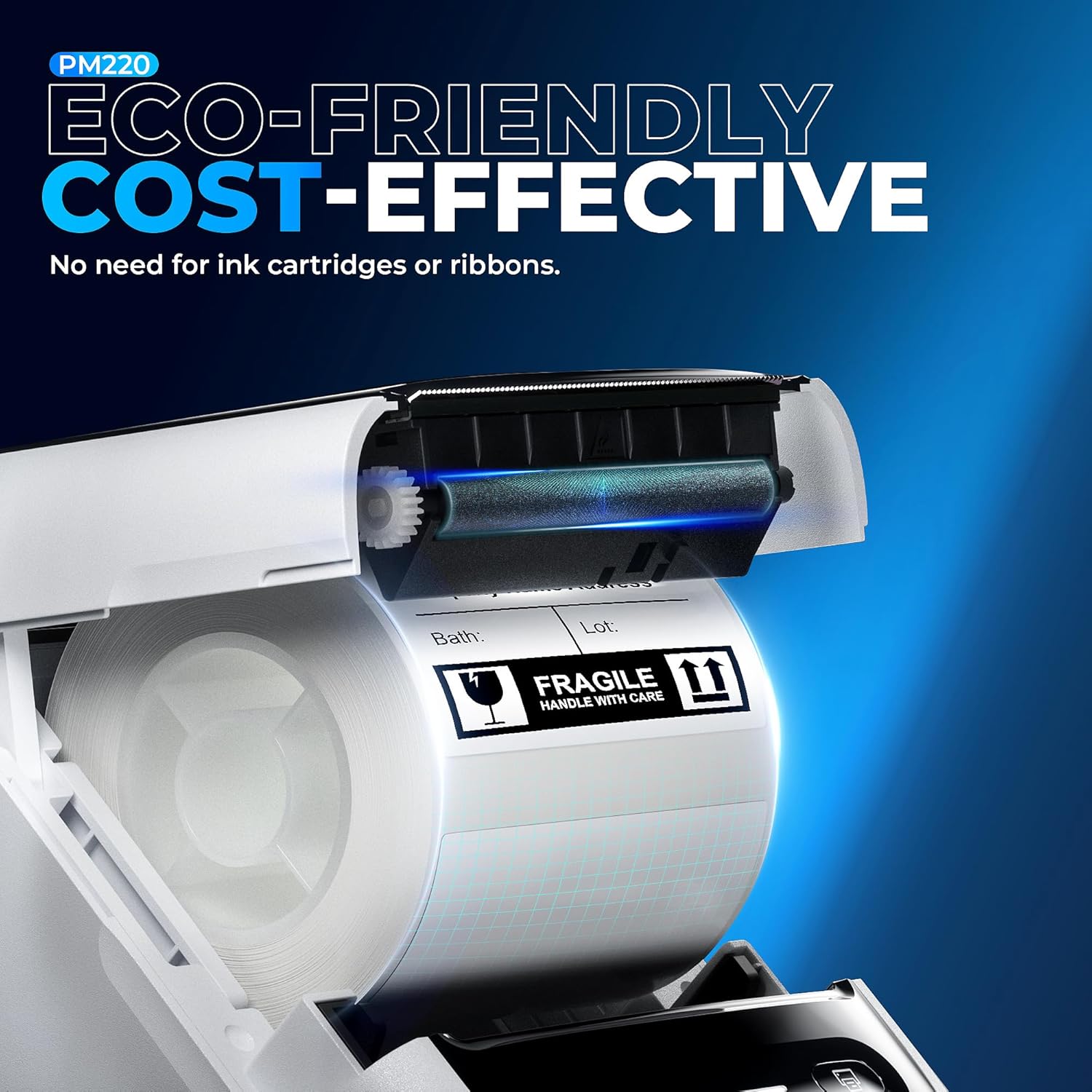
High-quality Printing- We recommend using our NELKO thermal label paper for good printing quality. Nelko Label Maker with Direct Thermal Technology. Equipped with high-speed chips, you can enjoy high-definition without relying on ink or toner. Nelko Bluethooth Label Maker Machine with Tape support label width 23-54mm(0.91″-2.12″). The Label printer comes with a Label Tape placed in the paper bin. Notice:Adjust the paper slot to secure the label tape properly according to the label size. Press the button on the right side to calibrate the label before printing
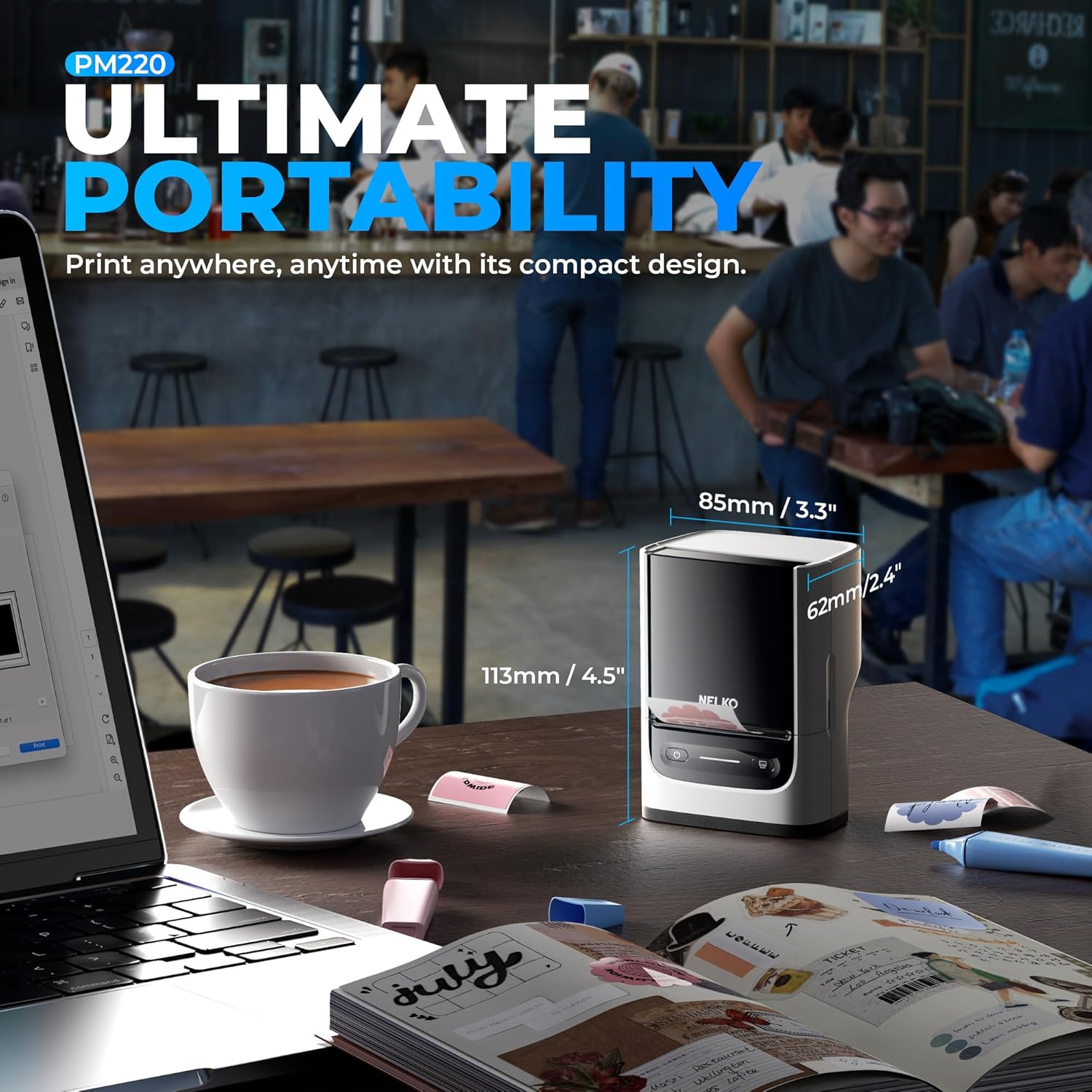
Portable- 2 Inch PM220 label maker machine with tape compatible with smartphone & PC. Easily connect label printer to your smartphone in just 5 seconds for fast and convenient printing, label printer achieves convenient, smooth & fasts printing. Mini compact design, you can bring this portable label maker machine with tape to anywhere.(Note: charging adapter not included, not suitable for fast charging adapter.)
Widely Use- The NELKO label maker machine with tape has a wide range of applications and creativity. Enjoy labels anywhere with PM220 label printer like small businesses: clothing, crafts, retail, jewelry, etc. Label address, barcode, transportation, price, date, ingredients, and product labeling. Ideal for a variety of labeling needs, including Christmas, Halloween, Thanksgiving, Father’s Day, Mother’s Day. This label maker machine with tape bringing great convenience to our work and life
Customers say
Customers find the printer easy to use and set up. They appreciate the clear and quick print quality, as well as the ability to create labels for any occasion. The printer is functional, practical, and portable, about the size of a regular coffee mug.
AI-generated from the text of customer reviews
12 reviews for Nelko Label Maker Machine with Tape, PM220 Bluethooth Label Printer, 2 Inch Portable Thermal Printer for Small Business, Address, Logo, Clothing, Sticker Printer for Phones & PC, White
Add a review
Related Products


Original price was: $52.99.$29.99Current price is: $29.99.
Mr. Terry Mark Powell –
Great little printer
I was looking for a convenient means to print address labels. This printer does that and a whole lot more, both from my phone and my Windows computer. Small size and good quality. Easy to use and change label sizes. Phone app is easy to use and provide lots of options. For the price, great value.
Huy Le –
Label Maker Machine
The fact that it is lightweight and portable makes it simple to travel and utilize in a number of contexts, whether I am working from home, doing errands, or working on assignments while I am on the go. Because the setup procedure was so straightforward and the interface was so easy to use, I was able to get started right away and quickly create labels that had a professional appearance. One of the most notable characteristics of this label maker is its ability to connect to Bluetooth devices. My ability to create and print labels straight from my devices is made possible by the fact that I can easily couple it with either my phone or my PC. The fact that I can now generate personalized labels for anything from file folders and storage bins to parcels and personal possessions with just a few touches on my tablet has been a game-changer for me. I can now design labels for everything from these things to other things.
Bezli –
Portable Label Maker with Versatile Features but Tricky Setup
I’ve been eyeing a label maker for a while now to help me organize my home office, so I decided to give this Nelko PM220 model a try. I liked the idea of being able to connect it to my phone or computer for easy label creation. The Bluetooth connection to my Android phone was surprisingly quick – just a few seconds and I was ready to print. The “Nelko” app has a decent selection of pre-made templates for things like addresses, barcodes, and product labels. You can also create your own custom designs with various fonts, icons, and formatting options. I appreciate that this label maker uses thermal printing technology, so I don’t have to worry about buying ink or toner. The print quality is crisp and clear, and it can handle label tape widths from about 1 to 2 inches. Just make sure you adjust the paper slot properly for the size tape you’re using – I had a few misprints before I figured that out! The compact size of this label maker is a definite plus. It’s lightweight and easy to toss in a bag for on-the-go labeling. The battery life seems decent too – I’ve been using it intermittently for a few days now and haven’t had to recharge yet. Now for the cons. While the mobile app is fairly intuitive, setting this thing up on my PC was a bit of a headache. You have to download both a driver and a separate desktop app from the Nelko website, and the instructions aren’t super clear. It took me a good 30 minutes of tinkering to get it up and running. Also, keep in mind that this label maker doesn’t come with a charging adapter. You have to use your own USB cable and wall plug, and the manual warns against using a fast charger. Not a huge deal, but something to be aware of. Overall, I think this label maker is a solid choice for basic home or small business organizing. The Bluetooth connectivity and mobile app are handy, and the print quality is good for the price. Just be prepared for a bit of a learning curve with the PC setup, and make sure you have a compatible charging cable on hand. With a little patience, this little labeler can definitely help keep things tidy and tagged!ââââââââââââââââ
Myster –
Nice product, not too difficult to setup, buying original labels seems expensive.
Went through the installation with little difficulty, worked as described, The user manual font size was very tiny and hard to read. It will work with a PC if you download driver and instructions from their site. Limited use for me but suits the purpose I wanted it for. Labels seem to be somewhat expensive to me. Comes with 1 roll. Printing was clear and quick. Not a production unit but, great for a portable, small label job. I think I would recommend more towards a name brand unit as labels are more universal and easier to find. I may return this item.
Kimberly Zittlow –
Decent Label Printer, but with Some Frustrations
I purchased two of these label printers, and my experience has been mixed. One of the units installed smoothly and works greatâthe software is intuitive, and the print quality is sharp and consistent. Itâs been a reliable addition to my home office for printing shipping labels and organization tags.Unfortunately, the second unit wouldnât install properly on my laptop despite following the instructions and troubleshooting steps. I couldnât figure out what went wrong, and itâs frustrating to have one unit working perfectly while the other is essentially useless. Itâs disappointing given the price point.My biggest complaint, however, is the cost of the labels. Theyâre quite expensive compared to similar products, which adds up quickly if you use the printer frequently. While the printer itself works fine on the one I could get up and running, the ongoing label costs make me question the overall value.If youâre lucky enough to get a functioning unit, itâs a solid label printer, but my inconsistent experience and the high cost of labels make this hard to recommend wholeheartedly. Three stars.
Samantha –
Great mini label printer
It’s compact, very easy to use, connectivity is great and is an overall great product. Worth the money. The print speed is great. The design is sleek and modern.
Kelsey Fisher –
Great product overall
I love how compact this product is. It is easy to use starting a small business printing out labels for my brand name, ingredients labels, and many more options. The print is very easy to read, the quality of the labels is very good, I did buy other labels to test and it did seem to not work great with other brand labels.
Lincon Nasser –
Love this printer! Super sharp print quality, and the app is a breeze to use. Setup was quick, and customizing labels is easy. Perfect for home or work. highly recommend!
Petra S. –
Solider kleiner Etikettendrucker, gut verarbeitet und sehr einfach per PC oder noch besser per app zu bedienen. Die Etiketten sind auf einer Rolle, die ganz einfach eingesetzt und gewechselt werden kann. Es gibt vom Hersteller verschiedene EtikettengröÃen und -formen bis max 5x8cmDie mitgelieferte GröÃe ist perfekt z.B. für kleine Fläschchen oder Tiegelchen von abgefüllter Kosmetika, ich habe mir direkt die groÃen für die Beschriftung von Schulheften dazu bestellt.Die Etiketten halten sehr gut, sind aber andererseits von glatten Flächen wie Glas oder Kunststoff rückstandslos und einfach abzuziehen.Absolute, ehrliche Produktempfehlung!
annie pestel –
Je l’utilise pour le travail et il ne marche plus au bout de quelques semaines, je voudrais le revoyer mais je n’ai pas l’option
Tracy c –
This little thermal printer is great, easy to use. It has wireless connectivity, print speed is good and its compact.I use it for labeling egg boxes with fresh free range eggs from my ladies. Love it ideal for what I need. The labels are clear the thermal printer is great value for money the functionality is great.
YL –
Klasse Gerät um Etikketten auszudrucken. Leider sind die Ettikketten zu teuer. Aber wir sind zufrieden