

Canon imageFORMULA R10 Portable Document Scanner, 2-Sided Scanning with 20 Page Feeder, Easy Setup for Home or Office, Includes Software, (4861C001)
Original price was: $194.00.$159.00Current price is: $159.00.



Price: $194.00 - $159.00
(as of Jan 08, 2025 15:35:31 UTC – Details)
Go paperless anywhere work takes you with the Canon imageFORMULA R10 Portable Document Scanner. This easy to use scanner lets you digitize whatever documents, receipts, business cards, or family records you need saved and organized. Being both Windows and Mac compatible, the simple USB cable gives you connectivity at home, the office, while traveling, or working remotely. This small scanner is fast and effective with color or black-and-white duplex scanning, speeds of up to 12 pages-per-minute, and a 20 sheet automatic feeder. Built-in and powerful software saves you time as it comes programmed to update automatically. Edit and adjust on-the-go as this portable document scanner gives you access to high-resolution images of your scans that can be edited on the fly. Enjoy superior customer care on your energy-efficient scanner with a one-year warranty and access to Canon’s friendly and knowledgeable support team.
STAY ORGANIZED – Easily convert your paper documents into digital formats like searchable PDF files, JPEGs, and more.Power Consumption : 2.5W or less (Energy Saving Mode: 0.7W). Suggested Daily Volume : 500 scans..Does it contain liquid: no
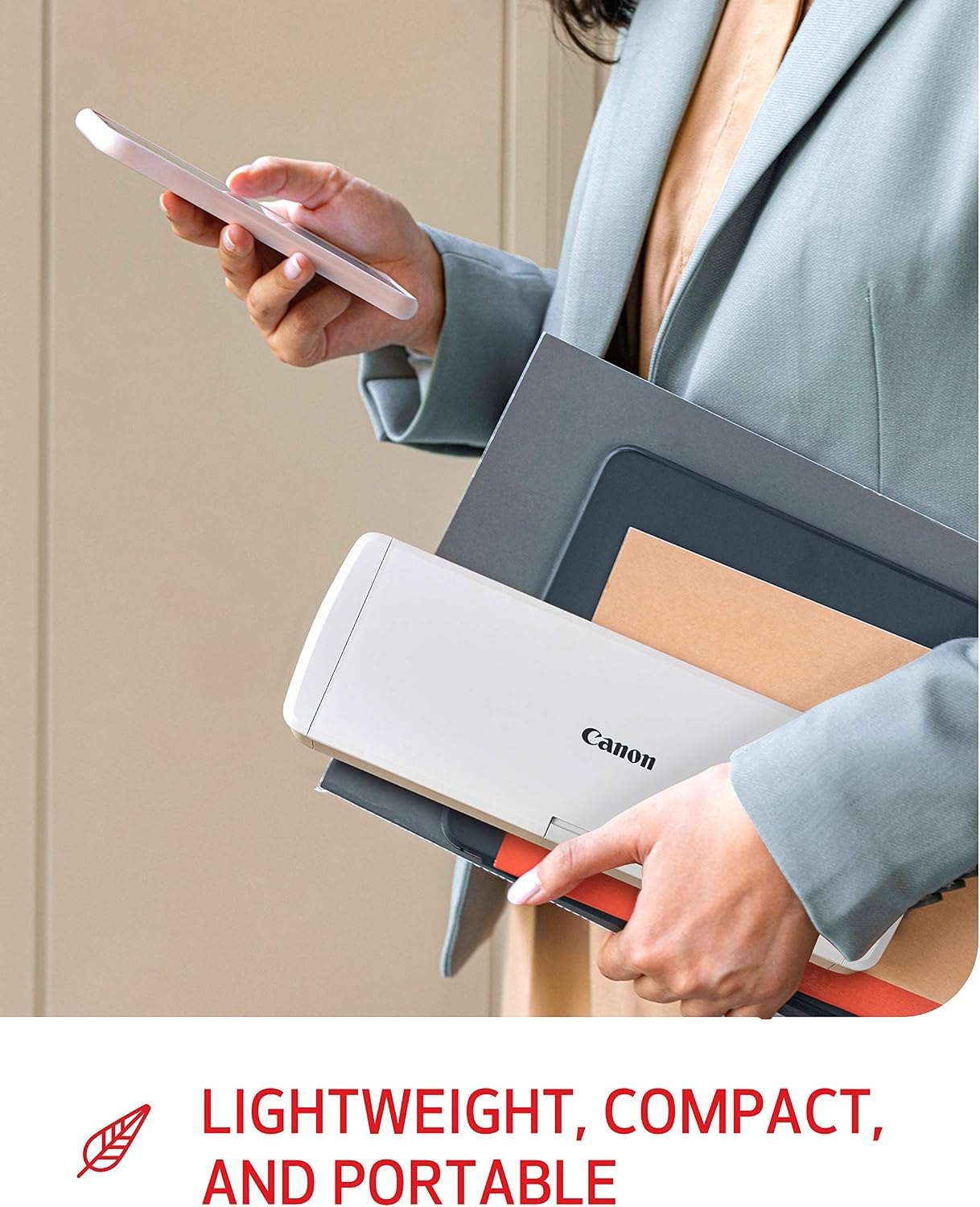
CONVENIENT AND PORTABLE –lightweight and small in size, you can take the scanner anywhere from home offices, classrooms, remote offices, and anywhere in between
HANDLES VARIOUS MEDIA TYPES – Digitize receipts, business cards, plastic or embossed cards, reports, legal documents, and more
FAST AND EFFICIENT – No technical hurdles or complicated setups here; easily scan both sides of a document at the same time, in color or black-and-white, at up to 12 pages-per-minute, and with a 20 sheet automatic feeder
BROAD COMPATIBILITY – Works with both Windows and Mac devices, be it laptop or computer
BUILT-IN SOFTWARE – Use your scanner with ease as the powerful scanning software is already built-in, requires no installation, and updates automatically
PREVIEW YOUR SCANS – Adjust and organize your scanned files as you edit, straighten, and trim your files or create buttons with custom scanning settings and destinations
HIGH-QUALITY IMAGING – Leveraging the same technology used in Canon’s camera products, you’ll save great-looking output in color, black-and-white, or grayscale
SUSTAINABLE DESIGN – Save energy and the environment with a scanner that meets ENERGY STAR guidelines
This product is not intended for scanning photographs on photo paper / photographic media
Customers say
Customers find the scanner easy to use and set up. They appreciate its compact size, portability, and software installation. However, some customers have issues with the page capacity. There are mixed reviews regarding the scanner’s quality, value for money, and scan speed.
AI-generated from the text of customer reviews
10 reviews for Canon imageFORMULA R10 Portable Document Scanner, 2-Sided Scanning with 20 Page Feeder, Easy Setup for Home or Office, Includes Software, (4861C001)
Add a review
Related Products


Original price was: $194.00.$159.00Current price is: $159.00.
_Vaea_ –
Fantarstic !
I’m VERY satisfied with my scanner. Very good quality, easy to install (even if it works with my laptop but not my surface pro which is sad).I love the fact that I can set a scan standard with my own terms, also the Save setting so I have my standards ready to use.The scan goes up to 600 dpi which is more than a lot of models from other brands.I like that it’s not a flat scanner, it fits better my art scans because the ligth is more even (flat scan can allow light to come in certain spots.It’s super small so when I don’t use it, I can easily store it and have my small workspace ready for art again.For this quality, I’m happy with the price, I think it’s usefull for my pro needs.The only thing is that if the paper is a little bit to thick, I have to help the scan to “grab” the paper…
Kevin Reid –
Works Great
I’m impressed with this portable scanner. It has an easy to use software (no installation, just plug in and its ready). It allows you to set up multiple configurations for scanning to specific folders and can include a timestamp and a default document name. I also like how fast it scans a document or receipt and on both sides at the same time. Will even scan multiple documents. I don’t need to scan everyday, maybe once or twice a week at most, so having this portable scanner that doesn’t take up much room is perfect. My only complaint is that the software display is a little small and hard to read, but maybe its a setting I haven’t found yet.
Murderess Marbie –
Almost perfect. Troubleshoot for Mac
Small, portable. Easy to use. Perfect for quick scanning. Relatively accurate if you don’t overload it too much. Wicked Fast setup. BUT with wire connection issues with Mac adapter. And multi-page scanning doesn’t always work as one continuous document. It can fail, I could pick up where I left off if I don’t cancel but annoying. This one is lotto ticket. Not a big deal for some but I need that feature to work smoother.MAC TROUBLESHOOTING: I have a macbook air 2019 and yesterday the scanner stopped recognizing the scan utility which is not downloaded onto the computer. Honestly, I really liked that part previous to this because it meant quicker connection and made for light work on my HD space. BUT yesterday flat out stopped recognizing the native driver/ utility program. Said no scanner could be found, which also meant I couldn’t update the utility. I couldn’t understand what went wrong. On the Canon site there were no fixes listed other than to check the USB is not connected to an adapter. So after reading a review on here it was a firewall. Struck out. Then reading that it was the third party toggle and a known issue, I switched multiple mac adapter combinations around. Nothing worked. It finally dawned on me it was probably the USB end of the wire failing to connect to the female USB to USB-C Mac adapter. Talk about 1st world aggravation over the dumbest and simplest thing ever. To test my theory. Stole my headphone wires that are like 3 years old and that worked but this wire didn’t. Go effing figure. It wasn’t the adapter at all. I tried all of them again and voila. Worked, no matter what combo I used. So if you have a Mac, Switch the damn wire, not the adapter. Problem Solved, for now. Hope it doesn’t screw up again. No one has time to solve something this simple that should be on the website troubleshooting section!
Amy Lorenz –
FABULOUS slScanner!
This is absolutely the best, easiest to use scanner I’ve ever worked with. Super easy to scan documents & The small size is awesome. I’ve used it a number of times and am incredibly happy.l with it. I VERY HIGHLY recommend this Canon scanner!
NYC Gal –
Good for quick scans; does work w Windows 11 but finicky about USB cable
I love the combination of the small, fold-up form factor and the existence of the fold-out guides for the paper(s) to be scanned. I also like that if I feed it a double-sided document, it knows to scan both sides without me having to find a setting in the software. The on-board software is pretty intuitive in general, although I sometimes forget to click “Finish,” which leads to PDFs that appear to exist on my computer but can’t be accessed until I click “Finish.” Also, the software doesn’t launch automatically for me when I open the device – the scanner appears like a USB drive in Windows Explorer; I have to open that “drive” in Explorer and double-click the software .exe to start it, but that’s no big deal. And the software starts up faster than scanning software I’ve used with previous, otherwise better scanners.A bigger deal is that the scanner has trouble sensing and gripping the paper after it’s placed in the proper place; I end up doing one sheet at a time so I can place it, start the scan, then give it a tap to help the scanner grab it. Fortunately, my scanning needs are usually minimal – a two-page bill, the signature page of my otherwise PDF’d tax return, etc. For that, it’s great to have such a small, handy gadget around that can produce something more professional looking than what I can do with just my phone. But if you scan a lot of multi-page documents, you should consider something more substantial.For a while I thought the device didn’t work with Windows 11, because it worked initially (when I had Windows 10) but recently could not be recognized by the computer. I eventually realized that was because it didn’t like the USB to micro-USB cable I had switched to. (The instructions say to use the cable that came with the device, but mine got stepped on or something and would no longer fit in my computer’s USB port.) I tried again with a different (Anker brand) cable and it worked again, so Windows 11 was not the problem.
Very handy and great product. –
As stated in the title, it’s quite practical and fast, easy to store after each use.
Cliente de Kindle –
El tamaño es compacto, pero las funciones son de un escáner de tamaño normal, muy buena resolución y me gustó el no tener que instalar software extra. No he tenido problema con la compatibilidad de sistemas, mi computadora usa Windows 10. Muy práctico, lo recomiendo.
Rley002 –
J’aime tout de cet appareil. Il fonctionne sur Windows et sur Mac avec très grande facilité. Les logiciels d’application sont intégrés et ne requièrent aucune installation, ils sont prêt à être utilisés. Il scanne recto/verso et en couleur et de plus on peut y insérer plusieurs documents à la fois. Ses logiciels très faciles à utiliser.Je suis simplement estomaquer des performances de cet appareil.
Juan Antonio –
Cumple con mis tareas
Elena B –
Very convenient, excellent quality.