

Canon PIXMA TR7020a All-in-One Wireless Color Inkjet Printer, with Duplex Printing, Mobile Printing, and Auto Document Feeder, Black, Works with Alexa
Original price was: $159.99.$79.00Current price is: $79.00.


Price: $159.99 - $79.00
(as of Jan 09, 2025 15:08:46 UTC – Details)
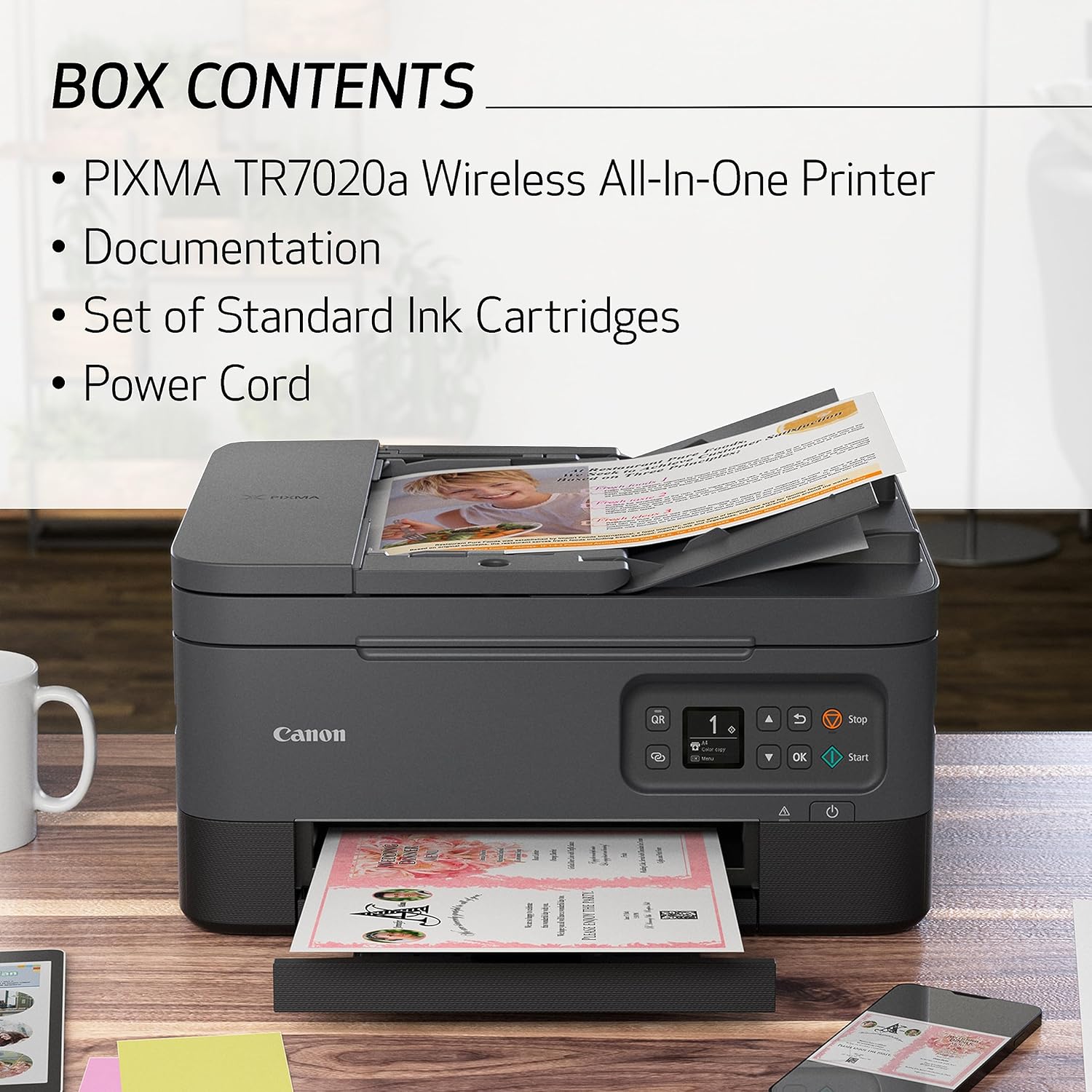
Use this TR7020A Wireless All-In-One Printer to meet your home and work needs when printing, copying or scanning. Printer handles a variety of tasks from scanning signed contracts with the auto document feeder to printing from your smartphone. It’s easy to set up, simple to use and feature-rich – with a 1.44″ OLED display, front/rear paper reader and auto-duplex printing. Front/rear paper feed holds plain paper in the front cassette, and rear tray extends to print on photo paper or other paper types. Enjoy sharp, black text for documents and great-looking photos thanks to the hybrid ink system. It prints a 4″ x 6″ photo in approximately 43 seconds and generates 6.8 ipm (color). When copying, it makes up to 99 copies in 6 ipm (color). The 35-sheet ADF copies and scans multiple documents with ease. Printer’s resolution is up to 4800 x 1200 dpi. Standard interface uses Hi-speed USB, wireless PictBridge, Wi-Fi and Bluetooth 4.0 LE. Paper Capacity: Rear Paper Tray: 100 Sheets of Plain Paper OR 20 Sheets of 4 x 6 / 10 Sheets of 5 x 7 Photo Paper Front Paper Cassette: 100 Sheets of Plain Paper
Sold as 1 Each.
All-in-one convenience from Canon print, copy, and scan effortlessly with the Canon PIXMA TR7020a Wireless Color All-in-One Inkjet Printer.. Stay connected with versatile USB and Wi-Fi printing options, suitable for both home and office environments.. Intuitive 1.44″ display for simple setup and navigation through all your printing needs.. Flexible paper feeding options with front and rear trays, allowing for simultaneous plain paper loading and easy media switching..
Compatible with the Canon PIXMA Print Plan Ink Subscription Service – Flexible plans available where ink is delivered hassle-free right to your door automatically when you run low! *. Compact design with dimensions of 8.2″H x 14.4″W x 15.9″D enhances productivity without taking up too much space. Superior scanning quality with 1200 x 2400 dpi optical resolution, and 8-bit color depth, ideal for capturing detailed text and images.
High-quality, vibrant prints with impressive 4800 DPI resolution, perfect for professional documents and photos.. Versatile media support, handle everything from glossy photo paper to cards, envelopes, and even magnetic photo paper.. Energy-efficient and environmentally friendly, the Canon PIXMA TR7020a meets ENERGY STAR standards.. Backed by a 1-year manufacturer limited warranty for peace of mind and protection for your investment..
Enjoy efficient printing with color print speed up to 6.8 IPM and black white up to 13 IPM, alongside automatic double-sided printing for letter-sized documents.. Save paper and time with automatic double-sided printing, creating streamlined two-sided documents with ease.. Stylish and adaptable, this black printer blends seamlessly with your home or office workspace.. * Failure to connect your PIXMA Printer to the Internet will impact Canon’s ability to ship PIXMA Print Plan Cartridge(s) on a
Customers say
Customers have mixed opinions about the printer’s print quality, setup process, functionality, value for money, wireless connectivity, printer speed, and build quality. They are dissatisfied with the ink run time.
AI-generated from the text of customer reviews
3 reviews for Canon PIXMA TR7020a All-in-One Wireless Color Inkjet Printer, with Duplex Printing, Mobile Printing, and Auto Document Feeder, Black, Works with Alexa
Add a review
Related Products

![Phomemo Portable Thermal Printer – [Upgrade] Portable Printer Wireless for Travel Compatible with iOS and Android & Laptop,Bluetooth Printer supports 8.5″ X 11″ Letter Thermal Paper, Printer with Case](https://m.media-amazon.com/images/I/81DHkvIWPbL._AC_SL1500_.jpg)


Original price was: $159.99.$79.00Current price is: $79.00.
NorcrossFlyer –
Very nice printer for the price
I had a HP Officejet printer that I’ve used since 2011-2012. Nice little all in one printer but I got a printhead not found issue. The issue might have been ink cartridge related and new ink ($110) might have fixed it, but rather than take the risk I figured I would buy a new printer because it wouldn’t cost much more than that.Enter the Cannon PIXMA TR7820. $130 delivered and it came with ink. Set up very quickly. Print and copy quality is solid. The auto feeder for scanning is much better than my HP (keeps the pages straight). My only concern buying this was would it integrates with Google Drive, which is where I like to scan my documents to? Sure enough it handles this quite well.You can spend more and get a nicer printer that can scan/copy/print faster and in higher quality, but if you don’t need that then why pay for it?As a bonus replacement ink is reasonable. $45 for regular black and color cartridges or $75 for the XL versions.
jbdean –
Love it!
I had a previous printer that suddenly stopped taking the paper no matter what I did it just wouldnât reach down to take the paper in so I had to replace it. I am so glad I did have to replace it because this printer is heads above my previous one even when it was working at its best! Setting it up with my iPhone was a little tricky but I was able to do it with extra steps that they give you if the auto set up doesnât work. I havenât set it up with my Mac air yet but Iâm sure it will be a breeze. itâs also nice that there is a place in the back of the printer to put photo paper. You donât have to use the back feeder except for photo paper. The front of the printer has a tray that easily moves out for you to place paper in it and then the catch tray that retrieves what you printed pulls out right above the paper tray. It has a multi page feeder on top for wanting to copy multiple pages, as well as two sided printing and one single page printing if you just lift the top and place the image on the glass. putting the ink in as much easier than my old printer where I had to reach inside the guts. With this printer you just lift the top and you can easily access the printer cartridges. It does come with one color and one black-and-white cartridge but Iâm kind of guessing that theyâre probably not as full as when you buy a brand new cartridge by itself. But I donât print very often just the occasional label every now and then so I think Iâm going to be fine. I do recommend this printer but not if you have older operating systems only if you have modern ones. I wasnât able to get it to work with my iMac which is from early 2000. But I have the latest update for the iPhone and Iâm using an iPhone 12 Pro Max and I can print from there.PS: the image I am attaching is a full letter size printout of a picture that was about 5 x 6 and printed on regular letter paper, not glossy photo paper. Itâs a little on the soft side but when you see it in person, itâs good enough to put in a frame and hang on the wall.PPS: I didnât rate tech-support because I am thinking they mean over the phone tech-support and not just the how-to for setting it up that you can get online. Since I havenât used one-on-one tech-support, I decided not to rate that. But as far as whatâs given to me online, it was very easy to understand and simple to set up.
animal –
Cheap multi-function printer, decent print quality but not fast; hoping it lasts
Greatly debated between this lower cost inkjet and the similarly rated Canon MF656Cdw which was nearly 4x the price but a color laserjet.I bought the TR7020a inkjet because it was the highest rated printer with a document feeder for less than $100. Generic ink cartridges are fairly affordable and my wife got tired of our black & white laser printer (which had really cheap toner) which was getting flaky on print quality (she never liked giving up color).Pluses:+ two paper feed systems so you can set up for different printing types (letter, photo paper, envelopes, etc).+ good print quality- even small text is crisp and clear.+ only two ink cartridges (black and multicolor).+ duplex printing works well.+ does have an auto document feeder, scanning was acceptable quality but had some issues (see below).+ Canon U-scan utility has a pdf editor (only works with Canon scanner generated .pdf’s but it does make it easy to compile multipage .pdf’s without Adobe pro).+ fairly compact, although the output tray sticks out a lot.+ has USB port and wifi network which both work ok.+ bright light sweeps across the front of the printer to let you know it’s doing something (would be annoying if the printer was right next to your face).Negatives:- pretty slow printing, probably the slowest printer I’ve owned in a long time – if you only print small amounts like us you may be able to live with this. If you need to print regularly fast, this is probably not the printer for you.- really slow scanning (see video which is scanning one page at 200dpi resolution directly through a USB cable and the Canon software).- scanner jams/skips pages regularly. I had two distorted pages, 5 missed pages, and 3 jams while trying to scan an 18 page document (which required multiple tries – the included Canon Uscan PDF editor software made it fairly simple to construct a complete document from partial scan successes.).- cheap feed and output trays despite a hefty 18lb printer.- front paper tray only holds 100 sheets.- screen is tiny, and navigating is slow – good luck entering a wifi password with just a few buttons (worked eventually) and no useful touchscreen.- ink cartridges are ‘starter’ standard capacity (200 sheets?), printer says to order more ink immediately.- XL ink cartridges are claimed ~400sheets, will see how that goes.- includes a really short USB cord, will probably need a longer USB to USB-A cord if the back of your computer is not right next to the printer.- no network port connection (can only network via direct wifi, connect to a wifi router, or USB port).We only use a printer intermittently and have had trouble in the past with inkjets clogging (don’t think the much cheaper-per-page ink tank printers would work for us) – I’m hoping inkjets have improved in the last few years and we print more regularly with this one. If I had to use the document feeder regularly I would probably return it, but I only scan multi-page documents a few times a year and they are usually pretty short.Based upon the above, I’m rating this printer 4 stars. It would be a 3 star printer if not for the really cheap price (decent features to price ratio). If it holds up and doesn’t chew through ink too fast I will be happy with this purchase. If it doesn’t hold up, I will probably give up on inkjets for awhile and try the color laserjet.