

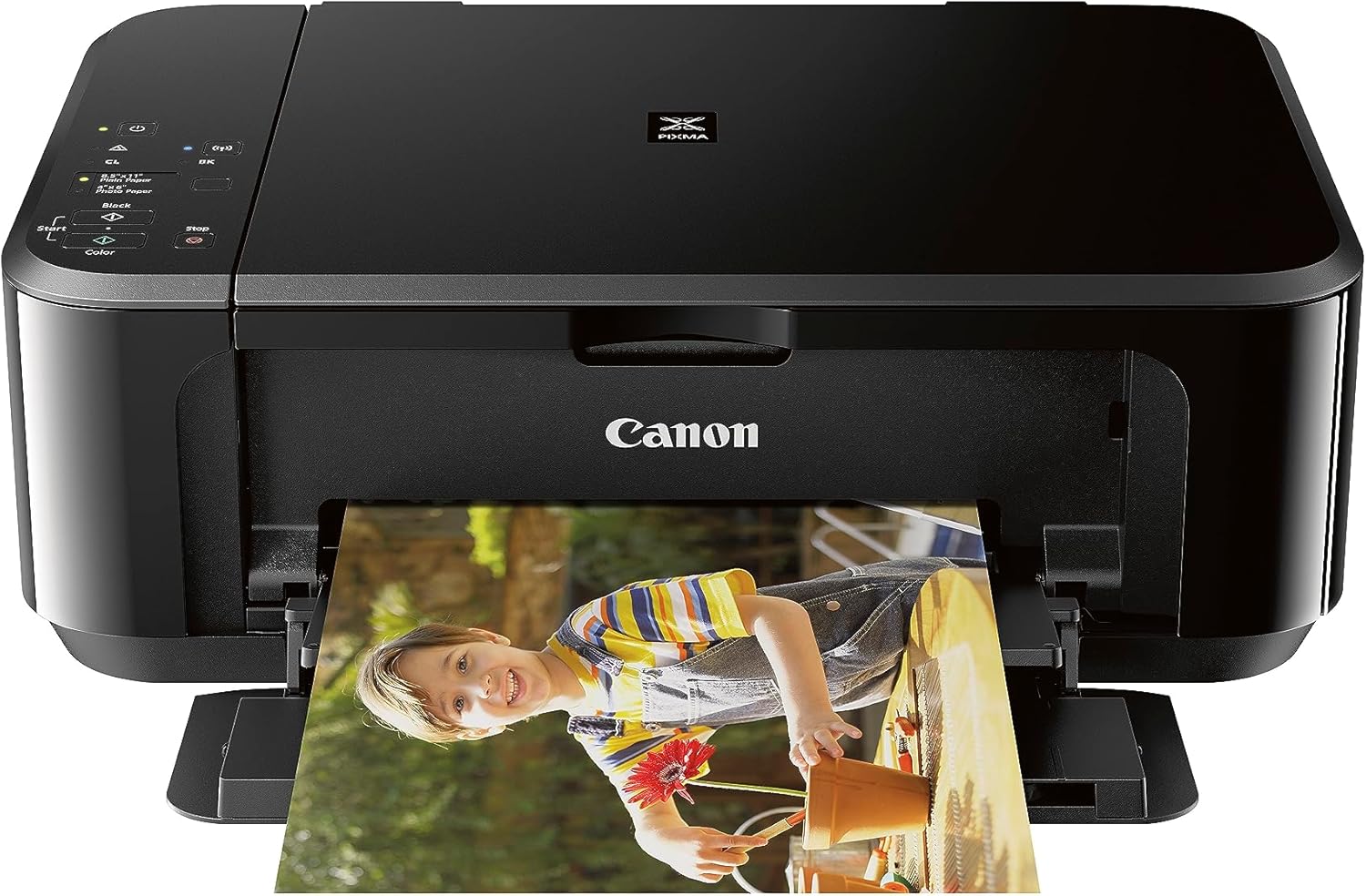
Canon TS5320a All in One Wireless Printer, Scanner, Copier with AirPrint, no Bluetooth, Black
Original price was: $127.27.$79.33Current price is: $79.33.


Price: $127.27 - $79.33
(as of Jan 14, 2025 16:25:06 UTC – Details)
NA
All-in-one inkjet printer offers printing, scanning and copying capabilities
Wireless connectivity and high-speed USB allow both wired and wireless connectivity options to take care of all your family’s needs
Print speed of 13ppm (black), 6.8ppm (colour) and copy speed of 20ppm (black), 4ppm (colour) generate documents quickly
Print resolution of 4800 x 1200 DPI (black and colour), flatbed scanner resolution of 1200 x 2400 DPI, and copy resolution of 1200 x 2400 dpi (black and colour) showcase texts and images in crisp details and vivid colours
Front paper cassette with input capacity of 100 plain sheets, rear paper tray with input capacity of up to 100 plain sheets, 20 sheets of 4 x 6 photo paper, up to 10 sheets of 5 x 7 photo paper can handle all your printing needs
Duplex printing allows the printer to automatically print on both sides of the paper
PictBridge, AirPrint, and Google Cloud Print technologies allow you to directly print from digital cameras, Apple devices, and Google web respectively
Amazon Alexa and Google Assistant allow you to handle your printer with simple voice commands
One black and 1 colour cartridge FINE Hybrid Ink System offer simple ink replacement
1.44-inch OLED screen and built-in status bar lets you check your printer at just a glance
6 reviews for Canon TS5320a All in One Wireless Printer, Scanner, Copier with AirPrint, no Bluetooth, Black
Add a review
Related Products
![Canon Megatank G3290 All-in-One Wireless Supertank [Megatank] Printer | Print, Copy Scan | Mobile Printing |2.7″ LCD Color Touchscreen | Auto Duplex](https://m.media-amazon.com/images/I/71xXs7dyuWL._AC_SL1500_.jpg)


Original price was: $127.27.$79.33Current price is: $79.33.
Missy –
Worked OK
The Printer’s print quality was good. It was slow it print no matter what device it was sent from. The paper trays designs seemed to be less quality. There was no ethernet plug on the device , advertised as a ethernet printer. I had issues trying to register the printer, App would only give me Canadian provinces to register too.
JACK –
INSTALLATION WAS QUITE EASY. IT PRINTS VERY GOOD PICTURES. SEEMS TO BE A VERY GOOD CHOICE!
AZa –
Setting up the Canon Pixma TS5320a was an effortless process that took mere minutes from unboxing to first print. The wireless connectivity paired with the intuitive Canon Print app made the initial setup a smooth experience. The printerâs interface, highlighted by a 1.44â OLED screen, is straightforward and easy to navigate, ensuring that I could access all its features without any hassle.The printer sports a compact and aesthetically pleasing design that fits well in any modern workspace. Its small footprint is especially appreciated in my limited office space. The addition of a built-in status bar is a thoughtful touch, providing at-a-glance updates on the printerâs status without needing to pause my tasks.When it comes to print quality, the Canon Pixma TS5320a does not disappoint. The fine hybrid ink system works wonders, producing sharp text and vivid colors that bring my documents and photos to life. The convenience of printing square images directly from my smartphone has been a game-changer for quickly sharing memories with friends and family.Ink management is another area where this printer shines. The 2-cartridge system means I only replace what I need when I need it, which is not only cost-effective but also reduces wasteâa win-win for both my wallet and the environment.However, no product is without its flaws. One potential drawback of the TS5320a is its printing speed, which may not be suitable for those with high-volume printing needs. Additionally, while the 2-cartridge system is convenient, it can lead to higher operating costs over time compared to printers with individual ink tanks for each color.In conclusion, the Canon Pixma TS5320a stands out as an all-in-one printer that marries quality with convenience. Itâs an excellent choice for anyone looking for a reliable printer that can handle a variety of printing tasks with ease. Yet, itâs important to consider your specific printing needs and budget when making your decision.
dee –
was bought new, was well packaged and everything there.great quality easy to use and connect to wifi and or bluetooth. doesnt take up much space , ink runs out fast so not for industrial use or heavy duty everyday work. perfect for home use all in one!
john roberts –
This is to replace my previous 6 year old Printer, which would cost more to repair than the price of this new one.I could not get this to connect in wireless mode. After trying for 4 hours without success and trying all my I/D’s and Passwords, I had a thought ! My old one was not wireless and I don’t need this one to be so I just plugged it in and 1 minute later I was printing. Plug and play OK great. Print quality is outstanding.
Amy Sutton –
I bought this printer as a replacement for an HP9025e. That one never seemed to connect to wifi and the replacement ink is too expensive!So, this arrives, and while it looks nice and is compact, it only holds about 10 sheets of paper in either tray and the ink cartridges last for about 25 prints before yelling itâs running low on ink. Itâs very irritating to have to physically turn the printer on every time you want to use it (which makes remote and wireless printing redundantâ¦)Today I had a paper jam and it now refuses to print from the tray, and only wants it from the rear. No idea where the remaining paper is, but it piddled what was left of the low ink all over the jammed paper.I hate this printer. Probably the worst I have ever owned.Edit* I have now owned this printer for 8 months and it has stopped printing altogether. I have installed new ink cartridges and it still will not print. I did the nozzle check and magenta is having a problem. I did the clean and that did not solve the problem. I reached out to Canon customer service and opened a ticket 9 days ago and still have not gotten a response.Do yourself a favour and buy a different printer!