

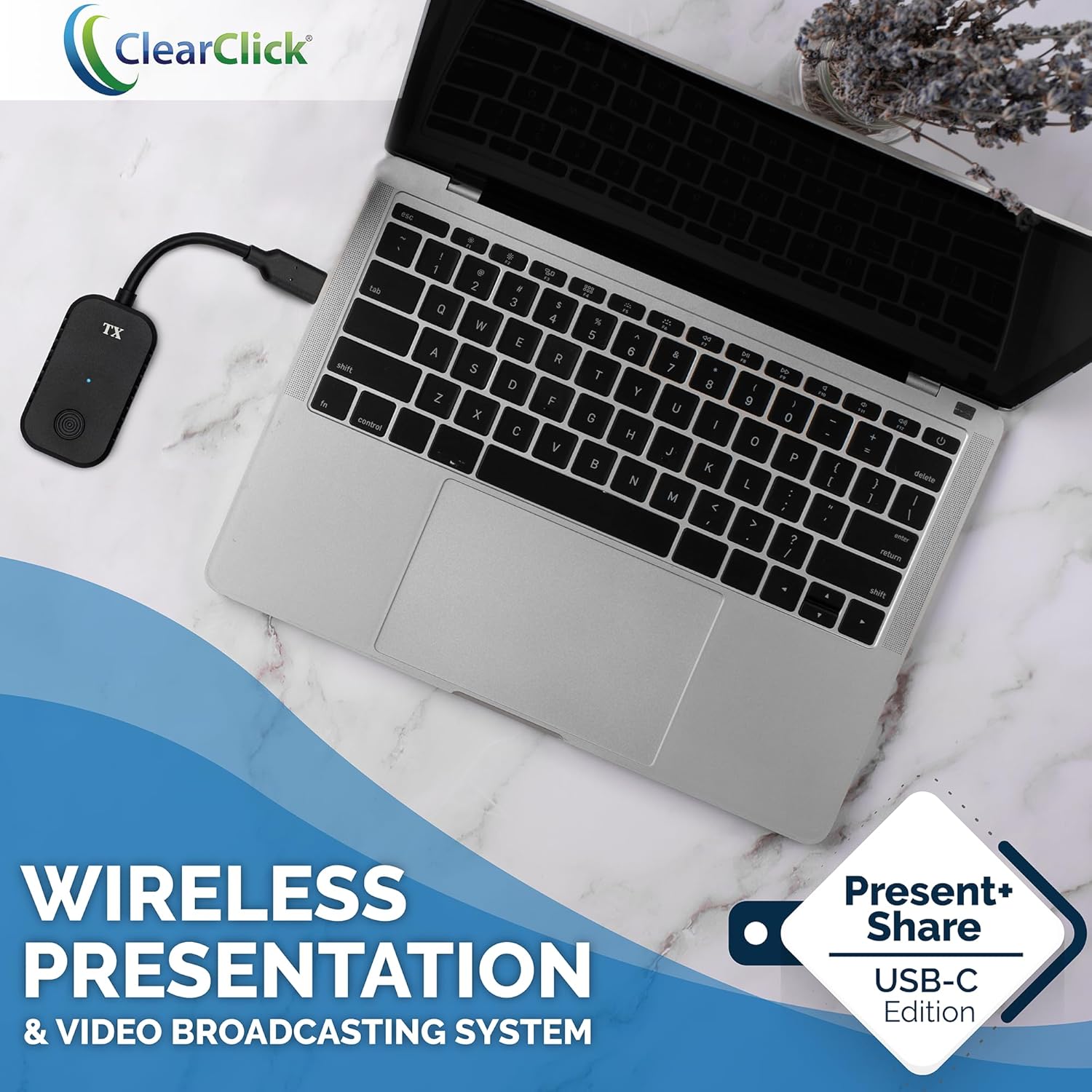
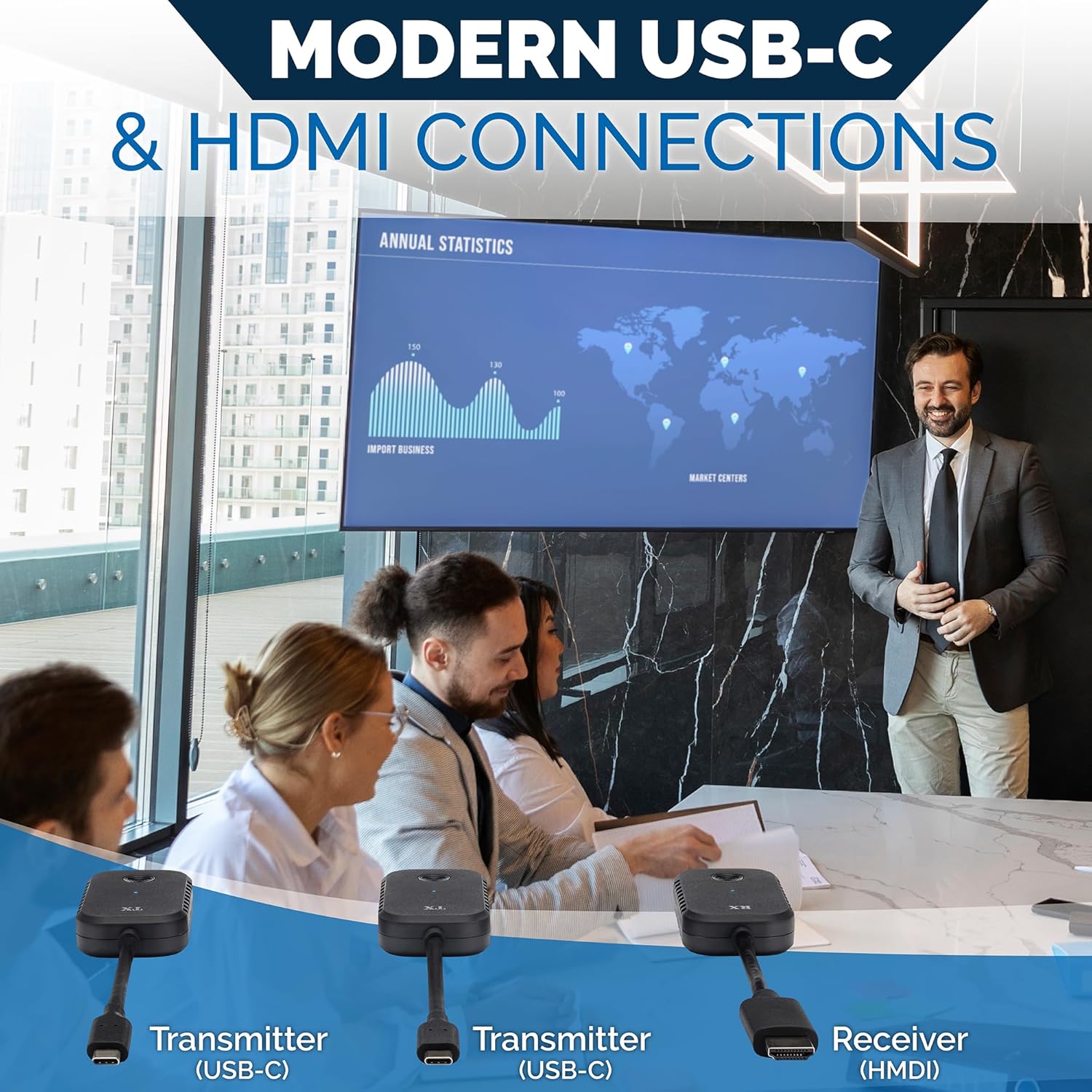
ClearClick Present+Share (USB-C Edition) – Wireless Presentation & Video Broadcasting System for Laptops & Smartphones (2 USB-C Transmitters, 1 HDMI Receiver)
$199.95

Price: $199.95
(as of Jan 18, 2025 06:08:12 UTC – Details)
Product Description


Introducing the Present+Share (USB-C Edition) Wireless Presentation & Video Broadcasting System.
This is the perfect wireless presentation system solution for homes, businesses, conferences, churches, schools, and more.
No confusing drivers or apps are required! Here’s how it works…
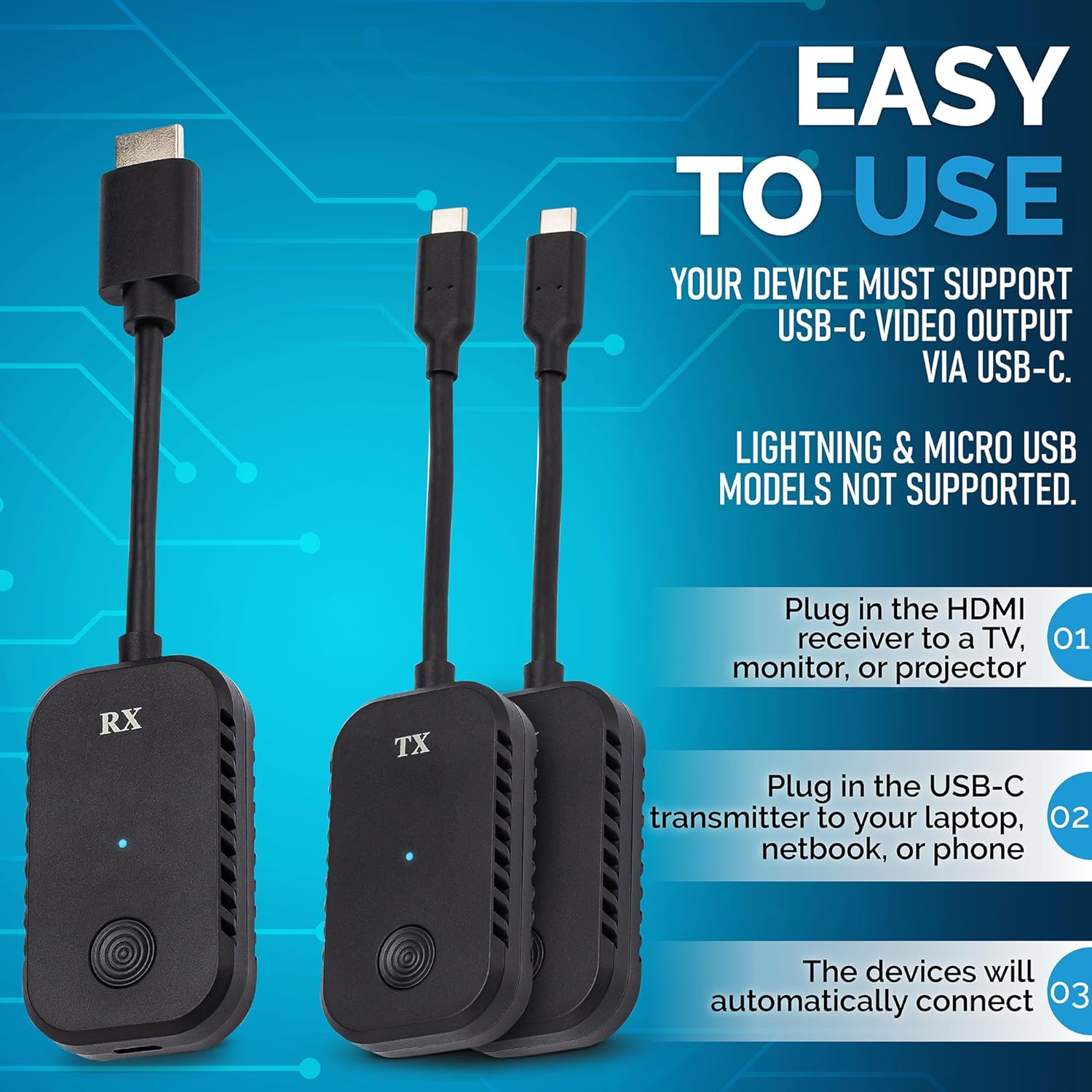
1. Plug in the HDMI receiver to a TV, monitor, or projector. Connect the included USB power cable.
2. Plug in one of the USB-C transmitters to your laptop, netbook, or phone* and press the transmit button.
3. Your computer or mobile device will automatically connect and start broadcasting to the receiver automatically.
4. To transmit using the other USB-C transmitter, press the transmit button on the first receiver to “unlink” that transmitter. Then, plug in the other transmitter into another device, and press the transmit button on that transmitter.
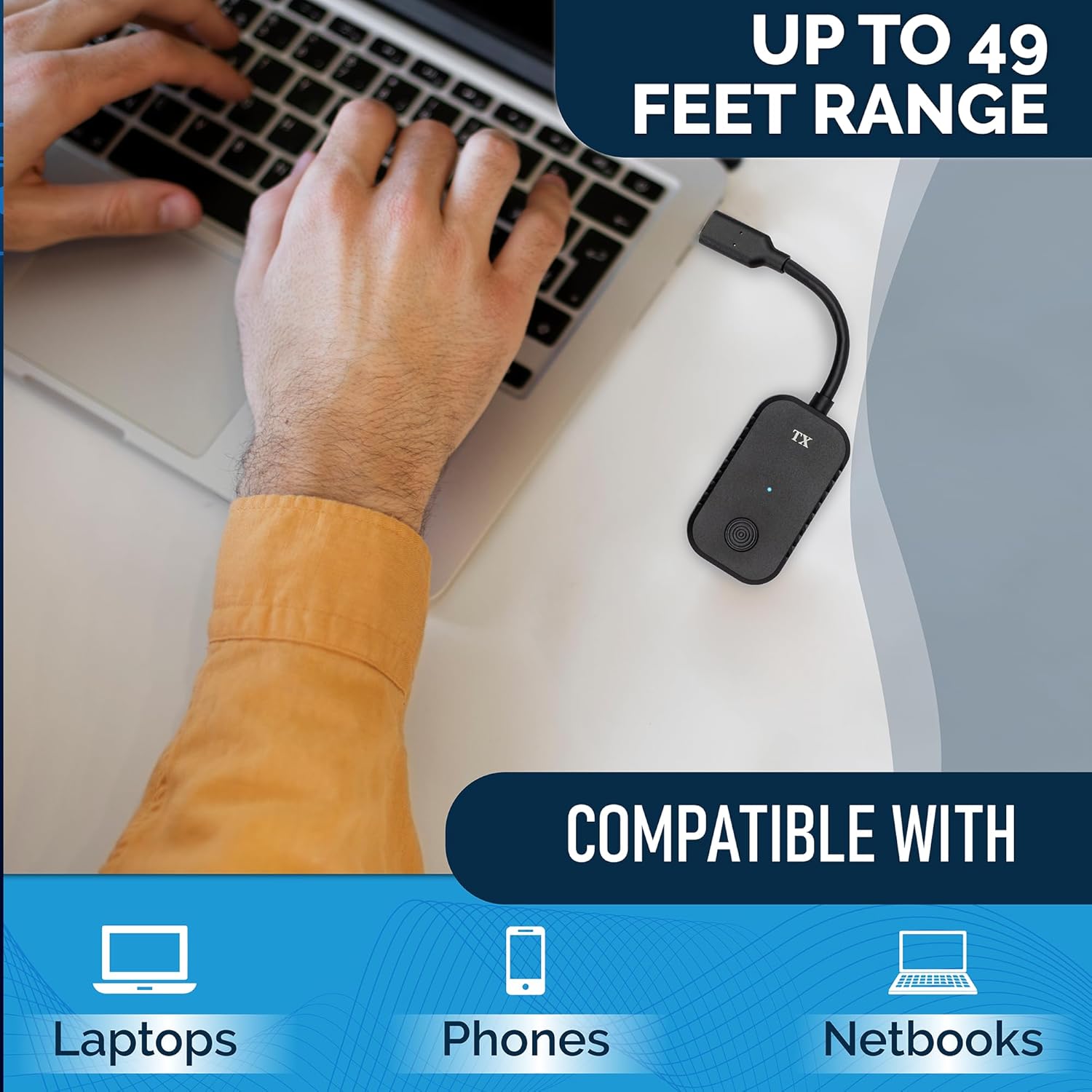
This system can securely broadcast audio & video up to 1080P at a range of up to 49 feet.
Compatible with laptops (both Windows & Mac), netbooks, and phones.*
*System Requirements: Must have USB-C port. (Does not support Lightning port or micro USB.) Recommended minimum 2018 model year.
Securely Transmits Presentations & Video (Up To 1080P/60, Up To 49 Ft Range) Wirelessly From Laptops, Netbooks, & Smartphones To Any TV, Monitor, or Projector
Kit Includes 2 USB-C Transmitters & 1 HDMI Receiver. Plug & Play – Just Connect The System & Press Transmit Button
Perfect For Presentations, Universities, Company Boardrooms, Meeting Rooms, Libary Conference Rooms, and More (Uses Fast & Secure Encrypted 5 GHz WiFi)
System Requirements: Laptop/Netbook/Smartphone with USB-C Port That Supports Video Output (DisplayPort), 2018 Model Year or Newer
Includes 2-Year Warranty & Tech Support from ClearClick, a USA-Based Small Business
9 reviews for ClearClick Present+Share (USB-C Edition) – Wireless Presentation & Video Broadcasting System for Laptops & Smartphones (2 USB-C Transmitters, 1 HDMI Receiver)
Add a review
Related Products


$199.95
Idgie Threadgoode –
At 20% the price of the big name brand setup, what’s not to love?
I have a small conference table in my office and trying to “cast” to the TV mounted on my wall when collaborating was a challenge – especially depending on what kind of computer / device someone was using. Researched the big-name device package, but it was close to $1K. For 20% of that, this solved all my issues and has been nothing but reliable, fast, and user friendly. Can’t say enough good about it! If you’re on the fence, don’t be. Buy this! You won’t regret it.
Amazon Addict –
Excellent Connectivity
Works better than a Click-Share. Fraction of the price.
K Behr –
Clickshare
These were a bit putzy to work with, but I got them going on the end. I was trying to use my laptop to share to another HDMI monitor for a presentation from my home office
Amazon Customer –
These are plug and play and easy to use
We could not be happier with this product for our office use
faisca –
Wireless Audio & Video Rocks!
Instant plug and play. Works flawlessly. Good penetration and range. Love the cable-free lifestyle. No more cable clutter.
theblackknight –
Best wireless display system I’ve used
This is hands down the best wireless display system I’ve used. Connecting is quick and easy, lag is minimal, and it just works.I tested this on an old Windows Phone, a Pop OS laptop, and a vanilla OS desktop. The laptop and phone are from well before 2018 which is the minimum recommended year for devices but they worked fantastically. The pairing process is simple – plug in the receiver to power and an HDMI input on your display. Then plug in the transmitter and press the button to pair. Easy.When the transmitter isn’t paired to the receiver it shows a helpful screen that lets you see the status although it claims you can plug the transmitters into an HDMI port which isn’t accurate for this set – although I do wonder if this is interoperable with other transmitters from ClearClick.I used both transmitters and the pairing process was simple and straight forward. It even paired well enough for my Linux computers to recognize the make and model of the monitor the receiver was plugged into (and that was through a DVI to HDMI adapter as well).All that to say, I’m blown away. I’ve used wireless displays at work and they’re laggy with horrible image quality. This is fast and clear enough that I hardly noticed I was using the display wirelessly when doing basic email, web browsing, and office tasks. I wouldn’t want to try gaming on this but a youtube video streamed just fine and I couldn’t see any audio video sync issues within a minute or so which gives me good confidence that it won’t get out of sync. Oh, and the price? Insane for the quality.I did not try this at a range that would really stretch the limits. The transmitter and receiver were all within the same office room. So I can’t speak to how reliable these are at range.If you need a wireless solution for your computer monitor, this is fantastic. I am impressed.
CoachJW –
Cable cutting at its finest
Let’s face it, tangled cables and finicky adapters can take the shine off any presentation. So, when I stumbled upon this wireless presentation system, I was eager to ditch the wires and embrace a techy utopia. Did it deliver? Mostly. Here’s the lowdown:Pros:Wireless Freedom: The best part, hands down, is the ditching-the-cords factor. No more tripping over cables or wrestling with adapters. Plug, press, and voila! Presentations beamed effortlessly to the screen. It’s a presenter’s dream come true, especially for cramped meeting rooms or large venues.Plug & Play Simplicity: Setup is shockingly easy. Just connect the transmitter to your device and the receiver to the display, press the magic button, and you’re good to go. No drivers, no software, no tears of frustration.Crystal Clear Visuals: Up to 1080p/60fps resolution translates to sharp and smooth visuals, even on larger screens. No pixelated nightmares to distract your audience.Secure and Stable: The 5GHz WiFi connection ensures reliable and secure transmission, even in crowded wireless environments. Say goodbye to choppy videos and dropped connections.Cons:Phone/Tablet Interface Hiccups: While flawless with my laptop, using this system with my phone or tablet wasn’t as smooth. Navigation felt a bit clunky, and switching apps mid-presentation was slightly awkward. It’s still doable, but not quite as seamless as with a laptop.Limited System Requirements: Not all devices will play nice with this system. It requires a specific type of USB-C port and model year, which could be a dealbreaker for some users.Overall Verdict:This wireless presentation system is a game-changer for laptop users, offering incredible convenience and reliable performance. While the phone/tablet experience could be smoother, it’s still functional. So, if you’re a laptop-wielding presenter looking to cut the cord and impress your audience, this system earns a solid 4 out of 5 stars. Just be sure to check your device compatibility before taking the plunge.P.S. Bonus points for the included carrying case that keeps everything neatly organized when you’re not wowing the crowd.I hope this review helps you decide if this wireless presentation system is the right fit for your needs!
Larry H –
Excellent affordable solution for a small conference room.
We have a small conference room that needed a more robust display solution than an AppleTV or smart device, but the budget was tight and descent presentation solutions were about 2-3x outside what we wanted to spend. I decided this would be a great option for our use as typically there are 1-2 employees driving the meetings in their laptops and this would give everyone an easy way to share with in-room attendees while also providing a simple means of switching between co-presenters. So far itâs worked beautifully. Itâs simple and easy and I donât need to provide instruction to users. The button switching is intuitive and has caught on quickly. There is no real noticeable lag and itâs proven to be very reliable. The size is a huge plus also: itâs small and light and is easily plugged in and left hanging on the back out of sight. Iâd most certainly recommend it to anyone with a conference room that holds 10 or less employees at a time.
Francis Mendoza solano –
Pues yo tengo una laptop con windows 10 y no manda imagen al RX de la TV.El segundo Tx que viene en el paquete, lo conecte a otra laptop con windows 11 y mando imagen de inmediato.Al conectar un Tx a mi celular sansung s22 Ultra con android, sólo me activa el modo de poner al celular en modo PC pero no me hace espejo de lo que estoy viendo en mi celular. En el modo PC sólo no me da tanto facilidad de usar el dedo como ratón y ni de poder navegar entre la interfaz de la misma.En otras palabras, si conectas una computadora con windows 11, ok, te manda el espejo de tu laptop.Pero si conectas un celular con android, no te muestra el espejo de tu celular, sólo te muestra el modo PC que es muy complicado navegar con el dedo y el celular como mausepad.Lo recomiendo mejor para conectar sólo computadoras con windows 11.