

CZUR ET24 Pro Professional Book Scanner, 24MP Document Camera, 3rd Gen Auto-Flatten & Deskew Tech, A3 Document Scanner, 180+ Languages OCR, Support HDMI, for Windows/MacOS/Linux
$649.00





Price: $649.00
(as of Jan 09, 2025 02:31:44 UTC – Details)
Product Description

 Auto-Flatten & Deskew Tech
The ET24Pro Professional Scanner has three laser beams. When scanning, the laser array captures the 3D shape and angle of the book pages. With our Curve Flattening Technology, curved pages are automatically converted to a flat representation.
 OCR Text Recognition
CZUR ET scanner software is powerful and intelligent. With the built-in OCR function, over 180 languages can be recognized. Images can be quickly converted into editable PDF, Excel, Word, TXT files.
 24MP HD Camera
The ET24 Pro document scanner has a 24-megapixel camera with CMOS sensor. It not only captures the texts when scanning books, but also preserves the original look and details.
 Maximal Capture Size A3
The ET24Pro scanner scans not only books, but also documents, ID cards, certificates, invoices, pictures, sheet music, etc.
 Auto Flattening & Smart Paging
The curved book page scanning mode converts the curved book page into a flat document through flattening technology and automatically paginates them.
 Auto Cropping & De-Skewing
Intelligent scanning recognition, when the document is placed crooked, it can automatically correct the skew and output the electronic document.
 Batch Edit and Export
Documents can be batch edited, such as cropping, color adjustment, etc., and exported in batches.
 Multiple Color Modes
You can choose different color scanning modes according to different documents to get the best scanning effect.
 Multiple Scanning Methods
Triggering methods: Manual button, foot pedal, scan button and software button. Auto scan: The ET software detects page changes and scans automatically.
 Multiple Scan Destinations
When scanning multiple small documents/ID cards/photos at the same time, the software automatically detects the separation and scans them into separate images.
 Auto-Crop and Background Fill
The scanning software automatically crops off excess margins, automatically removes yellow fingerprints from page edges and automatically fills in the missing white paper background.
 Photo Scanning
Home office, photo digitization, storing children’s drawings, etc.
 Book Scanning
Digitization of books, textbooks, homework. For universities, libraries, archives, etc.
 Music Sheet Music Scanning
Digitize your artwork: sheet music, hand drawings, drafts, etc. Easier to save.
Product Parameters
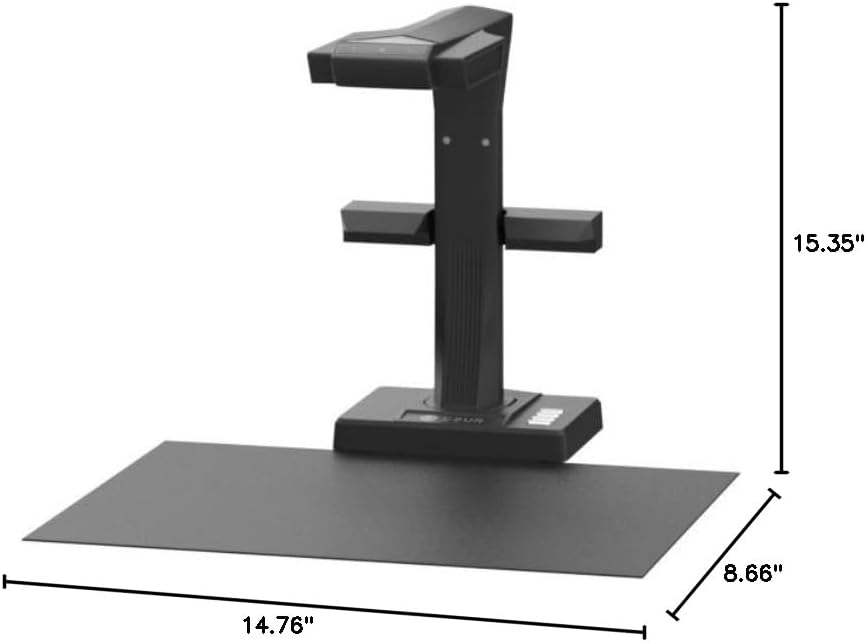
Camera 24 Megapixels / 5696*4272 Resolution/ CMOS Sensor Maximum scanning format ≤A3, 420 × 297 mm(16.5×11.7 inch) Scan speed Flat single page≈1s/page; Books≈1s/dual pages Export format JPG, PDF, Searchable PDF, Word,Excel, TIFF (*Notice: TIFF files need to be converted from scanned JPG images) Focus mode Fixed focus Scanning access Device control; software triggering; hand button; foot pedal System support XP, Win 7/ 8/10/11, 32/64-bit; macOS 10.13 and above; Linux; Light source Top light and side light Package size and weight 18*17*10 inches(11 lb) Packaging list Scanner; side lights; USB cable; power adapter; hand button; foot pedal; black document pad; specialized finger cots; CD; getting started guide
Flattening Technology Upgraded: ET24 Pro computer scanner applies CZUR’s latest technology that can flatten the 3D curved surface after pixel transformation to complete flattening of the book page
Camera Upgraded: 24MP HD camera, 320 DPI, 5696*4272 Resolution. Note: Very glare papers are NOT recommended
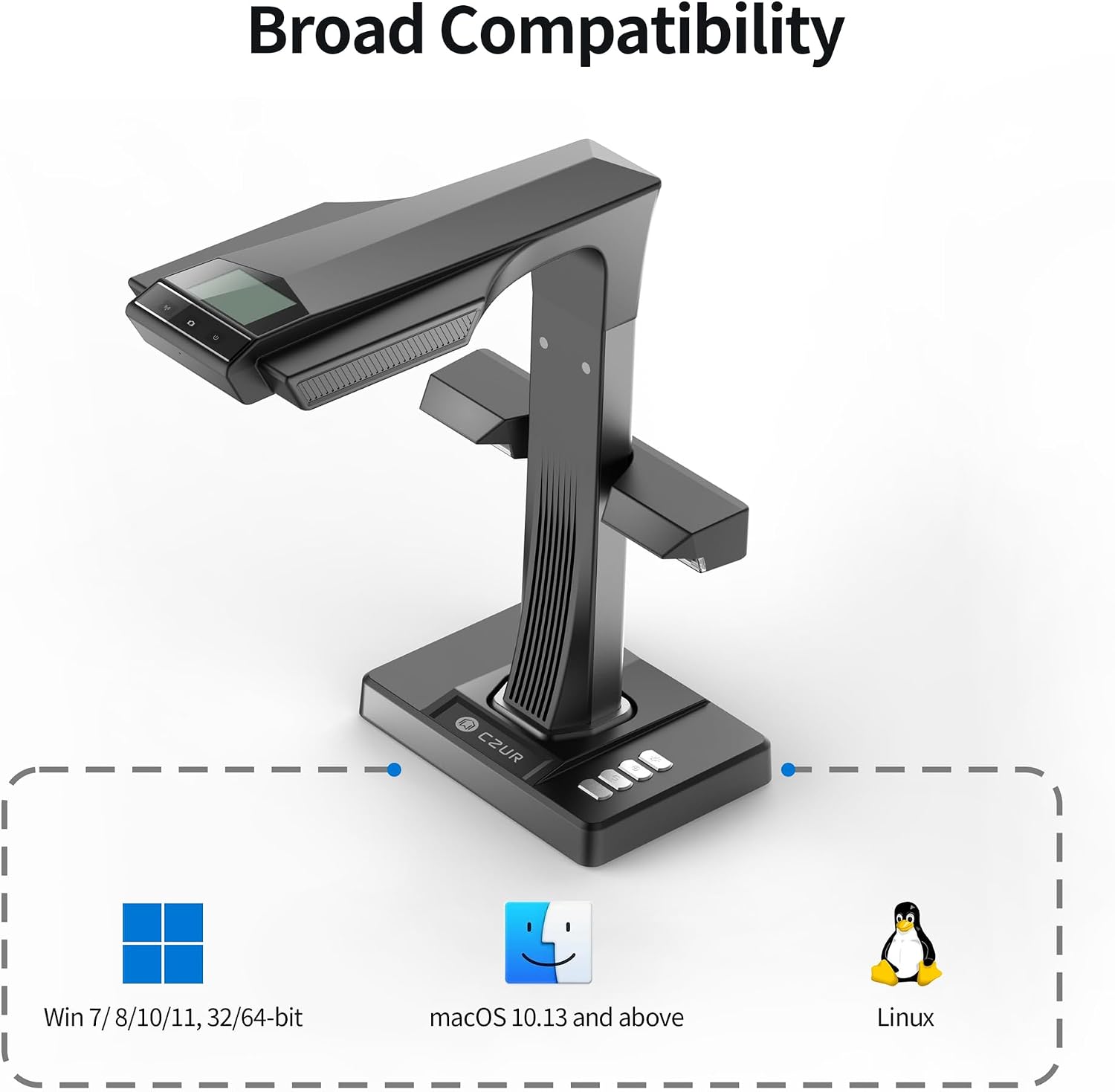
System Compatibility Upgraded: Document scanner for desktop/laptop, support macOS 10.13 or later AND Windows XP/7/8/10/11, also support Linux system(Only for Kubuntu 22.04/Linux mint 21.2/MX-3.1/Ubuntu 16.04/Ubuntu 18.04.2/Ubuntu 20.04/Ubuntu 22.04/TUXEDO-OS-2)
CPU and Graphic Algorithm Library Upgraded: We have upgraded ET24’s CPU and CZUR’s Algorithm Library, ensures ET24’s stable performance; faster Graphic Processing Procedure; High OCR Accuracy
HDMI Supported: As a document camera, ET24 Pro support HDMI connection ensures faster & stable data transform
Optical Character Recognition: Powered by ABBYY’s OCR technology, JPG files can be converted into editable PDF; Excel; WORD; etc. 180+ languages supported. Notice: TIFF files need to be converted from scanned JPG images
A3/A4 Large Format Scanner: The ET24 Pro can scan any documents up to A3 size (16.5” x 11.7”) that needs to be digitized. Easily digitize all kinds of materials, such as books; documents; receipts; business cards; paintings; magazines, etc
Side Supplement Light: ET24 Pro has 2 Side Lights and a Head Light, illuminating from 3 angles, making less reflection on glossy papers (try head light OFF, only use side light for glossy paper)
Preview Screen: Real-time preview of your scanning process via the 2.0-inch display on the head, making sure you know what you are doing anytime
Customers say
Customers find the scanner easy to use and a good value for money. They appreciate its fast scanning speed, accurate OCR, and readability. However, some customers are dissatisfied with the software quality and have mixed opinions on the image quality.
AI-generated from the text of customer reviews
7 reviews for CZUR ET24 Pro Professional Book Scanner, 24MP Document Camera, 3rd Gen Auto-Flatten & Deskew Tech, A3 Document Scanner, 180+ Languages OCR, Support HDMI, for Windows/MacOS/Linux
Add a review
Related Products


$649.00
Mayer Goldberg –
this is a serious case of “shut up and take my money!”
I got this scanner for humanitarian reasons: We’re all out of space at home. Our house is filled with thousands of books, most of whom can just as easily be read in PDF, and the books keep multiplying when we’re not watching… I was looking for a means of eliminating most of the physical books and replacing them with PDF files that I can then read on my tablet. Some books will have to remain: Reference books, certain textbooks, dictionaries… But most other books can be replaced with PDF files.And this is where CZUR ET-18 Pro comes in. It’s a life-safer, it’s a must. If you have too many books at home, just get it.Cons:- The scanner is not cheap. But if you take into account that you’re recovering square feets in your apartment or house, the cost of the scanner becomes negligible. If you plan on scanning books (e.g., from a library or books borrowed from friends) then the scanner will pay for itself rather quickly.- The software that comes with the scanner is not of great quality: It will crash after scanning a large number of pages (between 450-500 seems to be the magic number). The solution is simply to save every 300 pages, and then use other software to combine the documents into a single book.- The software lacks many options that come with software made for other scanners. It’s ability to edit the document is poor. The user-interface is not very friendly.- The documentation that comes with the scanner is rubbish.- There is a certain learning curve to operating the scanner and the software properly: You will need to learn how to switch between different options, e.g., for the cover of the book vs the inside. You will need to learn how to hold the book open using the plastic finger thingies that are provided. You will need to learn at what speed you can scan. This takes time, and you’re going to mess up the first N scans. But then your hands and foot (yes, it’s operated with a foot pedal) will get the hang of it, and your copies will come out perfectly.Pros:- Less than 1.5 seconds for scanning two pages. I don’t know of any other scanner with this speed!- The foot pedal is pure genius. That said, the pedal is too light, and the cable is a bit on the short side. I’d rather they made the foot pedal much heavier so that it would be stabler…- The software, as clunky as it is, actually does a fantastic job when one needs to replace sheets, and this can be done in much less time and with no hassle.- The scanner lives up to its promise: You can scan a 350+ page book in under 10-15 minutes, and get a perfectly usable PDF file.- Even though the software lacks OCR for right-to-left languages (Hebrew, Arabic, Farsi, etc), it does handle right-to-left documents well in terms of splitting and ordering pages in right-to-left books.- The scanner is very forgiving when it comes to page size: It handles page sizes from very small to A3! If you check youtube, you’ll find ways of using this scanner for even larger documents, simply by elevating it a bit above the scanning surface, using, e.g., a small stack of books.The scanner lends itself to a crazy workflow & reading schedule:- I scan books at full speed- While I scan books, I’m listening to ebooks from my tablet- When I’m done scanning a book, I add it to my tablet. âºI’ve increased my rate of reading dramatically since I started using this scanner.My advice is to get yourself tiny rubber thingies you can place on your finger, to help you turn pages. They’re dirt-cheap, available online on aliexpress and ebay, and will really speed-up page-turning. If you don’t want to get these or can’t find them, make your own by cutting a finger off of an ordinary latex glove, and using it to turn pagesâ¦In two days of casual scanning, I’ve managed to scan well over 20 books, and read 4. This is becoming my weekend hobby! If you love reading books, but are running out of physical space for all the books you’ve collected, you really owe it to yourself to have them scanned! You can fit thousands of books on a micro-sd card in your tablet, and carry your library with you!
Donna W. –
Finally, a Book Scanner that Works
I had previously tried several other book scanners that look a lot like this one, but they had so many issues and problems that they were completely useless. This one, however, works right out of the box. But, if I actually knew of another similar scanner that worked to compare this against, I would probably only rate this 4 stars instead of 5 (keep reading to see why).First off, a big “Thank You” for supporting Linux. Even though these book scanners are nothing more than a camera and there’s plenty of open source software on Linux to do all of the necessary functions for book scanning, it’s still nice to be able to install the official software for a device and just use it.The line-lasers on this scanner help a lot with page flattening and is one major thing that similar scanners are missing. Sure page flattening can be done entirely in software, but having a line-laser really improves the algorithm and makes for better results.Unlike other similar scanners, this one seems to correctly report itself in the USB enumerations for all of the resolutions and settings. That is a must for compatibility across platforms. And, since it appears as a standard video and camera source device, it means you can easily use this with 3rd party software if desired.The finger cots are a little interesting. They do work to let you hold down the book and have special markings so that the software can remove them. However, the software doesn’t fully remove the cots from the captured picture. It mostly uses them to figure out the boundary of the book so it can remove your hands/arms from the picture. There is still an outline of the cots on the page and it will generally cause some stray character interpretations and formatting weirdness in the OCR step — and seemingly worse on the right-hand side of the page than the left-hand. For example, it will usually see the curvature of the cot as a “)” character and its presence will often cause a paragraph break or formatting change to the text it’s recognizing that it wouldn’t if the cot wasn’t in the picture. I think they could have done a little more post-processing to remove them better, but they do generally work.The 24MP camera is more than sufficient for adequately scanning pages for OCR and to capture decent images from pictures in books. However, I wouldn’t go with any lower resolution. OCR is very dependent on the pixel count to font size ratio (essentially the DPI captured). It has to be somewhat close to what the OCR engine was trained with or you will get garbage out. I learned that one years ago when trying to do an OCR of a book captured to fairly low-res JPG files. All I got out of OCR was random noise and so I figured it had no chance due to the JPGs being too low-res. Then a coworker clued me in on the pixel count to size ratio requirements and I used imagemagick to resample all of the files to a higher pixel count (still same basic “camera” resolution and same source images only more pixels) and tried the OCR again. This time it yielded a nearly 100% perfect OCR output and totally amazed me.I mention that about OCR and pixels because the resolution of the camera for a scanner like this is important. If your camera is too low-res, you may find you have to first resample all images before you can OCR it. I’m finding that the 24MP on this scanner is sufficiently adequate for the majority of fonts in books, but just barely. So, you definitely don’t want to go lower than that.My first big complaint on this scanner is the user interface of the software. Yes, it works and works on Linux and is written in Qt making it a very compatible and cross-platform tool (albeit Qt 4, which is quite ancient since Qt 6 is the current standard), but it’s very clunky, not overly intuitive, and somewhat annoying. It doesn’t remember the last saved path correctly when relaunching. It has no easy way to automatically operate on multiple subfolders (such as if you want to scan different chapters to different folders), and there’s a number of bugs and limitations in the software. However, it was usable to scan the books I needed to scan without resorting to pulling in 3rd party tools.One note on the software — if you run an OCR session, the tool launches off a separate helper thread that then calls the OCR tool. That in itself would be fine, except that when its done with the extra thread, it doesn’t close down that thread. When you are done and exit the application completely, that extra thread causes the app to not fully shutdown and to just hang. And it hangs with the scanner device locked in-use, meaning that if you relaunch the scanner software it can’t find the scanner camera device anymore since it’s “already in use”. To get around this, you have to find the process ID for the stuck app and manually kill it after you close the app (or reboot). It only hangs, though, if you do an OCR session, and works fine if just using it to capture scanned pages.My second complaint is that the lights, even with the extra light-bar attached, aren’t fully sufficient to evenly illuminate the page and causes some shadows. If you are scanning to OCR, it’s fine, but if you were doing archival quality scans, it’s not — you will need to add some extra lighting. Perhaps this is where their extra light/shadow box is useful?The little LCD screen on top is basically useless, or at least it was for me. It’s not moveable and is very small for trying to see a preview image. If you are sitting down at the table in front of the scanner as I was, since it isn’t moveable, you can’t see it at all. So I really have no idea what it was showing as I couldn’t see it. For previews, I just used the live video feed on the computer in the scanner software to make sure things were lined up. They should have either saved themselves a few dollars per unit and just not put a display on it or spent a few dollars more per unit and put a larger, moveable screen on it that would actually be useful, but this one is useless.I mostly use the footswitch to trigger page captures. However, you need to keep an eye on either the red light at the top of the scanner or the images captured in the software to make sure it took a snapshot. A number of times, I would press the footswitch and then realized that nothing happened. I don’t know if it’s a problem with the footswitch just not sending a signal or if it’s the debouncing logic on the switch or something else. But occasionally it wouldn’t trigger. However, once you get in your rhythm of flipping pages, double checking the alignment periodically, and clicking the footswitch, you can scan a large book very quickly — much faster than any flatbed scanner by a long shot. Though don’t be concerned if the tiny preview images of each captured page occasionally look a little wonky — that’s just a Qt software quirk on how it renders such preview images (as I’ve seen it in other Qt-based apps). And it still looks good enough to be able to get a general sense of the page scan quality.I haven’t tried the HDMI output connector nor have I used the microphone and “presentation” mode. At first, it seemed a bit of a gimmick, especially the microphone, but then I realized you could use it with things like OBS and either do a live stream presentation or capture a video presentation, and that could be useful.I primarily got the scanner because I have a number of books in foreign languages that I need to scan and OCR so that I can translate them to be able to read them. Several of the books are rare and need to be handled with care. I didn’t want to scan them in a flatbed scanner, as doing so usually destroys the spine of the book. This device fits the bill and has worked quite well.For OCR, it comes with Abbyy, which is a commercial grade OCR tool. I had previously used the open-source Tesseract quite a bit and found it to be absolutely fantastic and ran circles around commercial OCR apps I had tried in the past. So, it was interesting to see how Abbyy compared. I must say, I’m pretty impressed. In fact, I would be hard pressed to tell the two apart. I personally think that Abbyy just took the open-source Tesseract OCR engine and trained it with their own datasets to make it into a separate commercial app. They seem to be too similar to think otherwise. But that also means you will have no issues with OCR. The Abbyy OCR this comes with works fantastically. However, if you ever prefer to use something different, you can always take the JPG files from this scanner and run them through Tesseract or other OCR tool.You can also inject your own scripts into the OCR batch process. That means if you want to run things through ScanTailor or something first, you certainly can.That’s pretty much it — this is not a perfect scanner, but it comes with everything you need to get going, was very nicely packaged, and worked right out of the box and on my Linux computers. I had previously tried to save a few bucks and tried several competitor scanners, but couldn’t ever get them to work correctly. If there was anything else to actually compare this with, I would give it 4 stars instead of 5 because of the minor quirks and bugs — their software isn’t fully polished. But for general scanning needs, you won’t go wrong with this scanner.
Excelente scaner para digitalizar libros. Muy buena inversión y el software que trae es buenÃsimo para realizar trabajos de grandes tomos. –
Me encantó el software para escanear ð
Jason Tremblay –
I am absolutely blown away by the CZUR ET24 Book Scanner! As an avid reader and researcher, I’ve always struggled with finding an efficient way to digitize my books and documents without damaging them. This scanner has completely revolutionized my workflow.The setup was a breeze â it took only a few minutes to get everything up and running. The software interface is intuitive and user-friendly, making it easy to adjust settings and capture high-quality scans. The built-in LED lights ensure that every page is scanned evenly and clearly, even for older and fragile books.One of the standout features for me is the OCR (optical character recognition) capability. This scanner accurately converts scanned text into editable and searchable content. It has saved me countless hours of manual typing when I need to quote or reference specific passages from my scanned materials.The scanning speed is impressive, and the auto-flatten and finger removal features work like magic. I no longer have to worry about distorted pages or unwanted artifacts in my scans. Plus, the CZUR ET24’s ability to scan in color adds another layer of versatility to its capabilities.Not only is this scanner perfect for personal use, but it’s also a game-changer for researchers and academics. The ability to easily create digital archives of rare books and manuscripts is invaluable. The CZUR ET24’s design is sleek and doesn’t take up much space on my desk, which is a big plus for my cluttered workspace.In summary, if you’re looking for a high-quality book scanner that delivers on both performance and functionality, the CZUR ET24 is the answer. It has exceeded my expectations in every way and has become an indispensable tool in my reading and research endeavors. I can’t recommend it enough â a true 5-star product!
hamster –
As someone with autism, I don’t learn new things very quickly. There are many features that I have not even explored as yet with this scaner. However, for the components that I have learned about, the device works beautifully, and I am very pleased. Unlike a flatbed scanner, there is no waiting time during scanning. The process is pretty much instantaneous, and is a very clever process. I still have much to learn, but I feel that I have bought a quality product, and I am very happy with it.
Wasim –
Its not translating Arabic language
KiDD NiKKi –
I have an extensive library of antique books, some 300 years old. Iâve been wanting to digitize them for years to make them available to anyone interested but was not willing to subject them to the stress of flatbed scanners. I did a lot of research before purchasing the CZUR and have been using it for a week now. Iâve scanned 6 books so far (in between meetings during my regular 9-5) and the quality and ease of use are fantastic. There are a few hiccups here and there but the software makes solving any issue a breeze. Honestly, I couldnât be happier and think that for the price point, itâs a worthwhile investment.