

EMEET USB Speakerphone, M1A Zoom Certified AI Mics 360°Voice Pickup USB Type C-A Plug&Play Computer Speakers with Microphone, Fast Mute Noise Reduction Echo Cancellation for 5-8 People for Zoom Teams
Original price was: $129.00.$100.00Current price is: $100.00.



Price: $129.00 - ($100.00 / Item)
(as of Jan 17, 2025 21:29:26 UTC – Details)
From the brand

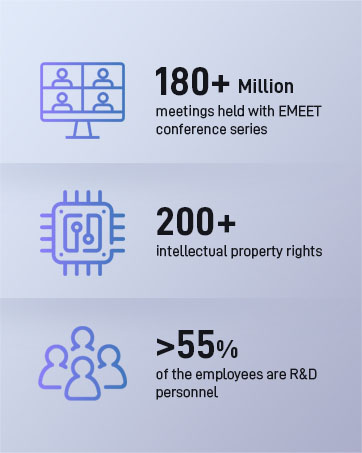

EMEET values the contributions of every individual in meetings and knows that everyone should be heard and seen. Established in August 2016, with the mission of “better communication, better world”, we endeavored to create an intelligent mobile collaboration space. Today, EMEET is a prominent global company, specializing in R&D, production, and sales of AI-driven intelligent audio and video communication products and cloud services.
EMEET New Release
EMEET Best Sellers
Cost-Effective Speakerphones
High-End Speakerphones
1080P Webcams
4K Webcams
Webcams with Tripod
Other Choices
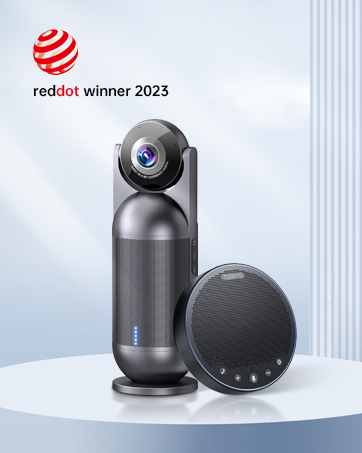
Officially Recognized Voice Tech – ZOOM has recognized EMEET OfficeCore M1A USB speakerphone as its compatible voice partner in its official website. Apart from ZOOM, the speaker and microphone works well with Skype, Skype for business, Microsoft Lync, Google Hangout, Facetime, Goto meeting, Bluejeans, Webex, etc.
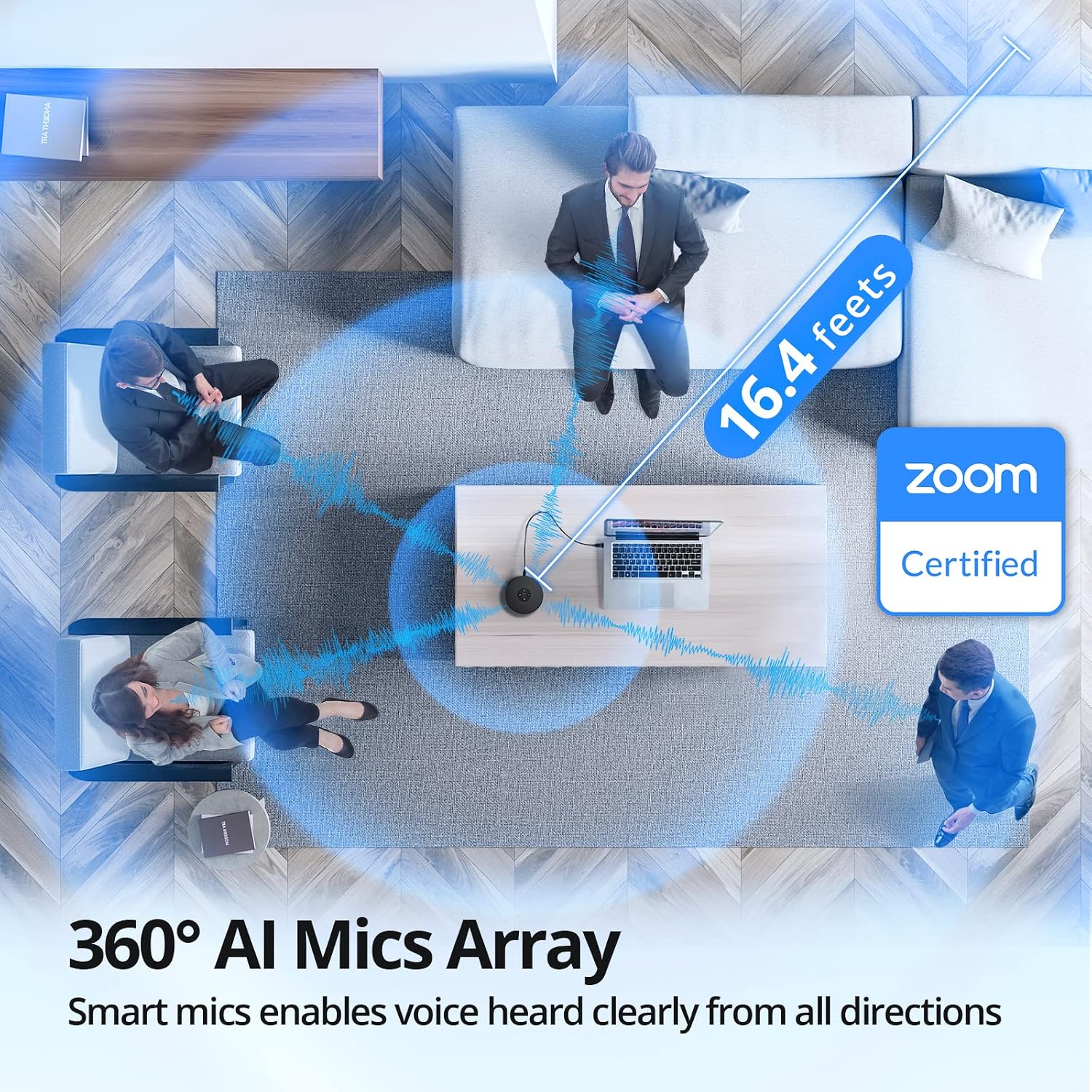
360° Smart Voice Pickup – EMEET’s exclusive VoiceIA Tech patent equips the USB speakerphone with excellent microphone performance: noise reduction, echo cancellation, voice amplification, and full duplex. All attendees’ voices are clearly picked due to the USB speakerphone’s 2 omnidirectional microphones which can cover your voice from 360° directions.
Smart Speaker & 9 Voice Volumes – The computer speaker with microphone has a smart speaker which can play sound in 9 volumes. The 9 volumes can be easily adjusted on the USB conference speaker’s control panel and can be easily judged via the blue LED light on its panel.
USB Type C-A & Privacy Protect – The computer speaker with microphone will plug&play after being connected via USB-C connector or USB-A adapter. A wired connection promises the most stable connecting method. During the online meeting, your privacy will be validly protected by muting the speaker and microphone anytime and anywhere you want.
Multiple Using Scenes – The laptop microphone and speaker is broadly used in industries of business, education, government affairs, medical treatment and health, law community, etc. Professional computer speakers with microphone ensures effective voice transmission, making online calls smoother and hybrid meetings more efficient.
Customers say
Customers appreciate the microphone’s clear sound quality, easy setup, and good value for money. They find it works well for online meetings and calls, and is suitable for work at home. The microphone has a good voice pickup and is compact in size. However, opinions differ on the build quality.
AI-generated from the text of customer reviews
13 reviews for EMEET USB Speakerphone, M1A Zoom Certified AI Mics 360°Voice Pickup USB Type C-A Plug&Play Computer Speakers with Microphone, Fast Mute Noise Reduction Echo Cancellation for 5-8 People for Zoom Teams
Add a review
Related Products



Original price was: $129.00.$100.00Current price is: $100.00.
Paresh W. –
Perfect!
I work from home most of the time , and keeping headphones ON all the time started giving me pian in my ears. After starting using my Windows laptop mic/speaker , people on other side started complainign about voice quality, and i used t oend up speakign loudly.After lot of exploration, i purchased EMEET speakerphone in this blackfriday, and to my surprise, it performed beyond my expectation. It has mic gain control, 4 mic for noise cancellation and few more capabilities. But, my my call quality increased a lot! No complains from other side, i don’t need to speak loudly, even speakign at very gently, does the job.After owning this device for past ~20 days, i don’t have to speak louder, my family do not get disturb (i can speak that low, but i have a seperate office room).The only downside i could see is the no touch buttons, but i am getting used to it, and i don’t have to use them frequently, so i can ignore that part.All in all, must have for people workign from home and do not want to keep headphones ON all the time.
Amazon Customer –
Very impressive
I’m very impressed by the device. It is plug and play and works right away. It is one of the best microphones for dictation I have ever used.
H. Sullivan –
Great price, great product
Only been a week in use. Easy setup, very clear, impressed so far
Exosurfshack –
Works great, but not with docking station
FIX FOR DOCKING STATION USE BELOWFirst off, it was hard to gauge the size of this device based on other user photos. Xbox Series controller next to it for reference.I was tired of using my work provided headset(Logitech H570e) because wires are annoying and I work from home, so closed audio communication isnât needed. I was also browsing stuff like the Jabra2 line but too costly.I have the EMEET sitting at the end of my desk and people can hear me just fine. The microphone quality is comparable to the headset. Both leagues better than the laptop microphone.The speaker is plenty loud and others cannot hear themselves when iâm talking to them on Teams, or Jabber.The product itself works great overall. Plug and play use when the usb cable is directly connected to my laptop.However, I ran into issues when I plugged the EMEET into my Dell WD19S docking station. I plug everything into it, so that way all I have to plug into my laptop is the usb-c cable.When listening to audio from a youtube video, the speaker works fine. When you try to run something that requires the speaker and microphone to both be in use(teams, jabber) the speaker will continually disconnect and reconnect over and over while also trying to find a usable audio source such as the laptop speakers, making it impossible to communicate. The microphone will work, so others can hear you, but you canât hear them due to the speaker connection issue.I tried updating the drivers on my laptop and docking station, I tried going into advanced audio settings and not allowing other audio sources to connect, I set the EMEET as priority, I googled forums from other people experiencing issues with their docking stations and similar devices, I downloaded the EMEET software provided on their website, nothing worked.IT with my company worked on it for 30 min as well with no luck. I called EMEETâs support team and with no troubleshooting, they told me itâs likely the docking station at fault but ehhhhh I donât know about that, chief.I did not want to plug the EMEET into my laptop just for it to work. I also did not want to run strictly bluetooth as iâd have to recharge it. That defeats the purpose of why I got this(cables, handsfree, tidy, etc)THE FIX:As stated before, when the EMEET is plugged into the docking station and iâm making a call, the microphone is the only thing that works correctly.To get the speaker to work, I paired the EMEET to my laptop via bluetooth. Since the EMEET is also still plugged into the docking station, it will show two speaker sources and two microphone sources.On windows, go to system, sound, output.It should show two sources from EMEET. One labeled Speaker, One labeled headset. The one labeled headset is your bluetooth connection. The one labeled Speaker is your wired connection. Click on the Speaker source, under general, audio, select âdonât allowâ.This will make it to where the Speakers bluetooth connection is your output source, and the microphone wired connection is your input source.Unit is still hardwired in so you donât have to charge it, and it resolves the connectivity issues with the docking station.Would be 5 stars if docking station compatibility were there.
Robert Altabet –
Great sound and audio pickup. And VERY easy to set up either tethered or blue tooth.
Great sound and audio pickup. And VERY easy to set up either tethered or blue tooth. Only a few dollars more than the other two options I had to return being unable to set them up. This was easy and the blue tooth wireless capability was an unexpected bonus.. We will be using it to teach weekly hybrid-zoom classes with in person attendance from 7 to 17 and zoom attendance of 5 to 10. All the in-person participants can be fully heard by the zoom people. We still have to watch out for too much cross talk from the in-person contingent, but that is my management problem, not the technology.
Charles Myrick –
Perfect for meetings where sound is hard to get right
As a journalist, I cover a lot of meetings, and I’ve never found a shotgun microphone that worked well. Some of the government meetings are held in large courtrooms with very little acoustic treatments, so the sound is harsh. I searched for so many things, and I stumbled across this a few months ago and really got the chance to use it today during an election audit, where the room was relatively quiet but there was several people spread out that we needed to hear. It was paired to my iPhone 15, and worked beautifully. The audio on our Facebook live stream was perfect (except when an error – Facebook – caused a span of audio to drop out, this wasn’t the device’s fault). I would recommend this to anyone needing to place a wireless microphone that isn’t obnoxiously large and intrusive into the mix of people and documents. I don’t think they ever really noticed it, or what it was. Ten stars!
KR –
Emeet support stands by its product even after a year of warranty
Update 1/2/25They were very responsive in trying to understand the issue. They asked the details and when they realized its genuine issue, they decided to replace it. Not just because they replaced it, but in general the product is fantastic, seamless, clear and cancels additional noises. I was enjoying free from head phones and thanks Emeet for getting back to my enjoyment !Original Review: November 23, 2024It keeps losing audio for a few seconds and blinks blue and then comes back automatically.This has been very painful while attending meetings or even taking training. Seems like there are couple more people who were affected with similar issue. Sent an email to support and waiting on reply and see how they support. Will update review after how support helps and resolves the issue.
Pooch –
Works well, easy set up but slight lag.
Plug in play. Easy set up. I connected mine via USB. Sound quality is good. People on the other end have no complaints. A slight delay during conversations that I dont have using a headset. It’s a fraction of a second but noticable if both parties try to speak at the same time. Overall, good price, very convenient, easy to use and transfer between systems, good volume, clear, but has a slight lag.
Arlene –
This E-meet speaker and built in microphone is compact and very useful for my online meetings. I recently purchased it and very pleased with it. It works well and the sound quality is good. I can hear clearly and people on the other line can hear me clearly. I can also plug in my ear buds to it if I don’t want everyone in the open office hear my conversation. It’s small enough that I can put it in my sticky note cube tray and it’s partially hidden so people can’t steal it so easily. I like the colours when it’s on. Light blue for lower volume and dark blue for full volume. It’s easy to just plug into my computer hard drive at work and play. Down side is, I couldn’t answer my calls by just pressing the phone icon on the speaker. I have to click on my computer to o answer calls on TEAMS. I called our work IT department and the tech said the speaker does not support TEAMS, which is an online meeting program. I can still use it for meetings but have to manually click on the answer icon on my computer first. I am still pleased with my purchase and happy I can hear and speak with one speaker just by clicking on a button instead of trying to pull out my ear buds from my drawer to plug into my computer when people are calling me on Teams.
Fast Eddie –
I got this for our office. I work remotely and video conference from home with the office often. Using the standard mic and speaker on the PC or the TV, soft-spoken participants often came in faint. I sent this speaker-mic to the office and they place it in the middle of the conference table. They can hear me and I can hear them. Good investment.
History Man –
Wanted a small speaker for a portable computer. This provided exactly what I needed. So easy to set up. Charge the unit. Switch on. Hit the Bluetooth button and it was connected and on any restart it stays connected
Amazon Customer –
After waiting for 3 weeks I finally received a product, but it was defective! Looks like it was not tested at all.I am writing this review just after sending the return request. After receiving the item I tried using it for Teams, skype and zoom calls, the sound quality is good from both the sides, but the PROBLEM is it disconnects with the system during the call and I can’t hear the sound from other side. It consistently happened for all the calls. Then I tested it for youtube videos itâs the same problem! after 3-4 min of video it disconnects and I can’t hear the sound.Didn’t expect such a bad quality for the price and brand. I returned it.
ALEX –
æä½ãç°¡åã欲ãè¨ãã°æã¡éã³ç¨ã«ããå°ãå°åãè¯ãã£ãã許容ç¯å²å ãã¨ã