

JIGA Streaming Webcam with Dual Microphone 1080P Adjustable Right Light Pro Web Camera Advanced Auto-Focus with Tripod Zoom Camera Gaming Webcam for Xbox Facebook YouTube Streamer Conferencing
$39.99


Price: $38.99 - $39.99
(as of Jan 17, 2025 09:57:10 UTC – Details)
Product Description

JIGA Webcams are a popular – and convenient – option for live streaming.
The JIGA Streaming webcam with ring light is one of the most popular webcams on the market – with good reason. It supports 1080p30 streaming and features autofocus as well as light correction technology that adjusts your video on the fly to match the conditions in your room.
Frequently Asked Question (FAQ)
Q: Is this webcam transmitting video fast?A: Yes, the size of the file is compressed during transmission, which increases the transmission speed, but the resolution does not change.Q: Will it work with PS4?A: Yes, this camera has a wide range of compatibility, it runs on Windows 7, 8, 10, Mac OS 10.8 onwards. It can also run perfectly on xbox one, live streaming, PS4Q: What is the fill light effect of this cameraA: The effect of the fill light is very obvious. In a slightly dark working environment, by adjusting the brightness of the fill light, you can more clearly show the face profile and show your best image to the other party.Q: Will this work with FaceTime and Skype?A: it works very well with Skype and FaceTime and other Video software.Q: How good is the sound quality? How well does it pick up my voice? Is it clear?A: The microphone of this camera uses directional capture technology to capture the sound information from the front, the sound/recording of this is very clear
 Noise-Cancelling Technology
Great for webinars, video conferencing, live streaming, etc. The built-in Noise-canceling microphone reduces ambient noise to enhance the sound quality of your video. Even in noisy surroundings, you can capture the sounds you want.
Forward Microphone Noise Reduction Directional Sound Capture Real Sound
2021 NEW WEBCAM WHIT RING LIGHT JIGA
1080P Stream Webcam with Low-light Correction
Built for business, this webcam delivers 1080p live streaming. It’s also equipped with low-light correction Technology, which automatically controls exposure for brighter, more colorful video.
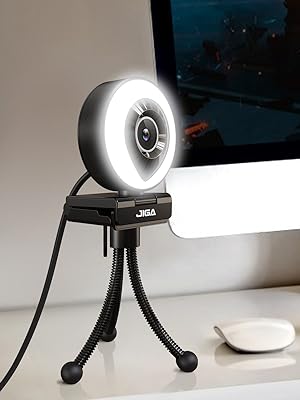
Professional Metal Tripod
JIGA streaming webcam is equipped with a 4.3-inch metal stander, which can be adjusted in height and angle. It is suitable for placement on the desktop and can meet the needs of customers during meetings, games, and live broadcasts.
1080P Full HD Streaming Ring Light Directional Microphone 360° Rotating Base Multi-Purpose Accessories Touch Switch Regulating
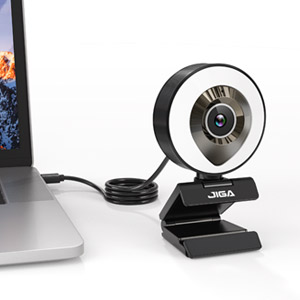
Plug & Play Installation
Simply plug the webcam into the USB port of your laptop/ desktop/ PC and it will be instantly installed. No extra drivers are required. According to your needs, you can put it on the table and also be placed on the monitor
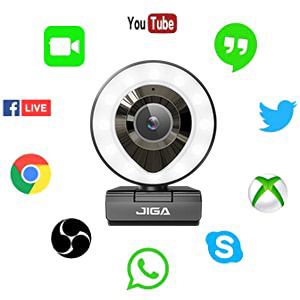
Wide Compatibility
USB 2.0/3.0 Plug and play, Get up and running immediately without having to install any drivers. Simply connect this HD webcam 1080p to your computer, laptop, PC, Mac, Android v 5.0 or above, Chrome OS etc. supports Skype, OBS, XBox One, Youtube, Facebook, Live Streaming, Face Time, Hangouts, Xsplit, Mixer.
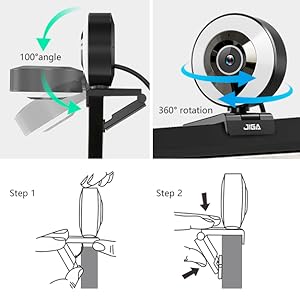
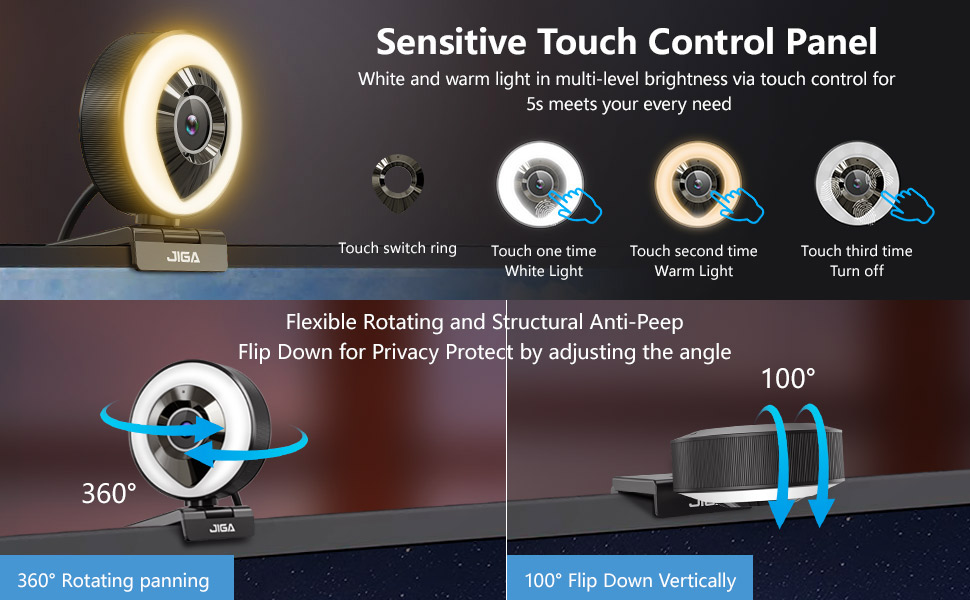
Privacy 360° Rotating Base
Equipped with a multifunctional base, 360° rotation in the horizontal direction and 100° adjustment in the vertical direction, which can protect privacy when not in use. The base is easy to install and has multiple uses
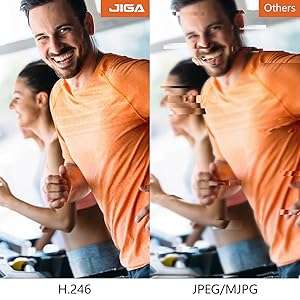
H.246 Smooth live Stream
Faster uploads with H.263 encoding occupying half the space to deliver the same quality video, able to record smoother video without freezing
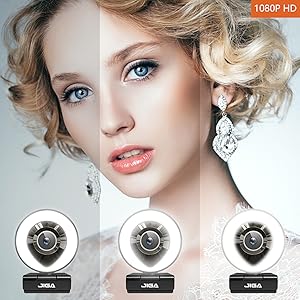
1080P HD&Light Adjustment
Using a Two million high-definition pixel lens, real 1080P high-definition effect, The image is clear and natural, the fill light uses 24 LED lights, and the brightness is adjusted through 3 levels, According to different environments, choose the best fill light effect
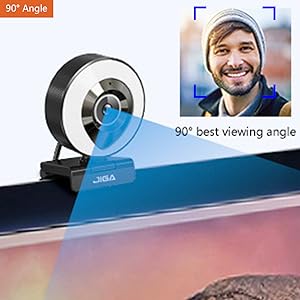
Best Len Angle & Auto Focus
The camera angle uses a 90° wide-angle camera, very suitable personal meeting viewing angle, best user experience, Auto-Focus function catches ideal focus positions as you move, making it easier for you to get clear images/ videos.
Image Sensor 1/2.9” 1/2.7” Effective Resolution 1932(H)×1088(V) Effective Pixels 2.0 MegaPixels Signal to Noise Ratio > 50dB Video Frame Rate 30FPS Field of View 90° angle USB Cable Length 1.5m (4.92ft) Video Stream H.264:1920X1080@30fps Fill light 24 lights -white/warm light-*3.2μ Work Environment -20℃ — 60℃ Item Dimensions 7*5.5*9 cm (2.76 *2.17*3.54 in) Working Voltage DC5V/60mA ±6mA
☀️【Warm & White Light Adjustable】2021 updated the full HD 1080p webcam has built-in ring light and Warm & White light with 24 LED. The brightness can be adjusted through the sensitive touch control, so you can achieve ideal brightness conditions in dim light environments.
☀️【Webcam with Dual Stereo Microphone】USB Webcam with light is an improved dual digital stereo audio microphone, and automatic noise cancellation for a cleaner, clearer sound that captures your sound even at a distance of 10 feet to ensure that everyone can hear the real sound, your fans can capture your voice in real-time.
☀️【1080P Full HD Webcam & Protect Privacy】Professional 1080p web cam with 90° wide-angle lens. The maximum resolution is true-to-life 1920 x 1080 pixels for clearer display effects. The computer camera can be rotated 360° in the horizontal direction and 100° in the vertical direction. We can easily adjust the angle when not in use to protect our privacy.
☀️【Multi Accessories and USB Plug & Play】JIGA streaming webcam includes the flexible clip and adjustable tripod for optimal viewing angle and base on most displays. Easy to use, no other driver or software need to download. Plug and play via USB 2.0/3.0 interface.
☀️【Wide Compatibility】The webcam with microphone supports live streaming on social gaming & entertainment sites, such as Twitch, Zoom, Skype, Youtube, Xbox one, Xsplit, Mixe, Facebook, Vlogging, OBS, and universally compatible with Mac, Windows, Android, Linux, Laptop, Desktop, etc. While easily record video and sound clearly and realistically.
Customers say
Customers find the camcorder has a good camera with decent picture quality and video. It has built-in lighting that provides both cool and warm light settings. They say the autofocus is sharp and the picture resolution is much higher than the camera that is built into their laptops. The monitor clip works well and the webcam works very well at dark rooms. Overall, customers find it functions well and is a good product for the price.
AI-generated from the text of customer reviews
11 reviews for JIGA Streaming Webcam with Dual Microphone 1080P Adjustable Right Light Pro Web Camera Advanced Auto-Focus with Tripod Zoom Camera Gaming Webcam for Xbox Facebook YouTube Streamer Conferencing
Add a review
Related Products


$39.99
Shane –
Can’t beat the price for a great webcam.
I just recently got into streaming but I was using a really old webcam initially and so I have been looking around at webcams for awhile. I have to say this webcam far out performs my old one, and is definitely a competitor in the webcam market. You can’t beat the price for this cam, 1080p stream with a light, two different color settings and intensity adjustable makes for an easy to use, plug n play setup so you can get to streaming right away. I also love that they sent a tripod stand with it just incase it won’t mount on the monitor but the monitor clip works pretty well and my cam is fairly stable. Totally worth the price and as far as I can tell performs just as well as the more expensive cams.
Rogue Angel –
Surprisingly good webcam, simple, easy to use.
I got this on sale, and even is regular price is pretty low, so I want expecting much – just needed a new webcam quick. To my surprise, the video quality is quite nice, and the auto focus is sharp. Plus it’s rather cute with its ring light.The three light colors and intensities give you plenty of options to tailor to your look (clothes, location, etc.).It is a simple plug and play (usb), with a long cord comes with a tripod that is bendable (can attach it almost anywhere if desired).The mic is great, and the rest of the people on my zoom conference said my voice sounded better with this webcam.It does fully rotate, as well as angle up and down.The quality is amazing for the price, and I would happily pay more for this little thing. I’ve used it many times and haven’t had a single issue yet. Very happy, would recommend!
James Gohlke –
A cheap quality camera
I bought this as a more mobile camera to use for streaming than the built-in laptop one. Despite a lack of instructions, installing it was simple. Just plug in and use. Going further I must preference that this is in no way a negative on the camera it self. Upon adding the source to OBS, I found the camera to freeze often, particularly when activating the light. This may be due to the age and specs of the laptop. At times, and with other programs, it seem quite functional. Based off these, I can say with proper lighting, the picture is clear. The picture here was taken across (figuring 15-20 feet) the room with no additional light. I found that when either light setting was on, it added miniscule illumination, even at the brightest level. The OBS setting allows only a couple adjustments to color saturation that could be made. The video aspect is also mixed. Don’t expect this to do everything. In the short tests I did, a additional mic should be used. The mic that is built in, doesn’t seem to pick things up even close by very well. All that said, I find myself satisfied enough with the picture portion and to try and keep tweaking the video part.
Amy Anderson –
test photos for a decent camera that captures soft images
I took a couple test photos and a test video me myself with this Jiga webcam VS the webcam that is on Macbook Pro.(The first four photos I have my window open and it is a bit overcast) [Photo 1]: Jiga webcam with out light. [Photo 2]: Jiga webcam with cool light on. [Photo 3]: Jiga webcam with warm light on. [Photo 4]: Macbook Pro webcam(These next four photos I closed the blinds to my window) [Photo 5]: Jiga webcam no light. [Photo 6]: Jiga webcam cool light. [Photo 7]: Jiga webcam warm light. [Photo 8]: Macbook Pro webcam.In the video I go through all of the Jiga webcam settings while moving this MORE SCARY STORIES book to test frame rate and quality, I did this in low light. No webcam light, then cool webcam light, then warm and then back to normal.The last two closeup photos were testing the auto focus. I was leaned in the same distance for each camera. The first photo is of the Jiga webcam with the cool light on and the second photo is with my Macbook Pro webcam, I used the Jiga webcam cool light to light my face in that photo.In all, this camera is fine. I bought it record myself drawing. I think that it picks up the detail of the book cover very nice and from far away this webcam would be pretty decent is you wanted to use it for streaming/ excellent for zoom calls. It works better if you can supplement with more light in the room but in low light it works good too.I just got it so I will be back to edit my review if it breaks easily. I also bought a warranty for that very reason just incase it does.
The OG Elf –
Works great for Zoom classroom sessions
I got this for my son to use in his Zoom classroom sessions. He had a webcam, but it wasn’t working the best where he works in the basement. The light down there is dim, so he wasn’t giving his teachers an optimal view. It also had a horrible microphone that was staticky at times. I got this webcam specifically because it has a ring light and a dual stereo microphone. It’s working wonderfully! One of his teachers even commented on how much better she could see and hear him. He loves that it only takes a simple tap to adjust the brightness level. At different times of the day and in the evening his lighting needs are different, so the ability to move from white light to warm light is a big deal. The auto focus function is quick and accurate, so whenever he needs to move around for a presentation the image stays clear and is always in focus Even though he doesn’t need it, having a wide-angle lens on the camera is nice. The dual stereo microphone provides his teachers and classmates a crisp sound with no background noise. The automatic noise cancellation is very useful when his brother is in the next room lifting weights and making noise. It takes no time at all to install it on your computer screen. Just find the spot on the top of your screen where you want it, open the clip and adjust it so it stays on. I like that you don’t need to download any programs, in order for it to work. As soon as I plugged it into my computer it was recognized and ready to use. It couldn’t have been any easier. The quality and performance of this camera rivals the much more expensive webcam that my husband uses for work. We’re extremely pleased with this little webcam and will definitely come back if anyone else in the house needs one.
Sara –
Webcam
The light is cool but the camera doesn’t stay put it moves around a lot which is annoying and the stand isn’t sturdy and moves too
Joel –
Agréablement surpris de la qualité d’image et de son elle est comparable à une caméra payé beaucoup plus cher. Extrêmement satisfait de mon achat et je recommande fortement.
Giovanni –
Ottimo
Emily –
Fantastic camera super easy to use and great quality, the lights all work and are really bright which is fantastic because now my friends can actually see me ð highly recommended
STP –
Ich habe die Kamera für mein Home Office gekauft und bin insgesamt sehr zufrieden.Die Kamera liefert eine für die Preisklasse gutes Bild und ist den üblichen Laptop Kameras auf jeden Fall überlegen.Das Ringlicht hat zwei Farbtemperaturen, die sich via Berührung ändern lassen, auÃerdem ist es auch möglich das Licht zu dimmen. Ebenfalls ganz einfach via Berührung.Die Kamera hat auÃerdem eine kleine grüne LED als Indikation, wenn die Kamera aufnimmt.Positiv hervorzuheben ist die sehr gute Halterung mit der eine Befestigung an jedem Bildschirm problemlos möglich ist. AuÃerdem ist auch ein kleines Stativ dabei, das war mir beim Kauf gar nicht bewusst.
Daniel J. –
j’ai juste fais un test et elle fonctionne bien