

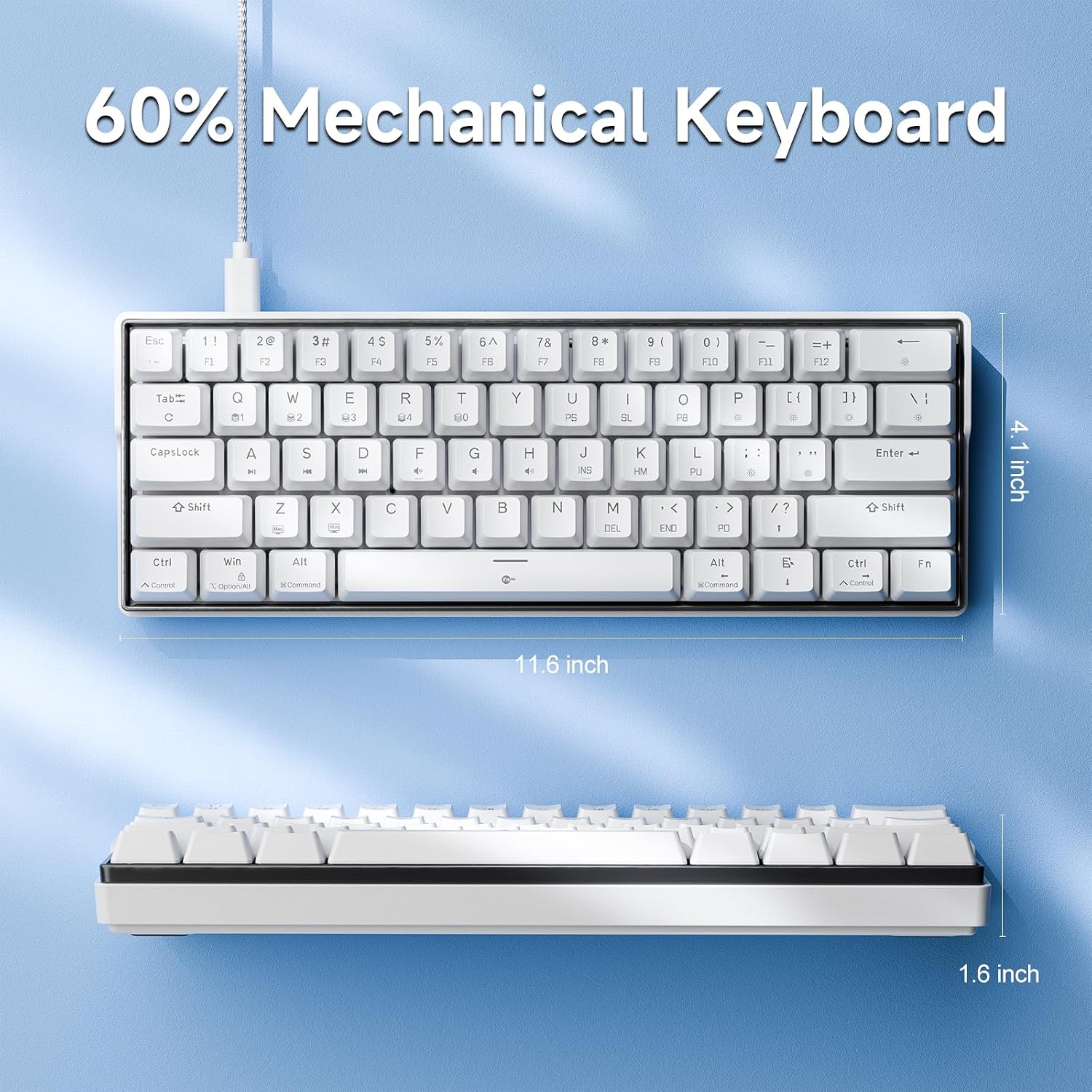
KEMOVE K61SE Gaming Keyboard, 60 Percent Mechanical Keyboard, Wired RGB Backlit N-Key Rollover Compact Mini 61 Keys Keyboard for PC Laptop, Red Switch
Original price was: $29.99.$23.79Current price is: $23.79.



Price: $29.99 - $23.79
(as of Jan 12, 2025 01:03:48 UTC – Details)
Product Description


Plug and play, widely compatible with PC devices. Easily store away, simplifying your workspace.

Double-shot keycaps made from ABS material, durable, with uniform backlighting and fade-resistant.

Utilize the foldable stand to find the perfect angle for precise and comfortable use of the keyboard

1 Detachable Power Cable
2 ABS Double- shot Keycap
3 Foldable tilt Legs
4 Full Anti-Ghosting
 Mechanical Keyboard Red Switch
Linear quiet sound,fast action with minimal resistance
without a tactile bump feel,for ultimate gaming performance
Actuation Force:45gf +/- 15gf
Keystroke Travel:2.0mm +/- 0.6mm
 Mechanical Keyboard Blue Switch
Clicky,medium resistance audible Loud click sound,crisp
precise tactile feedback suitable for texters
Actuation Force:60gf +/- 15gf
Keystroke Travel:2.3mm +/- 0.6mm
 Currently only supports Windows Music Rhythm
Activate ‘Music Rhythm’ using the KEMOVE software, and watch as the LED backlight dances to the beat of the music played on your Windows device.
Note: If the sound card listed in ‘Device Information’ doesn’t match the one currently used by your PC, this will not be available.


Space-Saving 60% Layout: The K61SE 60 percent mechanical keyboard retains all the essential keys you need for efficient typing. It comes with tilt legs and a detachable cable for easy storage, making it suitable for business, travel, gaming, office, and home use.
Mechanical Keyboard Red Switch: If you’re all about speed and precision, our red switches are your best bet. These switches offer a smooth and linear keystroke, making them a top choice for gamers and professionals who want quick, quiet, and responsive typing.
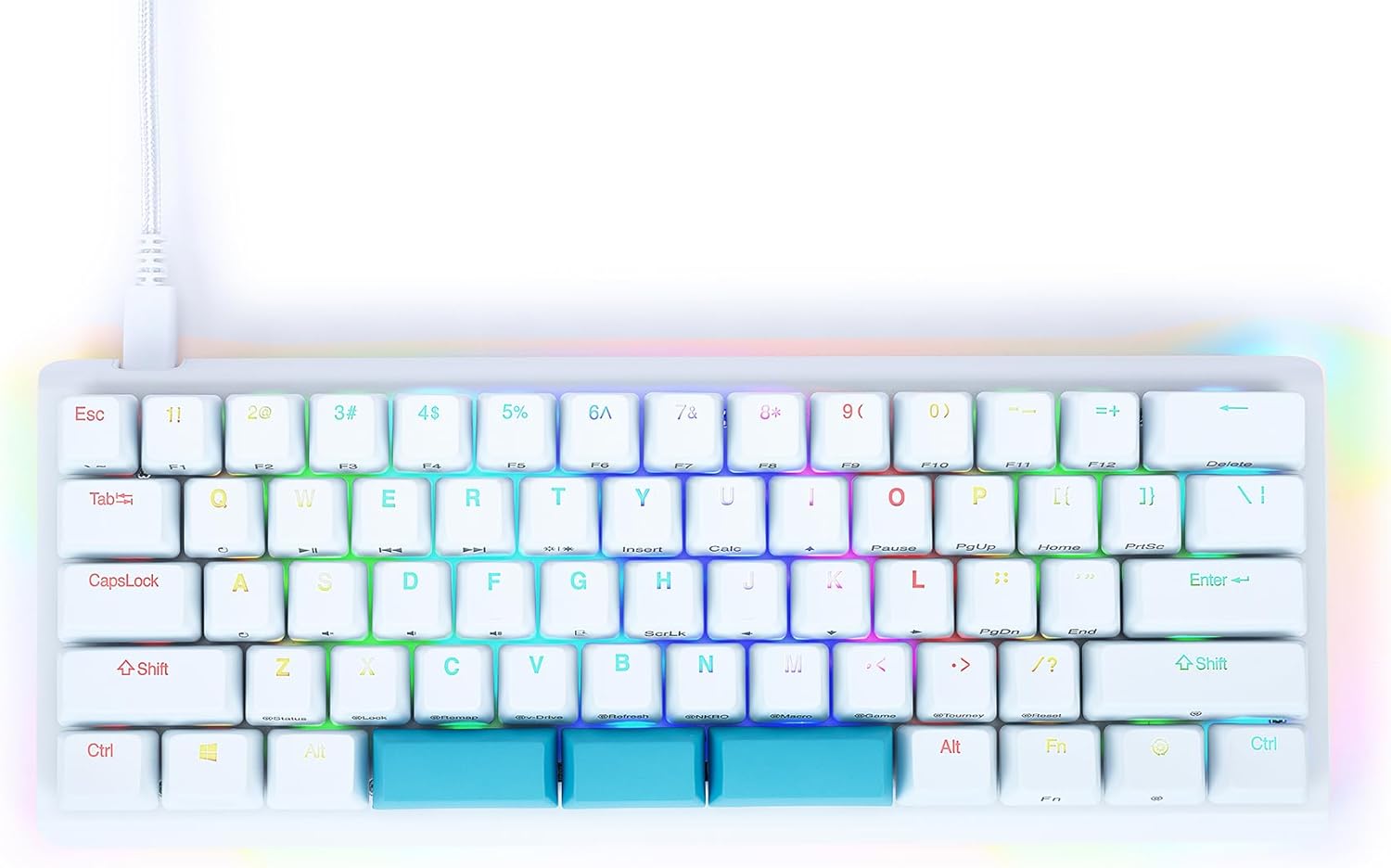
Customizable RGB Backlighting: K61SE keyboard offers a wide range of RGB lighting modes with full-spectrum color control. Easily personalize the color and effects for each key, creating a unique visual experience that adds a distinct flair to your gaming or workspace setup.
Design Your Own Mode: Experience the freedom of customization with the K61SE wired keyboard software. You can remap all keys and key combinations to execute complex commands, greatly enhancing work and gaming efficiency. Note: Currently only available for Windows.
Compatibility: Compatible with Windows, some shortcut multimedia keys on Mac OS systems are not compatible.
8 reviews for KEMOVE K61SE Gaming Keyboard, 60 Percent Mechanical Keyboard, Wired RGB Backlit N-Key Rollover Compact Mini 61 Keys Keyboard for PC Laptop, Red Switch
Add a review
Related Products


Original price was: $29.99.$23.79Current price is: $23.79.
cindy –
1st mechanical keyboard, i love it!!!
When I got this keyboard, I knew i wanted a blue switch keyboard. I didn’t want the typical RGB backlit. I am happy with my purchase! 100/100 will recommend!
Hudson V –
Super nice with commands and comes super fast!
Came super fast have had no problems with it so far.
Lore Marin –
Very nice
Nice clicky sound and great value for the price
Tech Enthusiast –
Good quality for the price
I typically avoid wired keyboards, but I have a limited amount of space on my desk for a keyboard, so I thought a 60% sized one might be a good idea, so I decided to try this out, especially since I was curious about the mechanical keyboards that are out now and I had never used one.I used this for three weeks attached to a mini pc running MX Linux, so I didn’t have the opportunity to try out some of the fancier features like the music synchronization or the key remapping, which seem to be mostly available if you use Windows.The cable that attaches the keyboard to the computer is a good quality braided cable, with good flexibility and a nice length. I like that it can be unplugged from the keyboard for storage or transporting.The keyboard itself has a great feel. For those that have never used a mechanical keyboard, there’s a great range of motion that feels like you’re typing on an old school typewriter. It’s very satisfying.The keys do make some noise when pressed, but it wasn’t extremely loud. I was able to type on this while on conference calls an nobody complained about the sound.The RGB backlighting is both useful and decorative, I guess. I mostly used it to help me learn the key positions for things where there were shared functions. Once I learned those, I turned the backlighting off because staring at colors while you’re typing can be distracting.Here’s where I struggled, though, and this is the reason I’m not continuing to use this keyboard on a daily basis: I use my arrow keys constantly, both when scrolling on pages on the internet and in email, but also when writing documents, using spreadsheets, etc. I’m an old school keyboard-centric computer guy, I guess.The problem with this, and I assume any 60% keyboard, is that the arrow keys are shared with other keys on the keyboard and, in order to use the arrows, you have to simultaneously hold down another key to shift the function of the board to use the arrows. This can be learned (I did), but it’s pretty inconvenient when you also have to hold down OTHER keys on the keyboard. For example, I constantly move the cursor across words in a document using a combination of the Ctrl and arrow keys – to jump from word to word, just hold down the Ctrl key and press the arrow in the direction you want to jump. If you want to select words while jumping you also have to hold down the Shift key. So, with this keyboard, to select words I have to hold down Ctrl+Shift+Fn and then press the arrows. It’s a lot to remember and it’s not intuitive on this keyboard given the placement of all the keys.Okay, so I may not be your typical computer user and most people probably won’t have this issue, but for me it’s inconvenient enough that, while I do like this keyboard, It’s not really practical for me. Thus, I’m giving it four stars.
Kristina –
Cool!
Got this for my son and he loves it!
Vinny –
Great value mechanical keyboard
So, I’ve been testing this keyboard for a while now and I am really impressed with what you get for the price point.The red switches feel really nice – smooth and responsive without being too loud. Perfect for both gaming and regular typing.The build quality is surprisingly good for the price. No flex in the case, and the keycaps feel decent. The detachable cable is a nice touch that you don’t always see at this price.The RGB lighting works well and is easy to customize. The software is pretty basic but gets the job done for setting up your preferred lighting.The 60% layout takes a little getting used to if you’ve never used one before, but once you learn the function layer shortcuts, it becomes really efficient.Overall, this is an incredible value. You’re getting features usually found on much more expensive keyboards. If you’re looking to try out a mechanical keyboard or need a compact option, this is a great choice.
RapidTwitch –
Great entry mechanical keyboard!
This is a nice little entry-level mechanical keyboard. As other reviewers have pointed out, it doesn’t have hotswap capability, so make sure you have some idea of whether you’d prefer the clicky blue switches or the softer sounding red switches before you buy it. I’m not a big fan of super clicky switches, so I went for the reds, and these ones are comparable to others I’ve tried out. The software support is simple to set up and easy to use, and is fairly full-featured on Windows systems, with RGB lighting control as well as the ability to program in macros all through a visual UI. I don’t have a Mac, so I can’t speak to trying to use it on one of those, but it doesn’t look like there are Mac versions of the program, so keep in mind that if you want to use this with a Mac you’ll probably have to do any programming on a Windows computer first. I can’t be sure if the settings will be maintained once you switch it over to Mac mode, however.The build quality is good for the price. It is wired, not wireless, but at this price point that’s pretty much to be expected. However, the cable is removable, not hardwired in, which makes it easier to deal with and also nicer when transporting it. The USB C cable for it plugs into a USB A port, so keep that in mind when thinking about the available ports on the device you intend to use it with. It’s a nice cable, in the braided style, not a plain plastic cable. It does come with a keycap puller, and it’s one of the nicer wire-style ones, not the little plastic ones.I would happily recommend this keyboard to others who are interested in mechanical keyboards but don’t want to make a big initial investment, or want a less expensive compact keyboard that they can transport with them. I don’t like using my laptop keyboard for gaming or typing when I take it places, so that’s what I’m using it for, and it works great for that.
Arta –
The keys didnât work right out of the box !!
I got this keyboard for my sons gaming setup and as soon as he plugged it in there was no letters being typed on screen I am very upset with this purchase