

Linkind Matter Smart Plug, Work with Apple Home, Siri, Alexa, Google Home, SmartThings, Smart Outlet 15A/1800W Max, Smart Home Automation, APP Remote Control,Timer&Schedule, 2.4G Wi-Fi Only, 4 Pack
Original price was: $39.99.$27.99Current price is: $27.99.


Price: $39.99 - $27.99
(as of Jan 08, 2025 17:47:33 UTC – Details)
From the brand

Swipe left to learn more

Smart Home

Color Changing Smart Lighting
Color Changing Light 75/100W
Smart Bulb with Remote Control


Matter Smart Plug
Color Changing Matter Lighting
Color Changing Matter 75/100W
Color Changing Matter Lighting
Decoration Lights
Light Bulbs
Solar Lighting

Linkind, a brand of AiDot, is passionate about lighting your spaces in intelligent and meaningful ways, all while adopting the dedication to innovation and eco-conscious design instilled by its parent company, and overall ecosystem, AiDot. These tenants have guided Linkind from the start and are why they are now able to proudly offer solutions to match any and all residential scenes. Linkind is lighting the way to a brighter tomorrow.
Package Dimensions : 8.15 x 3.15 x 2.5 inches; 11.22 ounces
Item model number : LC09003256
Date First Available : April 21, 2023
Manufacturer : Linkind
ASIN : B0C36WXGP1
【Easy Setup, One Control】With Matter, Skip the step of downloading and registering multiple manufacturers’ apps every time you buy a new device. Instead, head straight to certified smart home platforms like Apple Home, Alexa, Google Home, SmartThings, or AiDot to control all your Matter devices.【TIP】Matter-certified hub or controller (HomePod, Echo Dot, Nest, SmartThings Hub) is required for Apple Home/Alexa/Google Home/SmartThings platforms. Alternatively, the AiDot app can be used without hub
【Offline-Ready Control】Once you’ve set up your Matter-certified devices on your LAN, they’ll be able to communicate with each other directly, using the Matter protocol. This means that if your home internet connection goes offline, your Matter-certified devices will still be able to communicate and be controlled within your LAN, without relying on the internet or cloud services.
【Remote Control from Anywhere】Use the app to turn electronics on before you arrive home and off after you leave, no matter where you are. Using the smart plug that work with alexa manage your power usage and save money.
【Hands-free Voice Control】Control linkind homekit plug using simple voice commands through Apple HomeKit, Siri, Amazon Alexa, Google Assistant, and SmartThings, without the need for physical input such as buttons or switches.
【Flexible Scheduling & Timer】Effortlessly reduce energy usage with automatic device shutdown after a set time. For example Chrismas Tree, TV, Lamp, Fan, Humidifier,Blenders, Lightbulbs
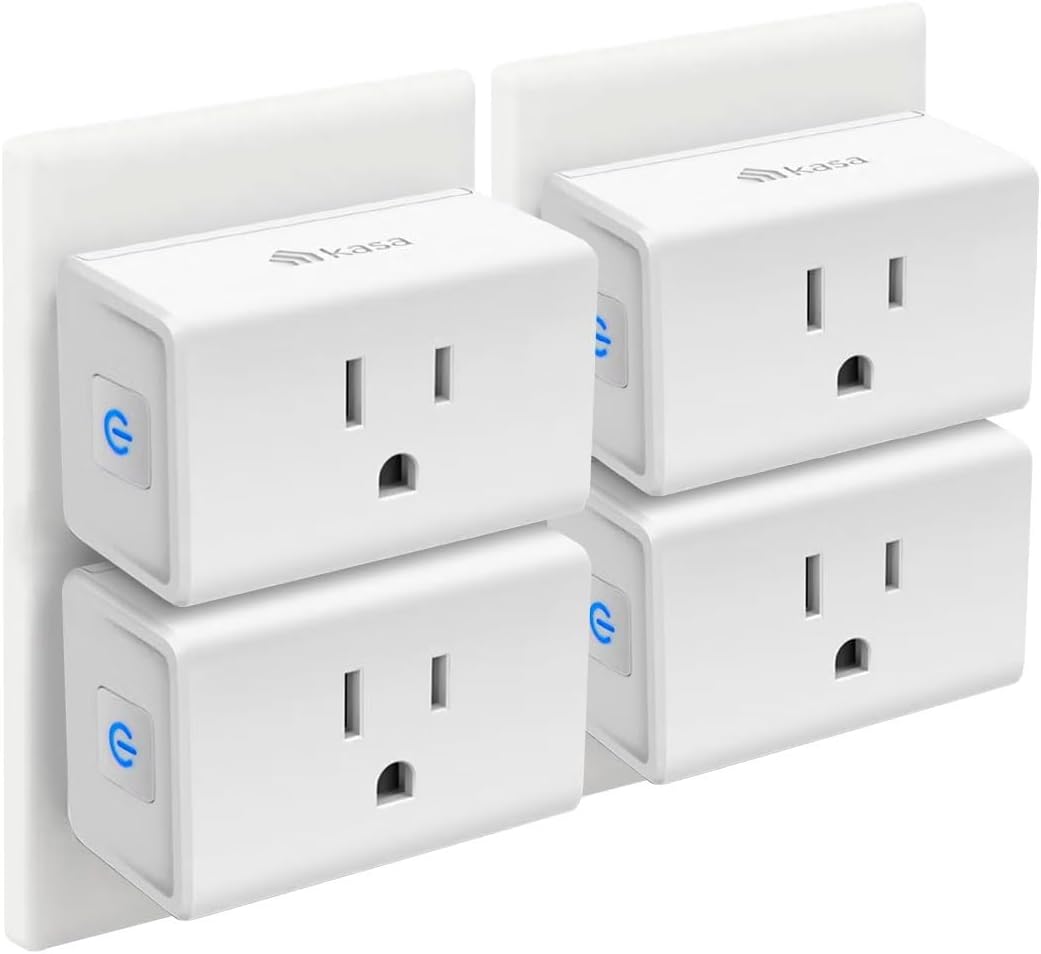
【Design with Safty and Compact】Linkind alexa plugs are FCC certified with fire-resistant materials and provide 1800W 15A power capacity, as well as protection against short-circuits and overloads. Despite safety features, the smart outlet plug has a small form factor that won’t take up too much space.
【Important Tips】Linkind wifi plug only support 2.4GHz WiFi and IPv6 network. Matter-certified controller (HomePod, Echo, Nest, SmartThings Hub) is required to control Matter bulb in Apple Home/Alexa/Google Home/SmartThings platforms. Alternatively, you can control the bulb directly in AiDot app platforms without the need for a separate hub.
Customers say
Customers find the electronic switch easy to set up and use. It works well with both operating systems and is versatile. They appreciate its responsiveness, schedule capability, and controllability. However, some customers have different opinions on connectivity.
AI-generated from the text of customer reviews
8 reviews for Linkind Matter Smart Plug, Work with Apple Home, Siri, Alexa, Google Home, SmartThings, Smart Outlet 15A/1800W Max, Smart Home Automation, APP Remote Control,Timer&Schedule, 2.4G Wi-Fi Only, 4 Pack
Add a review
Related Products


Original price was: $39.99.$27.99Current price is: $27.99.
Garrett –
Seamless Integration, Effortless Control: Linkind Matter Smart Plugs Elevate My Smart Home
I recently upgraded my smart home with a 4-pack of Linkind Matter Smart Plugs, and I couldn’t be happier with their performance. Setting them up was a breeze, thanks to their seamless integration with both the Matter standard and the user-friendly AIDot app.I appreciate the flexibility of having both Matter and the dedicated app for control. It gives me multiple options to manage my devices, whether I’m at home or away.One of the things that impressed me most is their stability. I have these plugs on a dedicated VLAN for added security, and they have been rock-solid. No connectivity issues, no dropouts â they just work reliably every time.I’m using the plugs to control a variety of devices, from lamps and fans to small appliances, and they handle everything with ease.If you’re looking for smart plugs that are easy to use, reliable, and offer seamless integration with your smart home ecosystem, I highly recommend these over the handful of others that I could never get to work without trouble.
PH –
Easy to Use + No Hub Required
I love these smart plugs. I wanted a smart plug that did not require the purchase of a hub. These work with a free app downloaded to my iPhone 15. They would also work with a hub if you have one. I set up all of the lamps in my house to turn on at 5:30 pm and turn off at 9:30 pm. I also set a second program for one lamp to turn on at 7:30 am and off at 9:30 am. This has added nice ambiance to my home. It’s great to come home in the evening to lamps already on. Very cozy!
eddiebauerjr –
Smart plugs
I purchased a smart plug years ago and thought I just needed one. When I realized that you could use multiple ones throughout my home I looked for sone reasonably priced. Found these and it was game on. I first had a hard time setting this up but it was no fault of the company. Follow the SIMPLE instructions and it became clear. Great product and cost.
Cowboy J. –
Not bad considering Matter is still pretty new
I got these because I wanted to try out Matter. Saw them on sale and based on the reviews these looked like a good starting point. I wanted to try these using Hubitat and Alexa to see how they worked.Hubitat:Hubitat does not commission matter devices yet, so I had to use the AiDot app. Adding the first plug was extremely easy. Once it was connected it automatically updated the firmware. This is a big plus. Added the outlet to Hubitat with zero issues (had to change the device type from device to generic matter outlet). Works perfectly.Alexa:Using the Alexa app didn’t go so well. Alexa app kept failing at connecting your device. I reset the outlet (hold the button for 5 seconds until it flashes red) and tried again. Same problem. So I reset it again and added with the AiDot app. Again no issues and it updated the firmware. So this meant the outlet was not faulty. So once the firmware was completed, I deleted it from the AiDot app and reset the outlet. I tried the Alexa app again and it failed. So I moved the outlet 2 feet from one of my echo dots (previously it was about 15-20 feet away from 2 echo dots) and it connected and worked with no problems.Conclusion:I prefer to have my devices controlled locally vs cloud. I also don’t prefer to use Alexa Skills if I don’t have to. Too many times both Amazon and the other party are making changes and it will cause skills to stop working or have issues. So I removed the one from Alexa and added back in with the AiDot app to use with Hubitat.I have been using them for 2 weeks now and have had no issues with them falling of the network or not responding via Hubitat. We will see long term how they work. Not sure if the problem others are having with these are related to Alexa, firmware not updating or their wifi network.Not clear if the initial issues I had were an Alexa app/dot issue, the firmware, the distance from the dots or both. If I get anymore I will try to do more troubleshooting to see if I can figure it out.Hopefully as Matter matures there will be less issues like these.
Jo –
Great smart plugs. Quick & Easy setup!
With my some of my other smart plugs I kept getting non-responsive alerts. I was so tired & frustrated to be resetting them all the time. I found these & thought they were a great deal for a 4-pack. I was right. Setup was quick & easy. I like that they are a little smaller than the other plugs. Works very well with Alexa. Love that I can set a schedule through my Alexa app and control them from my cell phone or iPad. Very pleased with this purchase!
Bill Commons –
Great working smart plugs, easy to set up
These smart plugs are great!We got these to work with Alexa, to control our christmas lights. They are super easy to set up and work flawlessly.We have another 4 on the way to control other stuff in the house.We use the schedule feature to control lights automatically, but being able to control through Alexa is a bonus.
Robert Kinney –
Great product
This is one of a great product, easy setup.was able to hook up to my Alexa. I have try other products, but this is the best I uses.
Donna R. –
Money Well Spent
These “Smart Plugs” are wonderful! I ordered four plus the remote; now I can operate from my IPhone or from the remote. This enables me to turn out lights in one area of my home and have lights on in the room I am going to–thus I can leave the remote in the living area because I always have my cell with me. You will be able to turn a lamp on/off manually even when it is attached to one of the plugs–just make sure the lamp is “on” before you operate manually.I am a “technology challenged” individual in that the TV was only black & white (no color TVs) when I was growing up…the instructions and set up for the plugs and the remote are detailed and easy to follow…unless you do like I did and hit the wrong key on the remote!NOTE: I accidentally paired one plug to the wrong remote key and could not unpair…a few emails traded with the company were no help–it was like being in an endless loop with their responses. Finally, one last effort before returning all four for a replacement…I set the plug back to factory settings and then I was able to pair it with the correct remote key. None of the company responses told me to do that.