

Logitech G F710 Wireless Gamepad, 2.4 GHz Wireless with USB Nano-Receiver, Controller Dual Vibration Feedback, 4 Switch D-Pad, PC – Grey/Black
Original price was: $49.99.$39.99Current price is: $39.99.


Price: $49.99 - $39.99
(as of Jan 14, 2025 08:55:24 UTC – Details)
Vibration feedback lets you feel every hit, crash and explosion in your PC games—with no cords to get in your way. You’ve got the freedom to move and room to play with fast, reliable 2.4 GHz wireless. You can feel every hit, crash and explosion—dual vibration feedback makes your games more realistic and immersive.
2.4 ghz wireless connectivity
Customizable controls with profiler software (requires software installation)
Dual vibration motors support vibration feedback games
Works with windows xp, vista, windows 7 and windows 8
Customers say
Customers find that the video game controller works well for PC games and has strong compatibility. They appreciate its quality, build, and comfort. Many find it reliable and durable, with a comfortable fit in their hands. However, some customers have issues with connectivity and setup. There are mixed opinions on the wireless connectivity and button responsiveness.
AI-generated from the text of customer reviews
8 reviews for Logitech G F710 Wireless Gamepad, 2.4 GHz Wireless with USB Nano-Receiver, Controller Dual Vibration Feedback, 4 Switch D-Pad, PC – Grey/Black
Add a review
Related Products
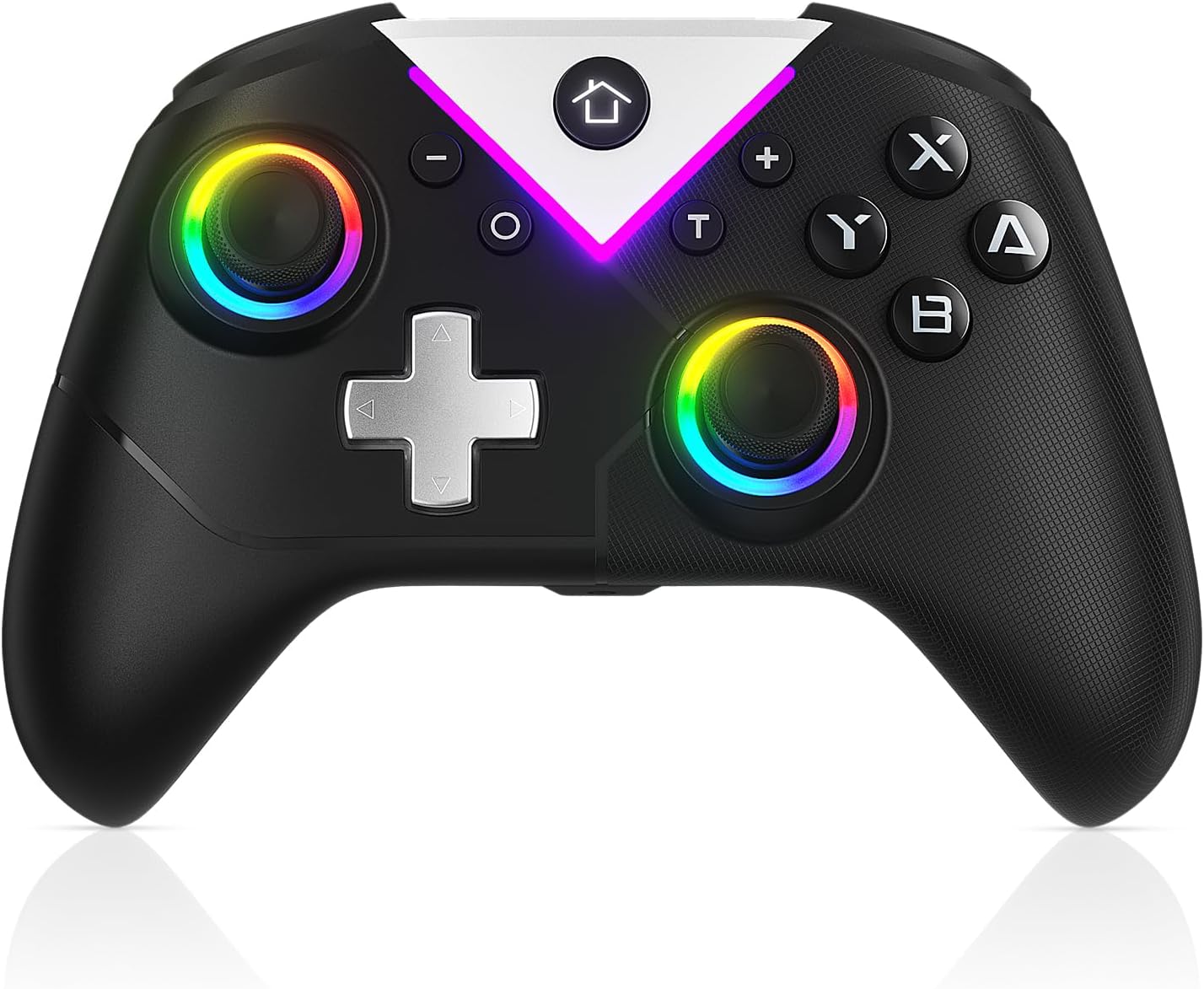


Original price was: $49.99.$39.99Current price is: $39.99.
awGuru –
Solid controller, after a bit of setup
After years of use and abuse, my F510’s left stick finishing came apart and now feels weird in the hand, so I decided to give wireless a go.Reading the multiple reviews stating problems with windows 10, I decided to give it a go and see what all the problems are, I am a systems admin by trade after all… low and behold, I plugged in the nano receiver to a front usb, removed the battery sticker and the remote was up and playing madden 21 (yes, I know) within seconds. No problems with windows 10, shows right up under devices.For some reason the logitech gaming software I use for my mouse doesn’t show this device AND the nano receiver for the mouse won’t pickup the controller, kind of makes the point of “universal” nano receivers a bust as I need them both plugged in to separate usb ports.Now the one issue I had to tackle, the range… AWFUL! I am literally seated two feet away and at same height from my gaming pc box, with the receiver in the front and this thing lags, doesn’t recognize most double clicks and drops connection, that’s just piss poor. I finally figured out what the usb wire extender was in the box for, lol. I ran the extender from the box, under my keyboard and directly in front of me with the nano receiver on it, now BAM remote is no longer laggy and behaves just like the F510, except heavier (rechargeable batteries help out alot here instead of the included duracells) and without the wires and with much weaker vibration. For 30 bones you can’t go wrong here. –> awGuru.comPros -> Wireless, no setup required, seems durable as alwaysCons -> Laggy if not setup as above, weak vibration compared to F510
G. W. –
Highly recommend. 1.) uses regular batteries. 2.) Good quality 3.) wireless dongle & storage. Avoid Bluetooth only (see below)
First I want to point out that this gamepad uses a dongle when connecting to a PC (which is a good thing). I have had issues with several Bluetooth gamepads that are only Bluetooth for PC gaming. There is a strange issue with windows 7 and windows 10. At some point depending on how many times you install/uninstall the Bluetooth only gamepads windows will not install it correctly and the joysticks no longer function under windows. I have researched this extensively and contacted a maker of another gamepad and the only solution I found once this happens is to reinstall windows because once you do this they start to work again (not a practical solution). This is NOT an issue with this gamepad since it uses a dongle when hooking up to a PC. In fact it shows up in the control panel like a xbox 360 controller and even though the Bluetooth gamepad no longer installs correctly this one continues to work. So in short avoid the Bluetooth ones when that is the only method of using it with a PC. I would also recommend getting a copy of Pinnacle’s Game Profiler which will also you to map the gamepad if needed with certain games.This is a great PC gamepad. It is a little heavy but that is probably because of using regular batteries. I definitely would prefer to put up with some additional weight and have a device that will last longer because you can swap out the batteries yourself. An internal rechargeable battery will eventually fail to hold a charge and then you will not be able to use it wireless maybe corded (providing you can use it that way).Build quality is great and here is one feature all the other makes of dongle using gamepads should include: dongle STORAGE. Which for this gamepad is in with the batteries. Thank you Logitech for thinking of dongle storage. It drives me crazy when you have a device that uses a dongle and which is large enough to have had a place made in the device to store the dongle and yet there is none.So if you are looking for a PC gamepad that uses regular batteries and not an internal rechargeable battery I would recommend this one. It just depends on what you prefer; but as mentioned already all internal batteries fail eventually it is only a matter of time.
Scott –
Works well with some minor headaches
I’ve been using one of these for game development work for about 3 years, and it works pretty well most of the time. The dongle is small enough to safely leave installed as a laptop goes into a bag, and the software from Logitech to map the inputs for games that don’t officially support gamepads is quite versatile.One really nice feature of the F710 for me is that I play (and mod) Elders Scrolls IV (Oblivion) and V (Skyrim), and this unit has a switch on the side to change between DirectX and XBox modes. Oblivion supports (mostly) DirectX inputs, and I use Logitech’s driver to map the inputs as I prefer. Skyrim supports the XBox mode directly.I like the feel of this, relatively solid and substantial to grip, and I find the size and layout to be comfortable for long testing sessions. The battery life is quite good; I’m a fairly serious modder, and I typically get 2~4 months on one set of batteries.The only problems I have observed are these:1. The driver occasionally will fail to detect the gamepad initially, and you have to run a special (free download) “detection tool” that Logitech provides. I had all kinds of trouble with this initially, but in more recent driver versions, I haven’t experienced this issue for quite some time (maybe a year or so). In any case, Logitech’s special detection tool seems to clear the problem if it does occur, and it is now thankfully very rare.2. The range of the transceiver is very short, but okay unless you are sitting quite far from the game system. One caveat is that if you use it (as I do) with a metal-cased laptop, and hold the F710 in your lap, the laptop itself may provide enough shielding to make the signal unreliable. I solve this by holding the control up, just below keyboard level, and it works fine.3. In both Oblivion and Skryim, the left stick does a poor job of moving diagonally. Front/back/left/right are fine, but it seems to go very slowly on diagonals unless you set the sensitivity to be pretty “hot”. I’m a middle-aged guy with slow reflexes, so this isn’t such a huge problem for me, but a 20-something friend of mine found it to be annoying.I wore out one of these, and bought another, because although it’s not perfect, it overall works well for me and is a good value for a modest price.
Hélio Oliveira –
Comprei o controle para jogar em uma TV da Samsung pelo serviço Nvidia Geforce Now. Inicialmente, eu havia inserido o dispositivo de USB diretamente na TV e estava sentindo falha no controle, que às vezes não respondia. Já tava achando que era defeito ou um produto vagabundo. Aà vi uma avaliação aqui avisando para usar o cabo que acompanha o controle. Somente com ele é que o controle passou a funcionar muito bem (e aviso que o cabo não é ligado diretamente no controle). Alguns reclamam do peso, mas achei de boa, não cansa.
Roberto Lockbaum –
Lo usó principalmente para jugar con emuladores de videojuegos hasta la sexta generación de consolas en una laptop con Kubuntu 20.04.El sistema operativo lo reconoció de inmediato en ambas funciones (direct input y Xinput).Los botones se sienten duros al principio, pero inmediatamente te acostumbras, los botones laterales hacen click al presionarlos y los gatillos se sienten bien. El control direccional es preciso y los controles análogos son como los de las consolas de Sony. La vibración va desde suave a muy intensa dependiendo del juego y como lo configures con los distintos emuladores. Se siente pesado por las baterÃas AA que utiliza, pero con el tiempo te olvidas de ello. El diseño es muy ergonómico, se ve que está diseñado para las partidas largas. Los plásticos son buenos, me se ha caÃdo un par de veces y sólo ha sido el puro susto.Recomiendo que el conector inalámbrico esté siempre “visible” para el control, si es posible, usar la extensión USB que viene incluido para mejor recepción. me siento a 2 metros de mi laptop que está conectado a la televisión y el lag es casi nulo, durante varias horas de juego al dÃa se desconecta una o dos veces por un segundo. Un detalle positivo es que puedes guardar el conector USB dentro del compartimiento de las baterÃas.Llevo semanas con el control y aún las baterÃas con las que vinieron con el dispositivo siguen funcionando.Este dispositivo es de lo mejor que he probado, sólo superado por los controles originales del Xbox y PS4. Incluso funciona sin problemas en un PS3 (modo D-input) y en juegos con un teléfono android (debes usar un adaptador OTG).
BigDan –
Great!
Cesar Bohok –
Nota-se o cuidado até com a textura dos elementos, para melhor pegada. O controle vem cheirando carro novo, talvez por causa da parte emborrachada, um delÃcia. Vou esconder dos meus sobrinhos quando vierem aqui, eles que usem o controle velho com fio, esse é bom demais.
Ismael rodriguez –
Por la facilidad al instalar y al jugar tan sencillo