

Nemonic Label Printer | Inkless Bluetooth Thermal Label Printer for Small Business | Portable Wireless Printer & Durable Shipping Label Maker | Printer Label Machine (Gen 1 MIP-001LW)
$129.99


Price: $39.99 - $129.99
(as of Jan 19, 2025 05:50:46 UTC – Details)
Product Description
The video showcases the product in use.The video guides you through product setup.The video compares multiple products.The video shows the product being unpacked.

Super creative
Versatile printing at home!
Storage LabelsKitchen LabelsParty Labels 
Super fast
Mass printing for the office!
Affinity Maps Organizing LabelsTrade Shows 
Super convenient
Quick printing at your store!
Thank You NotesStore ContactsQRs & Barcodes 
Super handy
Custom printing in your classroom!
Study Notes Alphabet Mats Classroom Labels 
Super efficient
Easy printing at your restaurant!
Shelf-Life LabelsSeating Plan ChartTakeaway Bag Seals
1 AT HOME
2 OFFICE
3 SMALL BUSINESS
4 CLASSROOM
5 RESTAURANTS

Nemonic Package Introduction
Nemonic Label Printer Components
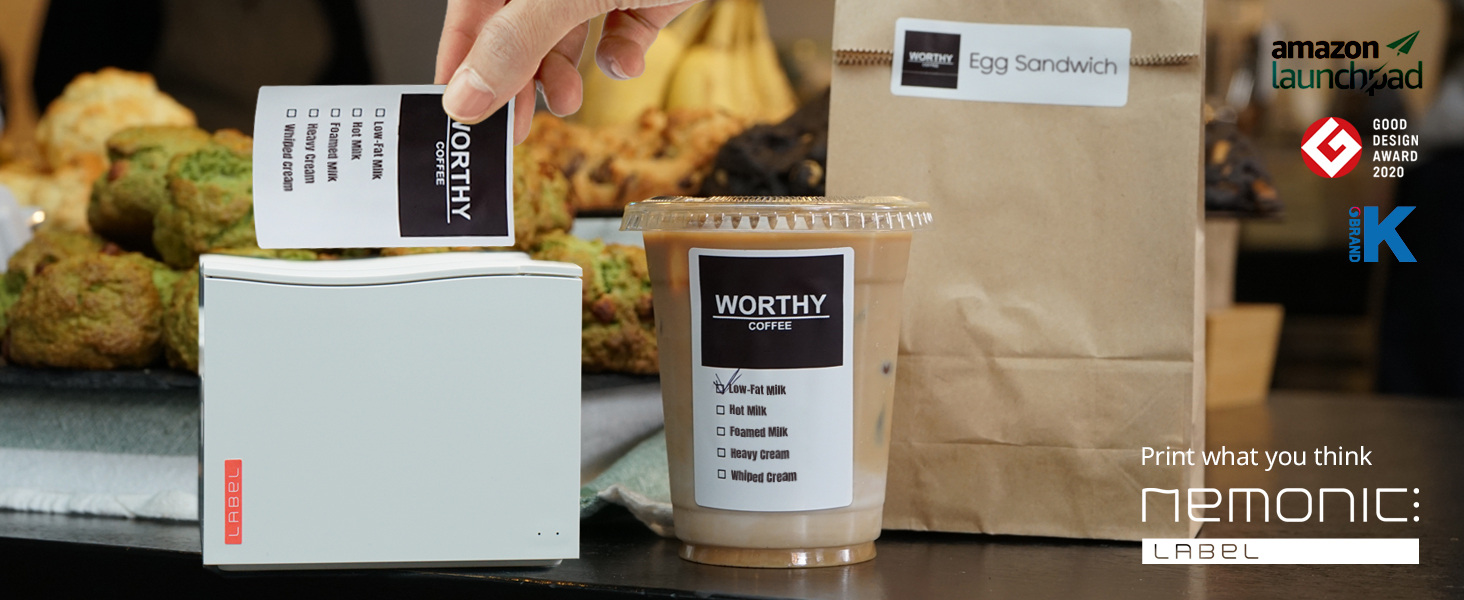
Nemonic Label is a simple package that includes Nemonic Label Printer / 3X2” Water-Resistant Label Cartridge / Power Cable / USB Cable (TYPE-A) / User Guide.
The video showcases the product in use.The video guides you through product setup.The video compares multiple products.The video shows the product being unpacked.
Various Label Cartridges
Nemonic Cartridges Introduction
Nemonic Cartridges come in various sizes, opacity, and colors.
Water-Resistant Label / Transparent Label / Name Label /Sticky Notes Label
The video showcases the product in use.The video guides you through product setup.The video compares multiple products.The video shows the product being unpacked.
Guide for mobile users
Nemonic Mobile App (1/2)
Print what you think easy and quick. Select from a wide variety of pre-designed templates or create your own original label!
The video showcases the product in use.The video guides you through product setup.The video compares multiple products.The video shows the product being unpacked.
Guide for mobile users
Nemonic Mobile App (2/2)
Moving on to the “create your own label” part. Insert pictures or import MS files to personalize your design!
The video showcases the product in use.The video guides you through product setup.The video compares multiple products.The video shows the product being unpacked.
Guide for PC users
Nemonic Driver Installation
Nemonic PC program makes your printing a breeze! Explore our easy design tools and free design templates!
The video showcases the product in use.The video guides you through product setup.The video compares multiple products.The video shows the product being unpacked.
Guide for PC users
Nemonic PC Program Guide
Print MS Office files easily on the Nemonic Label Printer. Design freely using programs that you’re already familiar with.
The video showcases the product in use.The video guides you through product setup.The video compares multiple products.The video shows the product being unpacked.
Add to Cart
Add to Cart
Customer Reviews
4.5 out of 5 stars
183
4.5 out of 5 stars
183
4.5 out of 5 stars
183
4.4 out of 5 stars
140
Price
—
—
$16.50$16.50
$18.99$18.99
Compatible Printer
Nemonic AI, Nemonic Label
Nemonic AI, Nemonic Label
Nemonic AI, Nemonic Label
Nemonic AI, Nemonic Label
Size(inch)
3×1”/3×2”/3×3”/3×4”
3×1”/3×2”/3×3”/3×4”
0.5×2”
max 11”
Customer Reviews
No peel-off even in hot summer
Perfect for bottles & sweets!
Great addition to my classroom
Too efficient affinity maps!
Labels per roll
360/190/125/95
360/190/125/95
950
52 ft
Color
White
Transparent
White
Blue,Pink,Yellow,White
BPA FREE
✔
✔
✔
✔
Tear-proof
✔
✔
✔
✔
Decurl Function
✔
✔
✔
✔
What kind of label paper can I use for Nemonic Label?
Only Nemonic paper cartridges can be used. Nemonic papers are tear-proof and durable, and the prints last up to 5 years.
What programs and apps can I use?
PC Program
Windows 7 or higher, Mac OS 10.9 or higher
Mobile App
Android 5.0 or higher, iOS 9.0 or higher
How do I connect Nemonic Label with a PC? ( How to connect with Mac?)
Use the USB A to Type A cable.
During driver installation, remember to unplug the USB from your PC to ensure a proper installation. Note that other USB types are not supported for PC; in that case, use a USB C hub for A to A connection,.
Does the thermal paper contain harsh chemicals?
We only use BPA-free (bisphenol A) thermal paper. Additionally, the adhesive is compliant with Indirect Food Additive regulations.
Is SDK available?
Nemonic Label SDK is not publicly open. However, we selectively provide it to partners with continuous partnerships. For business inquiries, please visit our official webpage.
EFFICIENT LABELING SOLUTION. Enhance your business organization with the MANGOSLAB Nemonic wireless portable printer. This thermal shipping label printer can print labels ranging from 1 to 4 inches and provides a professional and adaptable solution for small businesses.
VERSATILE CONNECTIVITY. Facilitate seamless integration into your workflow with both Bluetooth and USB connectivity options. Compatible with mobile devices (Android/iOS) and PCs (Windows/Mac), this portable mini printer ensures flexibility and adaptability across various platforms.
USER-FRIENDLY MOBILE APP. The Nemonic app offers diverse templates and fonts, integrating smoothly with MS Office files. Its scan-and-print function eliminates handwritten memos to enhance efficiency in various settings. This label sticker printer simplifies your label creation process effortlessly.
DURABLE PERFORMANCE. With a 203DPI resolution and auto/full-cut options, the Nemonic Bluetooth thermal label printer ensures consistent and professional results. Its direct thermal printing method passed 12.4 miles printing assessment, proving its reliability and durability for all your labeling needs. Plus, the rechargeable battery last up to 35 hours when fully charged!
COST-EFFECTIVE AND SUSTAINABLE. Operate inkless with the Nemonic small label printer, reducing maintenance costs. Its chemical-free and jam-free paper provides a sustainable labeling solution. This portable wireless printer is perfect for small businesses seeking efficient and easy labeling.
Customers say
Customers find the printer easy to use and set up. They find it useful for printing labels and sticky notes. The print quality is good, sharp, and versatile. The printer is perfect for simple sticker designs and notes. However, some customers disagree on its functionality and connectivity.
AI-generated from the text of customer reviews
13 reviews for Nemonic Label Printer | Inkless Bluetooth Thermal Label Printer for Small Business | Portable Wireless Printer & Durable Shipping Label Maker | Printer Label Machine (Gen 1 MIP-001LW)
Add a review
Related Products


![Canon PIXMA TS6420a All-in-One Wireless Inkjet Printer [Print,Copy,Scan], Black, Works with Alexa](https://m.media-amazon.com/images/I/61x6KTFR8yL._AC_SL1500_.jpg)

$129.99
Rrosariorio –
very handy
I bought this to do some little printing jobs for organizing and for a huge garage sale I will be having in next spring.It for me was a little hard to install on computer you have to go to other peoples videos to see how to do that.And I have been using it on phone. After you get used to it is a great little printer.For lists and things I have terrible hand writing and I can print out things for organization and have it look good.cartridges are easy to installIf most people are like me and have lots of different things in drawers I am going to print out what is in the drawers so I can look and see what is in them.I have a treble time finding what I need in my cupboards. So I made lists and put them on my pantry doors. The sticky notes do not really have good sticky but on smooth things they are ok. I just used clear tape for them to stick better.I have used it in a clients home to put labels on totes and write what is in them.I still have more to explore on it but so far for me it is a great little tool.Mine come with printer labels and I bought the three colored sticky notes as a extra purchase.I think this would be a good tool for labels as for cards and letters you can print out address as well.
Koenig –
Just Labeling Away
This has been a great addition to my classroom. You can easily make a label in just a few minutes and save it for later or just print it. Usually I find that the apps don’t work that great, but this one is user friendly and my phone connects with the printer every time! I wish there were more types of labels to use with this printer.
Marsha Syder –
Decent template selection. Love the screen capture feature.
This printer has a pretty decent selection of templates to choose from. However, if you use the screen capture feature, do ensure that the image is of a high quality or else the print will be inferior.I used this printer to personalize favor bags for a birthday party as well as to label sweet treats. I also used it to label bottles and cans. The prints are quite versatile and can be placed on several different surfaces.Will definitely recommend this printer.
Rod Anderson –
Easy to set up, easy to use, and sharp prints
Product was easy to set up, though I did find a you tube video helpful. Included instructions were reasonably complete. The wordless cartoon style is not my favorite, it is far preferable to the average product instructions these days. Connected to my device (Ipad Pro) over Bluetooth without a hitch using the app. App is quite flexible as to what it can print, and includes a number of templates. The only minor complaint is that the app is set to portrait and I would prefer landscape. All in all, an excellent product for a reasonable price. Highly recommended.
Col. Palmer –
Great Product
This is an awesome printer, and labels, and it works great. The directions could be better, but it works great once you work with the program.
N. Fortman –
New Connect Features Unusable
The main reason I sprung for the new version was Nemonic Connect and the ability to integrate with my other applications. The site to operate Connect does not work and my emails to support have gone unanswered. Unless they do something to fix this I canât recommend this product for anyone looking for that feature.Update: No response from support after nearly 30 days. The AI feature sounded cool but it tries to print long AI responses that donât fit on a sticky.l. Also, this requires multiple apps to use different features which isnât a dealbreaker but a frustration to me.
CL –
Decent, but several annoying issues.
I’ve had the Nemonic printer 5 months now. Pros: Easy to use, labels are thick and high quality.I’ve had 2 issues so far. First, the bluetooth connection between the printer and my iphone was seemless for a month. Since then, it’s been a constant battle to connect, print a label, then immediately lost connection before I could print the next label. This is a HUGE pain. I use this for my bakery and switch designs constantly to print ingredient labels for each product. That’s why I got the printer in the first place–to print different labels for each product. To print, I have to find the bluetooth connection each time, wait, and then it may print.Second–I’m not happy with the print quality. It appears grainy, and poor quality especially on transparent labels. White labels are a little better, but still not crystal clear like I expected from a thermal printer.
Charles –
For Sticky Note Lovers!
If you can not get enough sticky notes in your life then you got to pick up this printer. It works great. It also has labels for organizing your life. It’s easy to use and the app works great! You will not be disappointed!
Enaviv –
I recommend … really a good mini printer to travel with. Characters an images are well print and you can use it with your iPhone or with a computer (this what I like because it’s easier for me to integrate images and transform them AND it prints perfectly) on different applications like Excell, Word and more … even with Illustrator (I make my own template)! The computer software and templates available are easy to install and use. Very good purchase if you don’t look to close the price 🙂
Mr. L. P. Lim –
This little printer is amazing.. I bought it for address labels but I’m now printing photos on it. Its really easy to use and cuts the labels to.. Works really quick and is so easy to set up.. If youre looking for a label printer that connects easy to your phone then this is the one.
Anders B. –
The printer works as expected and I’m fine with its quality and how the app works. There are two things that bother me:1. There’s no way to resize a text field so that you get margins on Both sides, only the left since it’s always aligned to the right edge when it’s a longer text. This is such a common thing and it definitely annoys me that I have to manually break the lines with my keyboard.2. The included fonts aren’t supporting common characters such as Ã¥, ä and ö (only one, apart from the default Android system font). Just… why? Should be easy to find fonts 100% free for commercial use that supports most languages.
æ° –
ã³ããã®ããã§éã¶æ©ä¼ãæ¸ã£ã¦ãã¾ã£ãã®ã§æè¿èªåã®æãåºãè²ã è¨é²ãããã¨æããæ¥è¨ããã¤ã¢ãªã¼æ帳ã®ãã³ã«æãå ¥ãã¦ãããåçãã¹ããããç´ã§ã·ã¼ã«ãããªã³ãã§ãã¦ä½¿ãããããã¨æã£ã¦è²·ã£ãã使ããã¨ã¢ããªã«å ¥ã£ã¦ã¿ããå¯æãæåããããããã£ã¦ãã³ã·ã§ã³ä¸ãã£ããå½¼æ°ã«è¨å¿µæ¥ã«ã«ããã«ããã¯ãä½ã£ã¦æ¸¡ããæãã¨ã¦ãå½¹ã«ç«ã£ããåéã家ã«éã³ã«æ¥ãæã¯éå»ã®åçè¦è¿ããªããæãåºãã¼ãä½ã£ãããã¦æ¥½ããã£ããããã«ã®å è£ ç´ãªã©ã«ãã§ããã¸ãã¹ã§è²ããªãã¶ã¤ã³ã§å¤§éããªã³ãããããã«ä½¿ããã®ã ã¨æããã¡ã ãããããããµãã«ç§çæ´»ã§ãã¨ã¦ãæºè¶³ãã¦ããã
MzGreenz –
I brought it for a side hustle now I’m using it to label everything. Great for the kids school stuff…So easy to use, the quality of print is good too.