
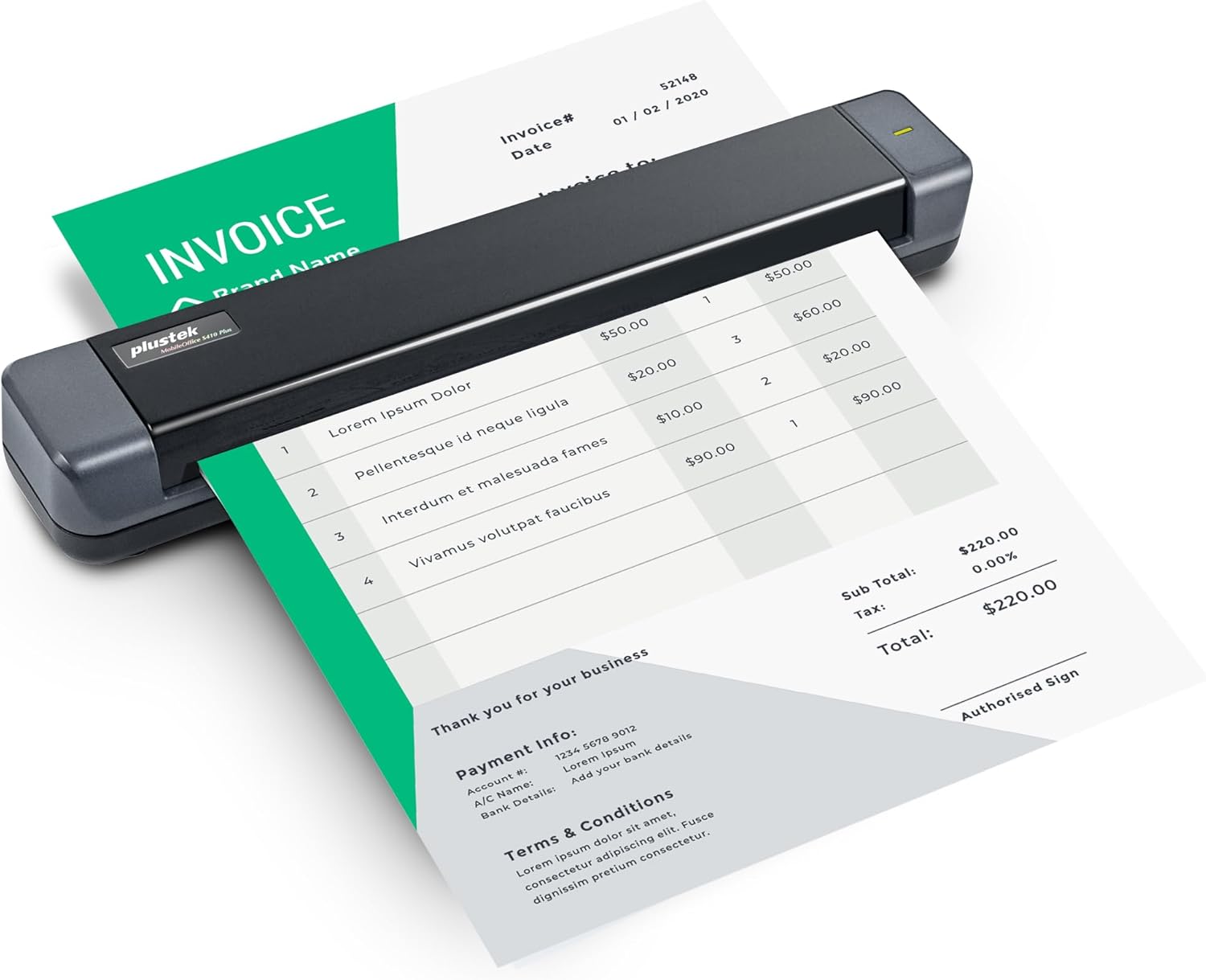
Plustek Mobile Scanner S410 Plus – Portable Sheet-Fed Document Scanner – for Windows 7 / 8 / 10 / 11, Featuring Button-Free Scanning with Included OCR Software
$89.99


Price: $89.99
(as of Jan 09, 2025 15:07:38 UTC – Details)
Product Description

The video showcases the product in use.The video guides you through product setup.The video compares multiple products.The video shows the product being unpacked.


 OCR Technology
Convert scanned paper document into search PDF or editable files.
 Automated image crop and deskew
Automated image crop and deskew

 TWAIN Compliant
The included TWAIN driver ensures compatibility with thousands of software application and systems
1 OCR Technology
2 Auto Crop&Deskew
3 Enhance image process
4 TWAIN Compliant
Ket Feature 
1
2
3
4
5
6
My Laptop/PC don’t have CD-ROM How can I install driver & software?
For user who’s Laptop/PC don’t have CD-ROM, can follow quick installation guide driver download link, or visit Plustek website download driver to install.
How can I launch DocAction software with Windows system to change scan setting
After install the driver and software, you can open DocAction by double click the icon in the taskbar, which is located on the bottom right corner.
Is scanner can auto crop image size? if I scan receipt or letter size document
The S410 Plus default enable auto deskew and crop function.You will get the complete scanned image without any black edge.
How to deal with the strips or bands on the scanned images?
If the colors of scanned images are not correct or there are strips on the images. Use bundle calibration target to calibration the scanner, you can visit Plustek website, select S410 plus to see tutorial video
Where I can find help for Plustek MobileOffice S410 plus?
If you need help with any issue or question, Visit Plustek website, click the chat windows at the bottom right corner to contact our engineer.
Digitize on the Go – Connect to your computer via BUS powered, eliminating the need for batteries or external power sources
Button Free Scanning Experience – The S410 Plus is an automatic scanning device, no need to push any buttons or click any screens, and automatically processes images and saves them to the designated folders
Versatile Paper Handling – Easily scan documents ranging from Letter and Legal sizes to business cards, plastic ID cards, invoices and receipts
Ultra compact & Lightweight – Weighing less than 1 lb, lighter than a bottle of mineral water, and its slim design is perfect for portability
Work smarter with Plustek Docaction – Built-in OCR allows you convert the files into editable, such as searchable PDF, excel or word. Seamless save to your local computer, FTP and even shared folder
8 reviews for Plustek Mobile Scanner S410 Plus – Portable Sheet-Fed Document Scanner – for Windows 7 / 8 / 10 / 11, Featuring Button-Free Scanning with Included OCR Software
Add a review
Related Products


$89.99
Karina –
Excellent Product
Easy to use and exactly as described.
Jaime Del Bosque –
Too slow
Not what I expect
Jeff –
Not able to install the driver
Looks very compact and simple. Just plug and play type. However, I wasn’t able to complete the driver installation due to the error message that I couldn’t able to bypass. I even went to plustek website to request a technical support but it won’t recognize the serial number so I could not even send a request message to them! It was too much of a hassle to begin with, so I returned it.
Kenneth Brattey –
Scanning receipts is dreadful. If the unit has the tiniest piece of dust you end up with black edges all around. I contacted support who were very helpful, 1st I needed an updated driver, then it was all down to cleaning. I cleaned and cleaned and cleaned until finally I managed to scan a receipt to the correct size without horrendous black edges. Didn’t last long. I bought this as a replacement for my Opticslim M12 which worked flawlessly for 15 year and never cleaned it once. With this new model, I can scan one receipt if I am lucky before I get back edges again. Now consigned to the bin. I will use my phone to take pictures from now on.
Chris G –
I got this because I travel around and often need to scan documents. Considering the price I’ve been more than happy with the scan quality and ease of use.The provided software makes scanning to JPEGs and PDF files a doddle.I’d recommend it for someone like myself who needs a portable scanner at a very reasonable price.
David Brown –
The Plustek SmartOffice S410 Plus is a compact, versatile USB portable document scanner ideal for effective scanning of A4-sized documents. Its small footprint makes it highly suitable either for use in home offices or small businesses, or on-the-go applications where space and mobility are key concerns.This scanner will surely provide great-quality scans with ease, and compatibility with Windows 7, 8, 10, and 11 covers a broad range for usability on operating systems. Also, the OCR software will be included in the package to extend the functionality by enabling users to scan images of text and then edit them, thus making document management and digital archiving easier.While ideal for handling everything from contracts and reports to receipts and notes, the sheet-fed design will also let users quickly scan single pages. Compact, it will be easy to set up and use with a simple USB connection. It should turn out to be quite a great option for those users looking for powerful, practical, and professional scanning features in a compact size.
Julie –
Fed up with carrying around a printer/scanner when these days I hardly print anything out.Bought this portable scanner so I could send a proper pdf file for a passport.Only took 20 mins for me to set up and send. Extremely pleased with this purchase (same price as a big clunky printer/scanner) but now fits in my bag.Best purchase if the year, highly recommend.
Scifibuff66 –
Tried everything to get this scanner to work my windows 11 laptop. The PC would not recognise the scanner.Drivers downloaded but would not start calibration software . Could not start scanner error. Windows scan app fed paper through but error and no scanned image. Can only assume Faulty unit.