

Portable Printers Wireless for Travel, Inkless Thermal Printer, M08F Bluetooth Mobile Printer Support 8.5″ X 11″ US Letter, Compatible with Android and iOS & Laptop, Car/Office/On The Go
Original price was: $136.99.$94.99Current price is: $94.99.


Price: $136.99 - $94.99
(as of Jan 17, 2025 12:57:31 UTC – Details)
From the brand

M08F-Letter Portable Printer
Portable Printers for Office/Home/School/Travel
M08F Portable Printer
M08F Thermal Printer Paper

For Truck Driver
Suitable for in-vehicle printing without taking up space

For On the Go
Quickly print receipts, bills of lading, etc., saving time and money

For Office
Printing contracts, invoices and other office documents

For Small Business Owner
Print invoices, return labels, etc quickly from anywhere

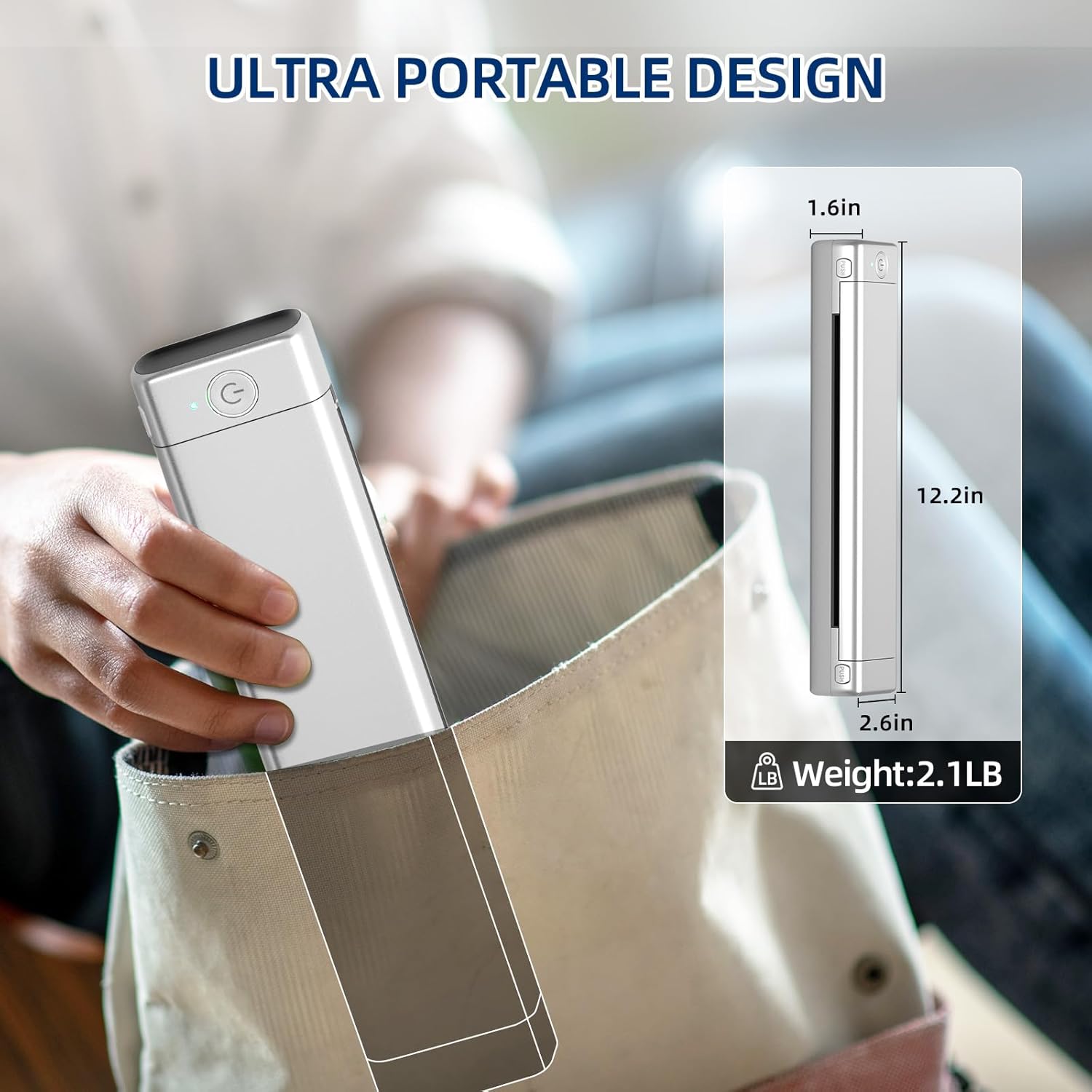
Portable Printers Wireless for Travel/On the Go – Our M08F letter portable printer weighs only 1.57 lb and 1.6 in thick, able to fit in a bag or briefcase for easy portability. And the inkless portable printer is very sturdy and not easy to be damaged, it is a mobile printers for vehicles, can be used for truck driver, mobile notary, office, home, school when you need to print something quickly
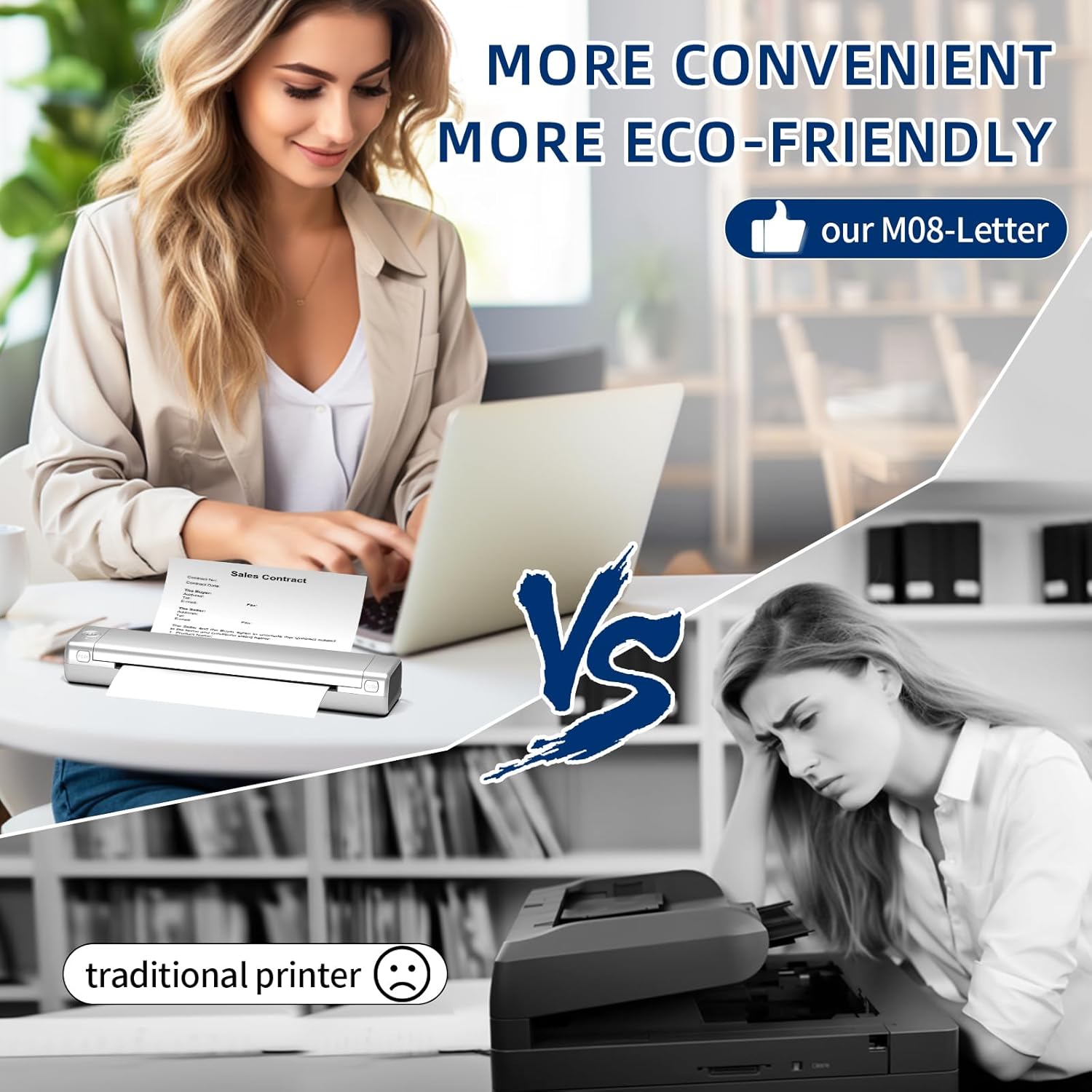
Inkless Printer – Portable printer use thermal technology, no need for costly inks, toners or ribbons, no clogging and no cleaning problems! Just buy thermal paper to use, at a cost of only $0.12 per sheet, for more efficient
Easy to Use – M08F wireless portable printer for phone & laptop compatible with android and ios, by bluetooth connection, select the M08F printer within the app to complete the pairing, but also through the USB-C cable, printing on Mac and Windows system (PC requires driver download)
High Compatibility – Our portable thermal printer supports Word, PDF, Images, Web page and the App also comes with a scan function for your printing needs. The inkless printer has excellent clarity, with the use of high-quality thermal paper can be completed with clear black and white printing results
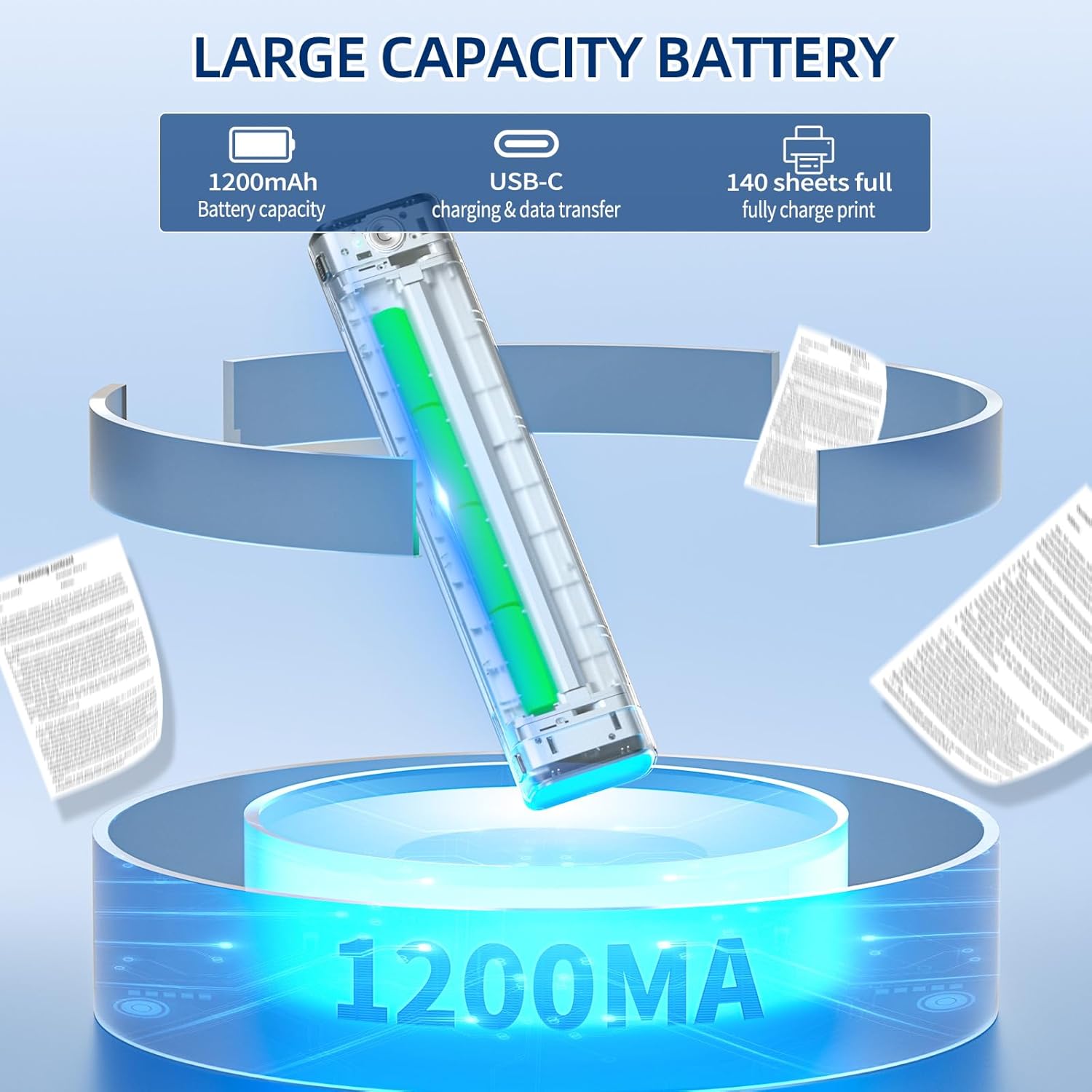
Travel Printer with Long Battery Life – This mobile printer is rechargeable, built-in 1200 mAh lithium battery, when fully charged can continuously print 140 sheets of 8.5″ X 11″ US Letter thermal paper. TYPE-C port for charging
Customers say
Customers find the printer easy to set up and use. They appreciate its compact size, portability, and quick print speed. The app on their phone is simple and rich in features. The printer is great for printing needs, with clear printouts on thermal paper. It’s a space-saving, portable option that’s perfect for on-the-go business needs, fieldwork, or any situation where you need quick printing.
AI-generated from the text of customer reviews
12 reviews for Portable Printers Wireless for Travel, Inkless Thermal Printer, M08F Bluetooth Mobile Printer Support 8.5″ X 11″ US Letter, Compatible with Android and iOS & Laptop, Car/Office/On The Go
Add a review
Related Products


![Canon PIXMA TS6420a All-in-One Wireless Inkjet Printer [Print,Copy,Scan], Black, Works with Alexa](https://m.media-amazon.com/images/I/61x6KTFR8yL._AC_SL1500_.jpg)


Original price was: $136.99.$94.99Current price is: $94.99.
Aeryck S. De Sade –
Easy setup and great thermal prints
This thermal printer is so easy to set up, both on the computer as well as using it through Bluetooth printing. The printer itself has a narrow footprint and is great for travel, and especially for easy storage, whether on your desk or in a drawer, it takes up very little space.The print quality is extremely fine and it prints fast in black and white, without EVER having to worry about getting an ink cartridge replacement, since it’s a thermal printer! And since it’s a thermal printer, you can even get tattoo transfer paper and use it for doing stencils and transfers for tattoos and other art projects!The printer self feeds each sheet (one sheet of printing at a time) and registers where it needs to load the paper to and prints right away. You just load the paper face down and let the printer do its thing. You will never have to buy a printer ink cartridge again with this wonderfully handy, extremely portable printer. It is also rechargeable, so using Bluetooth to print means that you don’t have to have ANY cables attached, which makes it even more convenient.In all I would recommend this printer to anyone looking for a space saving, easy to setup, reliable printer that works both as a USB printer and as a Bluetooth enabled printer. Save yourself a ton of money by no longer needing to buy ink cartridges and get this printer!
Blue.shrimp –
Great Portable Printer
The Phomemo M08F is portable printer that is a must have at craft & vendor events. Download the app and easily print invoices on the go. The printer does use thermal paper and it only prints in letter size (8.5âx11â). The printer itself is not heavy, uses a C type USB for charging, and very compact making easy to carry. The package contents are, the printer, sample thermal paper, charging cable, usb adapter, instructions and carrying pouch.Simple setup â After reading the quick start guide it didnât take me long to start printing, less than 15 minutes of set up time.Easy to use â Press the On, button to turn it on, and hold the same button for turning it off. Has two push buttons to open the hinge.Does not use ink â For me its perfect for printing invoices at craft events.Easy set up with both Android and Apple â In the video, I tried with apple iPhone and it worked without issues. I also tried it with an android tablet and worked fine.Prints are great â I printed designs from the app and pictures from my phone. The pictures were color pictures and I didnât have to convert them to gray scale for them to print.App – is intuitive and has great designs.So far, the only thing that I dislike is charging the device because even though it tells you to âuse 5V=2A input for chargingâ it also recommends the âuse mobile phone power adapter for charging.â I have tried various mobile phone power adapters that are good (Apple, Samsung, Anker) but none have been able to charge the battery of the printer.
C.Brown –
Solid on the go printer for simple print jobs
Likes: small size, sleek design, nothing sticks out to get caught on, easy set up, easy to use app, handy scan option, easy to load paper.Dislikes: paper texture and weight. I wouldnât want to use this if I needed a professional looking document.Is not silent but the sound is as expected for a printer.Iâm on the board of an artist guild and there are times when someone needs a printed copy of a document. This printer fits the bill. Cost is not prohibitive for occasional printing.
Natalie –
Cute and convenient
I’m loving my new pink thermal printer! It’s super convenient and perfect for my seldom printing needs. The compact size makes it easy to store, and since it’s thermal, there’s no need for ink, which is a huge plus. It prints quickly and does the job decently well but — the words may print unevenly but legible enough for basic jobs. The color adds a fun touch to my workspace too! Overall, itâs a great little printer thatâs both efficient and stylish.
May –
Amazing Portable Thermal Printer
I’ve been using the Phomemo portable thermal printer for a few weeks now, and this little device is incredibly convenient for on-the-go printing needs.Compact and Lightweight: The printer’s compact size makes it easy to carry in my tote bag or backpack. It’s perfect for on the go business needs, fieldwork, or any situation where you need quick and reliable printing.Ease of Use: Setting up the printer was a breeze. The Bluetooth connectivity is seamless, and the Phomemo app is intuitive and user-friendly. I was able to start printing within minutes of unboxing.Print Quality: Despite its small size, the print quality is great. Text is sharp and clear, and images are surprisingly crisp for a thermal printer. It’s perfect for printing receipts, labels, or even quick documents.Battery Life: The battery life is outstanding. A single charge lasts for multiple days of moderate use. It’s great not having to worry about frequent recharging, especially when always on the go.Overall, the Phomemo portable thermal printer is a fantastic investment for anyone needing a reliable, portable printing solution. Highly recommended!
David Fisher –
Nice Portable Printer
I got this printer primarily for printing my schematics out when I am in the field working on equipment. I will be great for that function. It is very portable, and the rechargeable battery and wireless printing features are perfect. I can print pdf or jpg documents wirelessly from my phone, or any document from my laptop both wirelessly and over USB. App on the phone is simple and rich in features, and driver from my Macbook installed very easily from the Phomemo website, link included in the documentation.Once less than perfect issue is aligning the paper for straight prints. You insert the paper manually, so if it a little crooked then the final print will be crooked on the paper. I found that if you insert the paper closest to the left side, it is easier to get a good alignment. So the alignment is something to pay attention to, but I don’t feel it is a huge problem for the way I am using it.
Manuel González –
No compactible
No compactible tengo q comprar más papel común de copiar y no especifican bien el producto para comprar o no comprar
Katherine Ivey –
I bought this for my Dad and was really impressed with the quality of printing (and surprised by the image printing quality). The software was easy to install (for desktop the drivers on their website for mobile they have apps) – I installed on a desktop PC, a laptop MAC and an Apple iPhone and was easily able to print from all 3. I printed from Word (MAC), an Internet browser (PC) and Gmail (iPhone). We used full sheet paper in all 3 cases.Note: I was a bit worried about the initial set-up as when I took the protector out in the paper feed from the initial shipping and didn’t press it hard enough to close-it, once I did I was off and running.My Dad doesn’t print often but likes the option of printing out plans for stuff he likes to build or items he researches online. He’s not a big tech person but it was easy to show him the printing process – and it’s nice that he doesn’t have to deal with ink. I just made sure he knows that thermal printing doesn’t last forever so important documents should be copied.It’s portability is amazing. Small and light and I brought it on a plane along with some thermal paper in my checked luggage and did not have any problems.I can see myself buying a 2nd one the next time I have to travel.
Elle –
Iâve tried the M08F wireless thermal printer by a different brand in the past, and this one is similarly well-made and comes with thermal paper to get you startedâan important thing to include that not all thermal printers come with, as regular standard printer paper doesnât work with these types of thermal ribbon printers.The main benefit of these slim, compact thermal printers is how portable they are! You can literally slip it into your briefcase or backpack for school or work and print out contracts or documents on-the-go with ease. The app is easy to navigate, and the printer works well, apart from the fact that sometimes itâs a bit touchy with the paper feed and you have to open it and reposition the paper. Thatâs the main thing to watch out for in my experience, as thereâs no paper guide with this style of printer. I just took my old inkjet printer to the recycling place, as I didnât use it for so many months to the point that the print heads dried out and no amount of self-cleaning cycles or fresh cartridges revived it.PROS+ Comes with a soft drawstring carry case for portability and storage.+ Charges via USB-C with 1200mAh battery capacity (doesnât need to be plugged in to a power source!)+ Decent print quality with thermal paper+ Includes thermal printer paper to get you started right away! + Very slim and lightweight. Compact form factor for travel and portability purposes (ideal for work or school)+ No ink cartridges to dry out if you donât use this every month or so.CONS- Thermal paper is more expensive than standard printer paper, + cost of thermal ribbon replacement is factored into the per-page cost here.
Brantford Mark –
I had a white knuckle experience while travelling in rural France several years ago. My flight out the next day required me to show up with a printed copy of my boarding pass. I had plenty of tech with me, but it would have been impractical to lug along a printer. If I had had this printer, it would have been no problem.The printer comes with a drawstring carrying bag, USB-A to C cable, several sheets of letter size thermal paper, USB-A to C adapter and a brief introductory booklet (see photo). While the latter is a passable way to get started using it, some quite important details are missing. Things like what all the different colours mean on the indicator LED, how to charge it, what the button does etc. ONLY appear in the Quick Guide (not included). You can access this essential document via the Phomemo App (see photos) or via the website for this printer. Its URL can be found in the booklet and on the top of the printer. There are also instructional videos there and drivers for your laptop.While I have successfully used this device to print tethered to my MacBook Pro, I thought it would be important to test it wirelessly from my iPad. Here is where the tiny booklet comes in handy. It has a simplified procedure for pairing the M08F printer via Bluetooth. Surprisingly, the Quick Start Guide is incomplete in this regard. For veteran Apple iOS users, you DO NOT pair the printer using the Bluetooth control panel. It all happens exclusively inside the Phomemo app. If you try the more typical approach, you will get an error message. Unlike almost every other app in iOS, this printer does not use AirPrint – although it should. Instead, you have to make sure you can locate your document on your device somewhere the app can find it. I found these gyrations inconvenient.Before I could print, however, I thankfully opened it up. Inside was a piece of paper meant to protect the print head in transit (see photo). The paper can only be printed on one side. Each page of the sample pack had the message “This side is not printing side” on it. Feeding the pages was fiddly business. Once inserted part way, it sucks the page into position for printing. I found that it often was crooked and had to open the printer several times to straighten it. This would be especially problematic if you are using fanfold paper. Printing is noisy – this would not be ideal for classroom or late night use in the bedroom (listen to video). The result was worth the effort however. Although the print resolution is only 203 dots per inch, all the type and fine patterns in my test page were rendered well (see photo). If this were a boarding pass, I’m sure the airlines would be able to scan it with no problem.For those with a need to print on the go, the M08F has much to recommend it. I suspect that it would find its best use for infrequent, low volume print jobs. Because the coated paper is what makes this technology work, it’s several times more more expensive to print this way as opposed to inkjets. I calculate the cost per page at about 23 cents. The big advantage here is that you don’t have to worry about ink carts drying up or laser toner spilling in transit. The disadvantage is that even when properly stored, thermal outputs have a life of 3-10 years. This is NOT for producing archival documents.Here are some things for Phomemo to consider for its next generation of thermal printers. Up the resolution to 300 dpi just like the big boys do. Add the option of using a roll of thermal paper INSIDE the printer. Make the rechargeable batteries replaceable by the user. Add a digital battery level indicator and provide a compatible 5V charger. It took 3 tries for me to find one that worked.Despite its limitations, there are some real positives to the M08F as a mobile printer. Highly recommended.
HonestCanadian12 –
If you do a lot of printing and traveling, this thing is great!! I’m amazed at the quality of it, it’s pretty heavy duty.You can connect the printer via Bluetooth, or through the USB cable it comes with. The set up is so easy. Do remember to purchase thermal paper separate as it does not work with regular paper. It’s so nice not to have to worry about ink!! Ink is so expensive these days so overall, I know thermal paper is more money then regular, but think of all your savings in ink costs over time.Remember that it’s only in black and white, does not print in colour. Print quality is great. Overall a great product if your in need. I hear it works for tattoo stencils too? I haven’t tried but I hear great things!
Abel L –
Je me déplace beaucoup dans le cadre de mon travail et il m’arrive très souvent de vouloir imprimer des documents. Cette imprimante répond bien à ce besoin.J’aime beaucoup le fait qu’on n’aura jamais besoin d’encre, car ce qui coûte cher sur les imprimantes, c’est le remplacement de l’encre ; partant de ce fait, je crois que le prix est assez justifié.Cette imprimante est compacte est très bien faite avec du matériel haut de gamme. Elle vient avec un guide d’utilisation bien détaillé qui permet de la configurer sans aucun problème.Elle vient avec un sac de transport et sa taille permet qu’on puisse le mettre facilement dans un sac de voyage.Le processus d’impression est assez simple, juste comme une imprimante ordinaire.Elle est compatible avec Mac OS et Windows ce qui est un facteur avantageux. Elle est aussi compatible avec les téléphones Android et iOs, ce qui permet de diversifier son utilisation.La qualité d’impression est exceptionnelle, impossible de croire qu’il s’agit d’une impression faites avec une imprimante sans encre.Par contre, la seule chose que je trouve un peu compliqué, c’est de mettre une seule feuille à la fois ; pas très pratique quand on a plusieurs feuilles à imprimer et qu’on n’a pas beaucoup de temps. De plus, elle prend une seule grandeur de feuille, ce qui limite un peu son utilisation.Son prix est abordable surtout avec le rabais comme au moment de la rédaction de ce commentaire.Je recommande cette imprimante pour son rapport qualité-prix.