

Portable Printers Wireless for Travel, M08F Portable Printer, Inkless Thermal Printer Support 8.5” x 11” US Letter Paper for Home, Offfice, School, Compatible with Android, iOS Phone & Laptop
Original price was: $132.49.$68.39Current price is: $68.39.




Price: $132.49 - $68.39
(as of Jan 18, 2025 01:58:51 UTC – Details)
Product Description
ItriAce Portable Printers Wireless for Travel – M08F 
M08F Portable Printer output Black and white, Built in 1200mAh rechagreable battery
Charging with 5V 2A, Don’t use the charger that output above 5V
M08F Portable Printer Compatible with Phone and Laptop 


Download the App on App Store or Google Play ( Phone and Tablet)Connect the Printer by Bluetooth on the App rather than Phone directlyDownload the driver and app on the office website ( laptop or computer)Install the driver and app on your laptop then connect the portable printer by USB cable
Easy to Use Small Printer 
Easy to Setup

Turn on the printer and press the button 3 second 
Put the thermal paper inside the compact printer 
Connect on the App and enjoy the print travel with the thermal portable printer
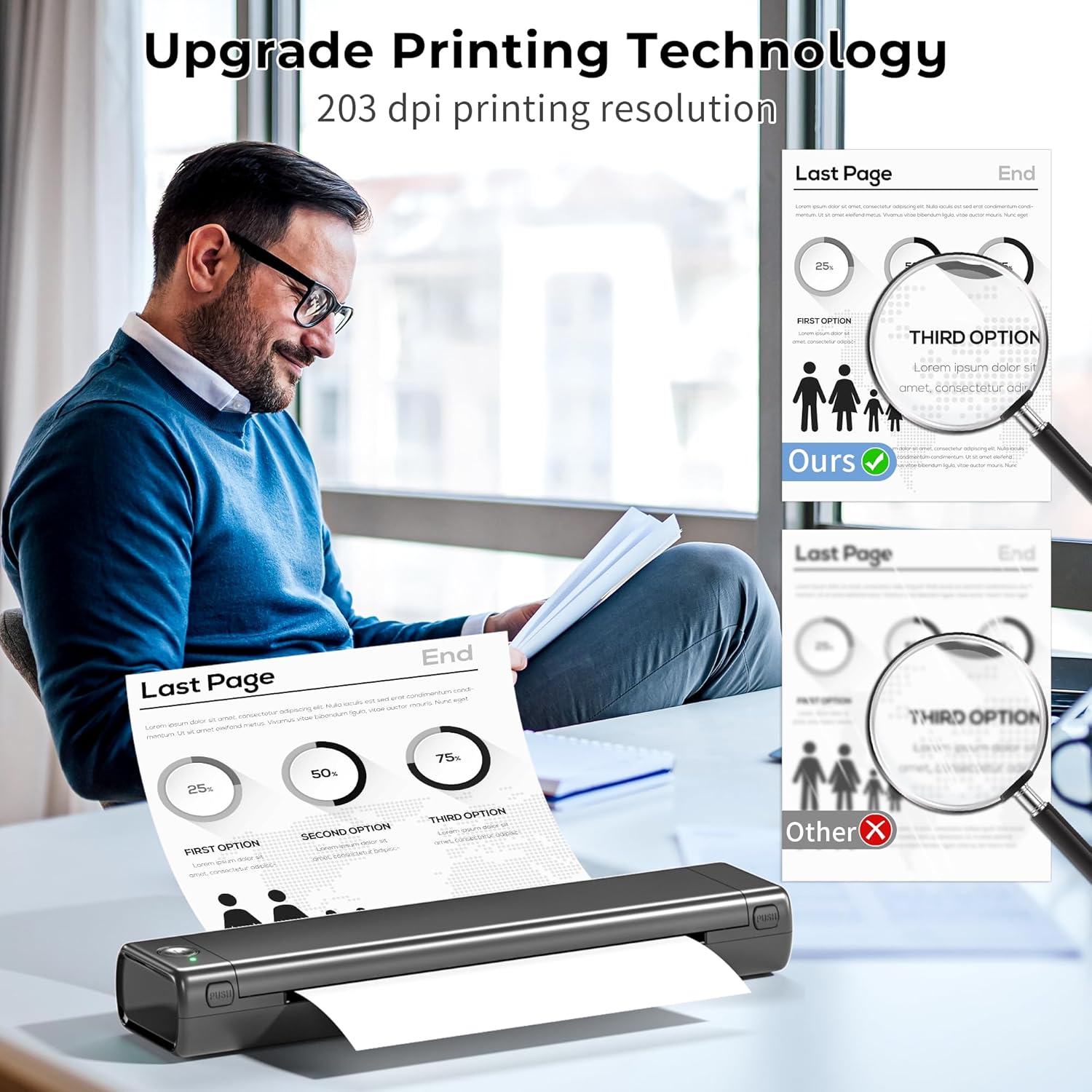
203Dpi HD Mobile Portable Printer 


1 All in One Printer 2 Multifuntion Printer
Met All Your Needs, Printing Anytime, Anywhere  Office Printer
Say goodbye to traditional ink or laser printer
 Home Printer
Great for children study and baby learing
 Travel Printer
Easy to carry on , enjoy printing anytime and anywhere
Paper Options
Add to Cart
Add to Cart
Add to Cart
Add to Cart
Add to Cart
Customer Reviews
4.6 out of 5 stars
193
4.6 out of 5 stars
193
4.6 out of 5 stars
193
4.6 out of 5 stars
193
4.0 out of 5 stars
31
Price
$16.82$16.82
$22.49$22.49
$17.09$17.09
$22.49$22.49
$16.19$16.19
Quantity
100 Sheets
200 Sheets
100 Sheets
200 Sheets
1 Case
Size
US Letter 8.5×11 inchs
US Letter 8.5×11 inchs
US Letter 8.5×11 inchs
US Letter 8.5×11 inchs
US Letter 8.5×11 inchs
Color
White
White
White
White
Black
Compatible With
M08F-Letter Thermal Printer
M08F-Letter Thermal Printer
M08F-Letter Thermal Printer
M08F-Letter Thermal Printer
M08F-Letter Thermal Printer
Monochrome Printing
✔
✔
✔
✔
✘
Compact Mobile Device – This portable printer only 2lb, can slide into briefcase, backpack easily to carry on wherever,Never worry no printer to print contract, files, photo, image on business travel.
High Compatibility Printer – The thermal printer offers direct compatibility across operating systems. M08F wireless portable printer compatible with Android & iOS smart Phone ( connect Via Bluetooth) and Windows & MacOS laptop (connect via USB).
Slim and Small Inkless Printer – Only 1.5 inch thick printer,is a good choice for applications that require printing in a vehicle- from receipts in a delivery truck to tickets in a car, printing a roofing proposal at a potential customer’s kitchen table, M08F printer as a highly portable printer for anything you might need to print on the go.
Powerful App – With free but powerful edit app, m08f portable printers wireless for travel support to print photo, images, pictures, contract, study text/ materials, invoce, PDF , Phone scan’s contents and web printing directly.
Durable Printer – The inkless portable printers built in 1200mAh rechargeable battery, can print 140 sheets with full battery, carry on the printer prints in all the world.
11 reviews for Portable Printers Wireless for Travel, M08F Portable Printer, Inkless Thermal Printer Support 8.5” x 11” US Letter Paper for Home, Offfice, School, Compatible with Android, iOS Phone & Laptop
Add a review
Related Products



![Phomemo Portable Thermal Printer – [Upgrade] Portable Printer Wireless for Travel Compatible with iOS and Android & Laptop,Bluetooth Printer supports 8.5″ X 11″ Letter Thermal Paper, Printer with Case](https://m.media-amazon.com/images/I/81DHkvIWPbL._AC_SL1500_.jpg)

Original price was: $132.49.$68.39Current price is: $68.39.
Danielle –
User error- oops
Had this on my Christmas list for a while and missed the part about needing to order Thermal paper.Everything synched up super easy and worked once we used the right type of paper. Talk about not reading the directions thoroughly.. sorryNo need to return this item after all and love the compact size and carrying case!!
Brian –
portable and wireless
This printer is ok. I wish it could print anything on your phone but seems alot harder to figure out with documents and apps. You have to download app to your phone and print and do everything from app. Sometimes it looks great and then sometimes they look fuzzy and not as clear. Its nice to be able to travel with this and print if needed. Maybe I need to practice and use some of the adjustments in the app to get some to look better.
anonymous –
Easy set up and to use
Second one I bought as the first claimed easy set up and wouldnât work. This also said easy set up and it was. Super easy to use, too. Do wish it came with adapter for charging and better care info…not sure how much charge it has or needs, but works great.
Jany & M. Padilla –
Works much better than expected!
I really liked this portable printer. From my perspective, it’s easy to set up, lightweight, almost non-existent to carry (remember that you’re carrying a printer!), and faster than I was expecting.Just note that thermal paper is expensive, so you may save on ink, but you’ll still spend on pricey paper.
Jayson Zimmerman –
Flawless Functioning Thermal Printer
I really like this thermal printer. Mine came with two cables, one cable is very short it is white cloth covered and was USB-A Female to USB-C Male. I think this is the charging cable for the unit’s internal battery. To make this cord work you will need a USB-A male to USB-A male cord which I had thank goodness because that is a pretty rare cord for most people. The second cord they gave me is the data cord and that is USB-A to USB-C a very standard combination. I had to go to their store and click on the “support” caption. That took me to a page with well over one hundred different downloadable programs. The name of this printer is “”mo8f”” and in that category they have several different programs for smart phones and several more options for laptops. I downloaded the ZIP program for Windows. I didn’t have any problems downloading the program or unzipping the file. However, their program failed to properly assign a port to the thermal printer. I had to delete the printer from my printer list but did NOT delete the driver file. I then restated my laptop, plugged in the thermal printer to my USB port and clicked on “Add A Printer”. My windows program then properly found the driver and added the m08f to my printer list. It works best if you declare the m08f to be your “default” printer.Once I made it through the software nightmare everything else was terrific. My ThinkPad now handles the m08f as any other printer. I printed out several pages and the quality reminds me of an ink option that come with some printers where you can request “economy mode” or “ink saver mode” where the printing is still very legible, but the graphics are filled in with lower resolution grayscale. It prints out the pages fairly quick, but you must remember to keep the front slot clear of obstacles, especially any cords that may snag the paper as it is trying to exit the thermal printer. Please remember this about thermal paper, anything that you print out MUST BE COPIED on a xerox machine if you intend to store that document, otherwise you will find that the printing has faded white in a couple years.New thermal paper must be handled with kid gloves, you cannot store it in your car, and you cannot store it in a non-airconditioned office room or storage cabinet. If your desk is next to a large window, you must take precautions about leaving thermal printed documents on top of the table to prevent direct sunlight from fading the printing.Remember a thermal printer is for grabbing information from the internet or quick duplication of files where a temporary hard copy is required. You do not use a Thermal printer to create documentation that is for long term storage such as your Will and Testament.If you understand the limitations of thermal printed documents, then you will be very happy with this portable printer. You just can’t find an easier way to print out documentation from your phone or laptop. By the way I just ordered 100 sheets of thermal paper from the Phomemo.com online store.
Skylar aka Wheezy –
Passable for printing plain text, if the font it decently large
First off, it’s a portable thermal printer, so I know you can’t expect greatness. But even for plain text, this printer struggles unless you have a decently large font. I attached a couple photos, one showing two pages of text from the printer, one plain text and the other a scan from a book. The second photo shows the quality difference between this printer and my old inkjet.If you really need to be able to print text while on the road with a printer in your backpack, this will do the job (mostly). But it’s not a substitute for even an old, secondhand inkjet you could get for $10 on your local marketplace.
Darryl –
Best printer I have had yet, connects easily to my iPhone and iPad without any issues. I have printed from files, web, and graphics and all without issue. I had a small problem as thermal is new to me and I couldnât get it to print the very first time. I emailed them and same day had a response that wasnât condensing or rude and explained loading of the paper. I corrected myself and BAM, it worked. I recommend this printer to anyone who works on the road, or wants to save space.
Wesly Ramage –
What I like portable lightweight and efficient battery powered versatile and functional. Product specifications and limitations are suitable not without some concern. The product manual is easy to follow operation. Instructions are easy to follow. The software is easy to install on android iOS or Windows or Mac this is an added bonus as it is supported widely on most platforms.Considerations; paper must be fed into the machine evenly. I find if thereâs any fold or misplacement of the paper there might be a paper jam. My first initial test page came across this , unfortunate mishap, however this was quickly resolved. Unfortunately I wasnât able to complete the test page as the printer software does not keep a list of active documents from what I can see. From an accessibility standpoint, the phomemo printing software that comes with the set up of the printer Has minor limitations when it comes to Appleâs voice. Button labelling can be a little off and confusing, making it hard to utilize the software to its fullest potential as a low vision user this may present limitations for myself however I have found ways to work around some of these limitations. Overall, Iâm happy with the printer size functionality and battery life however, unlike its other product lines it does not include a storage bay for thermal printer. This means. of these limitations. Overall, Iâm happy with the printer size functionality and battery life however, unlike itâs other product lines it does not include a storage bay for thermal printer. This means printing on the road you must carry sheets and printer separately. This means you may have to Carefully place the printer paper in a pouch or carrying bag which does not allow for the paper to bend crease or fold!In short, this is a decent portable printer and does well within its product line and specifications. The addition of a storage roll would give added protection and benefits , however, as an entry model in this line of printers, it is a good demonstration of what these thermal printers can do.One final note, I am a little cautious about the hinge which opens and closes over top of the paper. Printer feels solid and travel ready. However, you must ensure the door is locked in place by pressing down firmly once the paper is installed.Is the video demonstrates the printer has the ability to auto feed paper however itâs important to note my first attempt. The paper was not loaded evenly across the drum therefore the paper jammed and tore the edges. I recommend installing this on a flat surface powering off the printer lining it up, then pressing the power and waiting for the feed function to pull the paper through. Once again, my new drawback.
Kenny –
I am done with my inkjet printer which is costing me a bundle to purchase compatible ink cartridges and I wasted a lot of ink just to purge the printer head when I stop using it for a week or longer. This ItriAce M08F Portable Printers does not use ink, what a relief! There is no more ink clog, no more purging and cleaning printer head and best of all, I don’t have to purchase expensive ink cartridges anymore. Having saying that, there is still the expense in purchasing thermal printing paper which is much more expensive than regularly printing paper, in fact it is roughly 10 times more expensive per page of printing, plus thermal paper is single side printing only, this may add extra cost to your printing. But I am OK with this extra cost considering I am free from the never ending inkjet printer maintenance and the headache with printer stop working due to ink clog. The cost of ink cartridge I purchased in 1 year is enough to pay for this thermal printer. Since retiring, I don’t print much, mostly printing travel itinerary and travel documents and occasional images. I am OK with black and white images, they look nostalgic, a little on the grainy side but acceptable. The printing quality for text is excellent. There are 2 methods of connection using USB cable or wireless BlueTooth. When connected to my computer using USB cable, it works similar to any desktop printer. When connected to phone or laptop with BlueTooth, I can choose from the Phomemo app 4 modes of printing: document, web, images or scan. In scan mode, my phone camera is activated to take a photo for printing. The print from scan is a little smudged and text appears low resolution much like newspaper printing. This printer is 100% portable, it is powered by its internal rechargeable battery, a full charge can print over 100 sheets. I can bring this printer with me to my cruise vacations and print images from my phone photography. It weighs only 800g and comes with a travel bag, the only down side is I need to bring a roll of thermal printing paper with me and not to forget the USB charging cable. Tips: when unboxed, there is not enough power to do a test print, a warning message of low battery and printer shut off was display. I need to charge the printing over night before using, it took me over 10 hours to fully charge the printer with a 5V 2A power adapter; buying thermal printer paper in rolls is cheaper (use a paper towel holder to dispense) than in sheets. I highly recommend this ItriAce M08F Portable Printers if you do not need to print in colour and you like to print during your travel, or you are a contractor who needs to print drawings and documents on a job site, this printer is for you.
Yimco –
I’ve been looking for a handy printer for my mobile office setup, and this thermo printer fits the bill nicely.Granted, this is NOT a laser quality printer for a document; it prints very acceptable hard copies of documents “on the go”.The built quality including the material used as well as fit and finish are very good. The unit is all plastic including the gears to scroll the paper. The paper roller appears to be made of good quality rubber and the cover locks firmly.Since this is a thermal printer, no ink cartridge or even carbon ribbon is required. There is no need to purchase or carry extra consumables to use this printer which is a big bonus. It does require special thermal paper to print. Buy it in bulk, the brand name one recommended by the printer’s manufacturer runs at 20 cents a page (letter size), but I have seen generic ones (haven’t tried them) at 10 cents a page.The printer is run by built in rechargeable battery. Charging is via the conventional USB-C port. A USB-A to USB-C cable is included. There is even a cable with USB-A female port to USB-C plug included – great if your adapter does not have a USB-A output!The printer needs a proprietary app to print from a smartphone. It is straightforward to pair and use.The printer can also be connected to a laptop directly via the USB-C port.Feeding the paper into the painter is simple. Insert the paper into the slot and the printer will automatically catch it and scroll it in.I tried printing documents from the smartphone and laptop. The printer worked well with no hiccups for me.The print quality, as indicated earlier, is not laser or inkjet quality. The stated resolution is 300 dpi but small fonts still come out jagged with uneven shades. Nevertheless, a B/W document with an 11 point font did come out very decent. This, I presume, is the limitation of the printing technology rather than a reflection of the quality of the printer.With these limitation in mind, I find the printer to be excellent for my mobile office in terms of quality, portability, cordless operation and not having to purchase and carry extra consumables. Recommended.
A. C. –
It’s quick to connect, and the phomemo app that is used is quite full featured and works with many other portable printers. I included a picture of a random instruction pdf I had downloaded just for sake of example. The image is rather clear, with easily legible text despite the small font. The image on the page is as clear as I would expect from such a parinter. I suspect the print quality may have been even sharper had it not been for the one rather significant flaw that I noted; paper feeding. You have to align it by hand, and because of that it’s very difficult to get it spot on. And if you’re printing multiple pages from a perforated, long strip of thermal paper even the slightest mistake in feeding will end up causing the paper to jam. Even over a single sheet I had some difficulty getting it exactly aligned, and by the end of the print for this particular page the right edge of the paper was already starting to bend slightly at the edge of the feed mouth. It may get better/easier with practice, but it’s still annoying. On the plus side though, this particular printer notifies you when it feels the paper is at least far enough in. Upon insertion of the paper the red light is on, and upon pushing it far enough in, the light turns green to indicate the paper is far enough in for the printer to take over. Unfortunately there doesn’t seem to be any such indicator for the horizontal alignment.One thing to note, for those new to these types of printer; it requires special thermal paper, which is significantly more pricy than run of the mill printer paper. However, it’s kind of the price of getting a printer this small and portable; it’s either these or the ribbon cartridge printers that utilize regular paper, and the cartridges are just as pricy as the paper is. So pick your poison if you’re looking at portable printers. As of note though, I’ve had much better luck with the thermal printers than the ones that use ribbons.Overall it’s a good printer, but has a notable learning curve when it comes to feeding paper. Other than that it’s quick at printing (for a portable printer), is relatively clear, and is quite portable.