

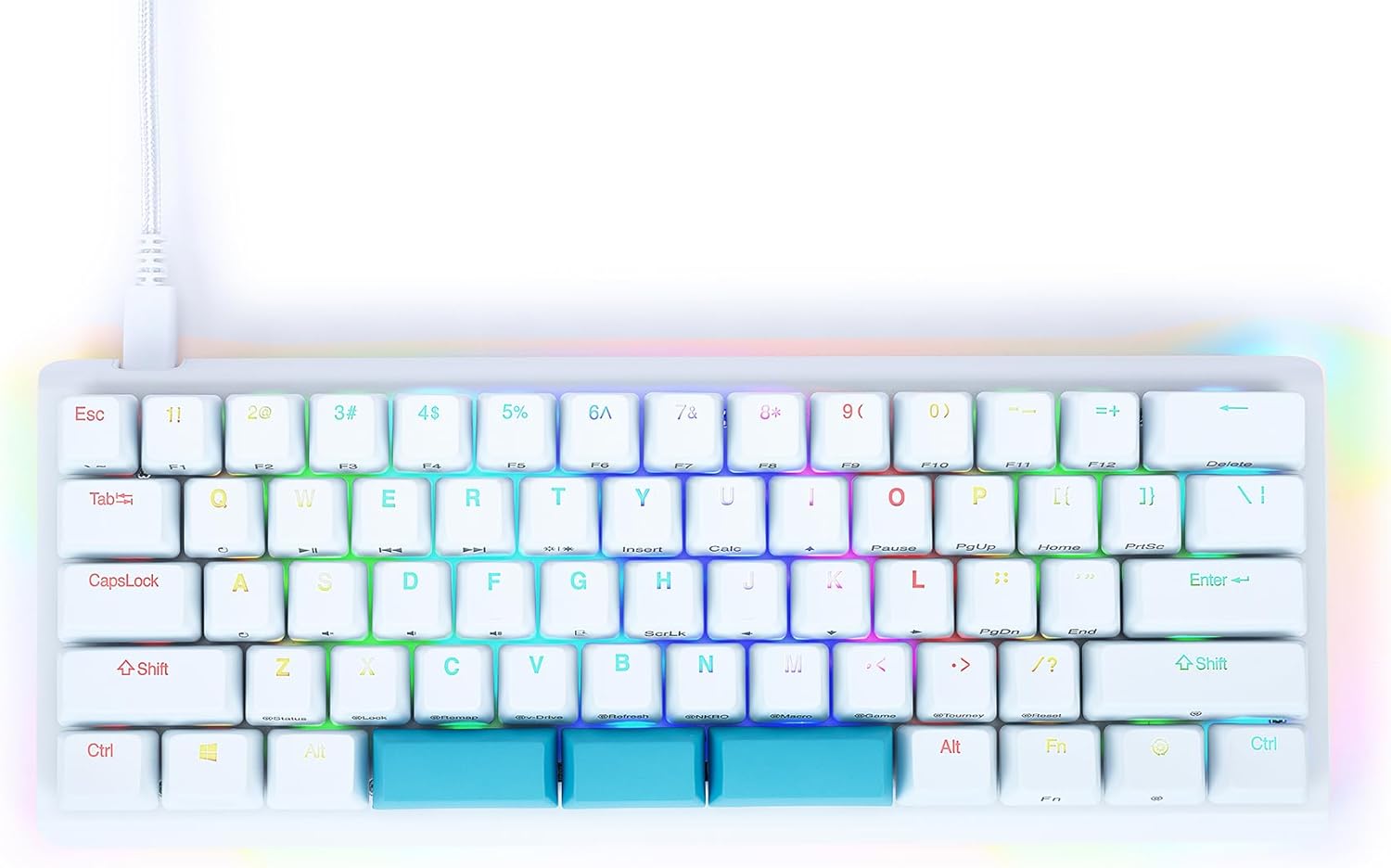
Redragon Mechanical Gaming Keyboard, Wired Mechanical Keyboard with 11 Programmable Backlit Modes, Hot-Swappable Red Switch, Anti-Ghosting, Double-Shot PBT Keycaps, Light Up Keyboard for PC Mac
Original price was: $31.49.$26.99Current price is: $26.99.


Price: $31.49 - $26.99
(as of Jan 08, 2025 17:28:53 UTC – Details)
Product Description
The video showcases the product in use.The video guides you through product setup.The video compares multiple products.The video shows the product being unpacked.


Linear feedback, response faster, ideal for typing and gaming
1 Cool Backlit Illumination
2 11 Backlit Modes
3 Responsive Red Switches


Note: The driver only supports the Windows operating system
 Spill-resistant Protection
Prevent accidental spills from interrupting your game
 Ergonomic Design
Make your typing and gaming more comfortable
 Full Key Anti-ghosting
All keys can work simultaneously, easily complete any combining functions without conflicting keys
 Double-shot PBT Keycaps
No concerns about keycap fading even with prolonged use
How to download the driver?
Follow the video instructions, download and install the software, plug and play.
Note: The driver only supports the Windows operating system.
The video showcases the product in use.The video guides you through product setup.The video compares multiple products.The video shows the product being unpacked.
How to use the software to edit your keybaord?
You can remap the key functions, add macro keys, change the light modes, and adjust the speed and brightness of the backlight.
NOTE: The backlight color can not be customized.
The video showcases the product in use.The video guides you through product setup.The video compares multiple products.The video shows the product being unpacked.
 Programmable Mechanical Keyboard
Redragon Mechanical Gaming Keyboard with Red Switches and equipped with strong programmable function will be your best teammate.
Redragon is always committed to providing the most suitable gaming equipment for every gamer to enrich and enhance your gaming experience.
What should I do if the keys do not work?
You can exchange the switch to fix it and the package includes 4 spare switches.
How can I change the backlight?
There are 11 backlights that can be chosen by pressing [FN]+[Ins] or the software, but the color can not be changed.
Brilliant Color Illumination- With 11 unique backlights, choose the perfect ambiance for any mood. Adjust light speed and brightness among 5 levels for a comfortable environment, day or night. The double injection ABS keycaps ensure clear backlight and precise typing. From late-night tasks to immersive gaming, our mechanical keyboard enhances every experience
Support Macro Editing: The K671 Mechanical Gaming Keyboard can be macro editing, you can remap the keys function, set shortcuts, or combine multiple key functions in one key to get more efficient work and gaming. The LED Backlit Effects also can be adjusted by the software(note: the color can not be changed)
Hot-swappable Linear Red Switch- Our K671 gaming keyboard features red switch, which requires less force to press down and the keys feel smoother and easier to use. It’s best for rpgs and mmo, imo games. You will get 4 spare switches and two red keycaps as a gift to exchange the key switch when it does not work.
Full keys Anti-ghosting- All keys can work simultaneously, easily complete any combining functions without conflicting keys. 12 multimedia key shortcuts allow you to quickly access to calculator/media/volume control/email
Professional After-Sales Service- We provide every Redragon customer with 24-Month Warranty , Please feel free to contact us when you meet any problem. We will spare no effort to provide the best service to every customer within 24 hours to help you
Customers say
Customers find the keyboard well-made and durable. They appreciate its good value for money, vibrant colors, and attractive design. Many find it a fun and enjoyable keyboard to work on or play on. However, some customers have differing opinions about the sound quality and brightness.
AI-generated from the text of customer reviews
8 reviews for Redragon Mechanical Gaming Keyboard, Wired Mechanical Keyboard with 11 Programmable Backlit Modes, Hot-Swappable Red Switch, Anti-Ghosting, Double-Shot PBT Keycaps, Light Up Keyboard for PC Mac
Add a review
Related Products


Original price was: $31.49.$26.99Current price is: $26.99.
Jose Caicedo –
Great Mechanical keyboard
The Redragon Mechanical Gaming Keyboard is an absolute gem for gamers and typists alike. From the moment I started using it, I was impressed by its premium feelâdespite its surprisingly affordable price. The tactile feedback from the mechanical switches is incredibly satisfying, producing a crisp and precise click sound that I canât get enough of. It strikes a perfect balance between performance and aesthetics, with customizable RGB lighting that adds a dynamic flair to my setup.What truly stands out is the build quality. The keyboard feels sturdy and durable, more like a high-end product than a budget-friendly option. The keycaps are well-crafted, and the response time is exceptional, making it perfect for intense gaming sessions or long hours of work. Overall, the Redragon keyboard delivers a fantastic experience that rivals far more expensive options. I couldnât be happier with this purchase!
Ruby Carpintero –
Good for the price, it’s my first mechanical keyboard, and it feels GREAT to type on.
TL;DR at the end.So, the Redragon Indrah RGB mechanical keyboard. When I first saw this item on amazon, it had NO reviews, and it was 130 bucks. I decided to take a chance and hope that the build quality was superb and the keyboard felt amazing, because who would release a product that’s 130 dollars (close to the price of other RGB mechanical keyuboards) when no one knows about their company? The very next day, the price dropped to 100 dollars, and it was lumped in as an extra color scheme for the rest of Redragon’s keyboards; which are all membrane keyboards, save for this one and 2 or 3 others. I promptly bought this keyboard, and I became anxious at the fact that I may have blown 100 bucks on something that wasn’t quality. Thankfully, as soon as it came out of the box, my qualms were put to rest. Right out of the box, you can tell that the keyboard is of considerable quality, as the USB is gold plated. Unfortunately, the cable isn’t braided, but I suspect this is to lower costs. The top of the keyboard sports a raised key cap design, and a brushed aluminum plate. The bottom is made of plastic, and has two legs to raise your keyboard for comfortable typing. The box also includes a rubberized wrist rest, which, somehow, is a huge pain to get on and KEEP on. It snaps off whenever you lift it up and move it, which is more often than you think, considering this keyboard is incredibly light, and will move, even without that much force. The top of the keyboard has a silver Redragon logo, and 12 keys, split into groups of two. 5 programmable macro keys, including a macro recording button, and 6 dedicated multimedia keys. The font on the keys is strikingly gamer-esque which would be alright for some people, including me, but considering the feel of this keyboard is generally elegant and simple, it’s strange they’d go with this font instead of a more neutral font. Just something to know when buying this keyboard. Plugging it in, I was beginning to worry that the driver software would be absolutely ugly and terrible, but, surprisingly, the entire keyboard is driver-less. The back-lighting defaulted to it’s color spectrum mode, the first of 6 RGB modes. The color spectrum goes through all the colors of the rainbow (can’t be bothers to list them here) and at any point during the spectrum, you can press function and insert (which is labelled with the number 1, home, is labelled with 2, page up is labelled with 3, delete is labelled with 4, end is labelled with 5, and page down is labelled with 6. I’ll be referring to them by their respective numbers for the rest of the review.) which will stop the spectrum during it’s color cycle and keep it there. So, say for example, the colors were between red and pink, it would stop on a color mix of red and pink. The next back-lighting mode is function and 2, which is an automatic rainbow ripple effect with an off white color for the rest of the keys that is centered on the O key. Pressing function and 2 again makes the rainbow ripple effect happen only when you click. I personally don’t like the previous two modes of the ripple effect, because the color of the back-lighting when the ripple isn’t happening is a disgusting off white color that isn’t good on the eyes. There is one saving grace for this mode, as pressing function and 2 again creates a solid color, full keyboard ripple effect, again, centered on the O key. The next mode is function and 3 which is a slow rainbow effect. Pressing function and the left or right arrow key modifies the direction the rainbow flows; speaking of the arrow keys, pressing function and up on the arrow keys raises the brightness and down on the arrow keys lowers the brightness. A really nice feature they added is when you’re at the max or minimum brightness, the num, caps, and scroll lock LED alerters or whatever they’re called flash to let you know, so you’re not mashing the up arrow thinking the brightness is being raised but it’s REALLY hard to tell. Speaking of the brightness, the keyboard is so bright and vibrant it almost gives me a headache to look at sometimes, so don’t worry about it being dim like the K65/70/95 keyboards from corsair.Continuing with the back-lighting options, pressing function and 3 again stops the rainbow in it’s place, so you could have half the keyboard white, and half the keyboard light blue. The next one is function and 4, which is the same as the slow rainbow, but faster. You can stop the rainbow and change the directions all the same, as well. Pressing function and 5 is the custom back-lighting mode. It’s defaulted to white, but if you press function and 5 again, the num, caps, and scroll lock alerter things are continuously flashing. and during this mode, you can press every key multiple times to have it set to any color. Pressing a key multiple times swaps through the available colors, which are off, red, blue, pink, green, yellow, light blue, and white. every key can be an alternating color, and you can even write almost illegible words on the keyboard like “Hi!” which i find absolutely hilarious. I have it set to red, since that’s my favorite color. The last color mode is a reactive typing mode, activated by pressing function and 6; reactive meaning, the second a key is registers as pressed, the led activates for a short amount of time, and then fades out. Pressing function and 6 again changes the color from white to red, cycling through the available colors. That’s about it for the back-lighting options, and the second to last thing to really touch on is the programmable macro keys. You press the record key and then press the macro button to assign the following macro to that button. For example, to create a macro key that types in “www.youtube.com” and presses enter, you would press record, any of the 5 programmable macro keys, and then you type on the keyboard http://www.youtube.com, press enter, and then press record to finish the macro. Assigning macros seriously couldn’t be less complicated. The last thing to touch on would the be the keyswitches used. The only switches used in this keyboard are (i think) outemo blue switches, which are light and have two tactile indicators, a click, and a bump. They’re incredibly loud, but the sound is absolutely euphoric and it honestly the only reason I’ve ever wanted a mechanical keyboard. My only gripe with this keyboard are that the num, caps, and scroll lock alerters are defaulted to red and CANNOT be changed, so if you wanted to always have num lock on (maybe you’re an accountant?) but you have the keyboard blue, it’s a huge annoyance with the clashing colors. The only other gripe would be the 12 keys at the top aren’t backlit. It’s sort of petty, but if I’m paying 100 bucks for a friggin’ keyboard, I want it to be totally tricked out, y’know?If you can’t buy a razer blacwidow chroma or you want something cheap, durable, lightweight and vibrant, buy this.TL;DR, It’s good, buy it.
Drew –
This review is for the Redragon K555 INDRAH RGB LED Backlit Mechanical Gaming Keyboard.
Overall this keyboard was a great buy for the listed price. The brushed black steel gives it a very clean but sophisticated look. The weight of the keyboard coupled with the coated foot pads ensures that they board won’t be sliding around as you punch away at the keys – unlike some of the other plastic molded backlit keyboards I’ve owned. Key presses are medium in weight and are very responsive/tactile in feel – even after just about a year of very heavy (maybe even overzealous) use. Keys have a very crisp and distinct click/clack upon press and release. They keyboard backlighting was in-built (i.e. no additional software or drivers needed to configure) and easy to set up – offering 6 distinct modes of lighting (see below for details and how to adjust lighting). It is important to note that this keyboard only offers 7 distinct colors (plus no lighting) to choose from. You do not have the option to customize specific color variants,but it not unexpected considering there was no additional software required to install. The additional macro and media control buttons along the top work without issue and are rather convenient to have. The included wrist rest suites me just fine, although it is a little difficult to put on and take off – just make sure you take your time attaching/detaching it to avoid the risk of snapping the plastic. While this keyboard does not come with a keycap puller, they keys themselves are easy enough to take off by hand should you need to.PROS:- Easy set-up (plug and play)- Eloquent black brushed aluminum- Tactile and responsive key presses- Easy to adjust lighting- Sturdy and consistent in performance even after a year of heavy use- Easy to detach (and clean) hovering keys- Keys do not become super shiny by oil from hands- Detachable wrist restCONS:- Keyboard cord, while sturdy, is not nylon braided- Detachable wrist rest can be difficult to put on and take off- Backlight color choice limited to 7 colors (cannot specify unique color variants)TL;DR – A very well crafted, easy to set up, and easy to use mechanical keyboard that is an absolute steal for a price under 100.00 USD. Would recommend.LIGHTING INSTRUCTIONS + DESCRIPTION (Video Included)Lighting modes are changed and further configured using the FN key plus any one of the INS, HOME, PGUP, DEL, END, or PGDN keys. Pressing the FN key plus any one of these buttons will change the lighting pattern. For Modes 1-4, pressing the same FN + mode key (i.e. INS, DEL, etc) will freeze the current color pattern on the keyboard. For Mode 5, pressing the same FN + mode key will lock in your color key selections. For Mode 6, pressing the same FN + mode key will change the fade color.Mode 1: FN key + INS keyThis mode offers a slow and gradual full keyboard shift between each of the 7 colors, taking approx. 5 seconds to shift from one color to another.Mode 2: FN key + HOME keyThis mode offers a random flickering of color across all keys at approx. 2 second intervals.Mode 3: FN key + PGUP keyThis mode offers a slow and gradual full color change across that keyboard that moves from left to right.Mode 4: FN key + DEL keyThis mode offers a faster rainbow of colors that moves across the keyboard left to right.Mode 5: FN key + END keyThis mode allows you to individually change the color of each key on your keyboard through repeated key presses.Mode 6: FN key + PGDN keyThis mode offers a key light-up upon press that fade to black (or “off”) after key release.
shazia suleman –
I bought this keyboard for my new setup and because it was cheap i thought the product would be low quality. But when i unboxed it and put it on with my setup, it sounded and feeled amazing. I would definitely recommend this product 🙂
Eldon –
Funciona correctamente
The GazLab –
I love it for the price.. great gaming keyboard..
Sheikh Abdul Basit –
I’ve had no qualms about the product so far. It works fine. But it isn’t as quiet as I would like it to be, as it’s advertised. Rest everything is fine.
Lalit Umbarkar –
Do check it you are ok with clicky switches.Because if you are buying in hope of changing the switches later on, mind you they are Outemu (Gaote) switches and MX switches aren’t compatible with it. And finding Outemu Red or any other switch on market is pretty difficult.Mouse is decent. To note you can adjust weight of mouse. Check manual, there’s only one line regarding this.