

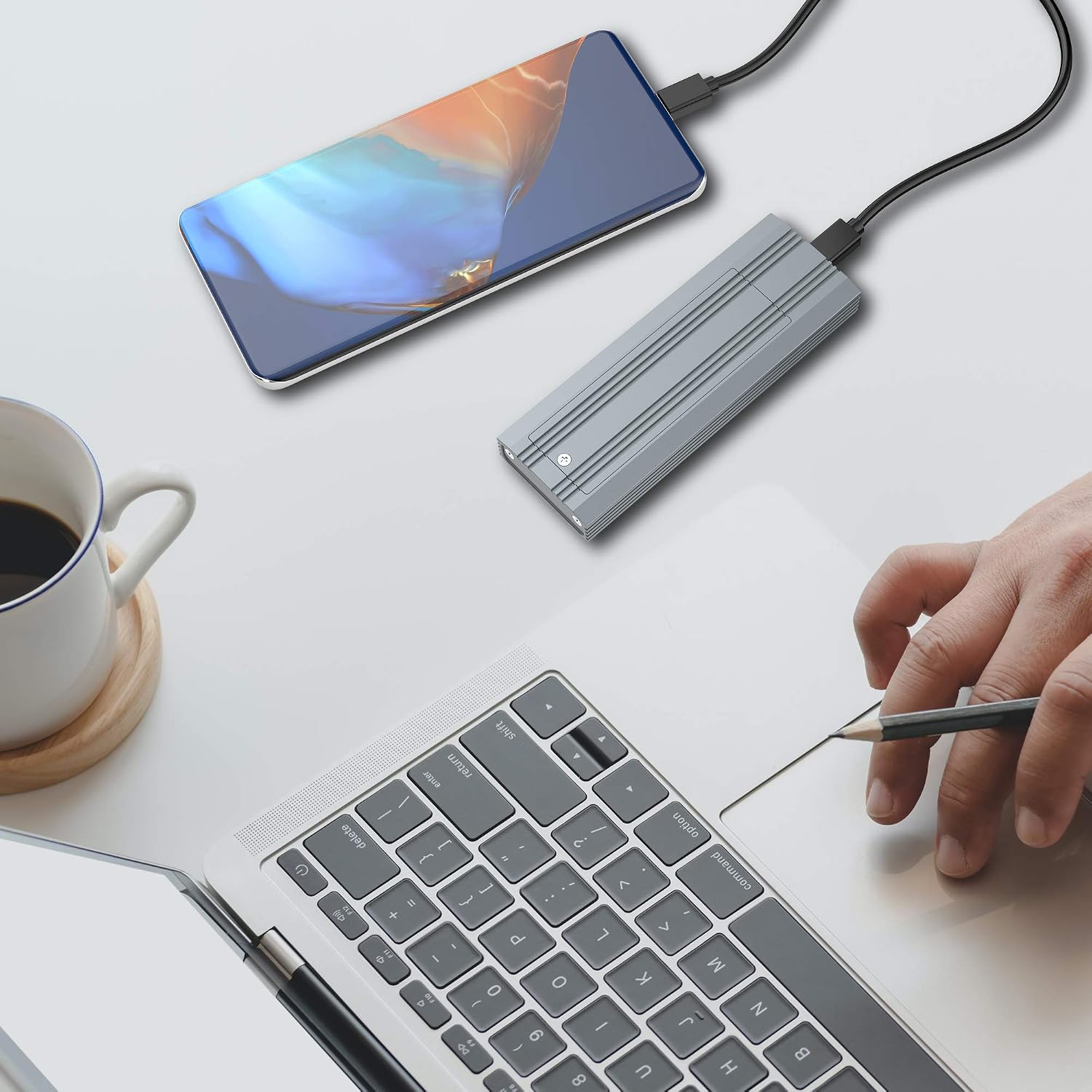
TREBLEET M.2 NVMe SSD Enclosure, Type-C to NVMe PCIe M-Key Solid State Drive, USB-C 3.1 Gen 2 10Gbps Aluminum External Casing, Heat Dissipation Enhancement, Easy Installation
Original price was: $19.99.$17.99Current price is: $17.99.


Price: $19.99 - $17.99
(as of Jan 14, 2025 09:56:38 UTC – Details)
Product Specifications
- USB specifications: USB3.1 Gen2
- Interface: USB Type-C
- Supported OS (Windows): Windows 7/8/10
- Supported OS (Mac): MacOS 10.10.5 and above
- Product body dimensions:4.52 inch x 1.57 inch x 0.59 inch
- Product weight: Approximately3.8 oz (excluding accessories)
* For Windows 7/8 users, the product operates at the transfer speed of USB3.0.
* If the product is being connected to a Mac device that supports other than USB3.1 Gen2; the transfer speed will then become either at USB3.1 Gen1 or USB3.0.
* Please always use the latest available version of Operating Systems (OS).
* This product could also operate if connected to a USB3.0 / 2.0 interface. But the transfer speed will be in accordance to the type of interface it is connected to.
Product Package Contents
- SSD Enclosure main unit
- SSD Fixing screw X 1pc
- Type2260/2242 SSD Fixing nut X 1pc
- Screwdriver
- Thermal conduction sheet
- USB Type-C to Type-A cable & USB Type-C to Type-C cable
- User Manual
Compatible SSD Types
NVMe M.2 Standard SSD Type2280 / 2260 / 2242
* SATA (NGFF) M.2 SSD is not supported.
* AHCI M.2 SSD is not supported.
* Not compatible with mSATA SSD.
High Speed: USB3.1 theoretical transmission speed 10Gbps; Capable of performance over 950 Mb/s read/write when using high performance NVMe media; Backward compatible with USB 3.1 Gen 1 and USB 3.0 up to 5Gbps. (Actual performance varies by capacities, host device, user applications, and other factors)
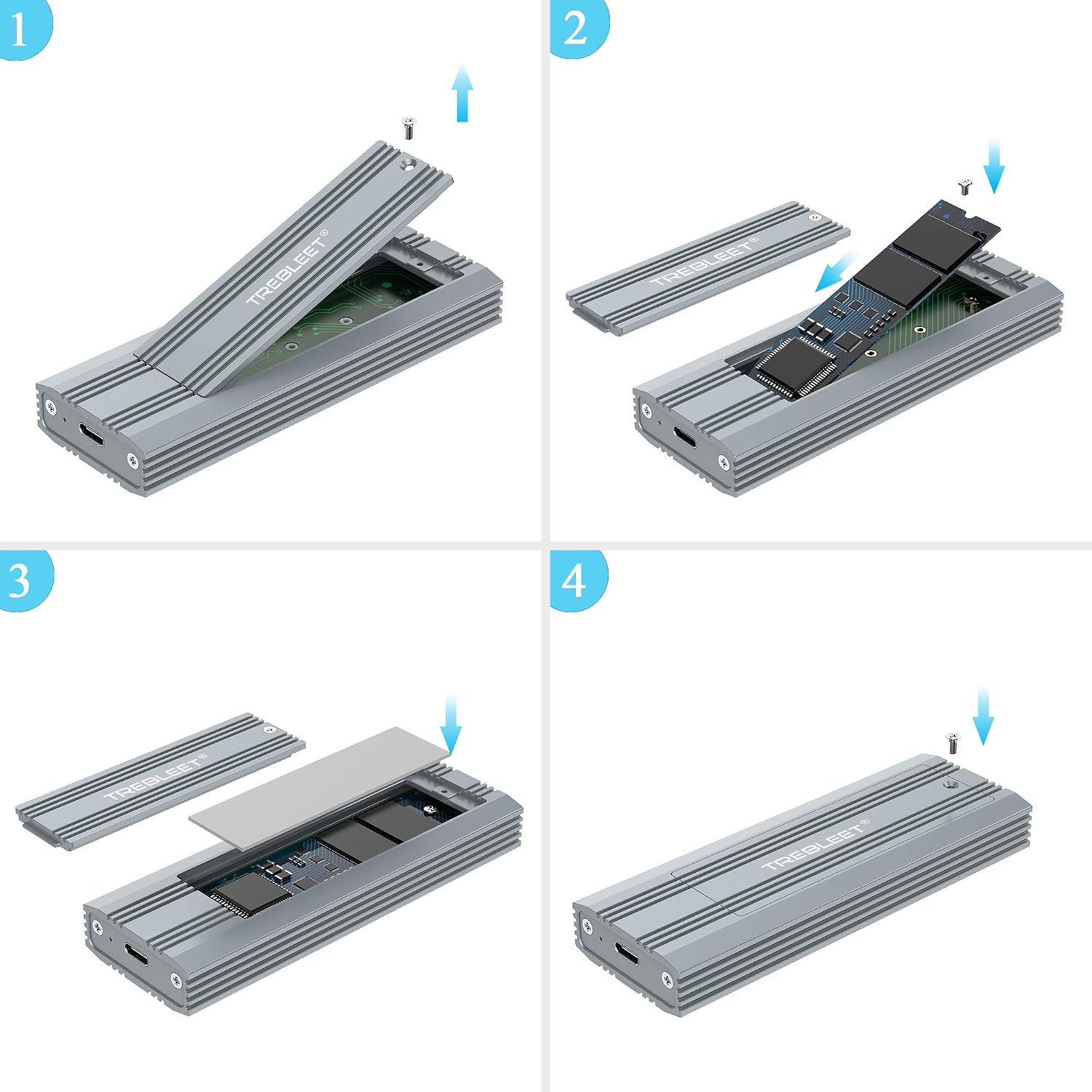
Heat Dissipation: Two installation methods,The original design simplifies the disassembly and installation steps and enhances the heat dissipation effect;Passive heat dissipation through the aluminum housing, the heat dissipation effect is more direct and effective. no cooling fan is needed for high-speed working
Compatibility: Only for NVMe M-key M.2 SSD (PCie-based); Does NOT support M.2 SATA based SSD (NGFF); Applicable to sizes 2242/ 2260/ 2280
Adopt JMS583 Master Chip: Complies with UASP, Trim which can effectively improve the speed and extend the lifetime of SSD. Compatible Multi OS, Windows 7/ 8/ 8.1/ 10/ Linux/ MAC.
Customers say
Customers find the computer drive well-made and durable. They find it easy to install with simple instructions. The drive works well over USB 3 Gen1 and Gen2, providing decent transfer speeds for large folders, music, and data files. The heat sink spreads heat effectively, and the thermal pad and aluminum heat sink provide good heat transfer and cooling. The USB-C cable is also appreciated.
AI-generated from the text of customer reviews
10 reviews for TREBLEET M.2 NVMe SSD Enclosure, Type-C to NVMe PCIe M-Key Solid State Drive, USB-C 3.1 Gen 2 10Gbps Aluminum External Casing, Heat Dissipation Enhancement, Easy Installation
Add a review
Related Products




Original price was: $19.99.$17.99Current price is: $17.99.
DaLenz –
These are my GO-TO storage solution!
This is my GO-TO storage solution! The TREBLEET M.2 NVMe SSD Enclosure is a reliable and high-performance solution to turn my M.2 NVMe SSDs into an external drive. This enclosure has exceeded my expectations in every way. The build quality is exceptional, with a sturdy aluminium construction that feels premium and durable. The design is sleek and compact, making it easy to slip into my backpack or pocket. The performance is awesome, with blazing-fast speeds of up to 10Gbps via the USB-C 3.1 interface. I’ve been using it to transfer large files, archival of video edits, store digital assets and content I own 10 of these, and they have performed flawlessly! Easy installation too! Simply insert your M.2 NVMe SSD into the enclosure, screw it in, and you’re good to go. The included USB-C cable and instructions make it a breeze to set up. As I move away from 2.5″ SSDs to M.2s, this is my go-to solution!
nick h. –
Easy peasy install and even had tools plus high speed cord !!!
I ordered two of these. Got the aluminum version for better heat dissipation. The instructions are just pictures really, but super easy to follow. Everything needed was included even the tools. Once both drives were installed both were recognized by my pc upon plugging them in.I am currently doing a full wipe on both drives and reformatting, thatâs as far as Iâve gotten with these. Iâll update my review if anything crazy happens lol.Otherwise these enclosures look to be a good buy. They are SOLID aluminum and made well !!
Frank –
Great for housing a cheap drive
I bought this enclosure to hold a spare 1tb intel 660p to function as a high speed portable drive. I heard about people having issues with the JMS583 controller but it remained stable and reached advertised speeds for me. Just don’t expect to fully saturate your nvme drive on a USB 3.1 connection.The device comes with a sturdy metal case with a long thermal pad to transfer heat from the drive. My temps during transfer were mildly warm at worst hereI’d definitely recommend this for anybody looking for a cheap nvme enclosure. It fills my needs until USB 4.0 enclosures make an appearance
Artist Robert –
USB-C cable connectors have low retention force
You would think this is a no-brainer to use a USB-C cable that has a customary retention force to prevent the cable from wiggling out whenever you move the SSD enclosure. Move the enclosure on the desk just a little, and the connector will slide out just enough to disconnect the SSD. I see TREBLEET’s point of view. It would have cost them another dime to use quality USB cables.
Austin –
Works well.
It works pretty good, the only complaint is that it doesn’t like to communicate with my phone, others have just for some reason not this one ð¤. Cables that come with it seem really sturdy, no real complaints about anything else.
Texas Talker –
Great controller
This is solid aluminum. Installing an NVMe drive is really simple…one screw, lift the metal lid. I placed a Sabrent gen 4 drive in it and the transfer speeds for large folders, music, data files, etc. are very sweet. See the attached CDM test. I have an ASUS Prime X570 Pro mobo with AMD 5900X CPU.After transferring a whopping amount of files, the enclosure was a bit warm at 43C, but overall, it’s been running around 34C during normal use. This is what I get with enclosures that have fans.
DecentArchive –
Nice
Simple instructions and ease of installation. I’m using with a WD SN750 SE 500GB NVMe drive. It works well over USB 3 Gen1 and Gen2. My laptop pulls directly at 1GBps for read and writes at 930MBps. In game files it maxes out around 380MBps, which is mostly due to the complexity of game files. But it is so much better than external HDDs. Great product.
Chris R. –
Mine was unreliable & unstable.
Unreliable and unstable with frequent disconnects. Suffered system freezes and occasional blue screen of death while device was connected. Tried two ssd’s Samsung 970 evo & PNY CS2130 on two different systems with different usb cables. Looks like a lemon to me.
Ipv6Ready –
This is well bade, packaging is better than Orinco/Sabrent USB3.2 nvme drives. Speeds are on par.Note: I paid $11.40 australian dollar for this, not the usual $38.40Arguable the design works better than Orinco/Sabrent NVME cases I have, especially in Heat Dissipation, both Orinco/Sabrent design have an air gap internally to prevent pads sticking to the case.A comon issue with thermal pads (could be considered as designed and how it works) is that the heat softens pads and it becomes sticky and it basically forms a semi bond.With the Treebleet design the top cover is the heatspreader and the pads semi bonds to it, and this makes it hard to open the lid. Even removing the side screws to slide out is hard once the pads bonds the lid/cover/heatspreader to the nvme.To get around this, There are three ways1. Use some non conductive thermal paste between the pad and heatspreader/lid.2. Remove the “warranty void” sticker, place the pads directly on the nand chips than replace the sticker. This way it will never bond to the lid.3. Only peel off the upper layer or bottom protective peel of the pads, not both.Remember unlike CPU or GPU many nvme drives in pc run without heatsinks or fans. Nands can handle a little heat and work best at 60c and 80c is not a killer.Finally, if you have installed an expensive NVME drive and it is stuck, soak the drive in 100% isopropyl alcohol for ten minutes or so and gently try to lift the edges, if it doesnt comes off with the first soak, than soak it extra 10 minutes to let the alcohol soak in and everytime you lift it a little bit it will losen up.
CW –
I only have one major complain. Once the m.2 drive is fitted inside, heat sink on top and the enclosure is closed, it becomes nearly impossible to reopen the case because the heat sink as glued with the case It means impossible to upgrade the m.2 drive in the future. Heat dissipation is good. The case is warm only during usage.