
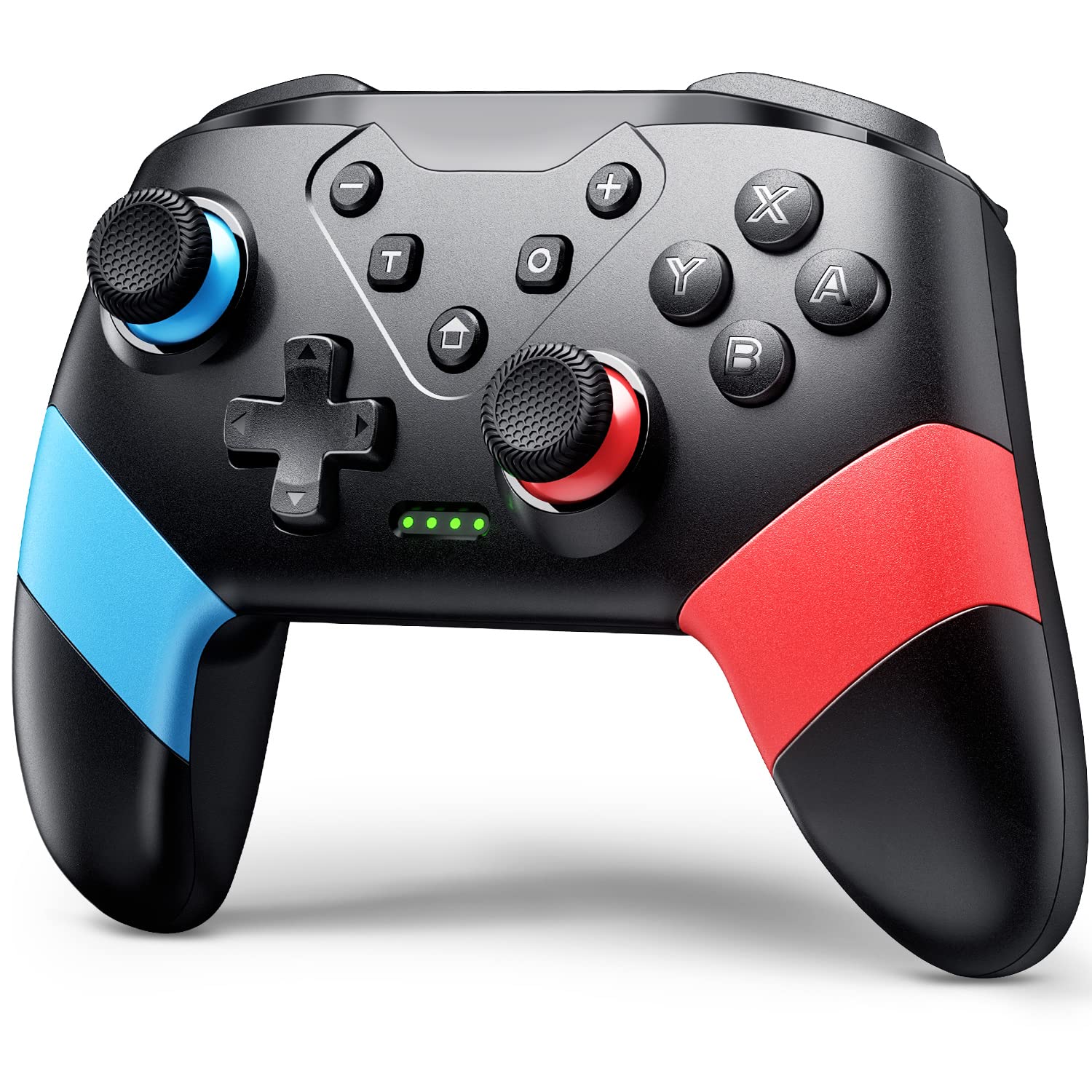
VOYEE Switch Controllers Compatible with Switch/Lite/OLED, Switch Pro Controller with Programming Motion Control Vibration, Updated Wireless Switch Controller with Wake-up Turbo Screenshot
$19.99


Price: $19.99
(as of Jan 10, 2025 23:43:15 UTC – Details)
Product Description


Perfectly compatible with Switch/Switch Lite/Switch OLED, you can play any game on the console as you like.


About Turbo Function:
Press “Up” arrow on the D-pad and “T” button: Increase burst speed
Press “Down” arrow on the D-pad and “T” button: reduce burst speed
Three-level speed: 5 shot/s, 12 shot/s, 20 shot/s.
During bursts, the indicator light will flash.
The higher the controller’s burst speed, the faster the indicator light will flash.

About the Extra Mappable Trigger M1/M2:
1. The back button on the controller is easy to program and adjust.
2. This controller can map up to 16 buttons.
3. You can map the M1/M2 button one by one.
4. Press M1/M2 and “—”: map only one button
5. Press M1/M2 and “+”: map the key combination
6. When you want to use the ultimate skill with one key in the games, you can set key combination.
7. The speed at which a key is mapped affects how quickly it reacts in-game.
Setting Method:
(assuming you want to map the Y+B+A+L+R buttons on M1 button)
1. Press “M1” and “+” at the same time, and the lights on the controller will flash slowly;
2. Press the Y/B/A/L/R button on the controller one by one, and the indicator light will flash quickly
3. Finally press the M1 button, the indicator light will be on, indicating that the mapping is completed.
Close the Mappable M1/M2 Function:
If you don’t want to use the mapping function of the M1/M2 buttons, your hands may habitually touch these two buttons, which will affect the game. Steps: Press and hold the “—” and “T” buttons for 3s, and after the wireless controller vibrates for 1s, the function is closed.
How To Connect?

Sync to Console:
1. In the N-SL main menu, click on ‘Controller’一’Change grip/sequence’, and enter the Controller pairing mode;
2. Press and hold the “Y”+HOME button for 4s to enter the pairing state. The LED flashes frequently. The controller is automatically paired with the console. After the connection is successful, the LED been on;
3. When the connection is successful, you can press the HOME button, and the LED will flash slowly in the form of a marquee and automatically reconnect.
Sync to PC with A USB Cable:
1. Use the USB cable to connect the gamepad and the computer. After connection, LED1 and LED4 of the gamepad flash slowly at the same time. Successfully connected, the gamepad can be normally used.
2. The controller defaults to Xinput mode on the PC side, and the keys are XBOX 360 key layout, non-standard PC key layout.
3. In XINPUT mode, hold down the screenshot button for 3 seconds to convert to DINPUT mode.
Compatible with Switch System: The switch controller is compatible with switch/lite/oled/PC windows (wired mode), works for swtich games and 4 gamer together; Switch pro controller is ideal for family fun, parties and nice gift for game lovers (No amiibo)
Programming Custom Buttons: 2 mappable buttons on the switch controllers are designed to map up to 16 keys to M1/M2 key, you can click one key and get ultimate skill, extending buttons life; 3 burst speed enhances your experience in action and arcade game
Rumble Control & Gyro Sensor: Wireless switch controller has 4-level vibration; Enhanced dual motors provide you great game immersion; 6-axis gyro sensor makes the pro controller switch quickly detect the actions and help you make a quick response
Ergonomic & Long Time Play: Thousands of tests obtained scientific shape and weight to make the switch wireless controller suitable for long-term and comfortable holding; Large capacity battery last up to 15 hours of uninterrupted gaming
33ft Wireless Control: 33ft wireless control range allows players to stand/lie/sit to play games according to the situation; You will Get: 1 X Pro switch controller, 1 X Type-C cable, 1 X User manual, 1 X Packing box; Great gifts for friends and family
Customers say
Customers find the video game controller works well for Nintendo Switch games and is a good value. They appreciate its quality, comfort, and battery life. However, some have mixed opinions on the build quality and buttons.
AI-generated from the text of customer reviews
9 reviews for VOYEE Switch Controllers Compatible with Switch/Lite/OLED, Switch Pro Controller with Programming Motion Control Vibration, Updated Wireless Switch Controller with Wake-up Turbo Screenshot
Add a review
Related Products


$19.99
Domanick Allred –
Outstanding Controller at an Unbeatable Price
I purchased this controller because I needed something affordable and quickly delivered for my Switch, and I didnât want to spend $40 or more. I was pleasantly surprised when it arrived! The controller looks great, feels comfortable in hand, and performs exceptionally well, especially given the price.Iâve experienced no drift or issues with the buttons, and the battery life is phenomenalâit feels almost endless. I liked it so much that I bought a second one and plan to order two more soon. Highly recommended for anyone looking for a budget-friendly, reliable controller!
Darian Lovett –
Amazing controller for switch!!
This controller is cheaper and works just as well if not exactly the same as a Nintendo brand or power a switch controller. Design is perfect for all size hands only thing I would change is the buttons I would color the letters on the buttons to stand out more. Very easy to set up and charges without a issue with a usb C cable
Harley S –
Connects Well, Feels Solid
What an amazing price for such a good controller. Works better than a lot of the controllers Iâve gone through, and the wireless connection makes life so much easier. Great weight to it, so it doesnât feel cheaply made. Very vibrant colors too. Would 100% recommend!
J Smokes –
Mostly great
Have been using these for a couple of months, and I don’t have any complaints for the most part. However, I periodically have to delete and re-pair it. When it is working, it works great. It’s smooth, comfortable, and responsive. Honestly, for the price, even if I had to re-pair before each use, it would be worth it.
Jribby –
Great Quality and Inexpensive
I recently purchased the VOYEE Wireless Pro Controller, and I must say, it has been an impressive addition to my gaming setup. This controller comes packed with a range of features that elevate the gaming experience to a whole new level.One standout feature is the Programming Buttons & Adjustable Burst Function. The ability to customize buttons according to my gaming preferences allowed for a more personalized and intuitive gameplay experience. Additionally, the Adjustable Burst Function added an extra layer of control, especially in fast-paced games, giving me a competitive edge.The Rumble Control & Gyro Sensor in the VOYEE Wireless Pro Controller provided immersive feedback, enhancing the overall gaming sensation. It heightened my sense of immersion in the virtual world, making every action feel more lifelike and engaging.One of the highlights of this controller is its Large Capacity Battery, boasting up to 15 hours of uninterrupted gaming. I was pleasantly surprised by the extended battery life, which allowed for long gaming sessions without the need to frequently recharge. This convenience is particularly beneficial for those extended gaming marathons.The 33ft Wireless Control Range was also a game-changer. I experienced seamless connectivity even at a considerable distance from the gaming console. It gave me the freedom to move around without worrying about signal loss, making gaming more comfortable and enjoyable.Overall, the VOYEE Wireless Pro Controller has exceeded my expectations. Its advanced features, such as the Programming Buttons, Rumble Control, and Extended Battery Life, make it a top-notch choice for gamers seeking a versatile and high-performance controller. Whether you’re a casual gamer or a hardcore enthusiast, this controller is sure to enhance your gaming experience. Highly recommended!
lrpe90 –
Great controller for the price
Had no issues syncing up, works great for all the Switch games.
Diana –
Good quality for the price.
These controllers survived 18 months of use by my 7 and 10 year olds. I try hard to enforce responsible use and care but, theyâre kids and these controllers hit the floor more often than I care to admit. Many hours of Zelda and hard-fought Mario Kart battles, and at least one chocolate milk spill have tested them thoroughly. Theyâve finally given out but Iâd say I got my moneyâs worth and Iâll be buying 2 more to replace them.
Patrick Murphy –
Works well but seems cheap and instructions are poor
So far the product works as described. The controller feels light compared to an Xbox or Playstation controller so I’m concerned about the durability. The instructions are also lacking; I was able to figure it out but they never say that the home button doubles as the power on button. Overall the instructions seem like they were written by someone who does not fully know English and has a lot of weirdly written phrases. For example, “If the console is difficult to pair the controller, there may be the reasons below”. If they have so poor attention to detail to write the instructions like that, I’m not too optimistic about the long-term quality of the controller.
Vini du Francis –
Embora seja mais leve que o original, não deixa a desejar quanto ao desempenho e não compromete a jogabilidade. O Modo turbo é um diferencial para a experiência.