

Anker 555 USB-C Hub (8-in-1), with 100W Power Delivery, 4K 60Hz HDMI Port, 10Gbps USB C and 2 A Data Ports, Ethernet microSD SD Card Reader, for MacBook Pro More
$49.99



Price: $49.99
(as of Jan 09, 2025 03:10:33 UTC – Details)
Product Description

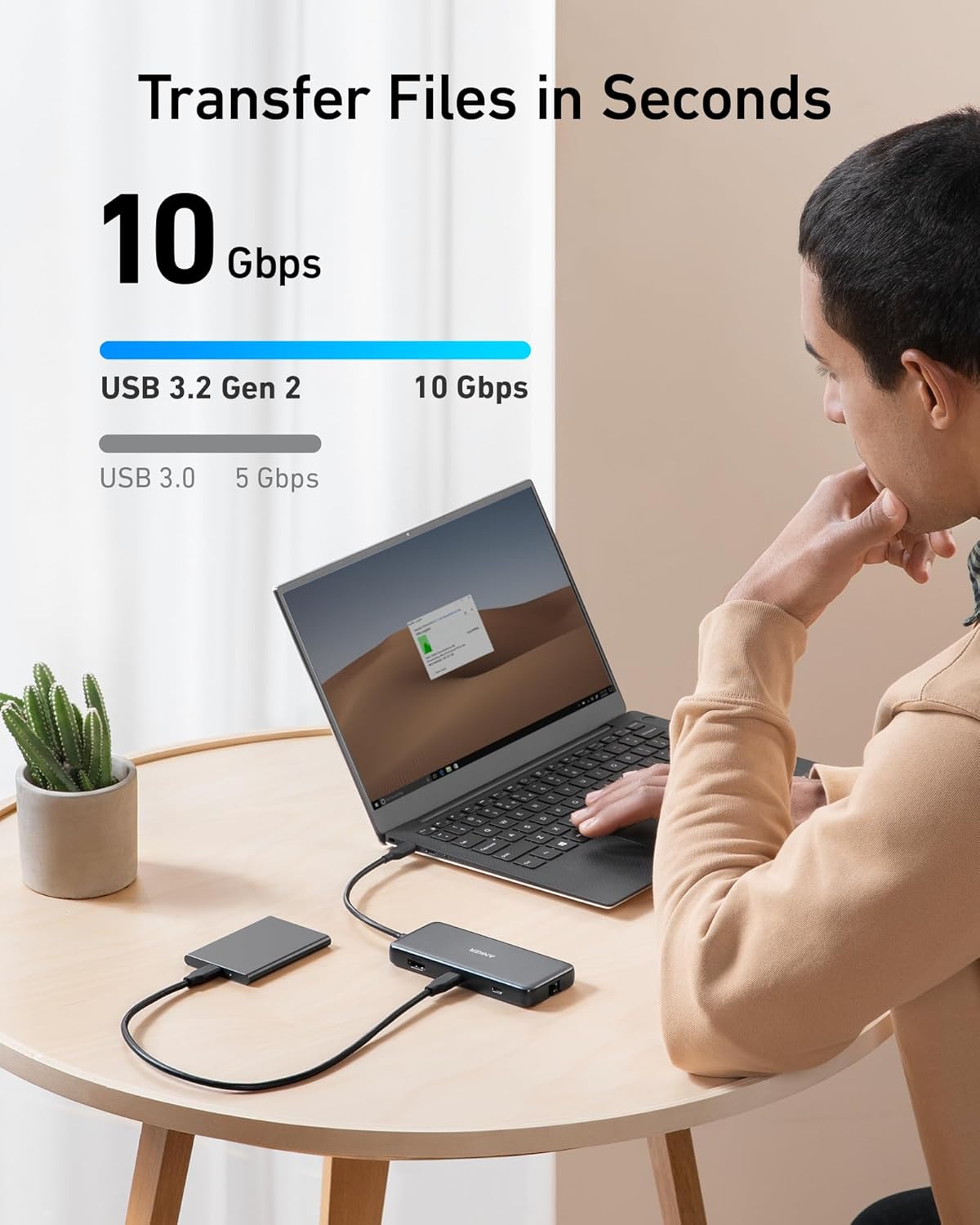
 Transfer Files in Seconds
Transfer movies, photos, and music at speeds of up to 10 Gbps via the USB-C 3.2 Gen 2 port and the dual USB-A 3.2 Gen 2 ports.
 Power Delivery Compatible
Supports up to 100W (minus 15W for operation) pass-through charging so you can power up a 15” MacBook Pro at full speed—all while accessing the hub’s other functions. (Charger not included).
 Fast and Stable Ethernet Connection
Connect your wireless router to the hub’s Ethernet port to access a stable wired internet connection of up to 1 Gbps.
 Lightweight and Portable
At only 0.6 inches thick and weighing just 4.4 oz, Anker 555 USB-C Hub (8-in-1) fits easily into your bag for effortless portability.
Anker 555 Hub 8-in-1
Comparison
10Gbps
Data transfer Speed
10Gbps
1 × HDMI 4K@60Hz
Video Output Ports
1 × HDMI 4K & DP 4K
2
USB-A Data Ports
3
1
USB-C Data Ports
1
1 × 100W
USB-C PD Inputs
1 × 100W
/
Audio Ports
1
Y
SD/TF & Ethernet
Y
10Gbps
Data transfer Speed
10Gbps
1 × HDMI 4K@60Hz
Video Output Ports
1 × HDMI 4K@60Hz
2
USB-A Data Ports
2
1
USB-C Data Ports
/
1 × 100W
USB-C PD Inputs
1 × 100W
/
Audio Ports
1
Y
SD/TF & Ethernet
Y
10Gbps
Data transfer Speed
5Gbps
1 × HDMI 4K@60Hz
Video Output Ports
1 × HDMI 4K & DP 4K
2
USB-A Data Ports
3
1
USB-C Data Ports
1
1 × 100W
USB-C PD Inputs
1 × 100W
/
Audio Ports
1
Y
SD/TF & Ethernet
Y
10Gbps
Data transfer Speed
5Gbps
1 × HDMI 4K@60Hz
Video Output Ports
2 × HDMI 4K@30Hz
2
USB-A Data Ports
2
1
USB-C Data Ports
/
1 × 100W
USB-C PD Inputs
1 × 100W
/
Audio Ports
/
Y
SD/TF & Ethernet
Y
Anker 565 Hub 11-in-1  Anker 655 Hub 8-in-1
  Anker 563 Hub 11-in-1
  Anker 553 Hub 8-in-1
How can this hub achieve 85W Power Delivery charging?
To get 85W charging, use a USB-C wall charger and a USB-C to C cable that both support 100W PD charging.
Does this hub get hot?
When the hub is fully loaded, it may reach a surface temperature of around 149°F. However, this is normal for products of this kind.
Can I connect two monitors via Anker 555 USB-C hub and use the USB-C port for display?
No, Anker 555 USB-C hub supports only one monitor connection through its HDMI port. It cannot connect two monitors simultaneously nor use the USB-C port for display purposes.
Frequently Asked Questions:
1.Does the USB-C Power Delivery port support charging for tablets (including iPad Pro) or phones?
Due to the power input limitations of mobile devices, this hub can not provide pass-through charging to tablets (including iPad Pro) or phones when using the original wall charger that came with your mobile device. To support full-speed charging for iPad Pro, use an adapter that supports at least 15V (45W).
2.Why can’t my HDMI resolution reach 4K@60Hz?
The HDMI port supports a variety of resolutions up to 4K@60Hz, including 1080p, 1080i, 720p, and 480p. For 4K@60Hz resolution, please confirm your device supports DP 1.4. Below are some devices that support DP1.4:
MacBook Air 2021/2022
MacBook Pro 14/16″ 2021
MacBook Pro 15” 2018 / 2019
MacBook Pro 16” 2019
iPad Pro 2018 / 2019 / 2020/2021/2022 (Only iPad Pros with iPadOS are compatible)
Compatibility
MacBook Pro ( 2021 / 2020 / 2019 / 2018 / 2017 / 2016 )
MacBook Air ( 2022 / 2021 /2020 / 2019 / 2018)
iPad Pro ( 2022 / 2021 / 2020 / 2019 / 2018)
XPS (13 inch / 15 inch) / Pixelbook (2017) / Incompatible Devices / Nintendo Switch / USB SuperDrive
Notes
The USB-C port on this hub does not support video output. The USB-C port does not support screen mirroring.This hub does not require a wall charger to function properly. You need to plug in a wall charger only if you want to charge the host laptop. It is normal the Hub may become warm (122 °F) when it is fully loaded or connected to PD adapter. The USB-A port or USB-C data port does NOT support charging.
The Anker Advantage: Join the 65 million+ powered by our leading technology.
Massive Expansion: Equipped with a USB-C Power Delivery input port, a built-in 7.48″ USB-C cable, a USB-C data port, 2 USB-A data ports, 1 HDMI port, an Ethernet port, and a microSD/SD card reader, giving you an incredible range of functions—all from a single USB-C port.
High-Speed, High-Def: USB-C and USB-A data ports provide file transfer at speeds up to 10 Gbps, while an HDMI port supports media display at resolutions up to 4K@60Hz for DP 1.4 laptops, or 4K@30Hz for DP 1.2 laptops.
Powerful Pass-Through Charging: Compatible with USB-C Power Delivery to provide high-speed pass-through charging up to 85W.
Note: The hub requires 15W for operation. Please use a 100W Power Delivery charger and cable to ensure adequate power.
What You Get: Anker 555 USB-C Hub (8-in-1) / PowerExpand 8-in-1 USB-C PD 10Gbps Data Hub, welcome guide, our worry-free 18-month warranty, and friendly customer service.
Customers say
Customers find the multiport hub functional and good value for money. It performs well and is a great addition to their devices. However, some customers have issues with the power supply. There are mixed opinions on port functionality, build quality, and connectivity.
AI-generated from the text of customer reviews
9 reviews for Anker 555 USB-C Hub (8-in-1), with 100W Power Delivery, 4K 60Hz HDMI Port, 10Gbps USB C and 2 A Data Ports, Ethernet microSD SD Card Reader, for MacBook Pro More
Add a review
Related Products


$49.99
Aaron –
Great 10gbps USB-C Hub, worked with Anker support through compat issues with PD4 iteration 1
Original Review (updates below):—–The moment I noticed this thing on Amazon, I bought it and it literally just arrived. Finally, 4K60 over just USB-C with other ports (including making up to 10Gbps available to them) for a reasonable price. Unfortunately, the first two things I’ve done with it were both disappointing. I’ll cut to the chase, the power delivery pass through isn’t working with one of their own chargers.The first device I tried connecting this with is my Anker PD4 with one USB-C cable as the only thing plugged into it so I can test the truly up to 100W (-15 for its own power) claims. I’ve tried connecting it with Apple’s 2m USB-C charge cable (100w capable) and an equivalent CableMatters cable that also supports 100W. When plugged directly into my laptop, both of these cables immediately start charging it and show up as 100W power sources. When this Anker hub is plugged in and either of them is connected to the power delivery port on the side of it, the laptop does not charge (laptop is a 16″ Macbook Pro, I’ve tried multiple ports just for the heck of it).My second complaint is that when absolutely nothing is plugged into it, it becomes fairly warm to the touch. Why, when it’s doing nothing, is it hot? I’m clearly not running data or even power through it so I have low hopes for it under load.The fact that it doesn’t work in exactly the scenario they want it to most (a MacBook Pro with one of their own chargers) seems like a pretty big fail. I’ve got lots of USB-C things though so I thought I’d grab a couple and try those. Using an Apple 96W USB-C charger, the device does pass through power delivery properly. It shows up as providing 79W to the laptop (siphoning off 17W in this instance). I also have a 56W Aukey charger that splits power between a USB-A port and a USB-C port that can provide 45W of power delivery. When plugged into that charger it does appear to work as well and appears in macOS as a 30W power source.Maybe the problem is the Anker PD4? But it works fine providing power to the laptop directly. Would love to hear from Anker about these two products working together and what I should actually expect. Having it be unreliable for power delivery isn’t great, but power and heat aside (it is getting a little bit warmer now that it’s providing power from the Apple power adapter, but still definitely holdable), the hardware looks and feels good and the cable feels durable. Worth also noting that there’s a white LED ring on the side of it that appears to be always on when it’s plugged in. Don’t know why it needs an LED.—–Update, June 22, 2020:I’ve done some more testing and Anker has reached out to me to investigate what might be the issue. I can say that the hub works as I would expect from a quick test with my iPad Pro 11″ with the above functioning chargers. It was able to pass through power with the 96W Apple Charger on the other end to both the iPad port as well as a Magic Keyboard port. The ethernet adapter showed up in iOS settings and an external drive was functional. When connected via the Magic Keyboard, which is a power only connection, as expected it provided only power.Still no power passthrough of any kind when connected to the PD4.—–Update July 1, 2020:I’ve written back and forth with Anker and they’ve sent me a replacement hub. It also doesn’t work with the PD4. I’ve tried multiple USB-C cables but they have also shipped a cable to test with it. For now I’m increasing the review from 2 to 3 stars because I am more and more suspicious about the PD4 and less about this hub. They claim that they have tested the setup I have separately without issue, and I’ve sent video showing the problems I’ve encountered, so the troubleshooting is ongoing.Have had a chance to use Ethernet on it without issue. Still need to try to test out its throughput when trying to use a 10Gbps USB-C enclosure and a 4K60 monitor at the same time (+ ethernet).More updates to come.—–Update July 10, 2020:I’ve continued to talk with Anker support and they shipped me a replacement PD4. The one I had was labeled as “Iteration 1” on its barcode, the one I got back was labeled “Iteration 2”. I tested it out and it works perfectly with this hub, passing through the correct amount of power to multiple Macbook Pros and fast charging an iPad Pro. Clearly the fault doesn’t lie with this hub and is instead an issue with the first iteration PD4, so I’m updating my review accordingly. Working with Anker support was great.I’ve also been able to test USB-C throughput (without driving a display as well so far) and it properly utilizes 10Gbps. I’ve attached some extra images showing various devices connected to it (keyboard dongle, SD card, USB-C 10Gbps external SSD enclosure, USB sound card, ethernet).
Nancy Lacy –
Never Short on Power!
The Anker 555 USB-C Hub (8-in-1) is an absolute must-have for anyone looking to supercharge their productivity! This sleek and compact hub is like a Swiss Army knife for your tech setup, offering eight versatile ports in one device. The 100W Power Delivery is a total game-changerâit keeps your laptop charged while simultaneously powering other connected devices. The 4K 60Hz HDMI port delivers crystal-clear video, making it perfect for presentations, streaming, or a dual-monitor setup. With multiple USB ports, an SD card reader, and an Ethernet port, this hub handles everything you throw at it with ease.What I love most is how seamless and reliable it is. The plug-and-play design means no complicated setup, and its sturdy build feels premium yet lightweightâideal for both office and travel. Iâve been using it for work, photo editing, and even gaming, and it hasnât skipped a beat. Whether youâre a digital nomad, creative professional, or someone who just loves a streamlined workspace, the Anker 555 USB-C Hub is the ultimate multitasking tool.Itâs the upgrade you didnât know you needed but wonât want to live without! ð»â¨
Faraaz –
Good
Connecting my keyboard to it, the inputs are often wrong. It works fine directly connected to the computer, so either the hub is bad or the port is bad.Secondly, the HDMI output does not work well with sound, it is very choppy and intermittent. Overall, the product is completely unusable for me and I cannot even return it since I threw the packaging (I didn’t expect a basic hub to be dysfunctional). Disappointed.Edit: I was contacted by Anker and they resolved my issue, so I am changing the rating to 5 stars. Great customer support!
kunoh –
Despite some caveats; this is a versatile hub
The Anker 555 8-in-1 USB-C Hub is a good buy if youâre looking for a hub from a reputable brand. I use it with an M1 Macbook Air, and it has been reliable so far. This hub has the following ports: 1 USB-C data port, 1 USB-C Power Delivery Port, 2 USB-A data ports, 1 HDMI port, an Ethernet port, and a microSD/SD card reader.Charging, PD (Power Delivery):To keep my Macbook charging, I connect a PD (Power Delivery) capable cable to the USB-C port meant for PD. (The other USB-C Port on this hub is meant only for data.) Once connected, the hub will eventually become warm to the touch, but this hasnât caused any problems so far.Video Performance – no problems in 1440pI can connect my 1440p 144hz monitor to this hubâs HDMI port and my Macbook Air has no problem outputting a refresh speed of 144hz, as well the lower refresh rates of 120hz and 60hz. (I do not have a 4k monitor, so I could not test that.)USB-A Ports – works flawlesslyIâve tried keyboards, USB Drives, and even gaming Mice. All of these devices work as expected when connected to the USB-A Ports.Ethernet – Excellent speedI’ve connect this hub using an Ethernet cable to Gigabit speed Internet. The speed is just as fast as other computers on the network, and there is no slowdown at all, even with most of the ports on the hub being used.Gaming Keyboards with USB-C connectors – some issues.Some peripherals such as keyboards with USB-C connectors may not work on the USB-C ports on this hub. I tried using a Glorious GMMK Mechanical Keyboard and it did not work with this hubâs USB-C ports. (Of course you could try to simply use a USB-C to USB-A adaptor and then connect via the other USB ports on the hub instead.)Extension Cable – Use a Thunderbolt 4 cableAlthough this is totally optional, I like to use a small, 6-inch USB-C Extension cable to allow this hub to have more slack away from my laptop when connected. To allow this to work, I had to use a Thunderbolt 4 extension cable. I’ve tried other cables such as a Thunderbolt 3 extension cable. However, some of the attached devices on the hub were not recognized. Only the the Thunderbolt 4 extension cable allowed all my attached devices to be recognized.Other devicesI have successfully connected an external SSD via the USB-C data port on this hub. I also regularly use an external DAC using the USB-A ports connecting to an IFI HIP DAC. Both of these devices work perfectly with this hub. Data transfer speed is rated at 10Gbs, though I haven’t actually confirmed that. It works well enough for my purposes of transferring text documents and the occasional batch of vacation photos to my external SSD.ConclusionThis hub from Anker is rated at 10Gbs which is plenty for me. But if you regularly transfer large amounts of data (like for video editing), I would instead recommend a powered docking station such as those from CalDigit. But for me, this portable hub does everything I need, and for much less money.
Rory –
Iâve owned cheap versions of hubs like this in the past, and always been a little disappointed with the quality. Do they work? Yes. Would I feel safe putting 100w through them? Not a chance. This thing on the other hand, feels beautifully made and reliable, as youâd expect from Anker.I really canât say much more than this as the performance matches its confidence inspiring build quality. Transfer speeds are excellent and Iâve had no issues connecting multiple devices through this hub, all whilst jamming up to 70W through the PD input. Even the HDMI output seems to work well with minimal lag, though I havenât tested the exact lag for gaming applications. A comfortable 5 stars from me as Iâm yet to find anything else of this build quality at this price point.
KurtOlsson –
Funkar bra ihop med min MBA M1
MavFly75 –
As usual Anker never fails to please. There products have always been of sound quality! This is perfect for my imac. Many thanks.
Bjorn –
Heb hem gekocht voor op vakantie, om laptop op TV aan te kunnen sluiten via hdmi bij arbnb of hotel. Alle aansluitingen zitten erop. Werkt prima!
barbara –
Alles ok, schnelle Lieferung und sehr zweckmäÃiges Gerät!