

Anker USB-C Hub, 8-in-1 5Gbps Data Hub, USB Splitter, with 3 USB-A and 4 USB-C Ports, 100W USB-C PD-in, 2-in-1 USB Connector, for USB-A and USB-C Laptop, MacBook, iPad and More (45W Adapter Included)
$49.99


Price: $49.99
(as of Jan 11, 2025 22:37:06 UTC – Details)
Product Description


1 User-Friendly Interface
2 Direct Monitor Link


1 Total Compatibility
2 What You Get
Anker USB-C Data Hub (8-in-1, 5Gbps), The High-Speed 8-Port Connectivity Hub
Model Number: A8307
8 Ports for All Your Needs: Amplify your productivity with this 8-in-1 port hub, designed for extensive data transfer capabilities and simultaneous device charging, ensuring you never run out of connectivity options.
Seamless Connectivity to Monitors: Connect directly to monitors for effortless data sharing and task management.
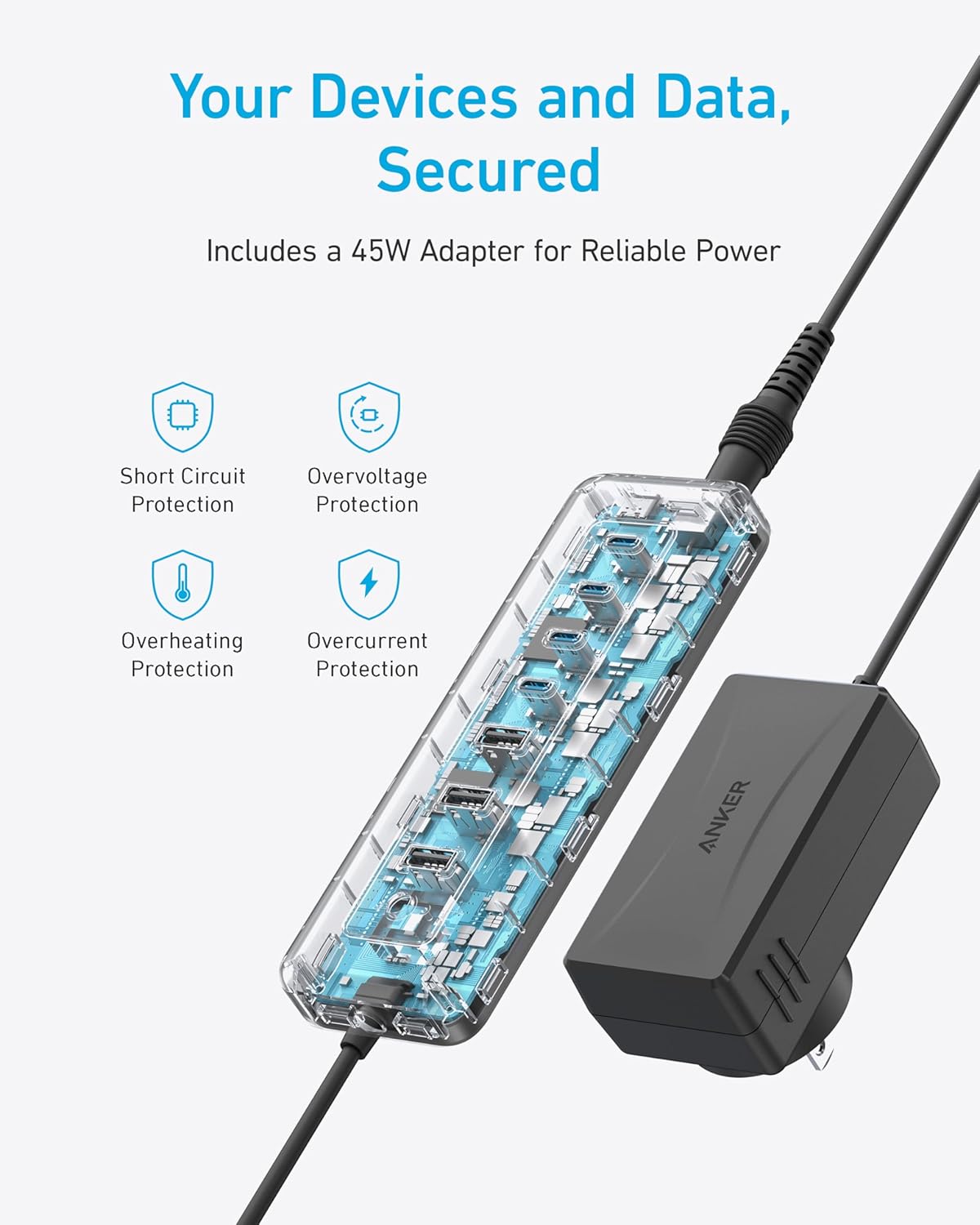
Power Protection Perfected: Enhance your tech experience with comprehensive protection against short circuits, overvoltage, overcurrent, and overheating. Comes equipped with a 45W adapter for reliable power.
One Hub, Every Device: Effortlessly connect with various host devices like PCs, laptops, USB-C phones and tablets, as well as accessory devices including flash disks, cameras, and more.
Notes: 1. The USB-C ports do not support video output/screen monitoring.
2. PD-IN charging only works when using the USB-C connector.
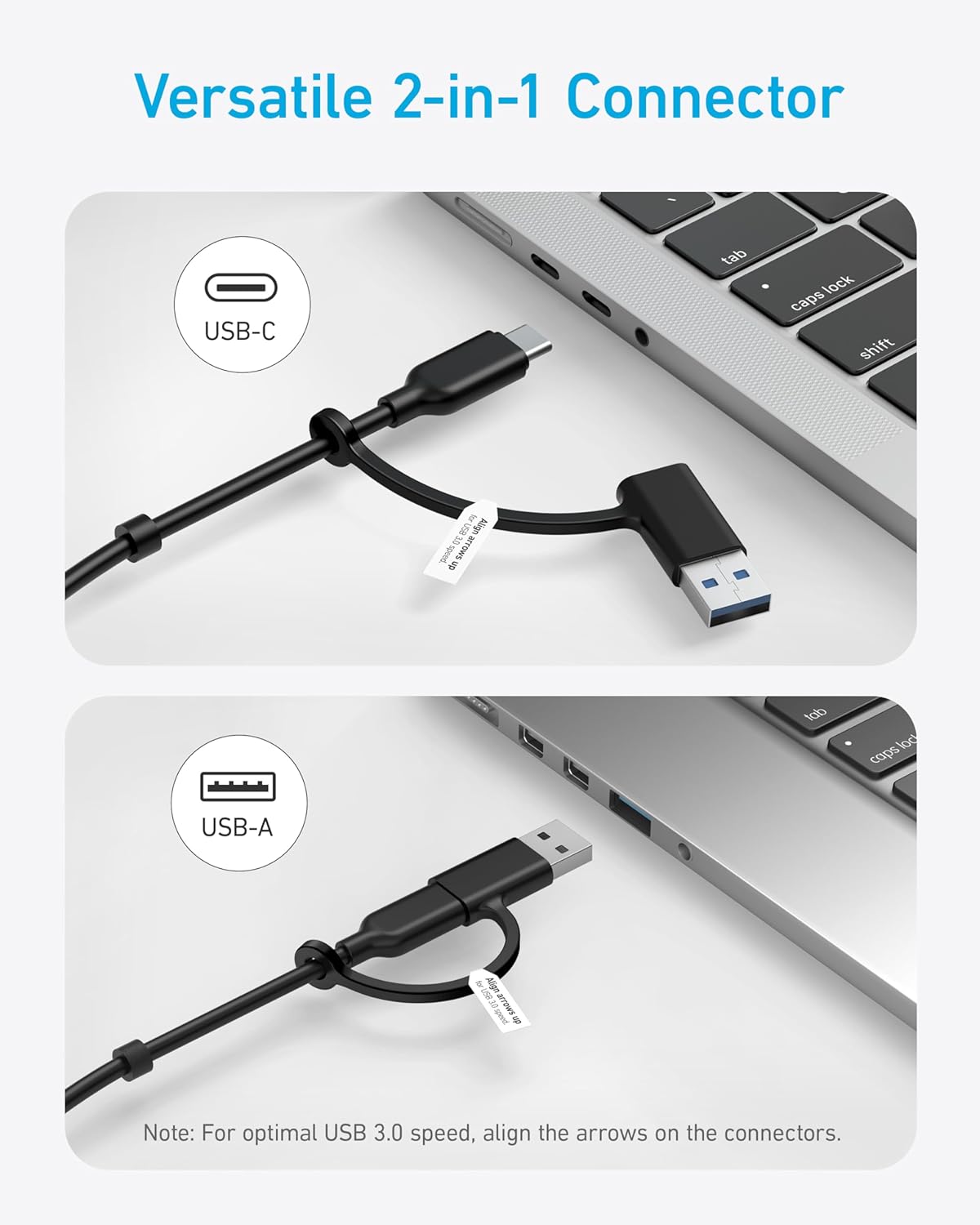
3. For optimal USB 3.0 speed, align the arrows on the USB-C and USB-A connectors.
4. This hub does not support screen mirroring.
Specs: Dimensions: 5.91 × 1.97 × 0.79 in / 150 × 50 × 20 mm; Weight: 3.99 oz / 113 g
Anker 8-in-1 Data Hub
Comparison
8
Number of Ports
11
5 Gbps
Data Transfer Speed
10 Gbps
4*5 Gbps
USB-C Ports/Data
2*5Gbps & 2*10Gbps
1*15W & 3*7.5W
USB-C Ports/Charging
2*30W
3*5Gbps
USB-A Ports/Data
3*5Gbps & 1*10Gbps
/
USB-A Ports/Charging
3*7.5W
SD & TF Cards
8
Number of Ports
4
5 Gbps
Data Transfer Speed
5 Gbps
4*5 Gbps
USB-C Ports/Data
/
1*15W & 3*7.5W
USB-C Ports/Charging
/
3*5Gbps
USB-A Ports/Data
4*5Gbps
/
USB-A Ports/Charging
/
SD & TF Cards
Anker 11-in-1 Data Hub 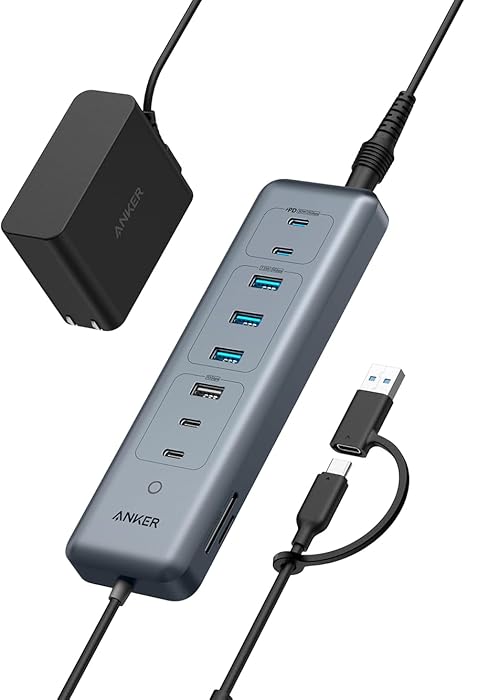 Anker 4 Ports Data Hub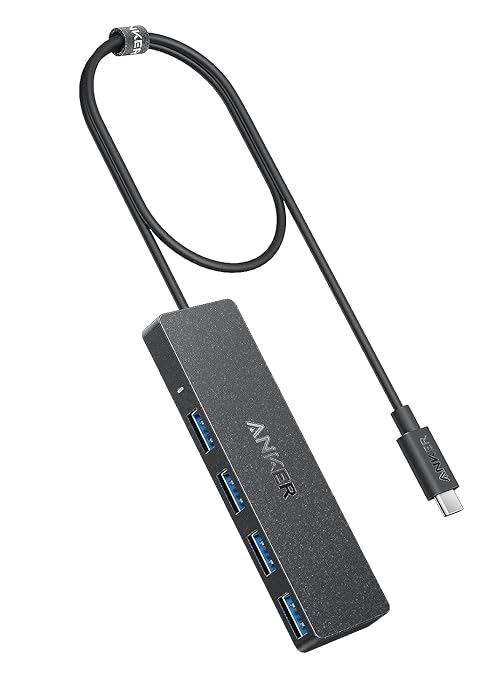
8-in-1 Connectivity: Get a powerful combination of 1× 100W USB-C PD-IN port, 4 × 5Gbps USB-C ports, and 3× 5Gbps USB-A ports, catering to a diverse range of connection needs.
High-Speed Transfers: Experience data transfer at lightning speed, up to 10 times faster than USB 2.0, with this 5Gbps USB hub, making file transfers quick and efficient.
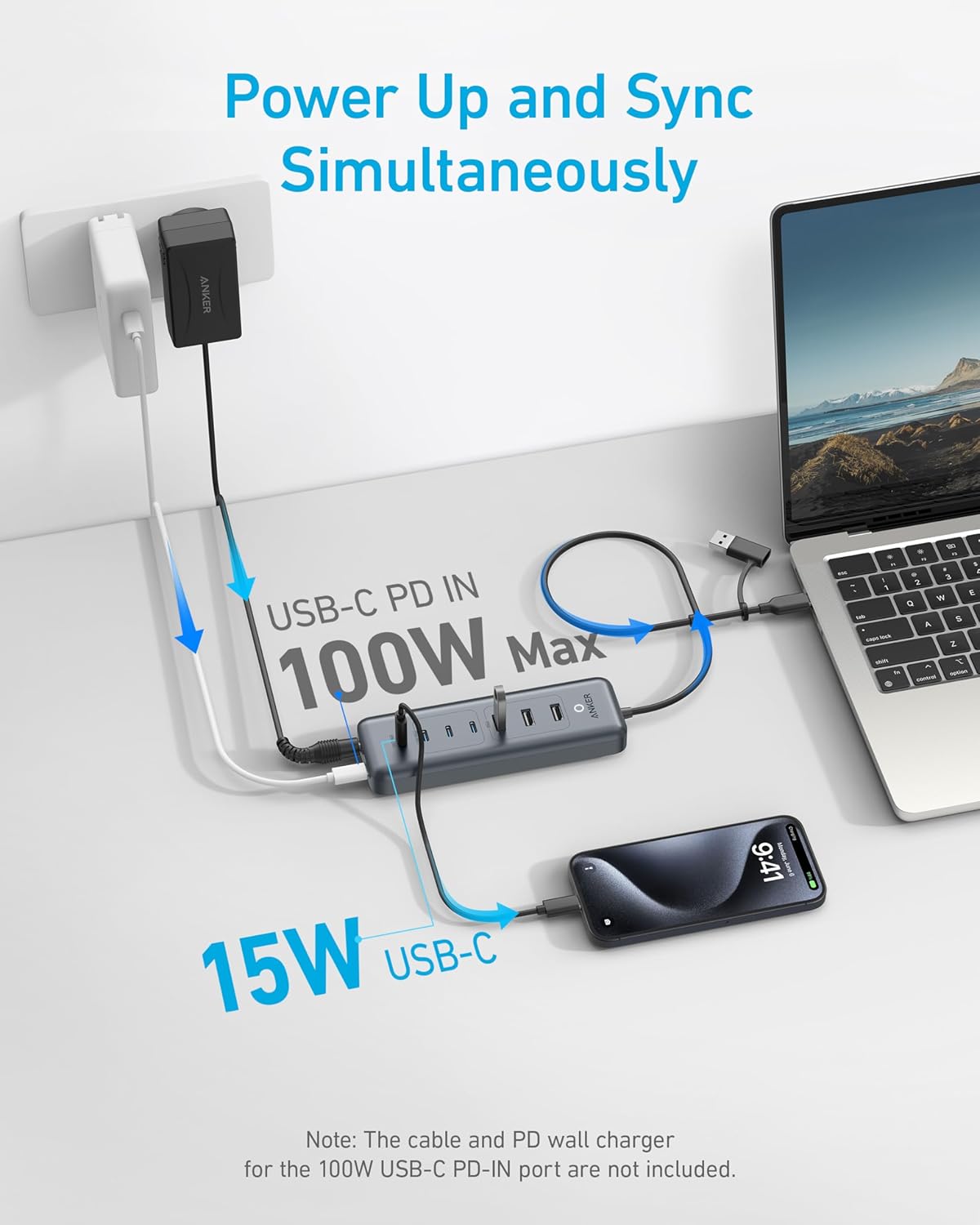
Power and Performance: Designed for multitasking, enjoy swift data transfer while also powering your devices, featuring a 100W max PD-IN port for your laptop and a dedicated 15W USB-C port for your phone. (Note: A laptop charger is not included and should be purchased separately.)
2-in-1 Connector: Equipped with a versatile 2-in-1 connector that effortlessly adapts to both USB-C and USB-A devices for maximum compatibility.
What You Get: Anker USB-C Data Hub (8-in-1, 5Gbps), 45W power adapter, safety sheet, 18-month warranty, and our friendly customer service.
Customers say
Customers appreciate the multiport hub’s functionality, ports, and fast transfer speeds. They find it works well for setting up new PCs with existing peripherals. The hub has 4 USB-C ports, 4 USB-A ports, and 1 pass-through charging port. It provides an adequate mix of USB-A and USB-C ports, allowing effective connectivity during this transition period. Many customers find it a good value for money. However, some dislike the cable length. Opinions differ on the power supply, build quality, and ease of use.
AI-generated from the text of customer reviews
13 reviews for Anker USB-C Hub, 8-in-1 5Gbps Data Hub, USB Splitter, with 3 USB-A and 4 USB-C Ports, 100W USB-C PD-in, 2-in-1 USB Connector, for USB-A and USB-C Laptop, MacBook, iPad and More (45W Adapter Included)
Add a review
Related Products


![Anker 4-Port USB 3.0 Hub with 5Gbps Data Transfer, Ultra-Slim Data USB C Hub [Charging Not Supported], for MacBook, iMac, Surface, Mobile HDD, and More(USB-C, 2 ft)](https://m.media-amazon.com/images/I/71zeY5pqXzL._AC_SL1500_.jpg)


$49.99
Tony Diamond –
Perfect Hub if you’re looking for more USB-C ports
I purchased the Anker USB-C 11-in-1 hub after realizing my Plugable dual DisplayLink dock only supports 5Gbps via USB-A ports. As a video editor, I need faster read/write speeds, and this hub has been a game-changer.Iâm using it with my 2020 M1 MacBook Pro, and hereâs how my setup is configured:The Anker hub connects to my MacBook Pro.Plugged into the Anker hub, I have:A Plugable DisplayLink hub powering two Samsung G5 27-inch curved displays.A Rosonway 10Gbps 7-port USB-C hub.A TourBox Neo.Everything works flawlessly through the Anker hub. My only gripe is the length of the USB-C cableâitâs a bit too long for my setup. Other than that, Iâm very happy with this purchase and highly recommend it to anyone looking to expand their USB I/O while maintaining fast file transfer speeds.
dhbailey –
This is really an excellent hub — but I want one with a different power source
When I purchased this I failed to pay attention to the power source of this hub. I don’t want one with its own power adapter. For people for whom that’s not important, this is an excellent unit. The ports are all easily accessible and the USB cable to connect to a computer has an attached adapter so it can be used with USB-C or USB-A ports on a computer.So it didn’t fit my needs (I want to use a 100-watt power supply that I normally use for my laptop to provide the power for the hub and then use the PD port on the hub to power the computer) but for many people this will be the ideal USB-C hub to expand the USB ports for their computers.The Anker brand-name has always represented quality to me and this is no exception!
Michael F –
Works Great!
I only have one usb-c port on my tower and needed a powered hub to attach multiple devices. This fit the bill perfectly and works very well so far! Good number of ports and power is plentiful due to the external power source.
Christopher Pugnetti –
Odd cord placement
The product is fine and does everything it says it does, but I cannot for the life of me understand why they chose to have cables coming out of both ends of this thing. It makes it very difficult to find a place on the desk that makes sense. Its own power cord gets in the way when you try to place it on a desk. Pretty confusing design choice.
Customer –
It has all the power I wanted in a usb c hub at an affordable price.
This product is exactly what I needed. Although the two cables that are required to power the device make it a little clunky, it is able to connect/charge multiple power-hungry devices at once.I was able to charge my iPhone 13 Pro Max, 16,800 MAH power bank, and a set of over the ear headphones and connect an external SSD all at once while my 2017 15inch MacBook Pro only lost a little power (it quickly recharged after I unplugged some of the devices).So although the hub is a bit clunky, it is more powerful than the other USB hubs that I have tried in the past. The ones that were just powered by a single USB port would eventually die on me or wouldnât charge my power-heavy devices because there just wasnât enough power to plug in everything I wanted. It has 4 USB C ports, 4 USB A ports, 1 pass-through USB charging port (for a tablet or laptop), a SD and mini SD slots.So this hub seems like a cost-effective alternative to the $200+ docking stations.
Cliffton Mcintire –
Unreliable, causes problems w laptop it’s connected to
This “powered” USB hub provides unreliable power. This can wreak havoc on your laptop even if you don’t need it to power your laptop. Here’s how.Let’s say you have your laptop powered by a dedicated power supply. And you connect this USB hub, and power the hub, so you can connect high power devices to your laptop.The HUB tries to power your laptop. If your laptop is now getting power from its own power supply and from the hub, it may choose either one. As it switches back and forth, this hub goes blitzy and you lose connection to your connected devices. Maybe momentarily, but enough to cause chaos.On top of that, your external monitors may data-disconnect, rearranging your windows all over your virtual desktops. Every few minutes I need to spend a few minutes arranging my windows again. Infuriating.There’s no way to make this thing not try to power your laptop. If you disconnect your laptop’s power supply, there’s no way to make this thing provide consistent power to your laptop so it’s not always freaking out.On top of all of that, you can’t even connect monitor data cables to this.TRASH.
CaliGal –
Works very well
Like all Anker products they work well. Not having any issues with it connected to my new M4 mini. Although I wish the power connector and the USB-C cable were on the same end, instead of a wire coming out of each end.
ars1701 –
Good as a hub, not so good as a card reader.
This hub seems to charge much better and transfer faster than a cheaper hub I got this to replace it. Though, still I’m getting only 40MB/s from an NVMe enclosure, but I think it’s the enclosure. The card reader is lackluster though. I was hoping to be able to also replace my SanDisk SD card reader but that’s not the case. I can get about 260MB/s copying from my camera’s SD cards with the SanDisk reader. This hub tops out at 90MB/s with nothing plugged into it. However, if I plug the SanDisk card reader into this hub, I do get the 260MB/s rate, so it’s not the cable/controller in the USB portion, it just doesn’t have that great of a card reader.Also, another annoyance about this product is that it has cords coming out on both sides, which makes for more clutter on a desktop. If nothing else, they could have had the USB connection come out of the side closer to the power supply area, and that way the cable routing would be somewhat better.
db –
Needed more ports for a Mac Mini. Does the job.
therealkings –
Für mein Arbeitslaptop habe ich nach einem USB-C Hub gesucht und bin auf diesen der Marke Anker gestoÃen. Da ich in der Vergangenheit schon diverse Anker Produkte gekauft habe, war dieser Kauf ein “No Brainer” für mich. Der Hub tut, was er soll und funktioniert gut und zuverlässig.
victor sabater –
Soporta varios discos externos y permite usb c.Funciona perfectamente sin perder potencia.
Amazon Customer –
utilisation à venir
Thomas von Berlin –
Wir mussten es nur zurückschicken, weil wir schlicht mehr USB 2 Anschlussmöglichkeiten brauchen. Top verarbeitet.