

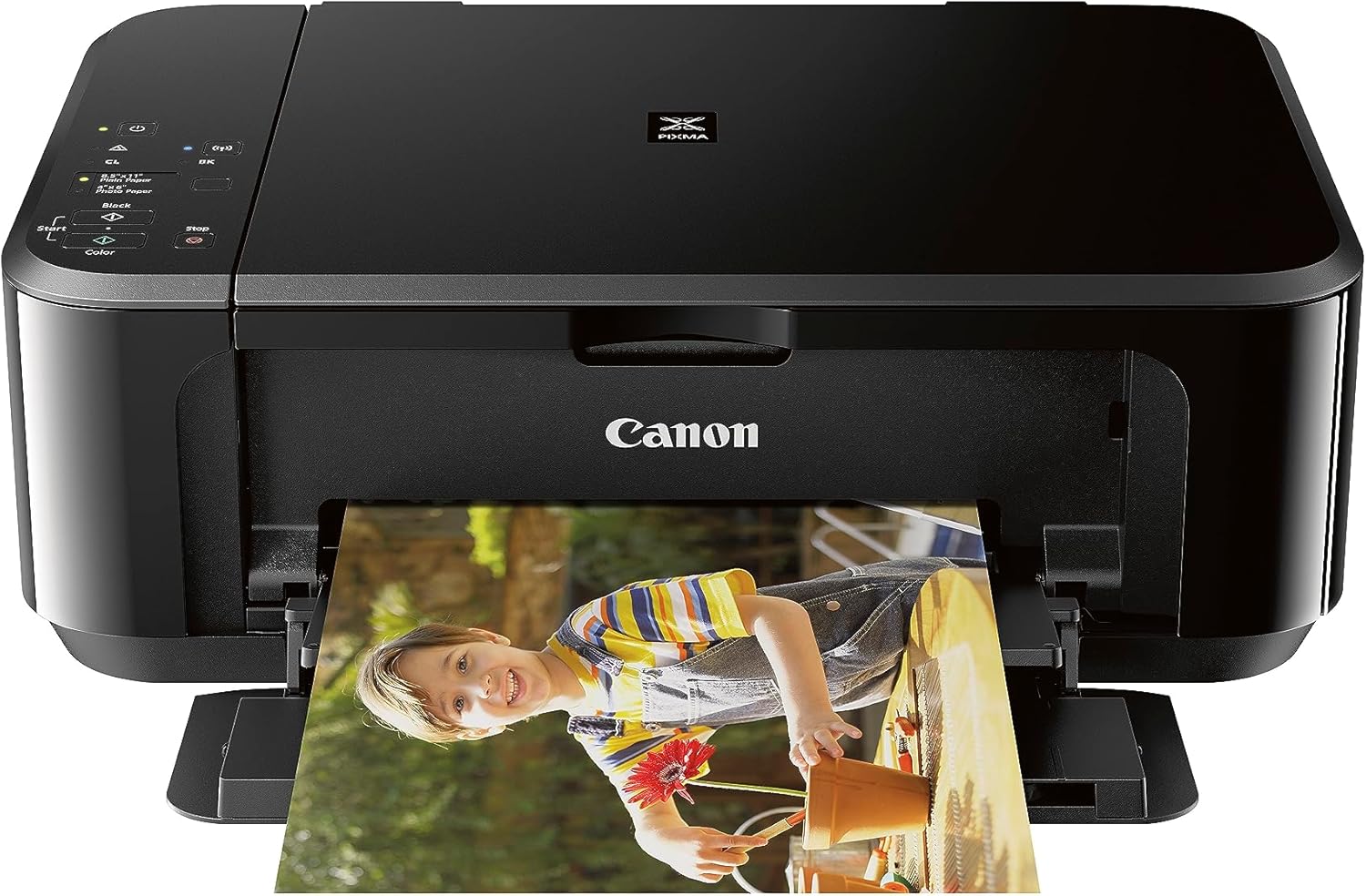
Canon PIXMA TS702a Wireless Single Function Printer |Mobile Printing with AirPrint®, and Mopria®, Black
$129.99


Price: $129.99
(as of Jan 12, 2025 00:23:39 UTC – Details)
Compact Connected Inkjet Printer
With AirPrint, it’s easy to print directly from your iPhone, iPad and Mac. 2.15 / 10 ipm Print SpeedEnergy Star, EPEAT Silver1 Year WarrantyIn The Box : PIXMA TS702a Home Office Single Function Printer, Multi-Purpose Tray, 4″ x 6″ Photo Paper Sample Pack (3 Sheets of PP-301), Setup CD, Set of Standard Ink Tanks, Power Cord
Scan and print using SMARTPHONE COPY and the CANON PRINT APP. 3
With a 350 SHEET plain paper capacity the PIXMA TS702 is ready to take on large print jobs.
Save up to 50% of your paper usage with AUTO 2-SIDED (DUPLEX) PRINTING.
The HYBRID INK SYSTEM combines dye ink for rich colors and black pigment ink for sharp text.
Customers say
Customers are satisfied with the printer’s image quality and value for money. They find it produces high-quality color photos suitable for edible images, producing clear and professional-looking pictures. Many consider it a great investment for beginners in the cookie or cake business. However, some customers are disappointed with the display size. There are mixed opinions on print quality, setup, functionality, print speed, and connectivity.
AI-generated from the text of customer reviews
5 reviews for Canon PIXMA TS702a Wireless Single Function Printer |Mobile Printing with AirPrint®, and Mopria®, Black
Add a review
Related Products


$129.99
Solo Mom Boss –
Works great
Great little printer, easy to setup and connect to your WiFi. I can print from my laptop or my phone, which makes things super convenient. The ink is nice in that you can replace specific cartridges when needed rather than all at once.Print quality is great, not the fastest, but it does the job.
JustAregularGuy –
So far, so good!!! Update: better and better
I bought this printer mainly for printing ID cards using brainstorm’s MP tray. It works beautifully; see the video. The print is almost perfect, with the exception of a little Cyan ink spill on top of the reverse side (not shown). I also printed some 5×7 photos, and they are slightly better than my HP OfficeJet 3830. It appears that this printer prints with a higher resolution. To be fair, I was using the Canon Photo Paper Plus Glossy II on both printers.Here are the bad parts Canon can improve (if they care):1. The LED/LCD screen is almost NOT readable! I thought I had received a lemon and was about ready to return it. Now I can get by with a flashlight, hahaha!2. The WiFi setup instructions suck, big time! Canon video instruction also sucks! I ended up watching a video that shows how you can connect it with onscreen instructions to do it manually. P.S. the setup process does not work with dual-band WiFi. Just spend a minute to do it manually by entering the password for your WiFi, a minor hassle.Other than that, the printer is excellent (so far)!1. Good print quality2. Large input tray, plus top loading3. Multipurpose tray for CD (included) and ID badge from the third party4. Relatively fast5. Cheap (not sure about the ink yet)Update (02-08-23): I tested it with 120 lbs 325 GSM cardstock, and amazingly it works beautifully! Settings: 5×7, rear tray, cardstock, best quality. Another pleasant surprise – the printer prints 2-sided documents pretty fast. The draft quality looks fantastic. Lastly, the bundled ink lasts for a long time. I printed 10+ full-color 5×7 photos, and it is still 1/3 being used. Will see.If you are not 100% happy with any desktop inkjet printers that are 3 years or older, recycle them and get this one. 🙂 P.S. this may be true for any newer models, Epson, HP, Brother, etc. Technology is just making them so much better nowadays. I chose Canon because of its multipurpose tray.
Karina –
Make it edible
Easy to connect to WiFi ,and a great printer to convert into an edible printer no jamming and great quality for an affordable price,compact enough it fits anywhere ,works well with edible sheet,would recommend to anyone wanting to start edible printing
Router user –
Custom setup is a challenge
I picked this printer because it will used almost exclusively for color printing and it uses multiple color cartridges which can be purchased with higher capacity.Most people care about print quality and I haven’t had it long enough. However there is a lot to dislike with the setup.The LCD is almost impossible to read and is not backlit. The manual setting menu on the device is challenging at best. I tried resetting the IP address on the panel and it was so difficult as to be unusable. Both from a setting standpoint and being able to read the display. I had to turn on the flashlight on phone to even see the display.I finally tried to figure out the web interface, again much more complicated than it should be. First challenge was figuring out the admin password. After some google searching I tried the serial number on the back of the printer which is in really small print. It worked. The web interface is also not clear but I was manually able to reset the IP address. I am using it on the LAN (yes, it has ethernet) so I don’t know how difficult it will be set up WIFI. I can’t image trying to type in the WIFI password on the almost unusable LCD screen.I tried downloading the printer management software and it didn’t help with any of the more technical settings.I wanted to reset the printer admin password and I can’t figure out where that setting is.I think this could be a decent printer for the money if they can figure out how to manage the setup.It comes with a set of standard cartridges. After running the printer alignment it was already about 15% used.I had a TS9020 that lasted about 3 years then decided to stop working with an error code. We liked that printer which is why we purchased this one. We have a brother laser printer that scans so we didn’t need another all in one device.Follow up to my original review:My wife had done some printing. The quality is ok to good. She prints a lot from Cricket software. I can’t find a setting in cricket print function to pull from the back tray. I had to set the printer preferences in the computer setup to always pull from the back tray.Another update: We have had it almost a year. It is used exclusively for infrequent color printing. We have a brother multifunction laser for black and white. The picture quality is good and she frequently uses card stock from the back tray. My wife is happy with with the printer. I am increasing it 4 start. If the setup and LCD were not such a pain I would give 5 stars. It just dropped in price.
Chad Lowe –
Horrible Printer
I bought this to use as a wireless printer and it is the most awful printer that I have ever used. Setup took about 30 minutes. The wireless connection failed repeatedly and then randomly just started working. Now that it is setup, it randomly will decide to work or not work, it will randomly shut off or not shut off. When the printer decides to stay on and seems like it will print, it won’t print. There will be no error message or prompt on the printer, but if I push the Ok button on the printer then it will start printing.Printing is super slow. If I print a double sided document it will print page 1 very quickly, it will then pause for a oddly long time with the paper jutting half out and then print page 2. I understand the printer is waiting for the ink to dry, however the Canon printer this one replaced didn’t wait this long.Printing a single page document. The printer will print page 1 very quickly, it will then pause for an oddly long time with the paper jutting half out. It will then suck the paper in an spit it back out upside down. It is very odd that when printing a single page it still pauses for the ink to dry before letting you have your paper.I don’t recommend this printer because of these frustrations, I will be replacing this with something else.