
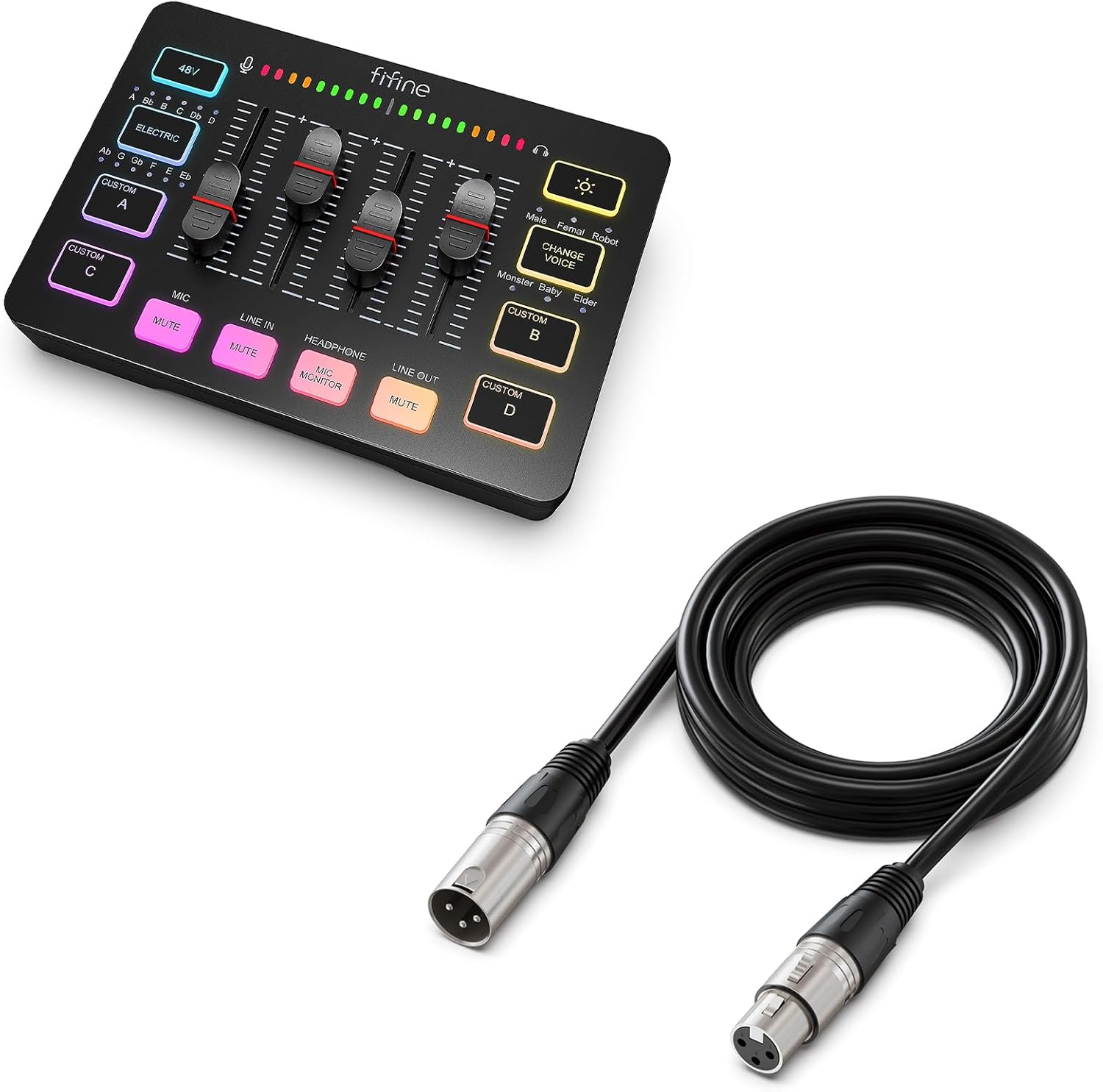
FIFINE Gaming Audio Mixer and XLR Cable,Streaming RGB PC Mixer with XLR Microphone Interface,for Podcast/Vocal/Game Voice,Microphone Audio Cable,Compatible with XLR Microphone for Recording(SC3+L9)
Original price was: $73.98.$62.78Current price is: $62.78.


Price: $73.98 - $62.78
(as of Jan 20, 2025 16:51:34 UTC – Details)
Product Description

Provides multi-purpose functions for game voice, streaming, entertainment.

Presents individual volume control for audio level.

Offers a more easier way for audio control.

Gives a quick mute/unmute to ease embarrassment.
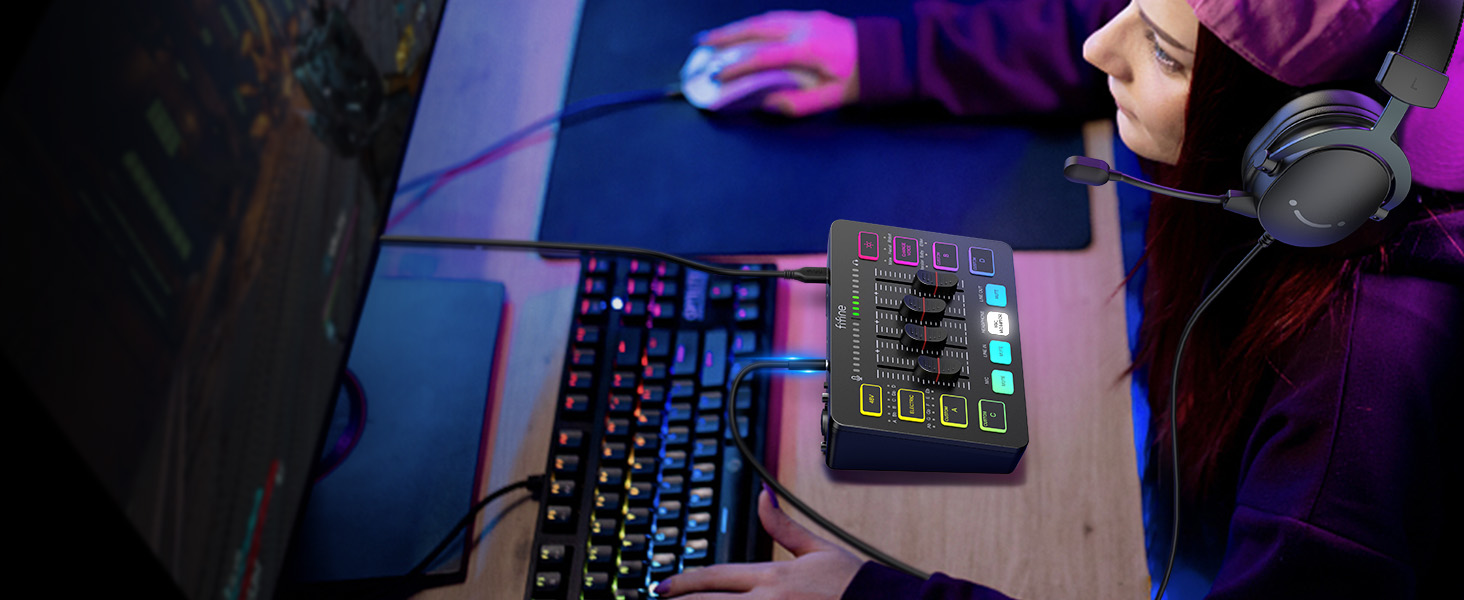
Allows headphones feedback can be heard at any time.
1 Multifunctional Mixer
2 Volume Slider Fader
3 Individual Control Design
4 Mute Button
5 Real-time Monitoring

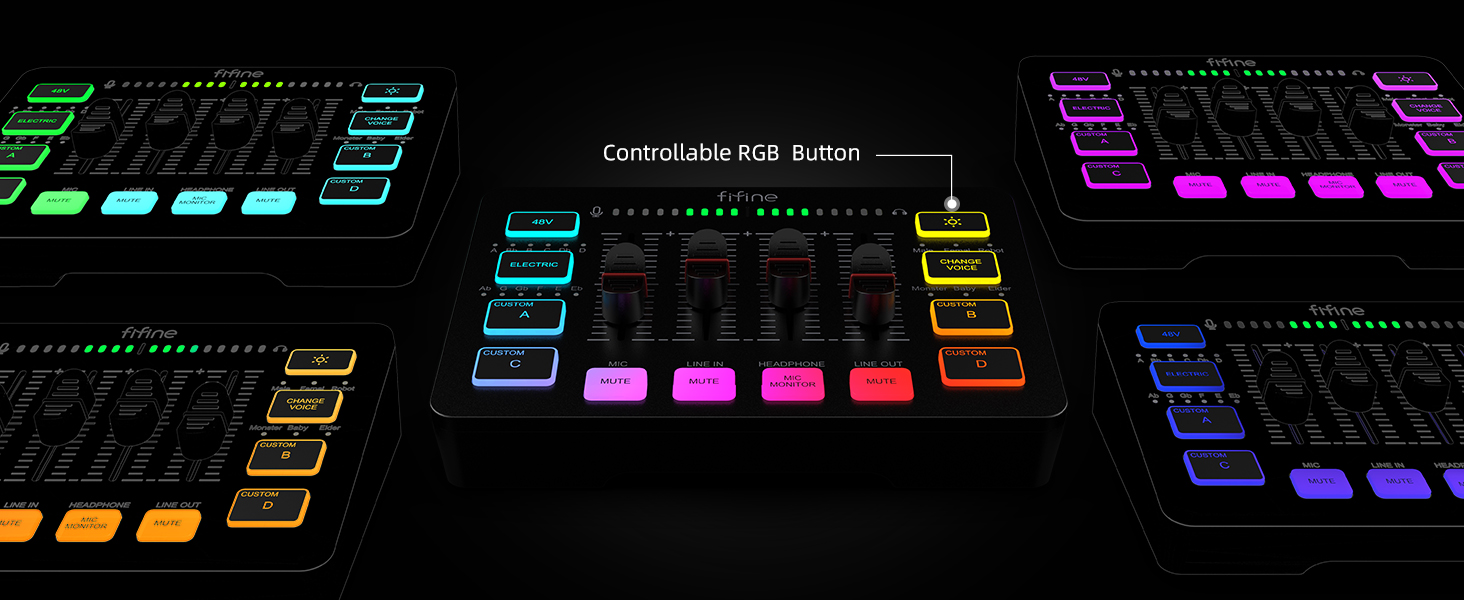
Multiple colors can be chosen for adding up atmosphere.

Set customized sound effect as atmosphere supplement needed.

6 kinds of voice mode meet more interaction requirements.

Convert and gain more sound tones.

Eliminates additional 48V phantom power requirements when using condenser mic.
1 Five Kinds Optional RGB
2 Customized Button
3 Voice Change
4 Auto Tune
5 48V Phantom Power
 For Game Victory
Perform more dynamic elements to your gaming sessions.
 For Live Broadcast
Deliver more realistic sound to your audience.
 For Gaming Voice
Add more entertainment to your gaming squad up.
 For Video Creation
Multiple functions provide more versatility in video editing.
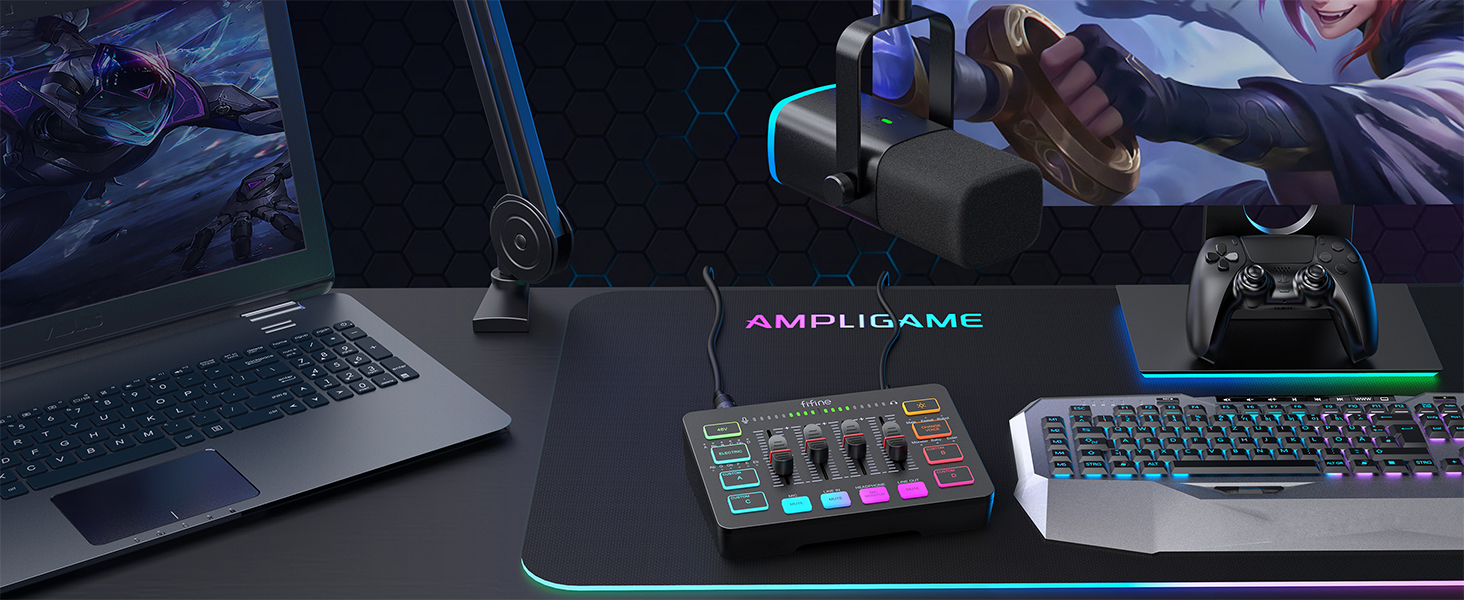 For Gaming Aura
Optional RGB create unique live streaming or gaming zone.
Audio Recording Setup
Add to Cart
Add to Cart
Add to Cart
Add to Cart
Add to Cart
Add to Cart
Add to Cart
Customer Reviews
4.3 out of 5 stars
2,388
4.6 out of 5 stars
158
4.3 out of 5 stars
2,388
4.1 out of 5 stars
178
4.1 out of 5 stars
40
4.5 out of 5 stars
1,777
4.3 out of 5 stars
1,363
Price
$49.99$49.99
$99.99$99.99
$51.99$51.99
$54.99$54.99
$79.99$79.99
$23.99$23.99
$23.99$23.99
Product Item
Audio Mixer
Audio Mixer+XLR/USB Mic
Audio Mixer
Audio Interface
Audio Interfac+XLR Dynamic Mic
Headphones Amplifier
Line Mixer
Features
Individual Channels Control
Individual Channels Control
Individual Channels Control
Mic Input, Instrument Input
Mic Input, Instrument Input
Stereo Audio Quality
Stereo/Mono Operation
Specials
Volume Fader, Controllable RGB
Volume Fader, Controllable RGB
Volume Fader, Controllable RGB
Audio Gain Indicator
Audio Gain Indicator
Compact Portable, Low Noise
Compact Format, Low Noise
Function of Mixer
48V Phantom Power/Mute/Monitor
48V Phantom Power/Mute/Monitor
48V Phantom Power/Mute/Monitor
48V Phantom Power/Monitor
48V Phantom Power/Monitor
Individual Level Vol. Control
Individual Level Vol. Control
More Function of Mixer
Customized Sound, Voice Change
Customized Sound, Voice Change
Customized Sound, Voice Change
Gain Knob/Vol. Knob
Gain Knob/Vol. Knob
LED Indicator
LED Indicator
Uses
Game Voice, Live Streaming
Game Voice, Live Streaming
Game Voice, Live Streaming
Instrument Recording, Podcast
Instrument Recording, Podcast
Monitoring Tracking, Live Use
Audio Sources Blending
Widely Uses
Audio Recording, Entertainment
Audio Recording, Entertainment
Audio Recording, Entertainment
Music Creation, Play and Sing
Music Creation, Play and Sing
TV Listen, Studio/Stage
Instrument/Audio Mixing
Compatibility of Mixer
Computer,XLR/1/4’’ Mic,Phone
Computer,XLR/1/4’’ Mic,Phone
Computer,XLR/1/4’’ Mic,Phone
XLR/1/4’’ Mic/Guitar/Bass
XLR/1/4’’ Mic/Guitar/Bass
Speaker, Headphones
Microphone, Guitar
Widely Compatibility of Mixer
Headset,Speaker,Headphone
Headset,Speaker,Headphone
Headset,Speaker,Headphone
Computer,Speaker,Headphones
Computer,Speaker,Headphones
Television
Bass, Keyboard
Can I adjust the mic gain by using this audio mixer?
Sure! The audio mixer comes with mic volume fader. You can push the fader gradually from the zero until desired loudness depending on your mic gain.
When do I need to turn on the 48V phantom power?
The mixer offers 48V phantom power for XLR condenser mic. Check the mic’s specs. Press “48V” button to turn on (in white light) if needed. Turn it off if not needed to avoid damage or noise. Phantom power does not enhance mic volume.
Can I use the audio mixer with a condenser mic or dynamic mic?
Yes, this audio interface has XLR input for condenser mic or dynamic mic. Just remember to switch to “Dynamic” or “Condenser” according to the element of your mic by using the switch beside the XLR input to minimize noise.
What headphones can I use with this audio mixer?
It is suggested to use 3.5mm wired headphones (TRS or TRRS) whose impedance is 32 or 64 ohms. Like Fifine H8 (ASIN: B0B6BPVS3Z). Please note that the MIC MONITOR button is turned on and HEADPHONE channel volume not to zero during monitoring.
Can I listen to my voice while recording on a Windows computer?
Yes. Just make sure that the mixer is set as the output and input device of the computer, then check the box “Listen to this device” from the sound setting, and turn on the MIC MONITOR button on the mixer. (MIC MONITOR button in white means on)
[XLR Mic Input] The gaming audio mixer provides XLR microphone input connection, which is great to up your audio quality with your XLR setup. The XLR mixer is a stepping stone to upgrade your live streaming. Audio mixer offered built-in 48V phantom power which opens up more choices for mics. Directly use it with your condenser microphone but do not deal with added peripherals.
[Upgraded-Quality Audio] XLR microphone audio cable ensures pristine audio quality, delivering clear and balanced sound reproduction for professional-grade recordings.
[Individual Channel Control] Smooth volume slider fader take your streaming recording to a whole new level with full pleasure. Four independent channels set on the DJ mixer give audio volume of the MICROPHONE, LINE IN, HEADPHONE, and LINE OUT channels individual control. Configurable on the PC audio mixer instead of just operating on your game or streaming software.
[Secure Connection] Designed with sturdy connectors and reliable shielding,the XLR cable ensures a secure and interference-free connection, minimizing signal loss and unwanted noise.
[Controllable Vibrant RGB] RGB button on the audio mixer DJ meets different live streaming themes. Lights on the video mixer is vibrant but not harsh on your eyes. Flowing or frozen RGB color rotation in a decent pace presents a greatly strong impression as a “light show” to your audience. Even a streaming equipment accessory will not be dull looking when video production.
3 reviews for FIFINE Gaming Audio Mixer and XLR Cable,Streaming RGB PC Mixer with XLR Microphone Interface,for Podcast/Vocal/Game Voice,Microphone Audio Cable,Compatible with XLR Microphone for Recording(SC3+L9)
Add a review
Related Products


Original price was: $73.98.$62.78Current price is: $62.78.
j.argo –
You won’t find a better mixer WITH XLR hookup for this price!!
For 50 bucks this thing is awesome!! For anyone just starting out streaming or on a budget, this thing will suit your needs just fifine (see what I did there? sorry, I couldn’t resist ð« )This has an XLR mic hookup (XLR cord not included but you can get one on here for under 10 bucks) and features auto-tune voice feature as well as a voice changer with 6 different settings. It has volume level sliders and while they aren’t super sensitive they feel solid and are responsive enough.You can use a USB mic with it as well, but when you use an XLR mic the gain and mute are controlled straight on the mixer instead of the button and knobs on the USB option (I have this paired with a fifine K688 XLR/USB combo, both sound great but the XLR connection sounds a little bit better.) The K688 is truly plug and play, no software needed to run it but obviously you can record some audio then touch it up in audacity or whatever audio software you might use, but it honestly doesn’t need it. If anything you might want to use it for background noise reducer as it is dynamic and picks up a lot.Anyway, back to the actual product I am supposed to be reviewing….(seriously, it’s an awesome mic, check it out!)You have your microphone gain level slider, a slider for line-in, headphones (which give you real time headphone monitoring with zero delay!) and line-out slider with mute buttons underneath the mic, line in, and line out, and underneath the headphone slider is your mic monitoring off and on button. It comes with USB C to USB A with an attached USB C adapter cord for plugging into your computer or a charging brick for power and it is Mac compatible. It also has a headset port for those that want to use their gaming headset. This is the only feature that I haven’t tested out on the mixer because I never use a headset when I am gaming. I do know just from some research that if you have a headset plugged in, regardless of what mic you are using, it will default out to the headset mic instead of a plugged in XLR/USB mic.It comes with (1) 3.5mm TRS to TRRS cord that you will use to connect to your smartphone and you will connect the TRS end into the line out port on the mixer and the TRRS end into a dongle (not included) into your phone and you are able to use your microphone for any audio that you might need while shooting videos on your phone. I have purchased a second TRS to TRRS 3.5mm cord as well as a splitter to connect both cords coming from the mixer into one connection into my phone. I haven’t been able to test it out just yet, and even if its not capable of being connected to both ports at the same time, its not a dealbreaker at all, Ill simply just unplug whichever line port I don’t need at the time.You can use the same cord for the line-in port to use probably my favorite feature of all on this thing, the CUSTOM sound effects buttons. It features 4 custom sound effects buttons that record roughly 18 sounds of anything, and I mean anything you want. You can record yourself, parts of a song, or like I have done, funny sound effects for when im streaming. You simply hold whichever button (A,B,C, or D) until it turns white and continue to hold and it will record whatever you are playing through the line or your voice through your microphone. Once you’re done simply let go or if you record for the max amount of time on the button, it will simply change back from white to whatever color sequence is running on the mixer. Once you are ready to play it, simply hit the button and it will play and if you recorded the whole time slot but only want the first couple seconds to play, simply hit the button again and it will stop. The audio is slightly compressed on the recording and I mean slightly but again, for 50 bucks this is rock solid and again, probably my favorite feature. A way to have unlimited sound effects for when I am streaming on twitch and not using my phone, I open up a meme soundboard and the options are limitless and it really livens up the stream.Finally, the housing is made of plastic but its not a cheap flimsy plastic but a hard, solid plastic shell that will stand up to normal wear and tear at a desk and it has an RGB color flow with settings to change the color to a solid color with about 12 options with a light bar underneath the front lip that corresponds to the color setting you have selected.There are tons of unboxing and review videos on YouTube that pretty much showcase everything I have said here and some from some pretty sophisticated content creators that have mixers worth hundreds of dollars and everyone of them I watched before I purchased mine were blown away with everything you get in this mixer at an unbeatable price of $50 bucks. Is it perfect, no, but if you’re just starting out or on a budget (I am both of those) you won’t find a better mixer or even an XLR connection for the price.Even the customer service team at fifine are helpful and quick to respond to any questions or issues you might have.I love this mixer and use it every single day. I highly, highly recommend it as well as the other fifine products. You can get this mixer AND a solid XLR/USB mic for under $100! Check them out, you won’t be disappointed!
Nicholas John Skahill –
Amazing
Works great right out the box straight forward set up. The voice changer and auto tune is a little weak you have to lean into your mic to use it.
Mwjr –
Microphones Headphone out was louderâ¦
If you like cranking audio as loud as it can go, look elsewhere..