

Makeid E1 Label Maker – Bluetooth Rechargeable Label Maker Machine – QWERTY Keyboard Labeler, 3.4″ Backlighting LCD Screen – Prints 9~16mm Label – Home and Office Organization
Original price was: $49.99.$44.99Current price is: $44.99.




Price: $49.99 - $44.99
(as of Jan 10, 2025 03:26:57 UTC – Details)
From the brand


L1 Q1 E1 label tape
L1 Q1 E1 label tape
L1 Q1 E1 label tapes
Simplified Keyboard Design: features a simple, durable QWERTY silicone keyboard with a clear key for easy use. Directly customize on the panel. Supports both horizontal/vertical printing and bulk printing
APP DIY Custom Labels: connect via Bluetooth to the app and access a vast library of templates, including 47 fonts, 16 borders, 600+ stickers & symbols, 54+ templates, and barcode/QR code printing
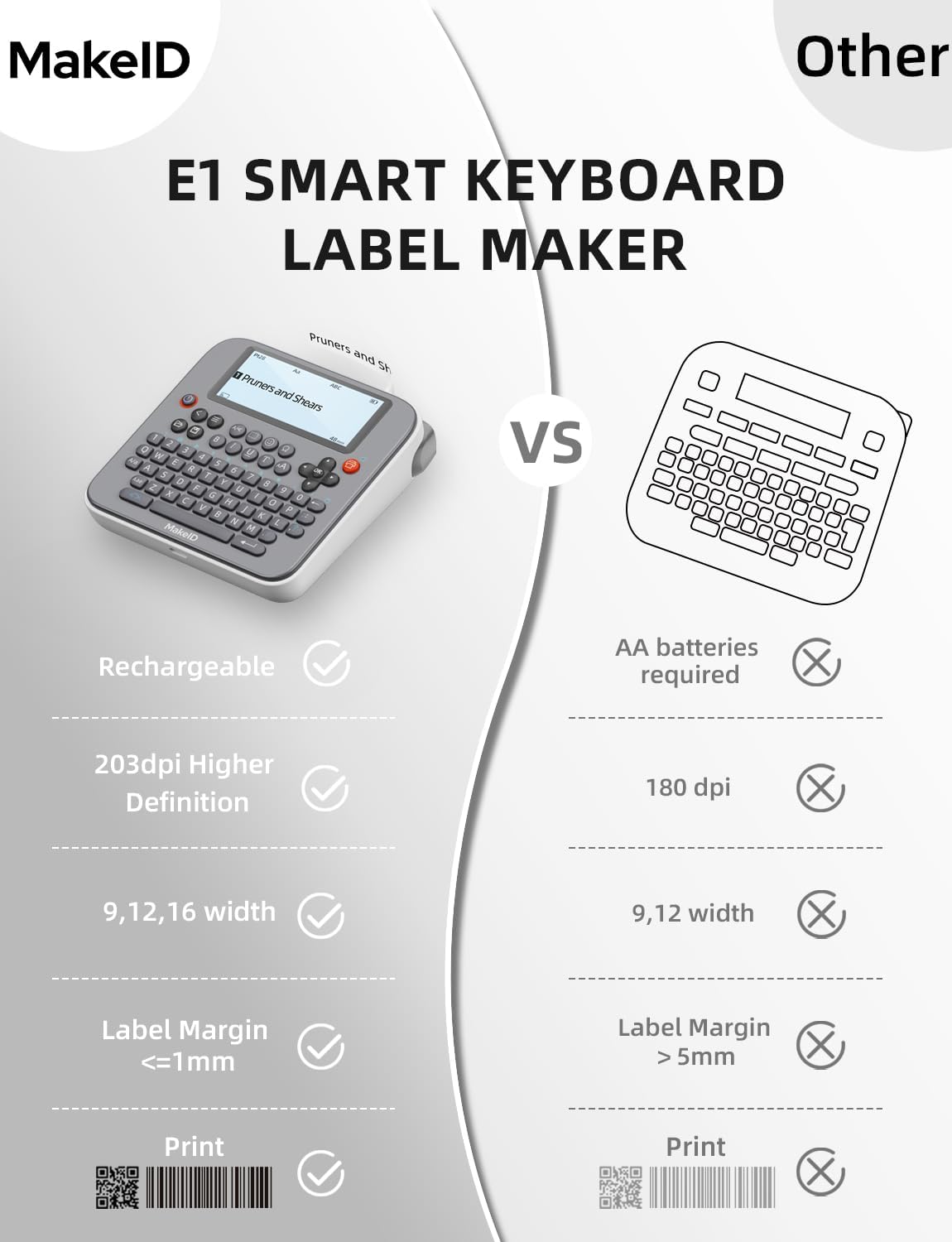
User-Friendly Design: the large 3.4″ LCD display with 4-line backlight ensures easy reading. With a margin of ≤1mm and a minimum print length of just 13mm, our label printer maximizes label usage
Print Labels in Different Sizes: The labeling machine creates 9/12/16mm wide label stickers for various marking needs. Comes with 13.3 feet of tape that sticks securely to smooth surfaces
Design & Create Anywhere: At a compact 5.2x5x1.66″, this label maker machine can easily fit into most bags. It has a built-in rechargeable lithium-ion battery and comes with a USB charging cable
6 reviews for Makeid E1 Label Maker – Bluetooth Rechargeable Label Maker Machine – QWERTY Keyboard Labeler, 3.4″ Backlighting LCD Screen – Prints 9~16mm Label – Home and Office Organization
Add a review
Related Products


Original price was: $49.99.$44.99Current price is: $44.99.
jim creswell –
Price
Kind of difficult at first to figure out how to use it. I just need basics. I figure it out took about 10 minutes other than that.
KC Denton –
Convenient Labels
I’ve been wanting a portable label maker like this for my kitchen, when doing bulk frozen food prep. I’ve been using a sharpie or my computer to print labels. My computer is in my office, so it’s kind of inconvenience to have to go do that there.ProsNo more trying to read my sloppy handwritingNo more looking for Sharpies that work. Seems they always stop working after labeling a few bags.Don’t have to use PC to make these small labelsFits in my pocket.Charges with USB-C cableEasy to use basic functions.Can save custom labels made on unit to local memory (Has 9 slots).BluetoothAndroid App has a lot of features to explore. There’s a tutorial. Has templates, or you can make custom labels. Has a time stamp option, that automatically enters current date and time (optional). All types of customizations and graphics you can add. Saves everything to the android device. Print from the device.Cons:There’s a learning curve here. I didn’t figure out the graphic user interface system the 1st time I used it. The keys and features are all there. Just need to take your time to figure out what all the keys do. You can adjust all the text settings, such as Spacing, Size, ect. with the submenu (â¡) button. The Ω Omega key, on the keyboard, has many punctuation and symbols. You can add graphics from the⺠button. Add borders from the dotted square key â¬.Overall, this label maker works better than I expected. In a few hours of time, I went from making basic labels for freezer foods, to being able to make custom labels, with borders and emoji’s, with either the unit itself or an android device. I didn’t really need something this sophisticated, for labeling foods for my freezer, but I can see why this label market retails for about $50. With the coupon, it’s a pretty good deal.
Jon –
Works well
Seems all of these have special tape so unfortunately can’t get labels locally
Douglas Scott –
Love that it is Bluetooth and Rechargeable!!!
I have a label maker from one of those very known brands. The thing takes 8 AA batteries to run, and I always remove them when I store it just because I fear the batteries will leak and destroy the label maker. Plus, just the effort of always installing and removing batteries or being tied to an outlet if I use the AC plug. This MakeID E1 Label Maker fixes all of that, I so love that is rechargeable. The unit has a good selection of font and characters to choose from right from the device and it prints fast. The text and images are clear and if you use the app with Bluetooth, you get even more options.The screen is backlite so you can use it in darker environments which is nice, and the keyboard has good size keys with a nice layout that is easy to understand.This is a manual cut machine but something I noticed right way from my other machine is that this MakeID label maker doesn’t waste a lot of the tape. My other machine always has an extended before and after of blank space when printing which was always a waste of its very expensive tape.Great machine and again, love that it is rechargeable. Great features, easy to use, nice design, highly recommend!
Anonymous Jack –
Organizes your life bit by bit
I’m trying to organize my life and I’m hoping this little label maker will take care of everything like a magic wand. Its compact design (about the size of a small book) makes it portable and easy to store, and the rechargeable lithium-ion battery means no worrying about buying replacement batteries. The 3.4â backlit LCD screen is clear and easy to navigate, and the QWERTY silicone keyboard feels durable, though the buttons may feel a bit small for larger fingers. Connecting via Bluetooth to the app unlocks a ton of creative options, including fonts, borders, and templates for custom labels, plus the ability to print barcodes and QR codes. It supports labels in three sizes (9, 12, and 16mm), which is great for different needs, but the included 13.3 feet of tape may run out quickly if you print in bulk. Now if it could just put stuff away it would be magical. (Review is for Makeid E1 Label Maker.)
L. Boston –
Small, handy, highly customizable, quick inkless printing,
Easy to set up and use.Screen is generously sized (3.4â) and I can view up to four lines of text for easy reading and precise label creation.Type-C rechargeable (Lithium battery) and has a use time of 3-months on full charge (per listing).Prints QR and barcodes, which is a feature Iâve not seen before in handheld label makers.Also has a working memory so I donât have to start over every time I turn it on.No ink.Love that there are 20+ fonts to choose from, different date formats, as well as a ton of âstickersâ (emoji-style images including arrows).I can create custom designed labels with borders and âstickerâ emojis.(This is a really cool feature!)I use the stand-alone printing mode but it seems this one also has a convenient APP which can be installed on my cell.This small label maker also handles different widths of label tape including 9/12/16mm for various marking needs.Labels seem to stick quite well to flat surfaces.Bummer as it only comes with one tape.Two thumbs up!