

MAONO Podcast Equipment Bundle: Audio Interface Podcast mixer with Dual XLR Input, Quick to Mute, Noise Reduction, 8 Customize soundpads for Podcast Recording, Streaming, YouTube – MaonoCaster E2 Gen2
$139.99



Price: $139.99
(as of Jan 10, 2025 20:10:25 UTC – Details)
Product Description


1 Crystal-Clear Audio
2 Dual XLR Input
3 Noise Reduction
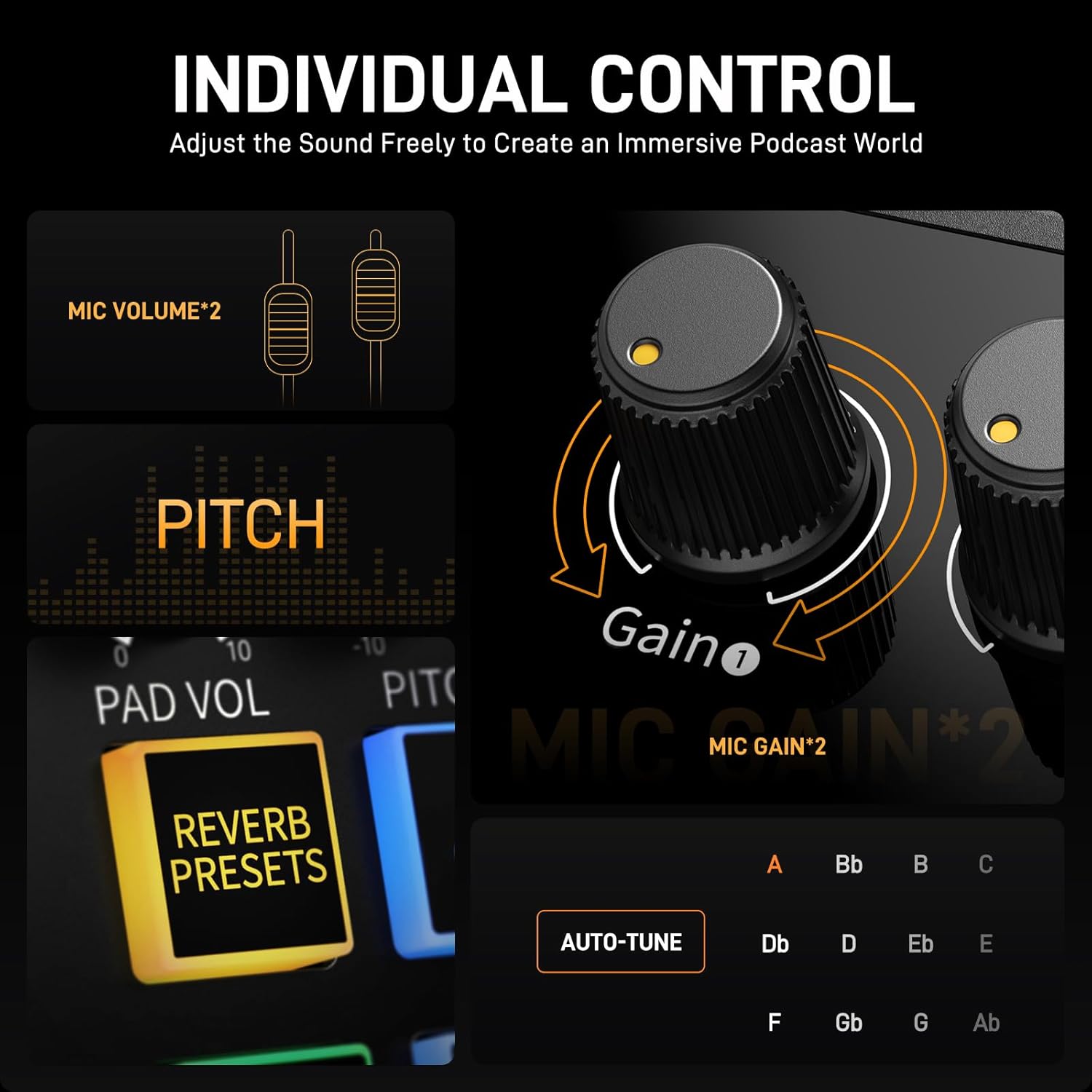
4 Independent Control
5


1 8 Custom Soundpads
2 Quick to Mute
3 Wireless Audio Input
4 Direct Monitor
5 8H standby time


1 Podcast Recording
2 Live-Streaming
3 Content Creation
4 Guitar
MAONOCASTER series comparison
Add to Cart
Add to Cart
Add to Cart
Price
—
$95.97$95.97
$99.99$99.99
$59.49$59.49
$48.99$48.99
Usage scenarios
Podcast advanced kit for 2
Podcast advanced kit for 1
podcast starter kit
Music recording
Gaming streaming
Microphone input
XLR*2
XLR*1+3.5MM*1
3.5MM *2
XLR *1
XLR *1
Customize soundpads
8
11
4
No
4
Quick to mute
Yes
No
No
No
Yes
Noise reduction
✔
✔
✔
✘
✔
Bluetooth
Yes
Yes
Yes
No
Yes
Included Software
No
No
No
MAONO Prostudio
No
Support Daw
✘
✘
✘
✔
✘
Phantom Power 48V
✔
✔
✘
✔
✔
Upgraded Podcast Equipment Bundle: Elevate your podcasting, streaming, and studio recording with the E2 Gen2 podcast equipment bundle. This all-in-one solution offers an intuitive design that allows you to start your podcasting journey right away. With two XLR combo inputs and a high-quality preamp offering 60dB gain, E2 GEN2 is perfect for co-hosts. Plus, the USB-C and 3.5mm ports make it easy to connect to phones and computers, ensuring smooth and clear audio every time
Crystal-Clear Audio with XLR Interface: The E2 Gen2 podcast interface has two premium and low-noise preamps, delivering up to 60dB of gain. This ensures you get rich, clean sound even when using dynamic microphones. Whether you’re a beginner or a pro, the E2 gen2 eliminates needing an external preamp. Noise reduction technology keeps unwanted sounds like fan noise away, so your podcast recordings stay pristine
Add Personality with 8 Custom Sound Effects: Bring your content to life with the E2 gen2’s 8 customizable sound effect buttons. Perfect for podcasters and streamers, you can upload your favorite intro music, quirky sound bites, or custom effects to engage your audience. Each button supports up to 20 seconds of recording with adjustable volume, making it the ultimate podcast mixer to add personality to your shows
Ultimate Convenience for Podcasters and Content Creators: The E2 Gen2 podcast mixer features a one-touch mute button, so you can easily handle any mishaps during podcast recording. The monitoring button lets you listen to your own voice while gaming, allowing seamless communication with teammates and clear game audio. The Loopback function enables you to start a live stream with just one computer. Plus, the built-in 1500mA battery offers up to 8 hours of use, so your podcast never has to stop
Enhance Your Podcast Atmosphere: Add flair to your podcast with E2 Gen2’s pitch-changing effects. Whether creating a fun atmosphere or protecting your privacy, the interface’s versatile options let you adjust your voice for added entertainment. Choose from six preset reverbs to set the perfect mood for any show. SingAlong mode even allows you to hear the singing without your audience hearing it, letting you shine as a performer
Flexibility for Any Creator’s Setup: The XLR interface gives podcasters and content creators total flexibility with various I/O options. Input-wise, you can use Bluetooth to add clear background music or connect your phone to the AUX-IN/USB-C ports. For output, connect your phone to STREAM OUT1/2 and USB-C ports. For computer live streaming, simply connect to the USB-C port and hit the Loopback button to manage both input and output effortlessly
Compatibility and Package List: The podcast audio interface supports computer, smartphone, and tablet connection, is compatible with Mac and Windows systems, and can also connect musical instruments, while the plug-and-play function makes installation a breeze. Package List: 1*audio interface, 1*USB-A/USB-C to USB-C cable, 1*3.5mm audio cable, 1*user manual
Customers say
Customers praise the audio quality and inputs of the audio MIDI interface. They mention that the livestream went smoothly, with auto-tune, reverb, and pitch adjustment. The OBS audio is automatically set at maximum, and the three-band EQ section is functional. They find it quiet, versatile, and useful as an audio mixer console with multiple music inputs.
AI-generated from the text of customer reviews
6 reviews for MAONO Podcast Equipment Bundle: Audio Interface Podcast mixer with Dual XLR Input, Quick to Mute, Noise Reduction, 8 Customize soundpads for Podcast Recording, Streaming, YouTube – MaonoCaster E2 Gen2
Add a review
Related Products


$139.99
Blee1@415 –
GREAT PORTABLE MIXER FOR LIVE VIDEO RECORDING
I do live streaming in the field using two mics and having a music background for the intro and ending. The Maono Caster E2 Gen2 was the answer to having an easy to set up, versatile and functional audio mixer console. The unit was used in the field twice before this review.In preparing for a video shoot, the following are attached to the console: Sennheiser G4 Wireless and the Maono USB/XLR Dynamic microphones to the XLR inputs, Sony WH-CH700N into the headphone output, and USB-C audio out to MacBook Air. The iPhone is connected via Bluetooth. Video recording on OBS and program is live streamed. (Not shown is the Canon VIXIA HF G50 connected to a MacBook Air). The hook ups are solid. The unit is very light in weight and the fact it is battery powered is a bonus.The set up was in a lecture hall with the wireless mic on the presenter. The announcer is on the other microphone. The background music via Bluetooth from the iPhone for the video intro and ending. Sound is monitored off the Maono Caster via wired headphones.The audio on the livestream went perfectly. It was very easy to adjust sound and have the music fade in and out. There was no loss of connection with the Bluetooth during production. The settings were kept pretty much at the 0 (zero) position. There were no clicks when shutting off/on the announcer mic. The built-in battery lasted through an hour session and it looked like it could go on for another two plus hours (didnât attempt to time a full battery drain). The other features were not used since only straight audio was needed.Before doing the first video shoot, I played around with the settings and itâs good to try things out before hitting the road. The OBS audio is automatic set at max. Did some practice on the live stream and everything went well. I also did some test recording on Voice Memos, and all went well. What you hear is what you get.I donât have any drawbacks to this unit although I trust the built-in rechargeable battery will last for several years. Other than that, the Maono Caster is a portable, well built, sturdy sound mixer in hard plastic casing. Itâs easy to set up and use. The instructions are very clear and the set up card is extremely helpful. This is a great portable mixer.
lizbeth soto –
STREAMER/MUSICIAN
This audio mixer is one of the most useful pieces of audio equipment I own as not only can it record on 2 mics simultaneously but it also lets me adjust the gain, volume, auto tune, reverb and pitch. It connects to my speakers my headset and my audio monitoring IEMS with no latency and the best part is that it comes with a battery to use for a lengthy 7 hour studio session or podcast session. Overall the Maono E2 GEN2 is the best audio mixer i’ve owned up to do date!
A.J.Fedor –
Pretty much what I neededð
Lotsa features. (much more than what I even needed) The battery operation feature should be great for remote applications. Haven’t used it for this yet but with multiple music inputs, I think it would even do very well for live performances with backup tracks. Nice and quiet, with a functional “three band” EQ section, dual HP monitoring, dual power capabilities and the Price is right!
Amazon Customer –
Overall great product, no prerecorded soundpad effects!
Overall great product. Was disappointed to find out that there was no pre-recorded soundpad effects… Maono is not offering downloads, will need to look on your own. Actual recording of soundpad effects seems to be easy, but a bit clumsy…
JuryDuty –
SOLID Podcast Mixer with DUAL XLR + SO MANY Bonuses!!!
As a podcaster, Iâm always looking for ways to improve my sound, while keeping things simple. Thatâs why, when I saw the MAONO Podcast Mixer with DUAL XLR input I had to try it.One of the first sound improvements Iâve made with my podcast is to switch to dynamic XLR mics. Since there are two of us in the room, this allows us to each record our voices into a mic without our voices carrying into the other personâs mic, like used to happen when I used a condenser mic. Itâs also great for recording gaming sessions for the same reasons: You wonât get all that additional noise. But using dynamic XLRs comes with a price: You need a mixer. This is no easy plug-into-a-USB-port solution.The MaonoCaster E2 Gen2 is just that: A mixer that will set you apart. But what really blew me away is how many BONUSES this thing has built into it. I think the best way to proceed is to list themâ¦1. Terrific documentation. You get a nice-sized, detailed manual AND a slick two-sided card that shows how to plug things in depending on the kind of work youâre doing: Podcasting, Music recording, or gaming.2. Two XLR mic inputs, one of which has a High-Z switch for instrument input. There are also two 48V buttons in case youâre using condenser mics.3. AUX-in. Use this to connect any kind of audio source.4. Line out and TRRS Stream out. In this way you can connect to an audio device for sound OR even a smartphone.5. USB-C data port to connect to your computer for streaming. I connected to my Mac and it recognized it right away.6. Power port. Because you need it. Power switch. Because you need it.7. Backlight switch. Yes, you can even turn the lights off if you donât want the lights while podcasting. Donât see this often.8. TWO 3.5mm headphone jacks. One for each input source. Again, not something you see often.9. Two faders. Each input has its own fader, its own mute, its own Gain knob, and its own light leveler.10. Low/Mid/High/Pitch/Reverb controls to tweak the sound.11. Headphones volume.12. Overall output volume.13. 8 (!) buttons you can preprogram with whatever sounds you wantâeven your voice. Thereâs also a volume control for them.14. Bluetooth connection to connect bluetooth headphones.15. Sidechain. This is cool: It will automagically lower the volume of background music when you start to speak. I mean, what???!16. Sing Along and Music modes. When youâre playing connected music, itâll literally remove the vocalsâand you can choose whether you want to hear them in your headphones or not. I havenât tried this, but wow!17. Dry/Wet recording. Choose to record with our without added affects.18. Loopback. So you can hear the effects through your headphones if you want, or not.19. Noise Reducer. Reduces background noise and this works REALLY well. It has a couple options for intensity and putting it on max, I found there was literally no background noise I could hear in the audio recording.20. Monitor output.21. One more thing: Thereâs a BATTERY in this thing that charges when itâs plugged in. You can literally take it on the road without additional power and use it!Iâm stoked about this thing. Hereâs a challenge: Try to find another mixer ANYWHERE with DUAL XLR inputs and all these options. You wonât; Iâve tried. Highly, highly recommended.
Min –
Does not work natively with iPads or iPhones.
Using GarageBand on iPhone or iPad will not detect the Moano audio interface. This makes is non-functional for recording directly to iPads or iPhones. It works when connected to a laptop. A little bummed about this. Considering a different device for recording vocals on the go.