

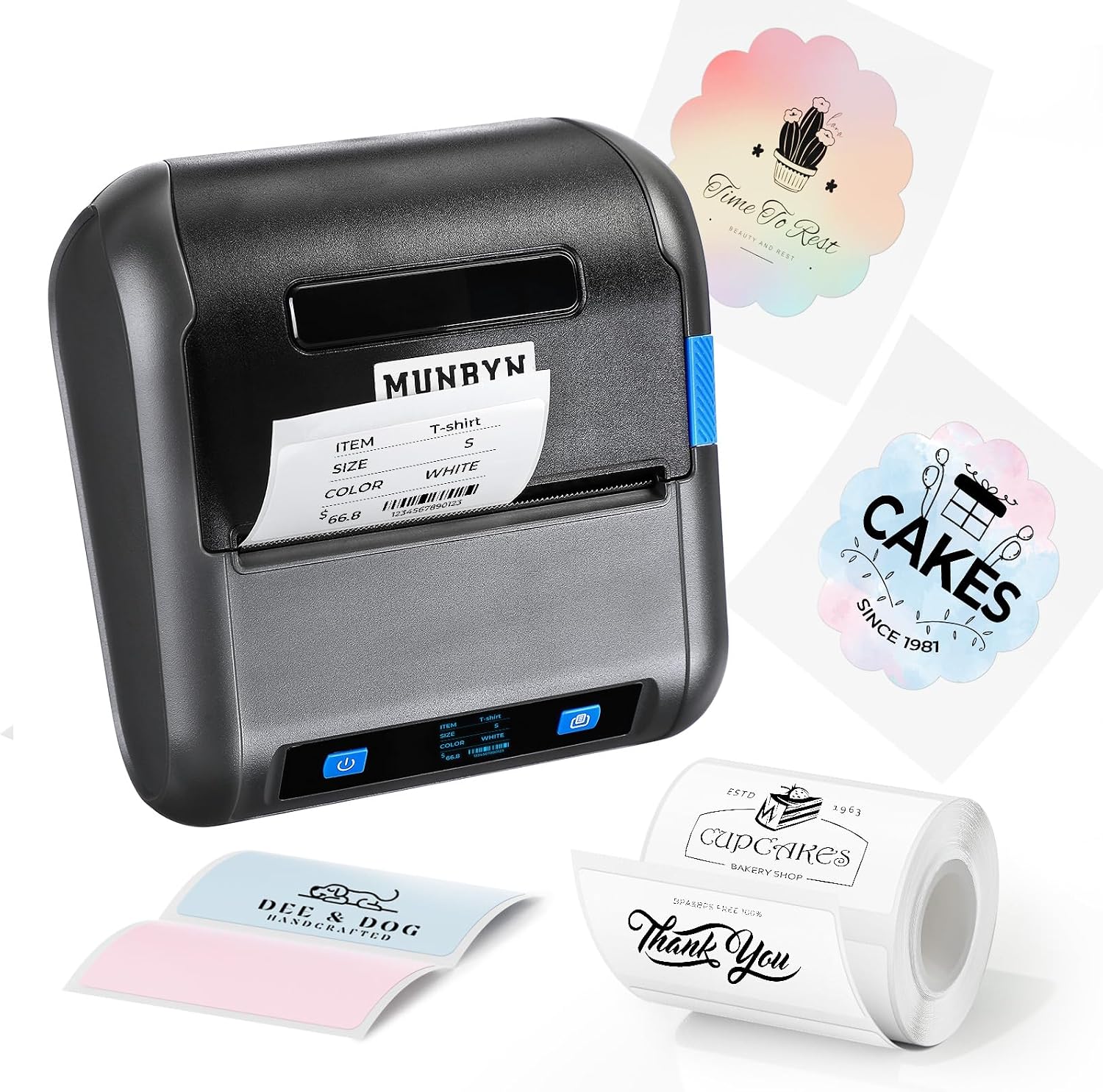
MUNBYN 3 Inch Label Maker,5H Battery Life Compatible with Receipts and Labels, Bluetooth Thermal Label Printer for Home,Office, Small Business,with iOS & Android,with 1.96 “x1.18 Labels
$69.99



Price: $69.99
(as of Jan 15, 2025 11:55:36 UTC – Details)
Product Description
MUNBYN 4B-2034PA 3 Inch Label Maker 


1 For Home
2 For Small Businesses


More related products
Add to Cart
Add to Cart
Add to Cart
Add to Cart
Customer Reviews
4.8 out of 5 stars
17
4.4 out of 5 stars
44
4.7 out of 5 stars
2,562
4.7 out of 5 stars
3,391
Price
$69.99$69.99
$69.99$69.99
$9.99$9.99
$43.97$43.97
Brand
MUNBYN
MUNBYN
MUNBYN
MUNBYN
Printer technology
Thermal
Thermal
Thermal
Thermal
Paper size
1.97”x1.18”
1.97”x1.18”
1.97”x1.18”
2”
Model name
4B-2034PA
FM226
/
/
Connectivity tech
Bluetooth
Bluetooth
/
/
No Ink Required
✔
✔
✔
✔
[Bluetooth Connection] Uses advanced Bluetooth connection technology to seamlessly connect Android and iOS devices,no matter what kind of smart phone or tablet you use,you can easily achieve wireless printing and easy to operate
[Long Endurance] Built-in 2600mah large-capacity battery,you can enjoy up to 5 hours of continuous printing time on a single charge,with 78mm/s printing speed,whether it is daily office or emergency tasks,to ensure uninterrupted printing,so that your work is more smooth
[Multi-size compatibility] Suitable for multiple size label printing,the maximum width of up to 76mm,whether it is a narrow label or a wide bill,can easily cope with.Compatible with tickets and labels,to meet your printing needs in different scenarios
[Unlimited APP Creativity] Equipped with a powerful 4Barcode APP,including 200+ carefully designed printing templates,covering all kinds of bills,label styles.At the same time,it supports custom editing and provides a rich selection of fonts and patterns to make your printing process more personalized
[Multi-scenario Application] Whether it’s a busy office,a growing small business,or a warm home environment,this three-inch printer can be your indispensable printing assistant with its outstanding performance and diverse features to make printing easier and more efficient
7 reviews for MUNBYN 3 Inch Label Maker,5H Battery Life Compatible with Receipts and Labels, Bluetooth Thermal Label Printer for Home,Office, Small Business,with iOS & Android,with 1.96 “x1.18 Labels
Add a review
Related Products


$69.99
Peter –
Great printer
I like that this label/receipt printer is Bluetooth. The app leaves a lot to be desired in the receipt department, and maybe I am just not understanding how to use it for that mode, but I cannot get it to tie into anything useful for a real receipt showing real products from a POS point of view. As a label printer though, it works wonderfully and there are no complaints. The only slightly weird thing is how they push the labels and paper all the way to the left. Most I have had, have sliding rails that meet up in the center.It is more generic though in that I was able to get other apps to print on the printer, though they definitely required some tweaking to get to work right. If you need to print labels up to 3 inches and want to take a stab at the receipt functionality, you can’t go wrong. I love that it has a big beefy rechargeable battery too and that it can be swapped out and replaced if you have extras on hand as well.
Reviewer –
Great portable label maker
My husband got me this label maker to create thank-you and logo stickers for the orders we ship out. Since our business has grown, itâs been a hassle for him to keep swapping out shipping labels for round stickers on our other label printer. This portable printer has been a game-changer!Another deciding factor in getting this printer was its ability to print receipts for customers at craft shows and festivals we plan to attend this spring. Itâs surprising, but some people still prefer a paper receipt over a digital copy. Using the app to design my stickers has been a breeze, and Iâve been having so much fun creating all kinds of designs.This little printer even came in handy during Christmas when I ran out of gift tagsâit saved me a trip to the store and the chaos of holiday shopping. I absolutely love this thing! It prints quickly, has a fantastic battery life, and is super versatile. I know Iâll get plenty of use out of it.
Steve –
Much more straightforward than expected on an iPhone
I’ve been wanting one of these thermal label printers for a while to supplement my trusty P-Touch. I use the P-Touch for everything, but sometimes you just need to put a little more information on a label than one line of text.But I’ve been intimidated by years and years of dealing with Windows and Mac printers and printer drivers that the prospect of installing a new printer is hugely intimidating. It turns out my fears were unfounded with this one. Set up was a breeze. Just connect the Bluetooth device starting with “4B”, download their “4Barcode” app, enter the dimensions of your label and the gap, and type your label text into the WYSIWYG editor.It took me about six tries to get the font and centering that I wanted. I’m sure there’s a more scientific way of getting the right label and font, but this was the quickest for me. You do also have the options of putting things like barcodes and images on the labels.The app itself isn’t the prettiest app in the world; you can see from my screenshot that some of the error message can be downright confusing. But it gets the job done, which is the most important thing.You will want to pay close attention to the size of the roll of replacement labels that you buy. I bought a set of refills that were way too big to it into the machine. The good thing is, I ended up cutting off a length of labels from that roll and manually rolling it up so that it fit into this machine, which was pretty forgiving; just make sure it’s flush to the left of the machine, and the labels are facing you.One thing to keep in mind is that these are thermal labels, so these won’t be as beautiful or colorful as labels you can get from a custom sticker company or a Cricut machine. But for quick, convenient labels it’s not bad. I’d still give the edge to companies like Zebra and HP who aren’t that much more expensive and whose apps have Privacy Policies that are a little more polished. But on a budget, this one was pretty good.
Heather –
Grown up label maker!
I was always the kid that used the punch label makers and put labels on EVERYTHING in the house! So when i saw this I had to try it! It’s definitely a grown up label maker, but my inner child has come through and i’m labeling everything again! It’s easy to use and connect to your phone. The print quality is nice and i love that you can do more with it like little images or address labels! Definitely great for sending out holiday cards!
T –
Portable and Fast Label Maker
This label maker prints lightning fast and has great battery life. The tiny rolls fit its compact design but require calibration to start. The app works but could offer more customization options. Despite that, itâs convenient, portable, and a solid choice for quick labeling tasks.
rc303 –
Nice portable printer
This little label printer is pretty easy to use. My previous printer only worked with my pc and was a little awkward to use except when at my desk. This little gem allows me to take it to the kitchen or storeroom or workbench and print up ID labels right from my phone or ipad. You can also use it at your desk to do some on the fly address labels. If I were going to print a LOT of labels, I would use my old desk label printer, but for casual or portable use this is much better. Since it is thermal, there are a lot of options for labels and paper. Just make sure you get them aligned per instructions in the printer each time you change rolls. Also pick the right type in your printer app. The one that comes with it is a good basic program, but you could use 3rd party apps also if you wish. No problems so far.
Joni –
Countless Functions
While there is the ability to print mail labels, I find that difficult to see with only 2 inch rolls. Most labels are at minimum 6-8 inches by 5 inches. Regardless of that, they do work extremely well for making quick little notes or in my situation, To: and From: labels with individual names for each label. After setting all the labels digitally, bulk print function spit out 10+ labels I put and was complete in 20 seconds. Hands down a total game changer tool.