
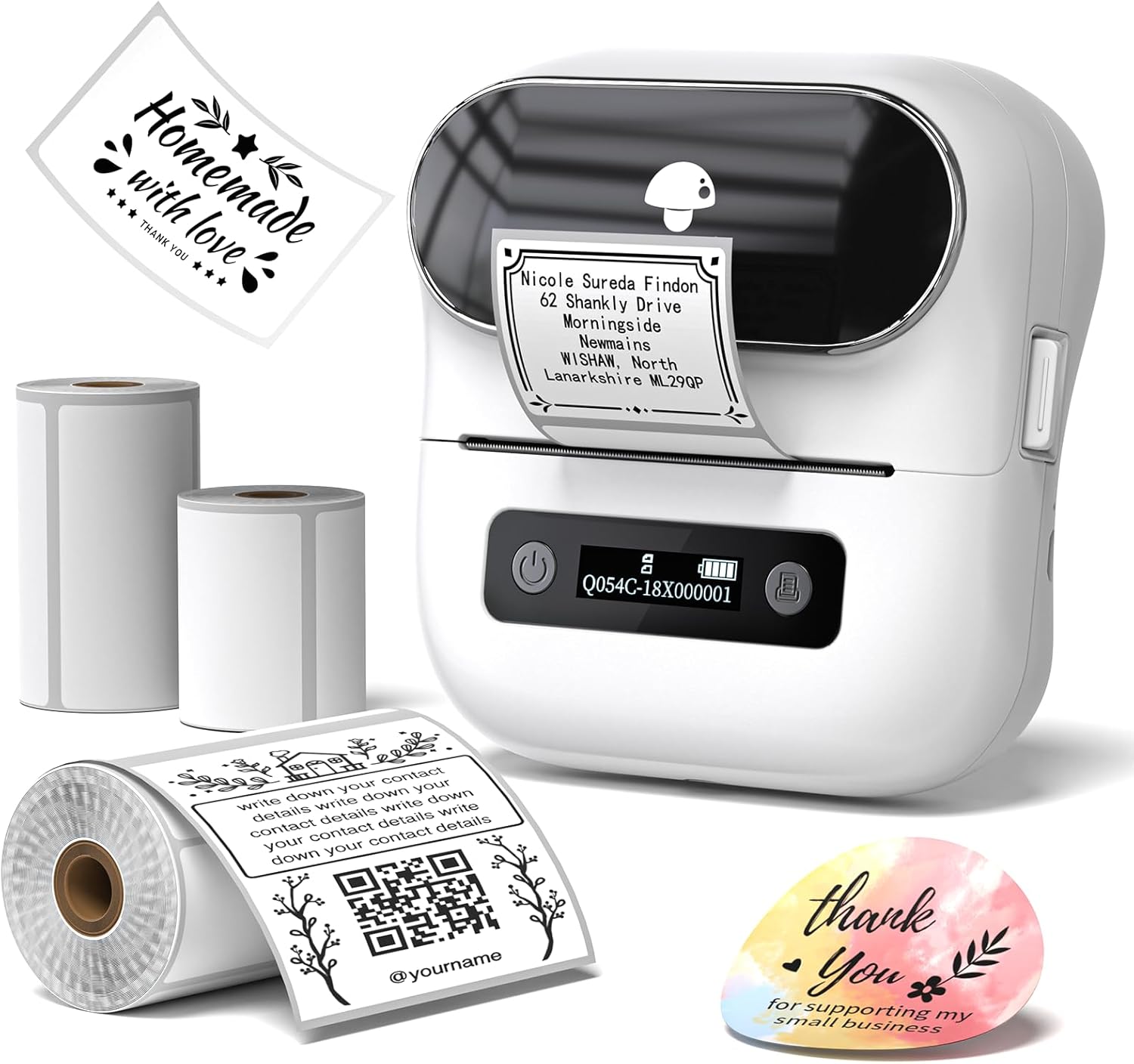
Phomemo Label Makers, M220 Barcode Printer, 3 Inch Thermal Bluetooth Label Printer for Barcode, Address, Mailing,Compatible with Phone & Laptop, with Label
$81.23



Price: $81.23
(as of Jan 16, 2025 15:50:47 UTC – Details)
From the brand


Phomemo M220 M200 M221 Labels
Phomemo Labels
M220 Label Maker
Phomemo M220
M220 Color Thermal Label
M220 Thermal Label
M220 Color Thermal Label &Case
Phomemo M220 M200 M221 Labels
M220 Color Thermal Label
Phomemo Shipping Label printer
Color Thermal Labels for M220
Color Thermal Labels for M220
Portable Label Makers – M220 label maker support print 0.78”-3.14” width labels,a ideal small mobile label maker printer labeling for barcode, address,office supplies and more,easy to fit in bags to take anywhere,print anytime (Attention: The label maker only support print 0.78”- 3.14” width labels, can’t print 4 x 6 shipping labels)
Thermal Label Printer – Phomemo m220 label maker use thermal printing technology,only need thermal paper could achieve clear, clean and inkless print..
Label Maker Machine with Tape – The label maker come with 3 rolls labels (include 1.97’’ x 1.18’’ , 1.97’’ x 3.14’’ , 2.76’’ x 3.14’’ labels),adopot daily labels need, like children supplies remark, name, personal labels customized,school supplies labels,small business stickers etc
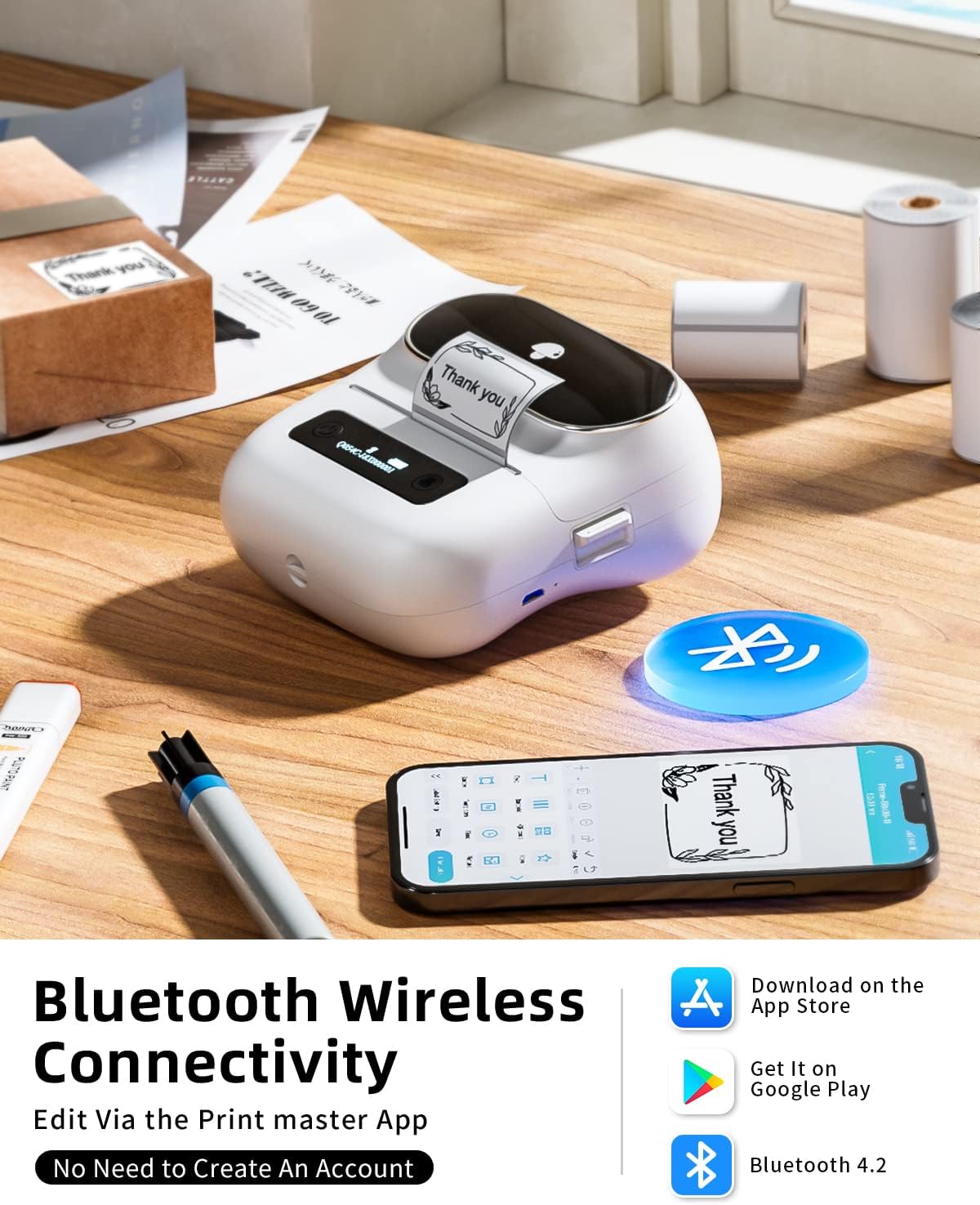
Bluetooth Wireless Barcode Printer – This mini small label maker built in 2200mah rechargeable battery and stable Bluetooth technology,could print 4 hours with full charged.The thermal label printer compatible with Android,iOS Phone,tablet,Windows8/10/11, MacOS.(Notice:m220 label maker couldn’t connect with PC or laptop by Bluetooth, need connect with USB to work computer)
Powerful App and Label Maker – Phomemo R&D edit App “print master”,there are lots of templates,icons,border, fonts, support barcode, QR code, image, scan and more labels edit, one click to connect with m220 label maker, enjoy printing trip now
Phone and Tablet Start Printing – Step 1: Download the App ‘Print Master’. Step 2: Turn on the M220 label maker and your phone’s or tablet’s Bluetooth. Step 3: Click the ‘Printer’ icon in the App to search for the M220 portable label printer, connect it via Bluetooth in the App, select the label size, and edit the content to start printing
Laptop/PC Starts Printing – Step 1: Please check your laptop/PC’s operating system (OS) and download and install the correct M220 driver and the ‘Labelife’ app from the Phomemo website. Step 2: Use the USB data cable to connect the M220 label maker to your computer. Step 3: Select the label size, edit the content, and choose M220 from the printer list
13 reviews for Phomemo Label Makers, M220 Barcode Printer, 3 Inch Thermal Bluetooth Label Printer for Barcode, Address, Mailing,Compatible with Phone & Laptop, with Label
Add a review
Related Products


$81.23
Gina C Huie –
Organization Made Easy
I purchased this product to help me with organizing my pantry, my spices, my shoe boxes, and a few other items I needed labels for before storing. I love that you can transport it to the area youâre working in, the versatility in the size, shape, and the color of labels you can use. I can also make a picture via Bluetooth with my phone and use it. The best part is thereâs no ink that has to be refilled! I highly recommend the Phomemo!
Candy Durán –
Enamorada
Me encanta. Buen material, me gustarÃa que tuviera un poco más de calidad de impresión, pero es excelente para lo que la necesito.
Chloe Caputo –
So fun & cool
Doesnât need ink, so easy to use! Love this! Iâm labeling everything I have! Comes with 3 sizes of stickers, and the app is so easy to use. The only thing thatâs hard is figuring out which size to set the label to for each of the prints
Ximena –
Great product
It’s a good printer, once you know how to use it.
AW –
Impossible To Correctly Position
The only reason this gets 2 stars is because the print quality is actually quite good. However, trying to get the content positioned perfectly is impossible. The preview on the phone screen will have it just as you want it, but when you print, it’s either way too small or so large that it cuts off half of the content. I’ve wasted at least 10-12 labels trying to get it right. Save your money. I wish I could get mine back!!! I waited too long to start using it-now I’m past the 30-day return window.
Armando Garcia –
Great starter printer
I really like this printer. With my candle making start up she has really been useful. Pretty decent. It can be a bit hard to figure out if you arenât techy, which Iâm not.
Frank –
Versatile and Convenient Label Maker for Creative Labeling
I recently purchased the Phomemo M220 Label Maker, and I am thoroughly impressed with its versatility and convenience. This label maker allows me to create and print labels based on my design preferences, making it a perfect tool for creative labeling.One of the standout features of this label maker is its ability to print visually appealing labels that are both functional and personalized. The variety of cute options and design choices available allows for creative expression and customization. Additionally, the device accepts various label sizes, giving me flexibility for different labeling needs.The label maker offers both Bluetooth and USB connectivity options. Connecting it to my smart devices via Bluetooth is seamless, allowing me to transfer designs effortlessly from the official app. The app itself is user-friendly and enhances the overall label-making experience. Alternatively, I can connect the label maker to my PC using a USB connection, providing flexibility in device usage. However, it is important to note that the device relies on the app or PC application for functionality, and long-term support for the app may be a concern.In terms of build quality, the label maker is solidly constructed, ensuring durability and long-lasting performance. Its compact size makes it highly portable, and the USB charging capability eliminates the need for batteries, ensuring uninterrupted label printing.Refilling the labels is a hassle-free process, and I can easily find compatible labels on Amazon, ensuring a continuous supply for uninterrupted use of the device.While the official app enhances the label-making process, there have been reported compatibility issues with certain devices and lower Android versions. It is advisable to check the compatibility before purchasing to ensure optimal functionality.In conclusion, the Phomemo M220 Label Maker is a versatile and convenient tool for creative labeling. Its ability to print visually appealing labels, along with the variety of connectivity options, make it a top choice for personalized labeling needs. The durable build quality and easy label refilling add to its appeal. While potential concerns about app support and compatibility exist, the overall performance of this label maker surpasses expectations.Overall, I highly recommend the Phomemo M220 Label Maker, and I give it a well-deserved 5-star rating.
Kidd –
Had to get a replacement; works fine now.
UPDATE 4/25/23: The manufacturer sent me a replacement unit and it works perfectly. Upon receiving it and having tested it out a bit, all the problems pointed out in my prior review are no longer an issue and I would recommend this product to others. I’ve updated my 3-star rating to 5 stars. My original review is below:ORIGINAL REVIEW: I was excited to test out this label printer but for the life of me canât get it to feed or print properly despite following instructions to the letter.When it comes to selecting labels sizes and creating the actual labels and such, thatâs easy and I loved how intuitive it was. But it falls flat when printing and feeding. As you can see in the photo, it wonât index properly with cut labels so the first one may print properly (if you align it manually) while the second will miss the mark. Youâll also see that attempting to print one label will cause it to feed multiple, making me believe thereâs a problem with the feed sensor.There must be something wrong with the feeding assembly on the unit I received, and Iâm wondering if this thing was damaged in shipping because while thereâs no notable damage on the unit itself, the box looks like it was damaged in transit.
Susanne –
Sehr schöner kleiner Etikettendrucker der alle meine Zwecke erfüllt. Die Etiketten sind schön zu gestalten mit der Software Labelife die kostenlos genutzt werden kann.Die Etiketten werden sauber gedruckt und sind klar gedruckt, es gibt versch. Etiketten in versch. GröÃen die genutzt werden können das ist ganz praktisch da man öfters mal eine andere GröÃe braucht. Der Drucker justiert die Etiketten sauber ein so das keine Fehldrucke entstehen. Ich kann den Drucker weiter empfehlen. Der Support ist ebenfalls schnell und sehr hilfreich, ich hatte Probleme den Drucker per Bluetooth einzustellen aber mit dem Support war es in 5 Minuten erledigt, Tip Top.s
âBaggerfischâ –
Einfache und simple Handhabung. Macht dass wofür es gemacht wurde. Klare KAUFEMPFEHLUNG von mir.
Eckardt Klaus –
immer wieder
DerKleine –
Bin sehr begeistert. Die Druckqualität und das Papier sind hervorragend.Es könnte in der Software (App) mehr unterschiedliche Schriften sein.Der Service des Herstellers ist hervorragend. Hier könne Andere sich eine Scheibe abschneiden.
Sharon D. –
Very easy to use. Lots of different options to choose from