

Plustek PSD300 Plus Document Scanner with ADF, Directly scan to Cloud, SharePoint, Office 365 and Built-in Barcode Recognition Function
Original price was: $299.99.$239.00Current price is: $239.00.


Price: $299.99 - $239.00
(as of Jan 13, 2025 00:09:00 UTC – Details)
Product Description

 Local U.S. Tech Support
Questions?
Get quality real U.S. technical support located in California, USA. Plustek’s IT experts are only a click, call, or email away to provide the support and assistance you need.
Questions? We value our customers, we work hard to provide excellent service. Are you ready to discover an effective alternative to your digitizing need? Free consultation available!
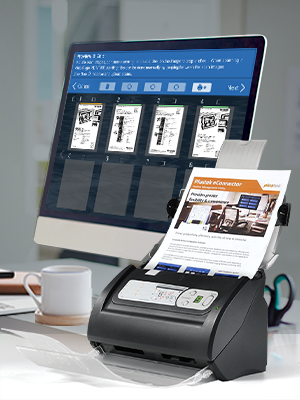
Plustek PSD300 Coup with eConnector Utility Application
Versatile scanning to help you stay organize
Designed to help office work groups optimize their individual workflow by streamline directly to major cloud services and check-in scan documents.
Compact and robust design to scans up to 4000-sheet daily duty cycle. Scan double-sided documents in a single pass at up to 30ppm/60ipm. Seamless integrated to your existing software with TWAINand WIA. Scans from plastic ID cards up to 200” long documents. Easy scanning to Microsoft SharePoint Convert scan to searchable PDFs and Microsoft Office Documents
Connect Freely & Effortlessly
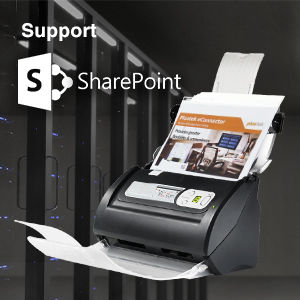
Supports SharePoint On-Premises Server
Login via Windows Authentication or Forms Based Authentication:
Microsoft SharePoint 2010Microsoft SharePoint 2013Microsoft SharePoint 2016Microsoft SharePoint 2019
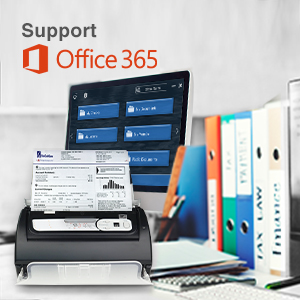
Supports Office 365
SharePointOneDrive for BusinessOneNoteOutlook
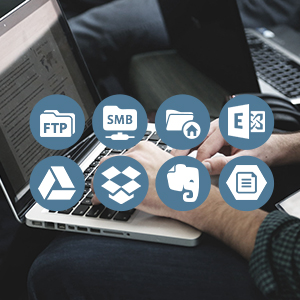
Supports Other Services
Microsoft ExchangeSMB 2.0 / 3.0& Azure File StorageFTP/SFTP/FTPSLocal FoldersGoogle DriveDropboxBoxEvernote
Simple Separation Mechanism Methods

Batch scanning solution. Perform document separation automatically by count, inserting blank sheets of paper, by detecting barcodes, or perform separation manually as you scan.
Intuitive use and no DVD installation required
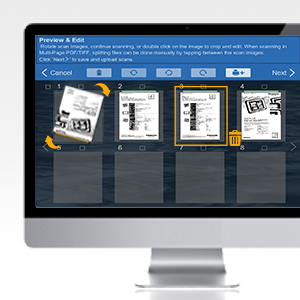
Built-In Preview & Editing Tool
Rotate, crop, remove pages that you don’t need,insert more pages to the batch, or split the scans further into multiple files, easily from one location.
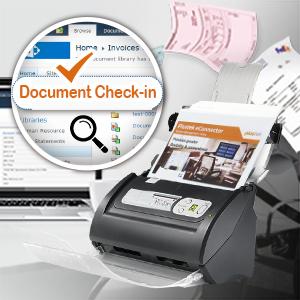
Supports SharePoint Document Check-In
Supports all SharePoint library metadata fields. Users are automatically prompted to enter metadata before documents are streamline to its destination.

Easy install without an optical drive
We provide a complete installation package (including full OCR function), so that users can download and complete the installation directly from the official website to ensure that the installation is the latest version

Built-in Barcode Recognition
Supports up to 12 barcode types, including both 1D and 2D barcodes (QR Codes). With a few configuration user can rename document and split documents with ease.
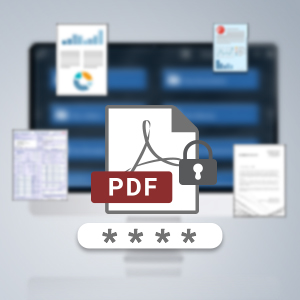
Encrypt PDF Documents
Protect your confidential documents with password protect encryption to grant accessibility to open, modify docs, print, or cop the scan docs.

Seamless Integration with TWAIN
Compatible with most software applications with the compatibility to scan and integrate to existing platform via industry standard TWAIN& WIA.
Advanced Image Processing
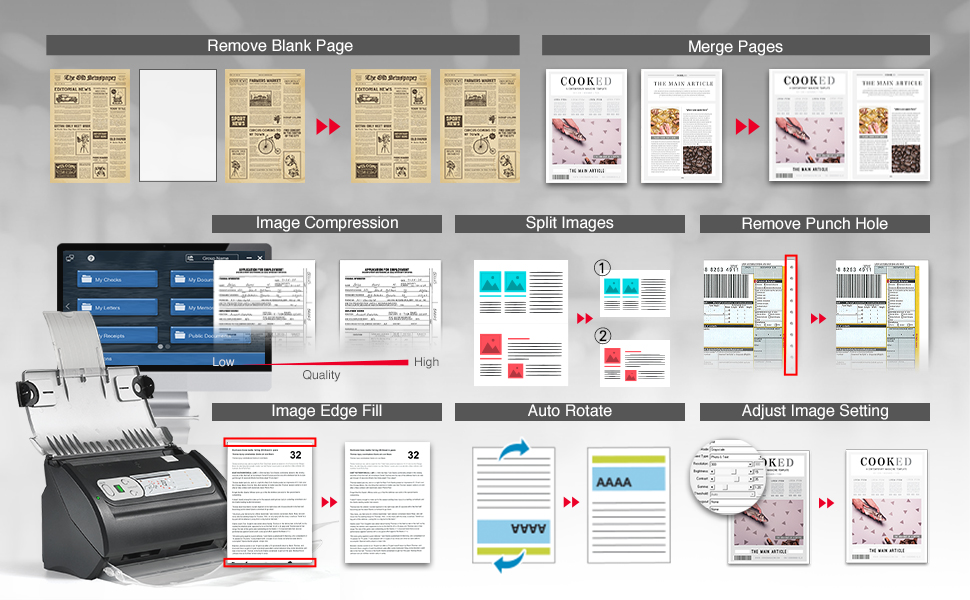
Simplifies digitizing process, allows each and every document scan is crisp and clear, just the way you like it, without spending additional time to reorganize.
MADE FOR DEMANDING WORKFLOWS – Plustek PSD300 Plus Scanner can directly scan to cloud service and eMail, SMB/CIFS network folders, FTP/SFTP/FTPS, Microsoft Exchange, as well as local folders.
SCAN TO CLOUD- Directly scan into integrated cloud services (Microsoft Office 365 (SharePoint / OneNote / OneDrive / Outlook), Dropbox, Google Drive, Evernote, and Box. In addition to SharePoint On-Premises 2013/2016/2019.
EASY-TO-USE-One-touch scanning to preset destinations with a push of a button. Simply drop in the documents and start SCAN-VIEW-SAVE.
FAST SCANNING SPEED-Compact size design that scans single and double-sided, documents/ business cards/ receipts with a single pass at up to 30ppm, 50-page auto document feeder, and scan up to 200” long.
BUILT-IN BARCODE RECOGNITION-Recognize up to 12 barcode types to rename scan files and divide scanned images into multiple files to create searchable PDFs with the bundle renowned ABBYY FineReader Engine (Plustek OCR).
Customers say
Customers appreciate the scanner’s speed and ability to scan multiple pages at once. They find it reliable, fast, and easy to use. The setup process is straightforward, and the driver download is quick. Overall, customers say the scanner saves them time compared to their old method.
AI-generated from the text of customer reviews
8 reviews for Plustek PSD300 Plus Document Scanner with ADF, Directly scan to Cloud, SharePoint, Office 365 and Built-in Barcode Recognition Function
Add a review
Related Products


Original price was: $299.99.$239.00Current price is: $239.00.
Christy Crigler –
I love how quickly it scans double-sided loose-leaf papers
I purchased this document scanner in addition to my old glass top scanner, which required scanning double-sided paperwork one side at a time. I love how quickly it scans double-sided loose-leaf papers. It saves me a lot of time compared to my old method. This scanner is compact and doesn’t take up much space on my desk, which is a huge plus. Setting it up was straightforward; downloading the driver was quick, and the interface is intuitive and user-friendly. I even tested it with CVS receipts and some old recipe cards, and it handled them perfectly. I think this scanner would be incredibly useful for anyone running a small business who needs to keep receipts and documents organized efficiently. Overall, I’m very satisfied with my purchase and would highly recommend it.
Amazon Customer –
Does not last!
I bought this and it only lasted me a few months and it kept having issues turning on and scanning. do not invest in this. especially for a company.
Daphne –
Reliable fast ans Easy
I absolutely ð¯ love this scanner. It’s very fast, scans many pages at the same time and have immediate access to you computer files.Easy to install too. The scan images are very clear and overall very happy with the performance of the scanner.
Wolfstone –
Great Scanner for Photos and Receipts
We are using this scanner currently for old photos and receipts. I have been impressed with how easy it is to use once you have it setup. We are using a Windows 10 desktop with it, so I’m not sure about Windows 11 or a MAC. We have even scanned old polaroid photos that are fairly thick and they had no issue. It does require downloading a program and connecting it to your computer, but it took maybe 10 minutes to figure it out. We haven’t used he Cloud function yet so I can’t comment on that function.
Lv –
Plustek 300
Worked great initially but after a couple of weeks the paper feed requires nudging the paper through. The included cleaning cloth helps but it’s an on going issue. The software allows deleting scanned pages you don’t want, and add pages, but it will not let you rearrange the pages prior to saving in the event 2 pages go through the feeder at once.
Feelowmenuh –
Just as Frustrating as a Printer.
I was really excited for the doc scanner because of its ability to scan multiple documents and convert them to a PDF. However it does not work with an Mac. The images on the page are deceiving because they look like an iMac with the logo photoshopped off, so one would easily assume that it was just due to copyright issues… I donât know if they used a Mac computer to generate more sales but it seems pointless when the product doesnât even work on a Mac. Also the product came broken with a punctured silica bead sack and the beads were all inside of the scanner. It took me forever to clean out and while I was still able to successfully remove mostly all the beads, I set up the scanner it turned on only for me to realize I couldnât even use it since it wasnât compatible with my computer. I took the scanner to work to test on regular windows PC and it took forever just to get the program installed. I wish the scanner would work without having to install any programs since I find it inconvenient to keep wearing down my computer with more software when itâs already pre-installed with software that should be able to read a scanned document. Also I was hoping to scan cardstock but it seems to jam up the scanner. The scanner just seems to be more trouble than itâs worth.
Erica30 –
Perfect for work at home
Scans quickly, gets rid of blank pages automatically and very clear
Karrie brice –
WILL NOT LOAD ON WINDOWS 11 PRO
this product will not allow the drivers to load on windows pro 11!! The website states it does, but if you look deeper in the FAQ’s it clearly states it will not load on the new Windows 11. Do not waste your time.