

Zhiyun Crane 2S 3-Axis Gimbal Stabilizers for DSLR &Mirrorless Camera
Original price was: $636.25.$369.00Current price is: $369.00.



Price: $636.25 - $369.00
(as of Jan 19, 2025 16:06:56 UTC – Details)
From the brand

ZHIYUN Photography Ecology
More professional, Easier, Less effort

About ZHIYUN
We are a consumer electronics brand specializing in photography accessories, aiming to make everything easier to create.
ZHIYUN gimbals are the market forerunner, and our product line includes cell phones, camera stabilizers, photography lights and more. We offer high quality and superior after-sales service for your shopping pleasure!

ZHIYUN CINEPEER Weebill 3E
Compatible with full-frame DSLRs and movie cameras.3KG PayloadNative Vertical Shooting
ZHIYUN Gimbal Stabilizer

Low angle shooting
One-Handed Shooting: More Time-Saving, Effortless, and Stable

Crane 3S(Professional)
More Professional, More Powerful, Easy to Mount

Crane 3S
Wider CompatibilityMax 6.5KG Payload Efficiency and EaseSyncmotion, Visualizer Control
Professional Camera Stabilizer

Zhiyun Weebill S
3-Axis Gimbal Stabilizer
Compact Size as A4 Paper
8th Instune Algorithm
Softbox
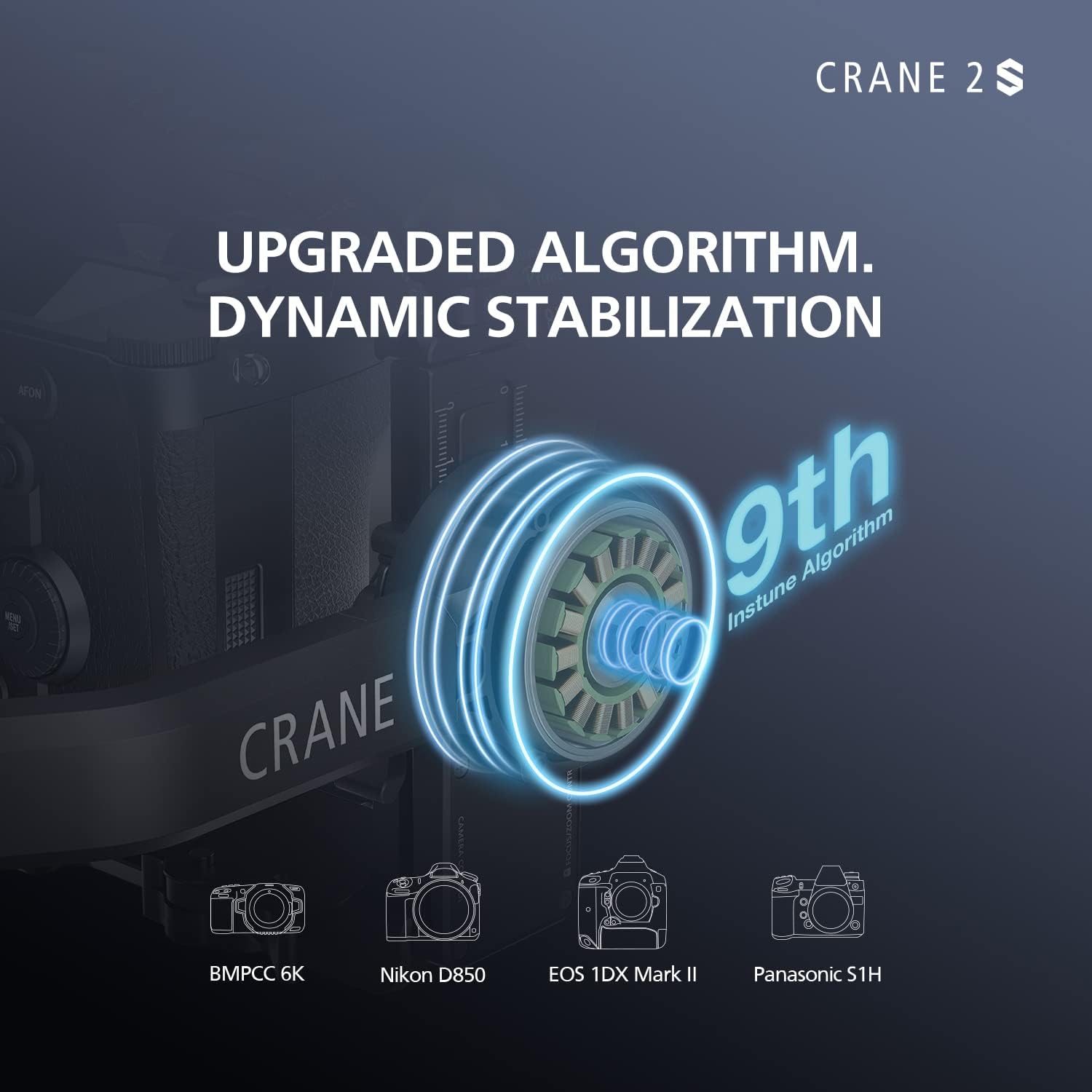
Upgraded Algorithm. Dynamic Stabilization: Highly optimized in motor control algorithms and motor power, CRANE 2S handles large cameras such as the BMPCC 6K, Panasonic S1H, EOS 1DX Mark III in total ease. More than that, you can also mount multiple accessories on it.
Stay Focused All the Way: Together with TransMount Image Transmission System, fous pullers will be able to focus and zoom while live monitoring the shots. Even more, they will also be able to change gimbal parameters and modes if needed.
Bigger Screen to Boost Your Productivity: The new 0.96″ OLED screen offers a bigger vision. With it, you will be able to go through the entire menu within seconds and switch between different modes swiftly.
Axis Locking Mechanism 2.0: The upgraded axis locking mechanism 2.0 adopts a two-phase locking design that guarantees zero swinging of the gimbal during traveling or storage.
Say Hi to Buttery Smooth Movement: Six gimbal modes, from basic to advanced, are all easily accessible on CRANE 2S: Pan Following, Locking, Following, Full-Range POV, Vortex, Go mode.
13 reviews for Zhiyun Crane 2S 3-Axis Gimbal Stabilizers for DSLR &Mirrorless Camera
Add a review
Related Products



Original price was: $636.25.$369.00Current price is: $369.00.
Wm. –
Is this the perfect handheld gimbal yet?
Yes it definitely is! As an owner of the Crane 2 and the Crane 3s this is certainly the offspring of these 2 gimbals with a perfect design and motor strength for my s1h and Blackmagic cameras. Good job Zhiyun. And a special thanks to Jessie from Zhiyun for sending me the Dual Grip Handle (which I also recommend purchasing) making my shooting experiences so much easier. Their customer service is A++!
wilcesse aurelien –
love it easy to use
the best gimble ever love it easy to use
Osmar Tamayo Garcia –
Nunca compres este tipo de artÃculo electrónico de segunda mano
En cuánto llegó el equipo comencé a armarlo a mirar tutoriales y demoré más de 12 horas para sacar la conclusión de qué no estaba en buen estado del equipo sino que los motores parece que están dañados o han sufrido daños funcionan pero defectuosos por qué tiembla mucho vibra todo el tiempo
H. Andreas –
Just get the DJI RSC 2
I had the old version but wanted to upgrade. It does not offer much than the old version. Besides the lucking the axes I can not see any point to upgrade.Also, I never could balance perfectly my Canon 5D M IV or my R5 with the old version, and hoping this would be fixed, but it did not. I am sure because the same camera and lens were easily balanced perfectly in all 3-axis in less than 10 minutes on DJI RSC 2, so try that first. The $100 extra is worted. It has a better APP, menu, support, and instructions!
JB –
worrks okish
Balance loses calibration as locking mechanism is not secure.
X-Inventor –
I dislike that I have to register the product before I can use it.
I dislike that I have to register the product before it can be activated and used. Because of that, I gave it 1 star. I find the forced registration process common to the communist country that it is made. The watchful Big Brother civilian data mining and a bad and invasive marketing concept. Instructions are not very well written and the fine print is far to small to read.
raymond parrett –
Not compatible with all cameras
I bought this gimbal to use with my g7. After hours of trying to activate the crane 2s, and going online to figure out what was wrong, I emailed the company. They said I needed to update the firmware. Also, there are no remote cords to connect the 2s to my camera as (per the company) it is not compatible with the g7. Would’ve been nice to know before spending over 400.00.
R and R Media –
Worst Gimbal I EVER TRIED !!!
I Tried to balance this gimbal with my Sony A7IV and Tamron 28-75mmnot as heavy as some people and even Zhiyun marketing advertised with heavier set up,anyway, this gimbal is useless, no matter how perfect I balanced it, ALWAYS start shaking at certain angles and sometimes it just sipnes 180 degres by itself !!time to send it back and go with different company.
Brayan M. Simental –
Era lo que necesitaba, me parece excelente la calidad/precio en el que lo compré ($9k)
JUAN CARLOS –
PENSE QUE NO IBA A PODER CON LA BMPC6K G2. Y ME HA SORPRENDIDO
Amazon Customer –
Having tried a few gimbals in the last few weeks the S2 is far above what I expected, super smooth, ease of setup and good battery life. A perfect size to handle the larger slr with ease. Overall top quality
sarper çifter –
Ãreyen firma ürüne tam destek veriyor ve hata girme konusunda hemen destek oluyorlar
Solien –
J’appréciais déjà bien le Crane 2, mais cette nouvelle version apporte pas mal d’améliorations vraiment sympa :- Il est possible de choisir la forme du gimbal en fonction de votre boîtier ou setup. De base le Crane 2S est fourni avec un grand bras à lâarrière qui amène lâaxe du roll juste derrière le boitier. Mais dans cette config si on a un écran à lâarrière du boitier ça va énormément le cacher, on ne pourra vraiment sâen servir. Il est donc possible de retirer une portion du bras pour avoir le moteur du roll décalé vers le bas et ça câest vraiment pratique. Pour passer de lâun à lâautre, il faut quand même retirer une dizaine de vis, avec deux clés alène différentes plus un petit cruciforme. Pas évident mais ça se fait.- Tous les réglages de personnalisation sont faisables directement depuis lâécran intégré au gimbal, pas besoin de passer par lâapplication. Par contre attention, avant dâutiliser le gimbal pour la première fois, Zhiyun nous oblige à installer lâappli ZY Play, à créer un compte, sây connecter et à enregistrer le gimbal- Idée toute bête mais super pratique, le système de vérouillage mécanique des axes. Sur chaque axe vous avez un petit bouton pour verrouiller lâaxe. Câest super utile quand on transporte le stabilisateur ou pour le ranger et éviter quâil bouge- autre idée vraiment excellente et pour moi câest vraiment un atout qui peut faire la différence à lâusage, câest le système de fixation intégré sur le côté. Une partie du bras qui supporte lâappareil peut se détacher via un petit levier. On relâche le levier et on peut ensuite sortir le plateau principal. On peut donc passer du gimbal à un trépied et vice-versa sans refaire lâéquilbrage !- on peut maintenant fixer directement le plateau principal sur le coté, pour faire des vidéos verticales en allégeant le setup et évitant de passer par un L-bracket- encore un gros point positif par rapport à dâautres gimbals, le Crane 2 S utilise des batteries 18650 standards, qui sont facilement remplaçables et pas cher- Au niveau de lâutilisation, le Crane 2 S est vraiment super agréable, comme lâétait déjà le Crane 2, avec une fluidité peut-être encore améliorée, surtout sans rien régler dans les menus, avec la config de base. Je lâai utilisé principalement avec un X-T3 et lâindétronable Sigma 18-35, ce qui fait une config autour de 1,6 kg. Et là la stabilité et la fluidité sont vraiment irréprochables, quelle que soit la position- Il y a tous les modes de contrôle quâil faut : pan follow, où comme son nom lâindique le gimbal suit le pan mais stabilise tout le reste, le mode lock qui permet de verrouiller tous les axes, ce qui est particulièrement utile pour conserver une perspective précise par exemple. mode follow, où le gimbal va suivre tous les mouvements de manière très fluide. Si on veut un suivi plus agressif on utilisera le mode GO, qui suit aussi les mouvements mais beaucoup plus rapidement. Enfin il y a le mode POV – Point of View – qui suit tous les mouvements, y compris le roll et enfin le mode vortex qui ne sert jamais en vrai mais qui est toujours rigolo à utiliser. Les raccourcis sont bien pensés, les noms assez logiques et on a toujours la confirmation visuelle du mode sélectionné à lâécran donc la prise en main est vraiment rapide. En quelques heures on maitrise vraiment le gimbal et avec un peu d’entraînement on peut même passer de manière fluide du normal au mode inversé, qui fonctionne lui aussi très bien.Niveau défauts : une appli pas au top de ce qui se fait et une roue crantée pas très agréable à utiliser