

DOCKCASE Explorer Edition Visual Smart USB C Hub (6-in-1) with HDMI Port 4K@60Hz,Gigabit Ethernet,USB-C and 2 USB-A 5Gbps Data Ports, 100w PD Power Delivery, for MacBook Air/Pro, XPS, and More
$64.99



Price: $59.99 - $64.99
(as of Jan 14, 2025 22:52:25 UTC – Details)
Product Description


1 100W PD Charging
2 1Gbps Ethernet
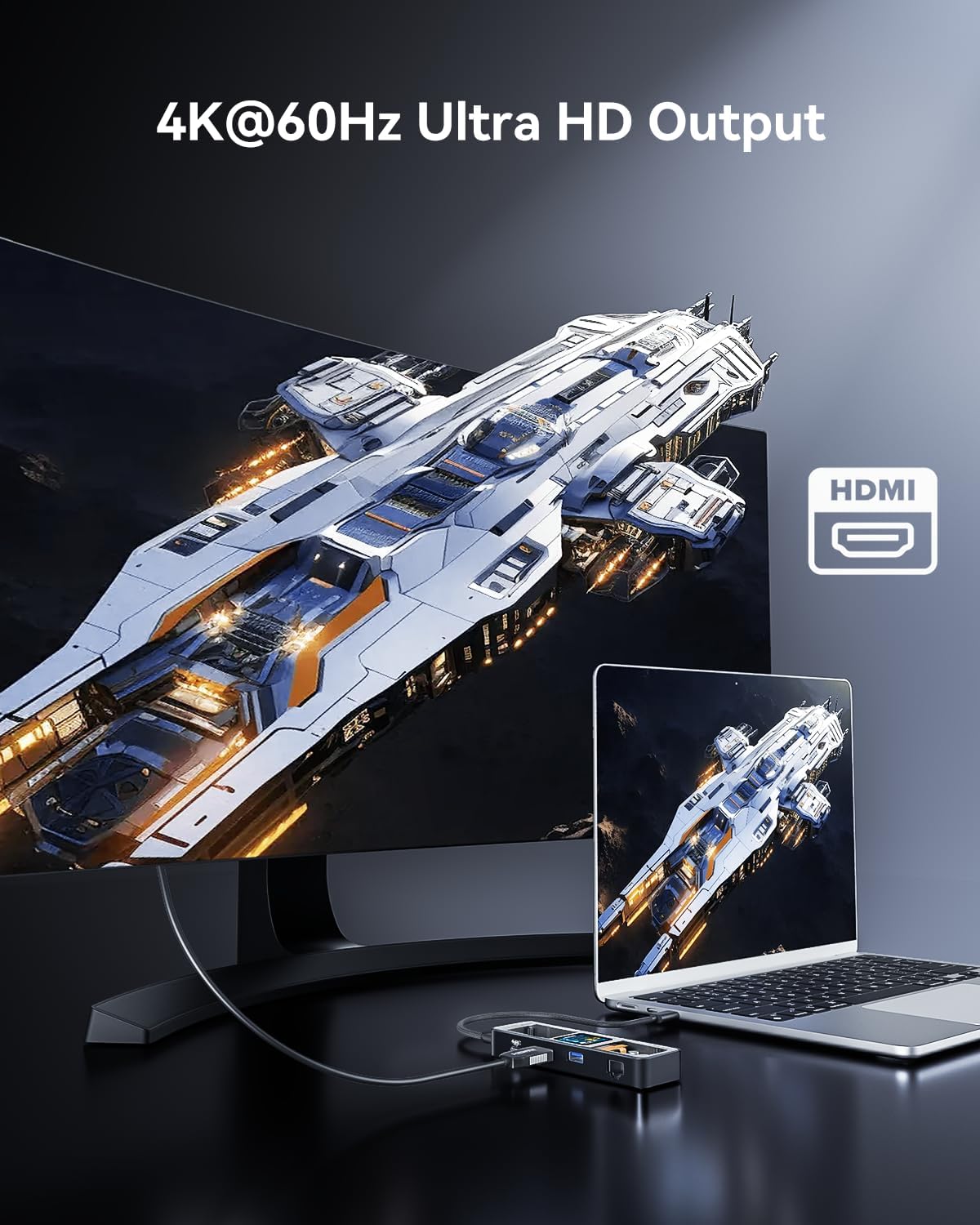
3 4K@60Hz HDMI
4 5Gbps Data Transfer


1 Compatibility List
2 Incompatible List


1 Laptop use
2 Tablet use
3 Enhance work efficiency
Dockcase Explorer Edition: Smart USB-C Hub 6-in-1, the perfect hub solution that combines functionality with style. With its sleek design, Dockcase stands out from the rest. Its commonly used interfaces meet your daily needs and the display and D-Key function control allows for customization of usage, giving you the power to take on even the most demanding tasks. Whether for work or play, Dockcase delivers a significant boost in performance, making it the perfect addition to your setup
High-Speed + Safely: 2 USB A 3.0 & 1 USB C data ports support 5gbps high-speed transmission 1 Gigabit Ethernet up to 1Gbp/s, while an HDMI port supports media display at resolutions up to 4K@60Hz, as well as high-velocity pass-through charging with 100W Power Delivery
Smart Heat Dissipation: Built-in ch579m chip, smart display real chip temperature, the internal temperature is clear at a glance.The uni-body design with the aluminum alloy shell and fin pattern cover for easier heat dissipation to ensure stable work, product use temperature is much lower than peers
D-Key Button: After the Smart Dock is powered on, the D-Key button can be used to operate the control panel, short press the D-Key to rotate the display direction of the dock screen, long press the D-key 6s to enter dock’s control panel,allows you to control various functions, switch operation modes intelligently to adapt to different working scenarios
What you get: DockCase USB C smart visual hub, 1 USB-C to C full-featured data cable (0.98ft), user manual,12-month warranty, and friendly customer service
Customers say
Customers appreciate the multiport hub’s design and build quality. They find the small, compact size convenient. The display provides useful information and is a good indicator for troubleshooting. The connectivity speeds are about as expected, and the ports provide nice performance. Many customers like the features and USB ports. However, some dislike the cost and have differing opinions on functionality.
AI-generated from the text of customer reviews
10 reviews for DOCKCASE Explorer Edition Visual Smart USB C Hub (6-in-1) with HDMI Port 4K@60Hz,Gigabit Ethernet,USB-C and 2 USB-A 5Gbps Data Ports, 100w PD Power Delivery, for MacBook Air/Pro, XPS, and More
Add a review
Related Products



$64.99
Alex Howard –
The most versatile USB-C hub I’ve seen
During Amazon Prime Day I managed to get the Dockcase Explorer Edition M.2 SSD Enclosure and liked the aesthetics and design enough that I started to look at Dockcase’s other products. Their M.2 Enclosure meets and exceeds my expectations as I work in IT and sometimes need to swap between drives, and it is helpful to know its SMART stats especially when troubleshooting potentially failing drives. The fact that it worked out of the box with most of my hardware and supports the faster connection speeds I was looking for (10gbps connectivity over USB 3.1 Gen2) I have found uses for it on my MacBook Pro, Steam Deck and in my work life!Boiling my review down into something simple:Pros:Small design that fits in the same footprint as their M.2 Enclosure.Lightweight and durable metal housing with a really cool techy design.Versatile ports (2 USB-A, 1 USB-C all at 5gbps, 1 HDMI and a PD-in port that supports up to 100W)The onboard display that no one else on the market has.Cons:It’s flashy, and its gimmick might make people envious.Slightly stiff USB ports.Out of the box, the network port did not immediately get an IP until I power cycled the device.I’ve been using an older no-name USB-C Adapter for my MBP and recently the networking port stopped working on it and I was weighing several options, but the utility of Dockcase’s product really won me over. Being able to see the connectivity speed for the various USB ports, what display modes are being set, how much power is being supplied directly, and what network speed was negotiated at a glance without diving into the network settings are invaluable when I am trying to quickly help customers while I am at work.It is smaller than the hub that I am replacing by a sizable amount and the versatility as far as USB-C power delivery goes makes this a much better option as I was never able to use my older hub with my MBP’s charger. This one handled it automatically for all three of my test cases: MBP @60W, Steam Deck @45W, and Nintendo Switch @12W. It supported the Switch out of the box and even has a mode in the menus to tailor the experience for it.The connectivity speeds are about as expected. The USB 3 ports all run up to 5gbps, but don’t expect to pull that continuously from all 3 ports as the port back to the computer will usually run at 5gbps itself unless you have something like a MacBook that supports 10gbps or higher on its USB-C ports. I did not have any issues getting 3440×1440 out of it, and it worked flawlessly with my Elgato Capture at 1080p card which is what I usually use for my Nintendo Switch.Durability appears to be fine. I’ve had their M.2 enclosure for a week or so now as of the writing of this review and it has been fine coming with me to work and I have not seen any issues with the coating getting scratched off or the glass scuffing even with some metal-to-metal contact with my MBP. This product is constructed nearly identically, and so I imagine it will fare similarly. It certainly feels premium when you hold it in your hand.The only problem of note that I had initially, and that was that the networking port did not come up when plugging it in the first time. After the first time, and every time since, it has worked. If it doesn’t work the first time for you, I definitely recommend just replugging the USB-C lead to your device and/or the RJ45. It may have been the fact that the first time I tried on the Switch it was on low-battery mode so you may have a different experience. Outside of that the product has worked great so far!
froinlaven –
Super cool looking hub but does what most others also do
The DockCase Explorer Edition offers a useful array of ports in a compact design. The two USB 3.0 ports, USB-C, HDMI, and Ethernet provided easy connections for multiple accessories and peripherals. I really liked the ability to mirror or extend my display through the HDMI port.However, I was unable to get 4K at 60Hz working with my M2 MacBook Air. The highest resolution I could achieve was 4K at 30Hz. This may be a limitation of my laptop’s display output, but it was disappointing given that 4K/60Hz is advertised.The digital display on the hub showing port information is a nifty feature, but largely unnecessary in my opinion. It’s easy enough to see which ports are in use without having an onboard display.Aside from the 4K/60Hz issue, the hub worked well for adding a display, ethernet, and USB ports. I could see the charging state and speed of the ethernet connection, which is interesting but not super necessary.Overall, the DockCase Explorer Edition is a solid, attractive hub for basic port expansion. Just don’t expect to achieve 4K at 60Hz with all laptops. The extra display is cool but not totally useful. Aside from those caveats, it’s a handy accessory to connect multiple devices to your USB-C laptop or Steam Deck.
MardeeT –
High Quality, Great Performance, Unique Design
I’ve become a lover of transparent tech, it just has that cyberpunk feel to it. I also love well built, well designed and engineered gear. The DockCase USB-C HUB crosses off all these checks. The Explorer Edition brings the transparent see through technology that gives this such a super cool look. It’s high quality well built with aluminum and tempered glass build. It also packs a nice performance punch with its ports. Catering to 4K HDMI at 60hz. USB 3.2 Gen 2 at 5GBs speeds, Gig ethernet at 1000mbs. It also has a PD USB-C port so you can charge through it at 100W. Super portable, the cable removes and makes it a small footprint vs those that have a long dangly cable always attached. The LCD screen makes this a Smart device as well, so no more need to any 3rd party USB devices in the middle to look at IO or Power. The Smart LCD registers each port active or not, and reports on its use. This HUB is an amazing little gadget that won’t disappoint. Could it be a little cheaper? Could you find similar HUBs cheaper? Yes.. But you get what you pay for, and I don’t know of any hubs that offer transparent look, LCD Smart Display, and top of class performance. So in my opinion. Worth the cost of admission.
Mario da Silva –
Used for iPad Pro.
Better if it had a Display Port output.
AUDEL E DUGARTE –
Pretty cool hub with screen
The screen is pretty cool, built quality is good and the ports so far work as expected, is pretty much a novelty but useful still.
Allen –
I was frustrated that with 100w PD charger only have 65w power for charging my laptop. turns out is my usb c cable did not support the PD 3.1. with the new cable, this thing works perfect.
Amazon Customer –
First off, this is the first USB network interface I’ve tried that can actually deliver gigabit throughput. It wins a lot of points with me for that alone. It’s a really good dock in just about every other way, too. Everything works exactly as you’d expect and the built-in display has been very helpful in diagnosing weird device problems relating to video, USB, and power delivery. It’s small enough to easily fit in my bag and feels very well-built. The only thing I wish it had is a second HDMI output, but I knew when I bought it that it only had the one. It isn’t a dealbreaker for my use case, but it would make the price of this dock easier to swallow.
Wayne Lyu –
This is the 2nd dockcase hub I own. I purchased the first one about two years ago. It performed really well with my 14” M1 Pro Macbook pro and I never had an issue. The only gripe I have is that it doesn’t come with a USB type c port for my high-speed ssd. Also, I sometimes need a LAN port for a stable internet connection which is missing in the previous model. So when I saw this new model, I placed the order immediately. After I received it, the new model really lives up to my expectation. The LAN port is solid, providing a faster and more stable connection in comparison to wifi. The transfer rate on the type-c port is also fast. And to my surprise, the hub could power one 2TB ssd, one 4TB hard drive, and 4k HDMI simultaneously without any issues, which really exceeded my expectation. In general, I’d say this should be the go-to for anyone who needs a hub with a LAN port and USB type-c port.
Mohamed Reda BAITAR –
Very basic hub , does the same thing you can get from a good quality 30$ hubThe button is malfunctioningNot worth itâââââââIssue resolved by the support
Logan –
Great little usb hub, has lots of ports to get you out off a jam. I use it with my MacBook Pro and never have any issues. The display is an added bonus that allows me to see what the transfer rates, charging power and ethernet speed as well as the usb speed and connection type. Its build quality is top notch with the aluminium housing. Its definitely worth the money.