

dockteck M.2 NVMe SATA SSD Enclosure, Tool-Free 10Gbps USB 3.2 Gen 2 NVMe to USB Adapter Case for SSDs 2230/2242/2260/2280, External SSD Reader Supports M-Key/B+M Key and UASP
$23.99




Price: $22.99 - $23.99
(as of Jan 17, 2025 14:46:14 UTC – Details)
Product Description

Dockteck M.2 NVME SATA SSD Enclosure


1 Tool-free Installation
2 2 USB Cables


1 Broad Compatibility
2 4TB Capacity
Warm Tips
1. Please properly back up all data on the SSD to prevent data loss.
2. In any case, during data transfer, please do not unplug the M.2 SSD case from the PC, otherwise data may be lost. Please unplug the cable before taking out the SSD after use.
3. Once connected, your PC/Laptop’s OS will initialize the M.2 SSD. This process may take a minute. You can access the data if the SSD is partitioned and the data is on the SSD.
4. Be careful to check compatibility before installing an SSD.
5. Please be as gentle as possible when installing the SSD to avoid scratching the components on the printed circuit board. When installing an SSD, be careful of static electricity. On the other hand, for safety reasons, it is also recommended to not connect devices before proceeding with the installation.


Wide Compatibility 
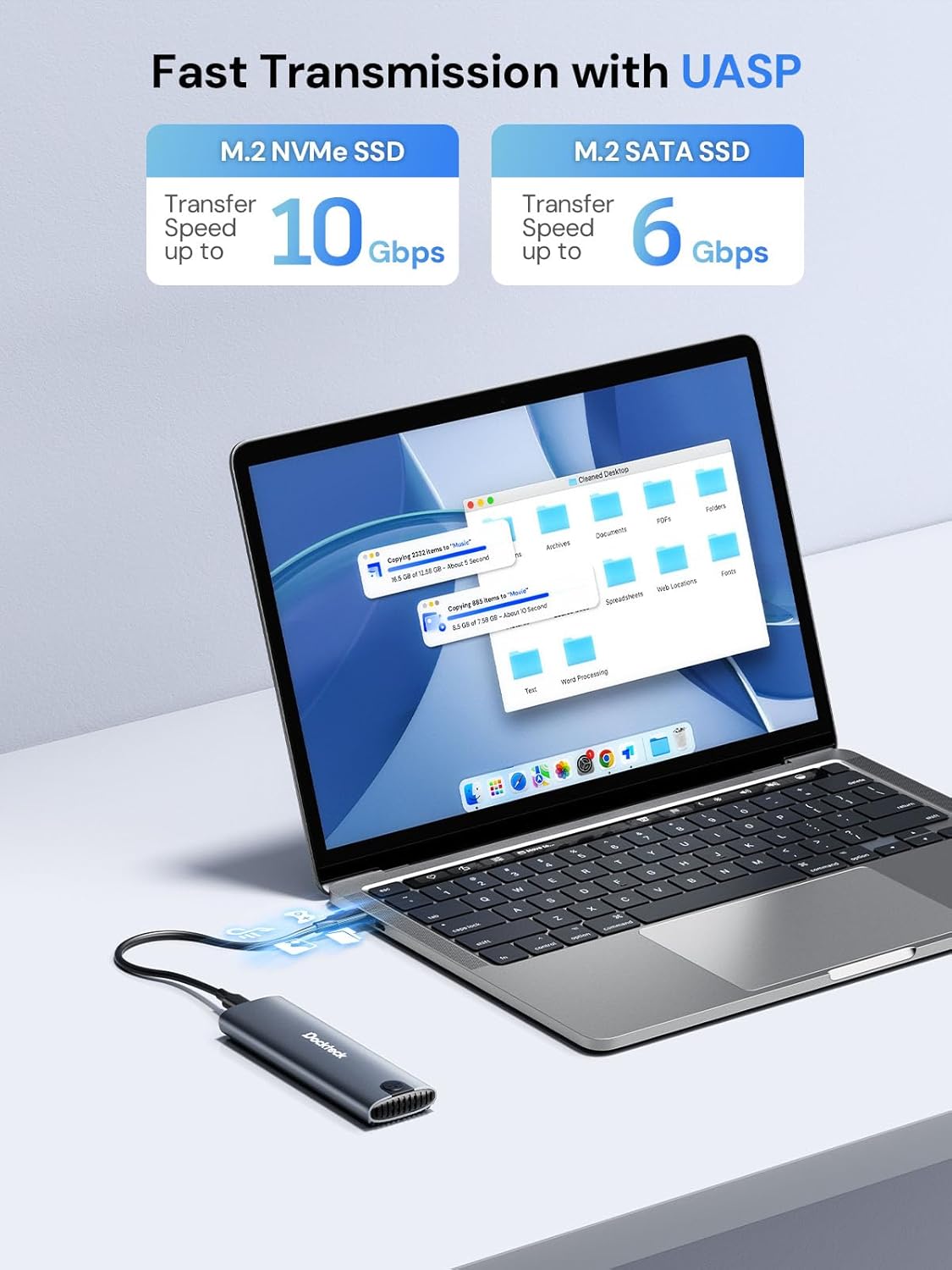
Fast Transfer Speed: This M.2 SSD enclosure adopts USB 3.2 Gen 2 Type-C interface, supports data transmission speed of up to 10Gbps(SATA for 6Gbps). Built-in advanced chip, support UASP/TRIM protocol, accelerate SSD hard drive read and write speed, transfer large files in seconds
Tool-free SSD Enclosure: NVMe SSD adapter is easy to setup, so you can open it by just sliding the end cap and disassembling it. Plug and play, no drivers required. This ultra-slim external NVMe enclosure is compact yet durable making it easy to carry with you while on the go
Excellent Heat Dissipation: The silicone thermal pad and aluminum alloy design can keep the normal temperature even after a long time of use, which can effectively ensure the stability of transmission and data security. Note: NVMe/SATA SSD is not included
Broad Compatibility: The M.2 enclosure supports NVME and SATA protocols, designed for M and B&M Keys and SSDs 2230/2242/2260/2280 Max 4TB. The NVMe case is applicable for Windows, Mac OS, Linux, Android systems and suitable for connecting PC, phone, laptop, tablet, game console, smart TV and more
Package include: 1 x M.2 SSD adapter, 1 x USB-C to C cable, 1 x USB-A to C cable, Cable Length: 9.8in, 1 x Thermal Pad, 1 x spare mounting pin, 1 x user manual. USB C SSD Enclosure will enter the automatic sleep 15 minutes after termination of reading and writing to protect your SSD
Customers say
Customers are satisfied with the electronic adapter’s functionality, quality, and ease of installation. They find it works well, is well-built, and snaps right in. The speed is fast and writes quickly, saving customers hours of configuration. Customers also appreciate that it’s a tool-free SSD enclosure. Overall, they consider it a great product and value for money.
AI-generated from the text of customer reviews
8 reviews for dockteck M.2 NVMe SATA SSD Enclosure, Tool-Free 10Gbps USB 3.2 Gen 2 NVMe to USB Adapter Case for SSDs 2230/2242/2260/2280, External SSD Reader Supports M-Key/B+M Key and UASP
Add a review
Related Products


$23.99
Craig The ChEDawg –
Pair with a 1TB SSHD this makes a great backup drive.
Pair with a 1TB SSHD this makes a great backup drive. Worked well first try.
Rosaura –
Donât Underestimate This Little Hub!!
Iâve been looking to expand my storage on my Mac Mini M2 Pro as the internal hard drive has 500GB capacity. At first I was considering the Satechi NVMe hub but come to find out it has frequent disconnection issues. So I found this compact hub and was skeptical at first because it is quite inexpensive, however I was quite impressed! I installed a Crucial P3 1TB PCIe Gen3 3D NAND NVMe M.2 SSD, up to 3500MB/s – CT1000P3SSD8into the hub, snaps right in and the hub even has a pre installed swivel locking mechanism to hold the card in place, no need for tools or tiny screws! I plugged it in to my Mac, it read it immediately, and within minutes after formatting, it was up and running! I use my Mac for audio engineering and production, my music projects and sample library was talking up 154GB of space on my Mac. I took all of those files from my digital audio workstation and redirected them into this NVMe SSD and in under 2 minutes it wrote up 154GB of files and freed up so much space on my internal hard drive! I absolutely recommend this NVMe SSD by DockTeck, it was easy to install, well built, great quality, does not get hot as the outer shell is made of aluminum, as well as having a great thermal absorption pad that sticks right on top of the Crucial P3, this thing writes super quick!! Especially for the price point I gotta say I was blown away by this little hub!! Pull the trigger on it and see for yourself!!
Lobo –
IT’S FAST AND EASY TO USE
I bought I WD 2 TB SSD and wanted to use it as a Gaming, Creative, and File SSD. But, I what I also needed was a fast external connector USB C and this does not disappoint. Truth is, there are many out there and if most have the same config as this one, they’ll work but I bought this one because it is affordable and it works; plus, it is fast. I am a happy customer.
GadgetWill4203 –
Inexpensive
I bought this enclosure because of the features and low cost. It never hurts to have an extra NVMe adapter around. I could install an Apple operating system on an NVMe and use enclosure as an external bootable Macintosh drive. Can be used for data rescue and a lot of other tasks as well. The quality is good and it functions as advertised.
Eneim1 –
A True Tool-Free NVME Enclosure
The best thing about this enclosure is that it is truly tool-freeâno screws involved.It’s also a well-built easy to use with a high-quality metal frame.
Sal –
Versitile
I bought two of these to setup my wife’s new laptop and new desktop (Merry Christmas, honey). They each came with 256Gb of storage; not nearly enough. The laptop uses a M.2 NVMe stick. The desktop uses a M.2 SATA stick. This adapter can handle both types. I put the 256Gb in one of the adapters and a new 1Tb in the other. I then cloned the stick using Linux and the ‘dd’ command. Used ‘gparted’ to extend the partition. It worked flawlessly.
Roger A. Seccia, Joyce Seccia –
Great tool-free SSD enclosure
I ordered this SSD enclosure after returning another one that did not read my SSD card and was not tool-free. My previous laptop had died (I think the motherboard died) and I found that not all of my documents were backed up properly. I retrieved the SSD card and was very happy to find an SSD enclosure that worked. and was easy to use. I did have to find a BitLocker recovery key (48 digits) from my Microsoft account. All documents were there saving me much time and effort at recreating them.
Paul E Dubreuil –
Worked perfectly
Had a laptop that needed motherboard replaced. It also had a 512GB SSD that we THOUGHT was being backed up properly. Well it wasn’t, so I ordered this carrier and inserted the SSD into it. When we attached it to the new laptop all data was accessible from the SSD. Good quality component and now we have an external 512GB SSD for additional data or backup. Very pleased with this purchase.