

Anker USB C Hub for MacBook, 7-in-2 USB C to C Adapter, Compatible with Thunderbolt 3 Port, 100W Power Delivery, 4K HDMI, USB C and 2 USB A Data Ports, SD and microSD Card Reader
$54.99


Price: $22.99 - $54.99
(as of Jan 13, 2025 20:04:53 UTC – Details)
Product Description
Model Number: A8371
Anker 547 USB-C Hub (7-in-2, for MacBook)
The Ultra-Compact Media, Data, and Charging Hub for MacBook

Advanced Connectivity and Speed
The multi-function USB-C port allows for unprecedented data transfer and charging speeds. You can also connect to 2 monitors simultaneously in 4K@60Hz via a USB-C to dual HDMI splitter (not included). Supports 5K@60Hz to a single monitor.
Note: The Adopted Trademarks HDMI, HDMI High-Definition Multimedia Interface, and the HDMI Logo are trademarks or registered trademarks of HDMI Licensing Administrator, Inc. in the United States and other countries.
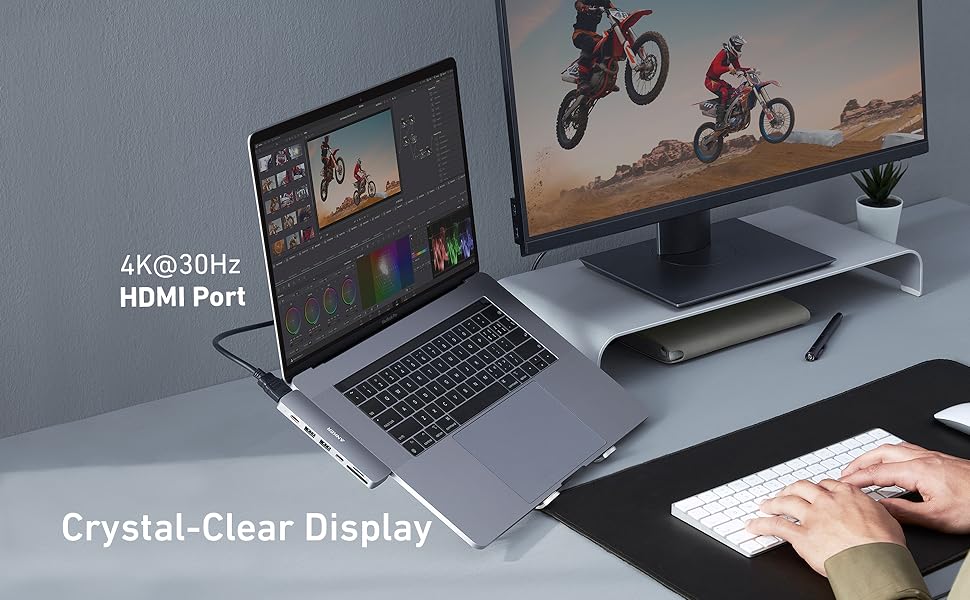
Connect to Multiple Displays
Stop wasting time switching back and forth between programs or documents, simply connect to multiple monitors via the multi-function and HDMI ports for a simpler and more productive experience.
MacBook Air/Pro 2020 with an M1 chip can only support one monitor.
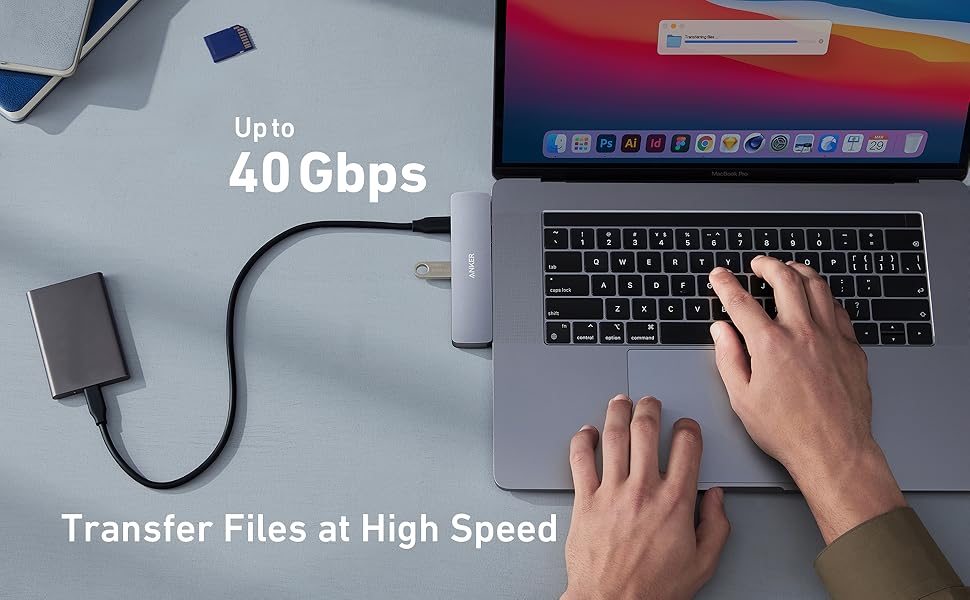
Transfer Files at High Speed
Connect to the multi-function USB-C port to transfer files at up to 40 Gbps.
Add to Cart
Add to Cart
Add to Cart
Add to Cart
Add to Cart
Add to Cart
Customer Reviews
4.6 out of 5 stars
11,292
4.4 out of 5 stars
1,059
4.3 out of 5 stars
7,737
4.6 out of 5 stars
27,216
4.5 out of 5 stars
2,968
4.3 out of 5 stars
432
Price
$54.99$54.99 $36.99$36.99 $44.99$44.99 $34.99$34.99 $39.99$39.99 $38.64$38.64
USB-A Data Port
2 2 2 2 2 2
USB-C Data Port
1 1 1 1 1 1
USB-C PD Input
85W (100W PD wall charger and USB-C to C cable required) 85W (100W PD wall charger and USB-C to C cable required) 53W (65W PD wall charger and USB-C to C cable required) 85W (100W PD wall charger and USB-C to C cable required)
Multi-Function Port
1 1
✓
HDMI Port (4K @ 30Hz)
1 1 4K @ 60Hz 1 1 4K @ 60Hz
Audio
Lightning Audio AUX
SD / TF Slot
2 2 2 2 2
Ethernet
1 1
Material
Aluminum Aluminum Polycarbonate Aluminum & Polycarbonate Aluminum Aluminum
Cable Length
0.6 ft 0.6 ft 0.6 ft 0.6 ft
Zero Installation
Connect to the USB-C data port or USB-A ports to access high-speed data transfer at up to 5Gb/s or to connect instantly to all of your peripherals, including mice, keyboards, and USB drives—with no installation necessary.
Compatible Devices:
MacBook Pro 13″ 2020/2019/2018/2017/2016
MacBook Pro 15″ 2019/2018/2017/2016
MacBook Pro 16″ 2019
MacBook Air 2020/2019/2018
Notes:
MacBook Air/Pro 2020 with an M1 chip can only support one monitor.
A 100W Power Delivery charger and cable are required to support 100W charging.
Frequently Asked Questions:
1. Can I use this hub with MacBook cases?
No, this hub is not compatible with MacBook cases.
2. Is this hub compatible with Dell XPS 13?
No, this hub is designed specifically to fit MacBook. It is not compatible with any other devices.
3. What’s the difference between the multi-function port and the USB-C data port?
The multi-function USB-C port supports Power Delivery charging, media display, and data transfer, while the USB-C data port only supports data transfer.
54. How can the hub’s multi-function port support charging, media display, and data transfer at the same time?
To use the multi-function USB-C port to simultaneously charge, display media, and transfer data, you must have a monitor with a Thunderbolt 3 port plus a USB or USB-C port. Use a Thunderbolt cable to connect the hub to your monitor, and another cable to connect your monitor’s USB-A or USB-C port to your SSD (or other storage device).
5. Do the USB-A ports support charging or media display?
No, the USB-A ports do not support charging or media display.
6. Does this hub get hot?
When the hub is fully loaded, it may reach a surface temperature of around 113℉. However, this is normal for products of this kind.
The Anker Advantage: Join the 55 million+ powered by our leading technology.
Massive Expansion: Expand your MacBook’s 2 USB-C ports into 1 multi-function USB-C port, 1 USB-C data port, 2 USB-A ports, 1 HDMI port, 1 SD card slot, and 1 microSD card slot—all from one ultra-compact hub.
High-Speed, High-Def: A multi-function-enabled USB-C port supports huge charging power up to 100W, data transfer up to an astounding 40 Gb/s, and media display at resolutions up to 5K.
Multi-Monitor Display: The HDMI port supports a resolution of 4K@30Hz while the multi-function port supports 5K@60Hz. Connect to both simultaneously to enjoy crystal-clear streaming or mirroring across 2 displays.
What You Get: PowerExpand Direct 7-in-2 USB-C PD Media Hub, travel pouch, welcome guide, worry-free 18-month , and friendly customer service.
Customers say
Customers find that the multiport hub works well with their laptops and USB devices. They appreciate its solid build quality and secure fit. The design is also praised, with a clean finish that matches MacBook Pro’s space gray color. However, some customers have mixed opinions about the USB ports and connectivity.
AI-generated from the text of customer reviews
10 reviews for Anker USB C Hub for MacBook, 7-in-2 USB C to C Adapter, Compatible with Thunderbolt 3 Port, 100W Power Delivery, 4K HDMI, USB C and 2 USB A Data Ports, SD and microSD Card Reader
Add a review
Related Products


$54.99
Just Chris –
Quality 100W capable all-in-one USB-C hub from Anker
I recently added a 16″ MacBook Pro to the family and with the extra size/weight wanted to slim down on carrying adapters. I also have a 13″ MacBook Pro (2018) and wanted something that would work for both of these without any shortfalls.The Anker delivers and works flawlessly on both of my MacBooks.Charging – It offers full rate charging on either unit and so far – hasn’t gotten all that warm in the process. I expected a bake fest and me returning it, so was surprised there.Plugs/Ports – I skipped the Hyper-hub craze as I just never liked the fit into my MacBooks. So this is the first dual-port type device I have used on my Mac’s, but it fits very well and doesn’t feel like anything needs to be forced to work. Likewise on the receiving side, the card slots are friendly and you won’t lose your cards, but it still holds them well. The USB-C ports respond well and have worked with all charger cables and dongles that I have. The USB-A’s are classic Anker quality.Thinking about this more…I think I actually like plugging and unplugging things in this. There are some brands (cough: UNI) that I wonder if “this is the time” when it breaks on me or keeps my cable end. So far so good on the Anker.Peripherals and what works – I have only used portables on it a few times so I do not have much testing with NVME there yet, but SSD is just fine and works as normal.Only (1) port of this has Displayport active on it (the charge port). So if you are plugging in two screens to one side of the MacBook – that will need to change. At the same time, if you can convert one of those to HDMI you can connect the HDMI and then Displayport (via USB-C) over the charge port.In addition to fitting the ports well I should also mention – on the 13″ MacBook Pro and Air this should lie mostly flush with the work surface you are on and the laptop edge. On the 16″ MacBook Pro it does have a little gap under it due to the height of that unit. But it still does not protrude past the top edge and won’t bug you if you brush your hand over it.TL;DR:At the time of this review I am about a week in. and have removed all the “docks” from my office and home so I can give this a decent test.At 60$ it is more expensive than other options, but performs very well for my needs.Cons: price I guess. I wouldn’t mind a GigE Ethernet port on it at the same price point of 60$, or wait for it on sale if you don’t care about the port. Big ANKER on the top of It sort of annoying, if I am picking nits.Pros: Quality interface, known brand, works well on multiple years of MacBook with no weirdness or driver problems. Compatible with latest models and software. Color matches the Apple Space Gray acceptably.I hope you found this review helpful, if not – leave a comment and let me know how we can change that!Thanks for reading my review,Chris
Tyler –
One of the best technology purchases I’ve made!
I’ve always been a huge Anker fan. Their products are of great quality and I’ve never had any issues with them. So when I was buying a new Macbook Pro and wanting to set up a docking station setup for my desk I specifically looked for an Anker dock. One of the most important things to me was the ability to make my desk as minimalistic and clutter-free as possible. This dock is different from most in that it plugs directly into the 2 lightning ports without using a dongle/cord. That allows for a clean and solid connection and mount. It is a little more expensive than the others with less connections, but it had what I needed and was the cleanest. I bought the prior version because the newer version is $10 more and only has a lightning audio output which would only be useful for corded Apple earbuds I believe. I didn’t need that. It also has the ability to have power pass through which allows you to plug your charger into one of the USB-C ports and when you dock it instantly starts charging. Here’s what I have plugged into mine:- HP monitor in HDMI (had extra laying around)- Logitech webcam into one USB- Anker 60W charger- Pebble USB-C speakers (these are awesome and use the USB-C for both power AND audio output eliminating the need for another 3.5mm aux cord. This is crucial because it allows you to dock the laptop and have everything functional with the single dock rather than have to plug an extra cord in as well)I also have an Apple Magic Mouse and Magic Keyboard which are Bluetooth rather than USB wireless so they do not need a spot on the dock.This setup has worked seamlessly and is so much more ergonomic for long Zoom workdays on a larger monitor than staring at your laptop screen all day. It also gives you the flexibility of a laptop by being able to undock and take your computer anywhere. It really is the best of both worlds. Great work by Anker yet again!
J.T. Pundt –
Saved Me From Buying A New Monitor
The MacBook Pro I use does not have an HDMI port for an external monitor. I had been using another hub that included an HDMI port which worked fine, but after 4 years it started wearing out. I didnât immediately know this was a problem. My monitor had been flickering for some time, and eventually stopped working altogether. After much troubleshooting with inconsistent conclusions, I made the decision to try this hub. It works beautifully. My monitor started right up when I plugged it in. The hub fits right into the two USB-C ports on the left side of the laptop, and matches the computer. It makes a snug fit, so feels very secure. It includes all the ports I need. With 2 USB-C ports, I didnât lose the two that are used to receive the hub. I like the fact that it feels like a part of the laptop and doesnât connect like a dongle. Really happy with the product, and I didnât have to replace my monitor.
Shawn J. W –
What was Apple thinking? Anker to the rescue
When I got my hands on a older MacBookPro M1 8/512, I was happy with the price but bummed about the lack of ports. I should have known, but I was looking for budget M1 this one “just” made it with the Pro label, which I feel was used as a way that asuage my feel bad about the purchase.I am all Anker all the time gives me (2) USB-C ports, (1) HDMI port, (2) card readers, and (2) USB-A style ports, which have come in very handy. This is a “stong buy” one thing you have to be carful about is it hangs off the site to it is possible you could damage the port and the device so remember to talk it off when you’re not using it so I shaved a star for versatility minor nit-pick (see my first image) . The positionsing may prevent you from adding a protective case since you ned room on the side. The price is right the fit is great and the overall value awesome.
Brent F –
Works as advertised
Worked perfectly with my daughter’s 2020 MacBook Air! She is happy that she can use HDMI to drive a small projector now.
Lijosh A. –
The Anker USB C Hub for MacBook is very useful. It gives you seven ports from just two USB-C connections. It works well with Thunderbolt 3 and 100W charging, so itâs fast and efficient. The hub is well-made and looks good with the MacBook. Itâs a great value and I highly recommend it!
Product Reviewer –
Been using regularly for 2+ years and has delivered what I’d hoped it would. Happy to recommend.
Czarek –
Jestem bardzo zadowolony z tej przejÅciówki. Używam na codzieÅ. Wszystko dziaÅa. Dobrze siÄ skomponowuje z maciem. WyglÄ da jak jego przedÅużenie. Co najważniejsze sygnaÅ video (hdmi) bez znieksztaÅceÅ. A miaÅem wczeÅniej inne przejÅciówki które czÄsto âkoloryzowaÅyâ
Emanuele –
Prodotto perfetto, l’ho utilizzato con una microSD inserita per avere un po’ di memoria in più sul Macbook Pro. Porte perfette, velocità per il passaggio dei file pure. Spedito anche con un comodo sacchettino in tela per tenerlo in uno zaino. Soddisfatto per tutto. Do le 5 stelle ma vorrei puntualizzare che dopo circa 1 anno di utilizzo, probabilmente per non averlo trattato perfettamente, l’hub non si inserisce più perfettamente nella porta. Comunque, il prodotto è perfetto, trattatelo con cura.
Baby caroline daniel –
It fits in my macbook airð¤The price is ð