

LABELWORKS Epson LW-PX700 Industrial Label Maker Kit – Compatible with Large Variety of Tape Types, Portable Handheld Label Printer
Original price was: $129.00.$119.00Current price is: $119.00.



Price: $129.00 - $119.00
(as of Jan 11, 2025 00:04:43 UTC – Details)
From the brand

Epson LabelWorks
Label your life your way with printers and labeling supplies designed especially for homes and hobbyists!

Epson LabelWorks is committed to providing hard-working people with Epson’s innovative and cost-effective industrial labeling solutions.
Who are we?
Headquartered in America’s heartland, Wisconsin-based Epson LabelWorks serves as Epson’s marketing, sales, and fulfillment organization for its comprehensive line of thermal transfer industrial labeling solutions for the United States and Canada.
Why do we love what we do?
We get to help others organize anything with our high quality products.
Why choose Epson LabelWorks?
When you choose Epson LabelWorks for your industrial labeling solutions, your decision is backed by Epson, a brand you know and a company you can trust.

New Home Label Makers
New Home & Hobby Products

Industrial Labeling
Industrial Labeling Solutions

Home & Hobby Labeling
Home, Craft & Office Labelers

Many Tape Colors & Materials
PET, Vinyl, HST, Ribbon & More
COMPATIBLE TAPES – The LW-PX700 handheld label maker is capable of printing heat shrink tube, self-laminating wrap, vinyl, standard industrial tape, and specialty tapes. Label machine also includes exclusive cost-saving features such as auto rewind.
MAX TAPE WIDTH – This easy-to-use versatile label machine can create custom and compliant labels up to 1″ (24mm) wide. Commonly used with Epson LABELWORKS PX Tapes: 212BWPX, 224BWPX, 203YLBWPX, 205STBWPX, 208B20BWPX.
PRINT PREVIEW SCREEN – Large and clear print preview screen allows you to see exactly what your label will look like before it is printed, this saves users time and money.
COMPLETE KIT – This industrial label maker kit comes with an AC adapter, a cartridge of 212VTBWPX standard industrial tape, and a guide.
LIFETIME WARRANTY – All Epson LABELWORKS label makers come with an unmatched full-service lifetime warranty. If a user breaks it we replace it, no questions asked.
Customers say
Customers appreciate the label maker’s stickiness, functionality, and build quality. They find it works well for their needs, with the rechargeable battery working great and lasting long. The build quality and design are also praised. However, some customers have reported issues with the print quality, mentioning that the font sizing is limited and the text is small. Opinions vary on ease of use, battery life, and software quality.
AI-generated from the text of customer reviews
7 reviews for LABELWORKS Epson LW-PX700 Industrial Label Maker Kit – Compatible with Large Variety of Tape Types, Portable Handheld Label Printer
Add a review
Related Products


Original price was: $129.00.$119.00Current price is: $119.00.
NJK –
So far great!
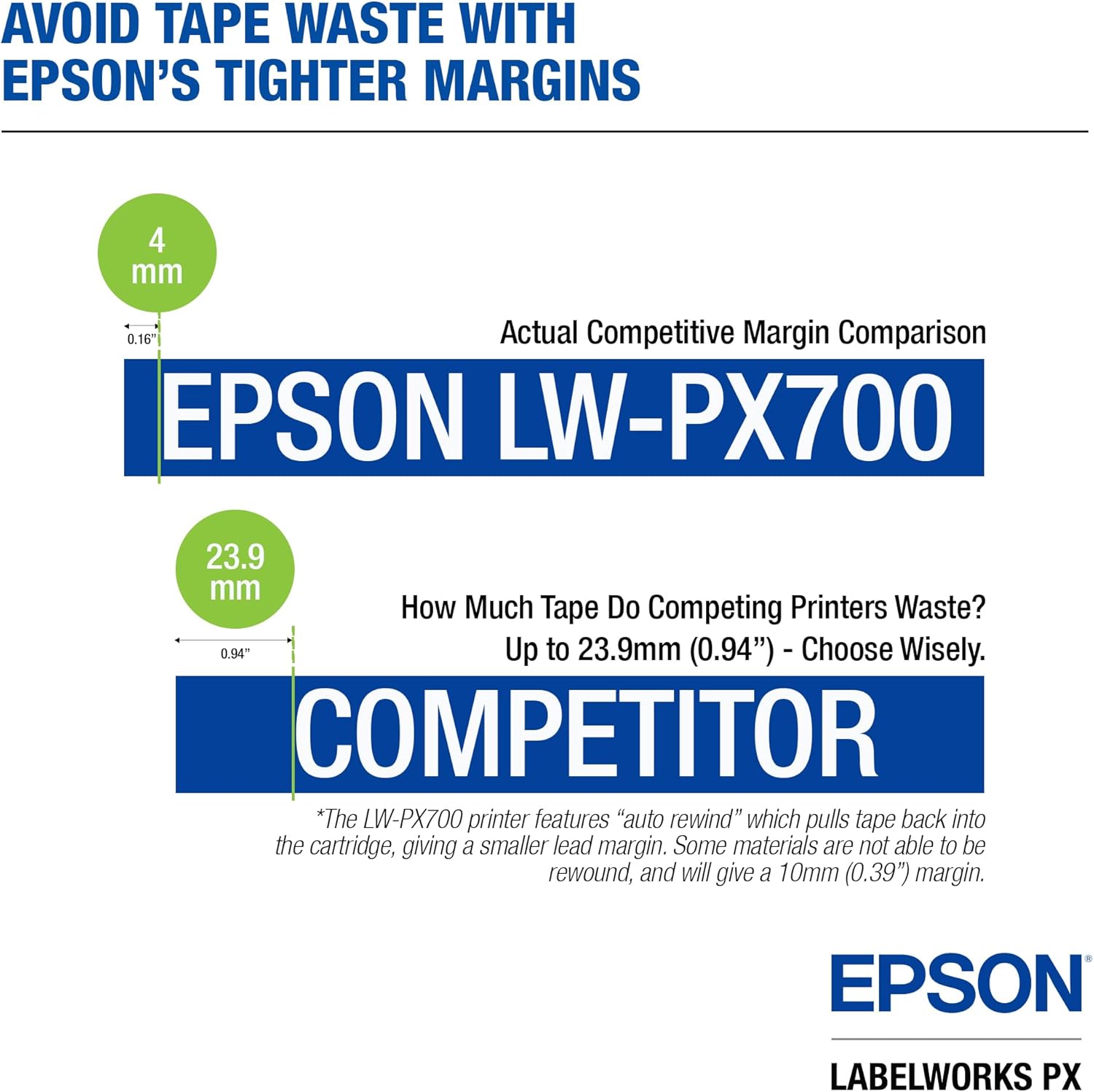
Iâm loving this thing, itâs waaaay better than my old rhino labeler. The description didnât make it clear, but it can run off batteries so you donât have to buy the rechargeable or be near an outlet. I mostly keep it plugged in when using, but itâs nice to be able to go mobile when necessary. The print quality is great too. Plenty good enough for labeling needs, itâs not a photo printer. Itâs pretty efficient on tape usage too, with minimal waste on either end of the label. The automatic cutter is fancy too, Iâm a fan. If anyone is having trouble peeling labels, I recommend an xacto knife. I never have any luck with my big sausage fingers and short nails.
PDMc –
Product review and PX900 vs PX700 comparison
First of all, I am not going to get into depth on all of the settings and option differences. That would just take too long. There are a few minor programming differences in the setup screens but overall they donât amount to much. The PX-900 has a few options that are not available on the PX-700 but for the average user, you wouldnât miss it. You might want to look at the online user manual for the 900 and see if anything really jumps out at you as a âgotta haveâ, then see if the 700 does not offer that option. But any of these differences would be deep in the specialty settings and hard to find in the first place. To sum it up, the 900 does everything that the 700 does with a few bonuses, but the 700 does most of everything that the 900 does that you are ever likely to want. I personally love extra options in a device, even if I am never likely to use them. But I can honestly say that there was nothing in the settings arena for these two that would even remotely make me second guess buying the less expensive model.One small thing that I did notice, which was more of a curiosity than anything, occurred when I was printing three lines of text on a 1/2″ tape. The 700 would automatically default to a larger 10 point font size while the 900 would use a smaller 8 point. The 10 point printing was perfectly clear, and obviously there is room on a 1/2″ tape for the larger font since the 700 can do it. Yet for some reason the 900 would not allow the larger text, no matter how much I tried to tweak the settings. That was just strange. The 900 is supposed to have a higher resolution capability so it seemed counter-intuitive that the less capable machine would be able to fit more into the same space.As far as capability goes, the 900 can print on tapes up to 1-1/2â while the 700 tops out at 1â. That is really the take-home for that category. So far I havenât really noticed a remarkable difference in the print resolution but if you are going to do a lot of graphics or barcodes that might be a consideration.Moving on to physical characteristics: The 900 has a larger top end to it to allow for the larger tape sizes. I find that makes it somewhat more top-heavy and awkward to hold when using it. I prefer the 700 from an ergonomic standpoint. They both have the exact same number and arrangement of the keys, but the keys on the 900 are slightly larger and take up more space. Normally that would be an advantage but I did not find that to be the case. BOTH of these machines have VERY sensitive keys and you really have to pay attention to what you are typing so that you donât inadvertently bump an adjacent button and enter an extra character. The 900 has flat buttons while the 700 buttons are slightly rounded at the top, making them easier to center under your fingertip and type accurately. I like the 700 better in this aspect even though the 900âs keys are larger targets and more spread out. I would have liked the 900 design better if they had used the smaller, rounded keys and just used the extra room to increase the space between them. Making the buttons a little more âclickyâ and less âmushyâ would help too. The tactile feedback of the buttons on both models could be improved greatly.I would definitely recommend buying the combo kit for either model, with the case and the lithium battery. The cases are the same for both and are well-designed with well thought-out storage areas for extra tape cartridges. I currently have two 1-1/2â cartridges in one box along with a 1â, a 3/4″ and a 1/2″. Add to that the cartridge which stays in the printer and I have a total of six in there. The charger and cords fit easily into the recess designed for them and I could even get a couple more tape cartridges on top of that space if I wanted to. There is nothing that annoys me more than buying something with a case only to find that I still have to have a separate tool box to carry the accessories that you KNOW are going to be added at some point. There is a space for an extra battery too. Now, absolutely none of you reading this are wondering about this detail right now but I will mention it anyway: I said the 700 is smaller than the 900 didnât I? Same case? Smaller printer? Isnât it going to be rattling around in there? Nope! The case that comes with the 700 has a foam strip in there to take up the extra space and it fits snug as a bug. Big kudos to the guy that designed the case. Give that man a raise!The magnet âfeetâ that come with the kit are kinda cool. I donât really use them that much but I could definitely see the advantage if you were labeling metal racks in a warehouse or something. They have good strength to hold the printer on a vertical metal surface and have their own dedicated storage space in the box. Here is the kicker: You donât have to take them off to get the printer back in the case! It still fits! Again, two big thumbs-up for the case guy!So that leaves the battery. You canât go wrong with a rechargeable lithium ion. They hold their charge in storage and the printer is designed to use this battery. Itâs not some clunky afterthought that you have to jam into a battery compartment that was not designed for it. It charges with the supplied power cord without having to remove the battery from the printer and, BTW, the printer will work just fine with no batteries using the power cord alone. You can still use AA batteries if you want to but I donât know why anyone would. I have had too many devices gunked up or destroyed by leaking Dumacell batteries or, to a slightly lesser extent, Energreazers. Those guys have serious quality control problems. If you have to use AAâs I would suggest the Amazon brand. I have not had any of those leak on me yet. Even the cheap generic batteries that come with some devices are better than Dumacells. I will probably get edited for mentioning name brands but if you suck you suck and Dumacell sucks. (end rant)Hope that was helpful. If I had it all to do over again I would probably still buy both the 700 and the 900 just because Iâm weird like that. But if I had to pick just one I would go with the 700. For the price difference you donât really get much more unless you absolutely HAVE to have labels that are bigger than 1 inch. Even then you could print two and stack them. The tape cartridges prices are comparable to the P-Touch brand that I graduated from and they seem to be easier to find in supply. Win-win for Epson. Well done.Oh, almost forgot⦠I bought both of these from âBuyHeatShrink and Moreâ here on Amazon. The shipping was very fast and the packaging was good. They even threw in a little sample chunk of heat shrink tubing with their logo printed on it. Freebies are always nice.
Daniel Wander –
I Like This Thing
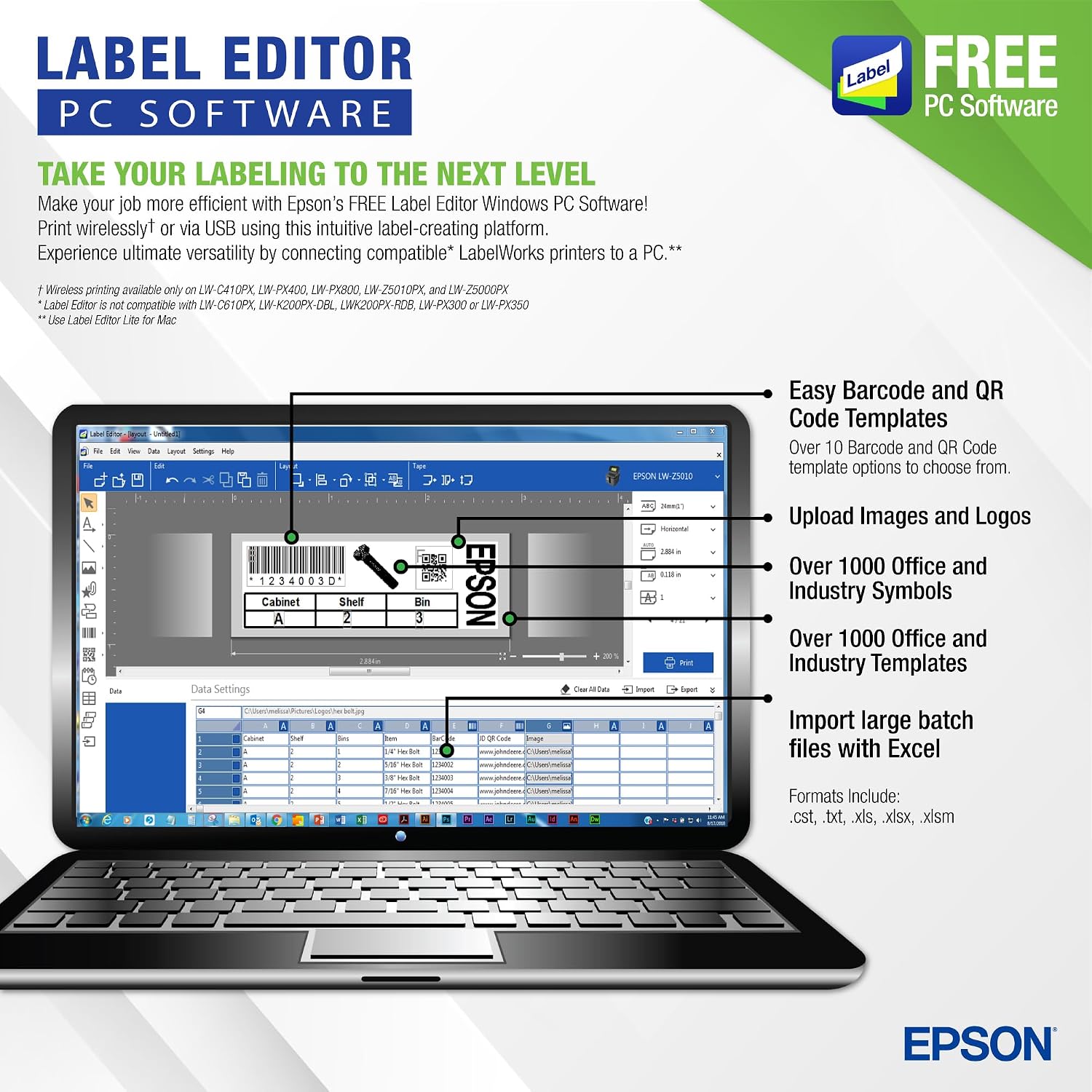
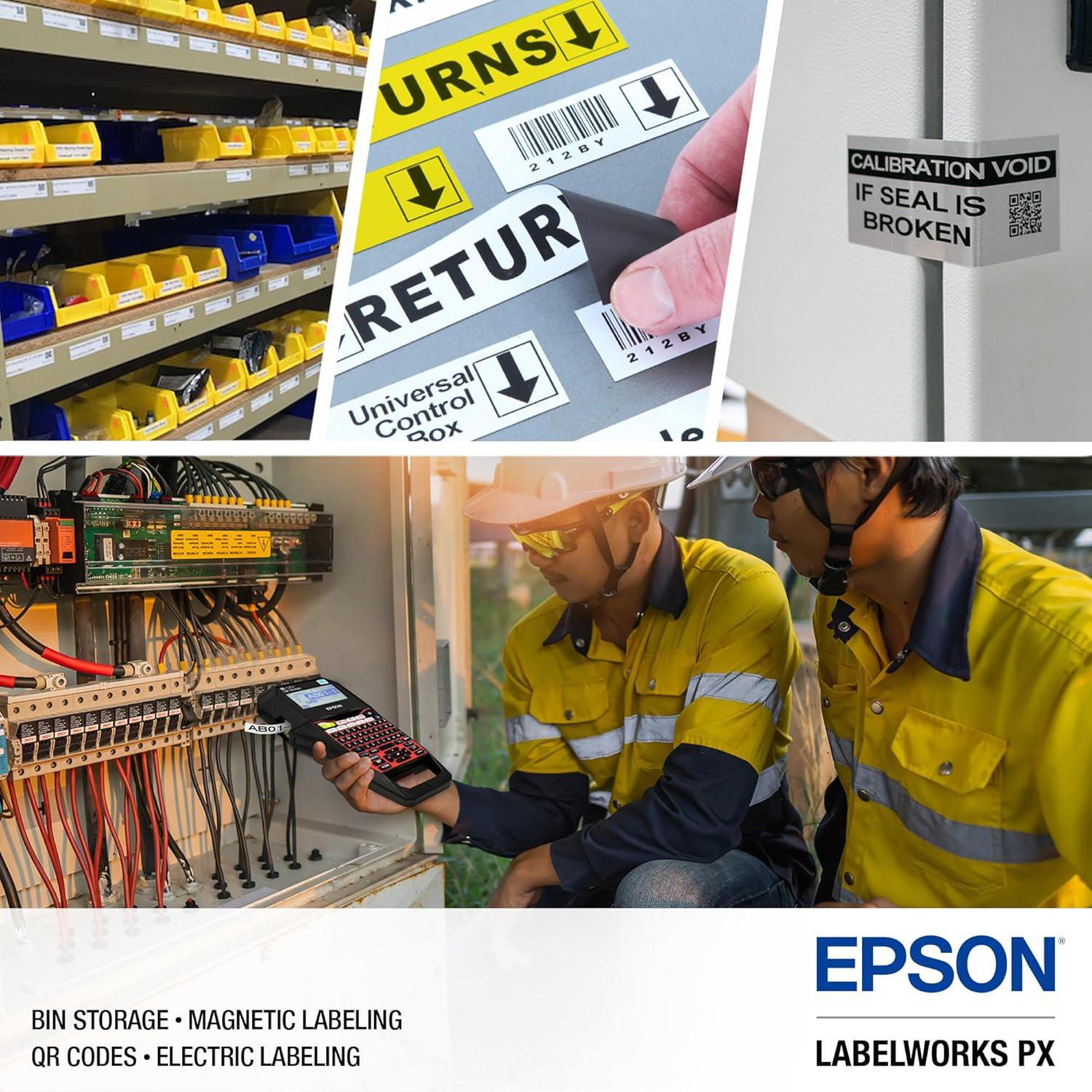
Got this to replace my $40 Brother label maker. I wanted to do more custom things with it including labeling patch panels. I’m really having too much fun with this thing. All my bins and patch panels are labeled beautifully right now. Especially love the black label tape. Looks super slick. I even made use of the magnetic labels in a cool way. I’ve messed around with the label editor software briefly but it threw me a bit with how complicated it is. I just figured it was going to simplify things, but it seems it’s intended for people who really want to get custom with their labels for one reason or another. I still plan to learn it though. Happy I finally bought this thing.
Stanward S. M. Oshiro –
I was scorn between this and the new Brother
I had to watch many YouTube videos on the new Brother and this label maker. After a few days of research, I settled on this guy.Things seem intuitive to use, that is, for basic labeling. But for more complex labels, I need to go back to YouTube and re watch the videos. Luckily those videos are easy to find.Rechargeable battery works great and lasts really long.
DeanD –
New favorite toy
I have used the Brady one and found this one to be hands down better. The Brady wastes a lot of shrink tube and the beginning and end of each label. The print is small and once shrunk is harder to read. Lastly the rolls cost more. I am using this to label a ton of wires in my avionics panel upgrade project. It’s funny, when it comes time to make labels I actually get excited to make them. I have not scratched the surface of what this thing can do but I don’t care. My wire bundles look great and it is super easy to find the needed wire in a sea of similar wires.
irish-george –
Superb product, warranty, and support!
This is a very nicely made, rugged feeling product with a lifetime warranty if you register it within 30 days of purchase. If you want to get real nit-picky, the only thing you can fault them on is that no matter which operating system or browser you use, their online registration webpageâs âsubmitâ button remains grayed out even if every blank is filled in. But, the upside of that is youâll probably phone to register and find out how efficient and pleasant their customer service is! You get a live, helpful, pleasant person immediately. No wading through menus or waiting on hold for what seems like years. This is what customer service should be like!!! I really canât think of a single reason why you shouldnât buy this label maker UNLESS you need to make 36mm labels, and then you just buy the next model up. The print quality is superb. It comes with FREE software to extend its functionality, too.
Ben DeBruler –
Great label maker with versatile level materials and sizes
I got this to make labels for my hard hat and tools, I chose to go with vinyl labels and so far everything has been holding up great and the lettering is very crisp, even up to 3/4″ labels.